
Every year, ambitious students take over executive boards for campus clubs, only to realize that running a society is basically managing a small startup with zero budget, high turnover, and full-time classes on the side. The secret to surviving your term, and leaving a lasting legacy, isn’t working harder. It is building a tech stack that automates the administrative busywork.
After digging into the specific features, pricing models, and real-world workflows of campus organizations, here is the definitive list of the 9 best tools for running a student club smoothly.
1. Notion: The Ultimate Club Brain & Handover Tool
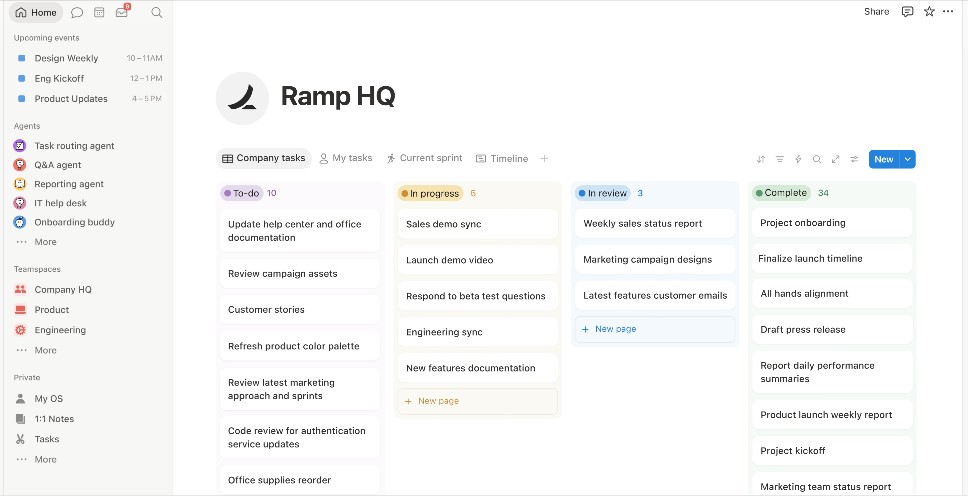
The biggest threat to any student society is the annual executive board turnover. When seniors graduate, institutional memory usually vanishes. Notion acts as your club’s permanent, cloud-based brain.
The Pro Insight
Instead of just taking notes, build Standard Operating Procedures (SOPs). Create a “How to Run the Winter Ball” page that includes vendor contacts, budget breakdowns, and timelines. When elections are over, simply hand over admin access to the incoming president. While students get Notion Pro for free with a .edu email, clubs should set up a centralized team workspace and pass down the master login.
2. Join It: The Membership Database
Managing who has actually paid dues via messy spreadsheets is a nightmare for club treasurers. Join It automates the entire membership lifecycle, starting at around $29 a month—a cost that easily pays for itself in recaptured renewals.
The Pro Insight
Join It shines in its custom fields and integrations. You can ask for dietary restrictions or T-shirt sizes the moment a member signs up, and the platform seamlessly syncs that data directly into Mailchimp for newsletters. Automated renewal emails save your board hours of awkwardly chasing people down for dues.
3. Discord: The Community Hub
Let’s be real: email open rates on college campuses are terrible, and Slack feels too much like a corporate day job. You need to reach members where they actually hang out.
The Pro Insight
Students already have Discord open for gaming and socializing. Beyond just chatting, Discord’s role-based permissions are a game-changer for clubs. You can lock private channels for your exec board, restrict announcement channels so important updates don’t get buried, and even automatically grant access to VIP channels once members verify they’ve paid their dues.
4. Canva: The Recruitment & Marketing Engine
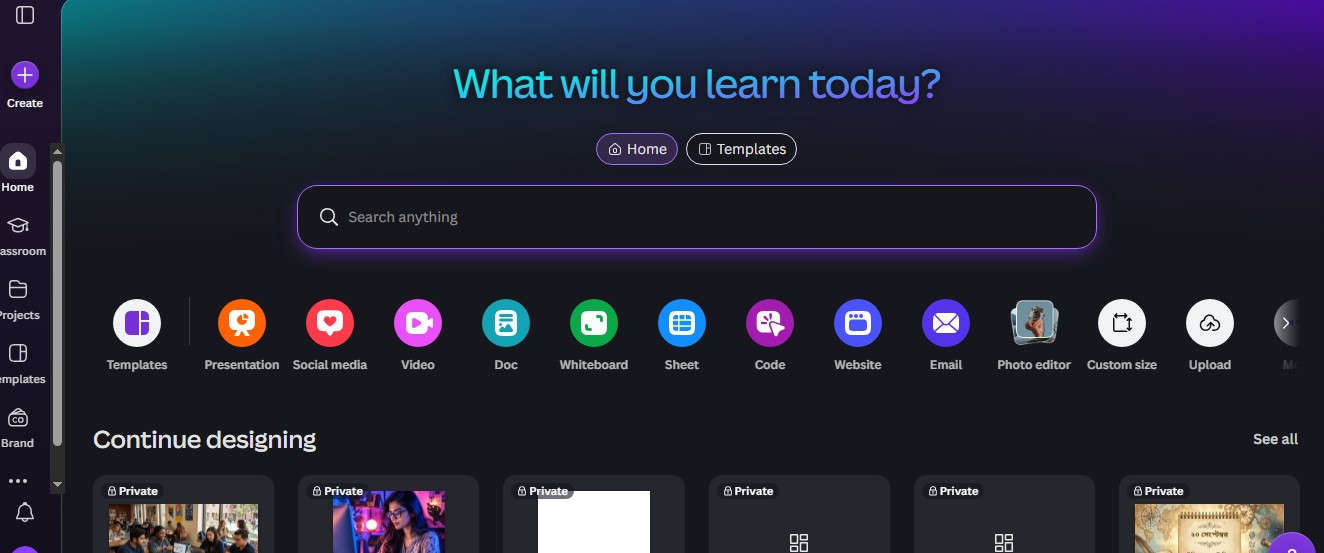
Your success at the campus club fair depends heavily on your visual presence. Canva ensures you don’t need a graphic design major on your board to look professional.
The Pro Insight
Set up a unified “Brand Kit” with your club’s specific colors and fonts to ensure every Instagram post and flyer looks cohesive. If your club is officially recognized as a nonprofit charity (or falls under your university’s nonprofit umbrella), you can apply for the Canva for Nonprofits program, which grants premium Canva Pro features to your team entirely for free.
5. Zeffy: Zero-Fee Financial Management
Traditional payment processors take a standard cut of around 2.9% plus 30 cents out of every transaction. For clubs operating on shoestring budgets, losing 3% of your treasury hurts.
The Pro Insight
Zeffy is a payment platform built strictly for nonprofits and student organizations. It genuinely covers all platform fees and credit card processing fees, relying entirely on optional tips from buyers at checkout. Whether you are selling custom spirit wear, hosting a charity raffle, or collecting dues, exactly 100% of the money goes straight to the club’s bank account.
6. Luma (lu.ma): Modern Event Ticketing
Friction is the enemy of event attendance. Luma has rapidly taken over college tech, wellness, and social communities because it builds gorgeous, minimalist event landing pages in seconds.
The Pro Insight
Luma is built for the modern mobile user. It automatically sends SMS text reminders to attendees, issues digital tickets directly to Apple or Google Wallets, and features a built-in QR code scanner. Your exec board can just stand at the door with their phones and seamlessly check people in, drastically reducing the classic college “no-show” rate.
7. Trello: Visual Task Delegation
Planning a hackathon, a formal, or a campus-wide fundraiser involves dozens of moving parts. Text threads are where action items go to die, usually resulting in the stressful “I thought you were doing that” argument.
The Pro Insight
Trello uses a visual Kanban-style board (To Do, Doing, Done) to keep everyone accountable. You can create a card titled “Book the DJ,” assign it specifically to the social chair, set a hard deadline, and attach the vendor contract. It allows the club president to see the exact status of an event at a single glance.
8. Google Workspace: The Operational Backbone
It is the gold standard for a reason. Google Drive, Forms, and Calendar remain the most reliable foundational tools for campus administration.
The Pro Insight
Google Forms is unbeatable for anonymous board voting, committee applications, and post-event feedback. The most critical step here is creating a master club Gmail account (e.g., chessclub@university.edu) to own all the club’s Google assets. Never use a personal student email to host important files, or you risk losing access when that student graduates.
9. UniSoc or CampusGroups: The All-In-One Institutional Giants
If your executive board doesn’t want the hassle of stringing together six different apps, purpose-built institutional platforms are the answer. Platforms like UniSoc (popular in the UK) or CampusGroups (widely used in the US) combine ticketing, team rosters, and treasury into one hub.
The Pro Insight
While they can feel a bit more rigid than a highly customized Notion/Luma stack, these platforms are often paid for by the university itself. They natively handle university compliance, budget request forms, and official roster reporting without requiring your board to seek external software approvals from the student union.
Work Smarter, Not Harder
Running a student organization shouldn’t feel like a chore that drains your academic life. By putting the right, specialized tools in place today, you cut out the administrative chaos and stop reinventing the wheel every single semester. Build a solid operational foundation now, and leave yourself more time to focus on what actually matters: building a community, throwing incredible events, and making your time on campus genuinely unforgettable.
Frequently Asked Questions on the Best Tools for Running a Student Club
1. Should a student club use Discord or Slack?
For 90% of student organizations, Discord is the better choice. Slack is fantastic for professional workplaces, but college students associate it with homework or internships. Discord is culturally viewed as a casual, social space, which naturally encourages higher engagement, better banter, and a stronger sense of community among members.
2. How do we ensure institutional memory isn’t lost when seniors graduate?
The golden rule of campus clubs: never link critical infrastructure to a personal email address. Create a centralized club email, build your standard operating procedures in a shared Notion workspace, and pass the master credentials down each spring. Document your mistakes and vendor contacts so the next board doesn’t repeat them.
3. How can we avoid paying transaction fees on club dues?
Avoid commercial platforms like Eventbrite or standard PayPal setups if you are on a tight budget. Use platforms tailored specifically to nonprofits, like Zeffy. Because Zeffy relies on voluntary buyer tips at checkout to fund its operations, it covers all the backend credit card processing fees, allowing your club to keep 100% of its revenue.
4. What is the best way to track event attendance without slowing down the line?
Paper sign-in sheets create bottlenecks and are impossible to read later. Use an event platform like Luma or Join It that issues digital tickets or membership cards to a student’s Apple Wallet. Your executive board can simply use their smartphone cameras to scan QR codes at the door, making check-ins instant and automatically logging the attendance data.
5. Is it better to use an all-in-one platform or build a custom tech stack?
It depends entirely on your board’s tech-savviness and your university’s requirements. A custom stack (like Notion + Luma + Zeffy + Discord) offers the best aesthetics and features, but requires more manual setup. An all-in-one platform like CampusGroups is less customizable, but it drastically simplifies official reporting to your university’s student activities office.