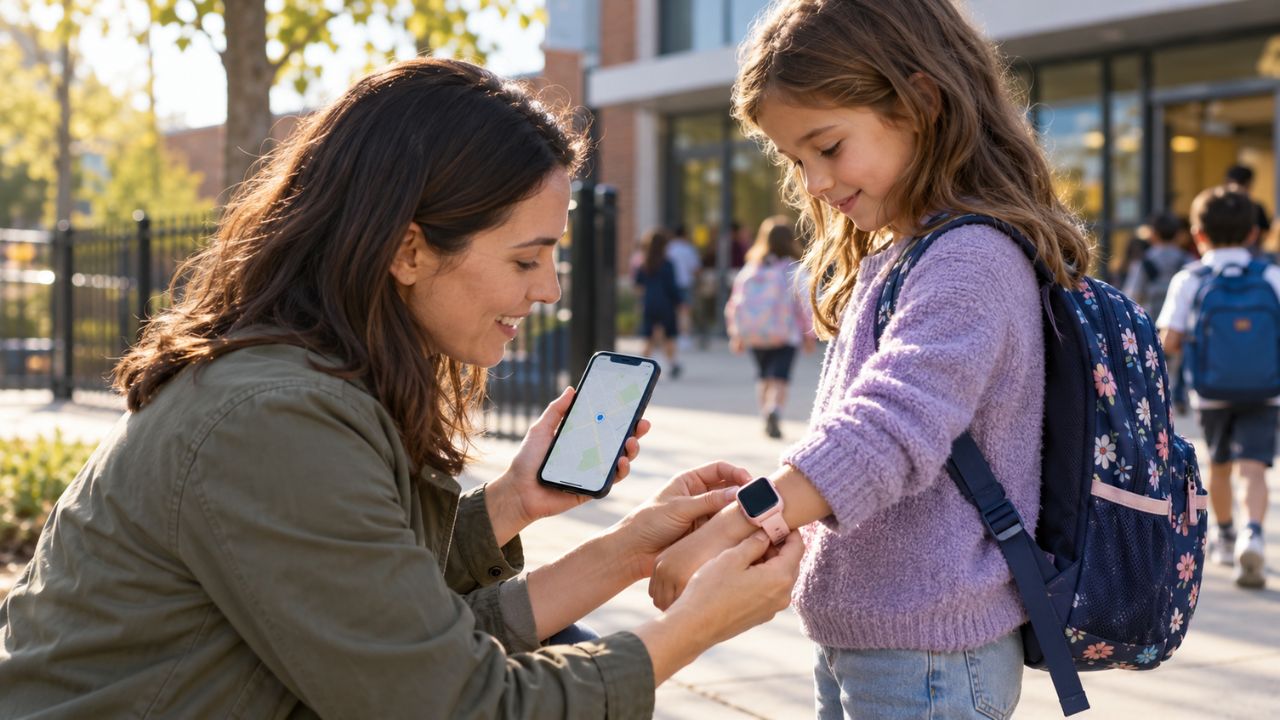
The best kids’ GPS smartwatches give children a way to call home without handing them everything that comes with a smartphone. That can be useful for the walk from school, an afternoon at practice, or a change in pickup plans. The watch should help with those moments, then stay quiet during class.
I compared ten current models using their published features, parent controls, service terms, and school settings. I have not personally tested their GPS accuracy or battery life, so I am treating manufacturer claims as a starting point, not a field-test result. The best choice depends on how much contact your child needs and how much screen activity you are willing to manage.
Before you shop: Prices and plans below are U.S. listings checked in October 2026. Most of these watches need a separate service plan. If you live elsewhere, confirm that the specific model can be activated in your country; travel coverage is not the same as local activation.
What Makes a Kids’ GPS Smartwatch Worth Buying?
I would start with three questions. Can your child reach the right adults easily? Can you see when the location last updated? And what can the child do with the watch during school hours?
Approved contacts, clear school settings, and a manageable charging routine matter more to me than a long feature list. I also check the emergency button carefully. On some watches, SOS contacts a guardian; on others, the child can call 911 in the U.S. Neither a location pin nor an SOS label should be taken on faith without checking how that particular watch works.
The 10 Best Kids’ GPS Smartwatches at a Glance
| Watch | Best for | Main point to check |
| TickTalk 6 | Calls and texts without games | Basic plan allowances |
| Garmin Bounce 2 | Active kids | Which school setting you choose |
| Gabb Watch 3e | A simple first watch | Guardian-only SOS and contract terms |
| COSMO JrTrack 5 SE | Texting approved relatives | Optional apps and prepaid plans |
| Verizon Gizmo Watch 4 | Verizon households | No 911 calling |
| Fitbit Ace LTE | Movement-based games | Ace app contacts and play limits |
| Bark Watch | Content-risk alerts | Privacy and two-part monthly bill |
| Xplora X6Play | Style and activity rewards | Regional school-mode behavior |
| T-Mobile SyncUP KIDS Watch 2 | Existing T-Mobile accounts | Line requirements and bill credits |
| Apple Watch SE 3 GPS + Cellular | Older children in Apple families | Carrier support and broader app access |
1. TickTalk 6: Best for Calling Without Games
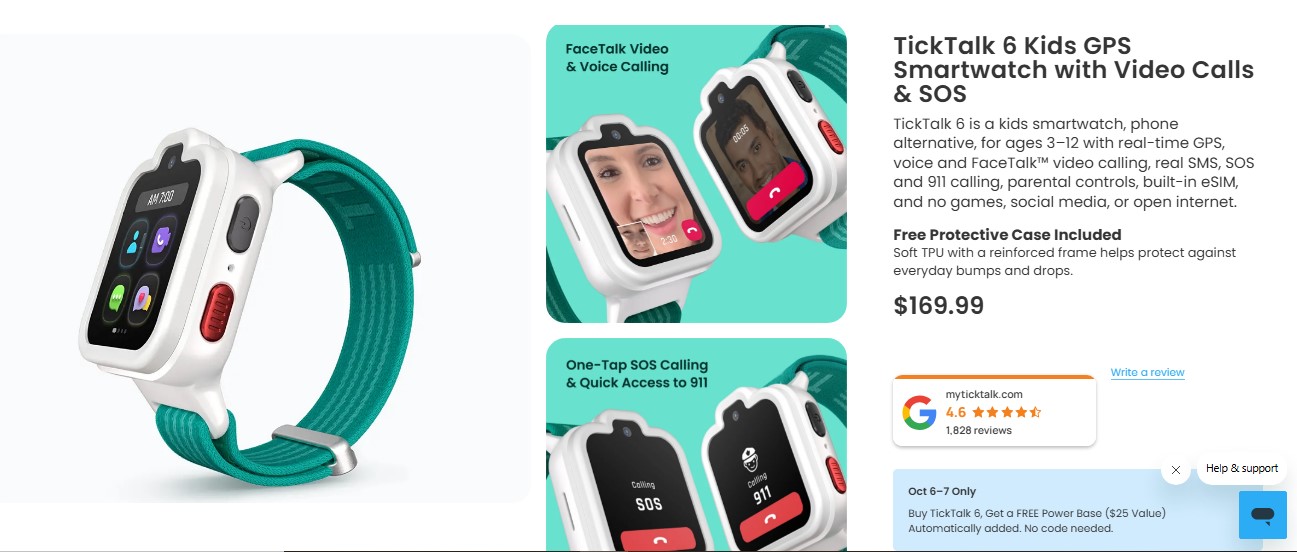
TickTalk 6 keeps communication at the center. Children can make voice and video calls and send real SMS to approved contacts. Parents get GPS location, location history, contact controls, and scheduled School/Focus Mode. There are no games, social media apps, or open web browsing.
The watch is listed at $169.99. Its required TickTalk Wireless service starts at $9.99 a month, though that Essential plan has talk and high-speed data allowances. Check those limits if your child will make frequent video calls. TickTalk also offers SOS and U.S. 911 calling. I would choose it for a child who needs to reach family members easily but does not need another place to play games. Because this model is new, there is less long-term ownership evidence to draw on.
2. Garmin Bounce 2: Best for Active Kids
The Bounce 2 combines calling, messaging, and location with Garmin’s activity features. Parents and approved contacts communicate through the Garmin Jr. app. Garmin lists the watch at $299.99, plus a $9.99 monthly plan for connected features. It is a costly pick if the child will use it only to call home.
Its two school settings are easy to confuse. Silent mutes sounds but allows features. Silent & restricted also limits games and messages while keeping assistance available. I would select the restricted option before deciding whether the watch meets a school’s rules. Garmin advertises up to two days of battery life; actual use and signal strength will change that. Also, check that you are reading about the Bounce 2: the original Bounce does not have the same two-way calling feature.
3. Gabb Watch 3e: Best Simple First Watch
Gabb Watch 3e lets a child call and text approved people, while parents manage location, Safe Zones, and Focus Mode in the MyGabb app. It has no camera. That makes it a reasonable first step for a child who mainly needs a dependable way to reach home.
The hardware is listed at $229.99. Service starts at $12.99 a month with a two-year agreement, and Gabb lists a $30 activation fee. Other contract choices cost more per month. Its SOS feature calls a selected guardian; it cannot dial 911. Location and Safe Zone alerts can also be delayed, and Focus Mode should not be mistaken for a complete lock. Gabb estimates roughly 14 to 18 hours of ordinary-use battery life, so nightly charging is the practical plan.
4. COSMO JrTrack 5 SE: Best for Real Texting
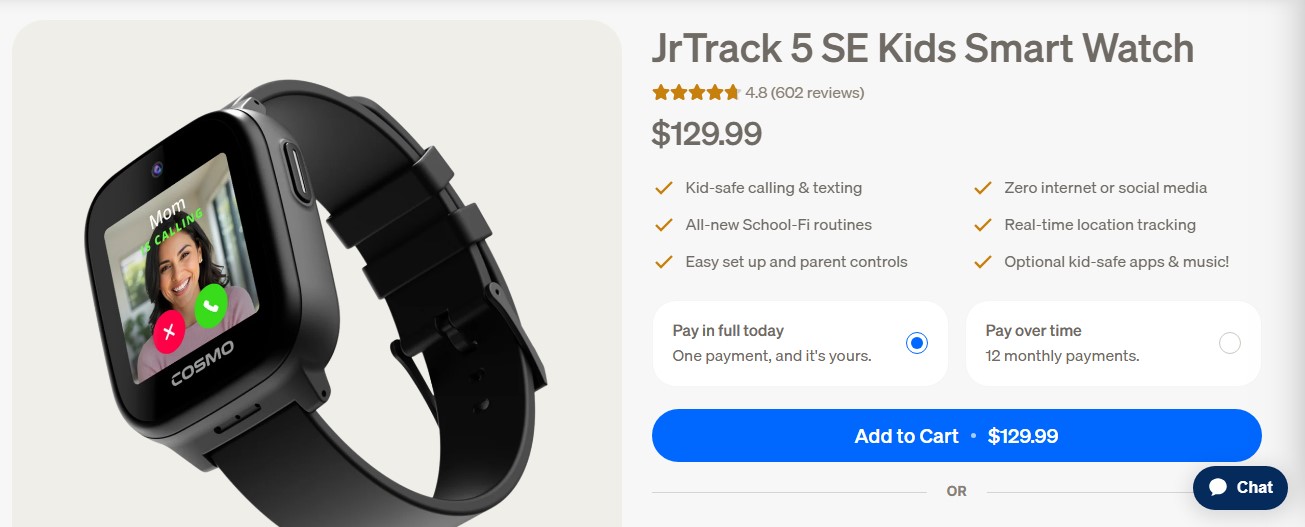
COSMO’s JrTrack 5 SE is a good fit when grandparents or caregivers need to exchange ordinary messages with a child. It supports text, photo, audio, and video messages with approved contacts. Parents can view texts, check location history and SafeZones, and set School-Fi routines based on time and location. Optional apps and music give families more to configure; the watch has no open internet or social media.
The watch is listed at $129.99, with COSMO Mobile service at $19.99 per month. A one-year membership costs $155.88 upfront, equivalent to $12.99 a month, and a new line has a $14.99 activation fee. The lower rate requires prepayment; it is not the month-to-month price. COSMO Mobile is required. The camera sends video clips, but COSMO does not establish live video calling for this model in its current product description.
5. Verizon Gizmo Watch 4: Best for Verizon Families
Gizmo Watch 4 offers GPS, location alerts, voice and video calling, and up to 40 approved contacts. During School Mode, the watch shows a clock and blocks games and other interactive features, while emergency-contact calling remains available. Verizon lists service at $10 a month, with possible taxes, fees, and an activation charge. Check the device price and account terms when ordering.
Parents now manage Gizmo features in the Verizon Family app as GizmoHub is retired. Games are available outside School Mode, and an optional AI question feature can be enabled by a parent. Decide whether those features suit your child. The emergency distinction is important here: the watch can call an approved emergency contact, but Gizmo watches cannot call 911.
6. Fitbit Ace LTE: Best for Movement-Based Games
Fitbit Ace LTE turns physical activity into games and quests. Parents can see the watch’s location, manage contacts, and call or message through the Fitbit Ace app. School Time restricts games and quiets notifications while allowing a child to contact a parent. The required Ace Pass costs $9.99 a month and covers connectivity and the games.
This is a more playful choice than TickTalk or Gabb. That may help a child remember to wear it, but it also calls for clear play times. Contacts use the Ace app rather than ordinary SMS, so check that grandparents and caregivers are willing to use it. Google’s LTE service is limited to supported U.S. areas. I would choose the Ace for a child who likes its movement features, not for a family expecting a plain calling watch.
7. Bark Watch: Best for Content Alerts
The current Bark Watch uses Samsung Galaxy Watch8 hardware. Along with GPS, calls, and texts, Bark scans supported communications, including photos and videos, for potentially concerning content and sends parents alerts. It has school and bedtime controls, without an open browser, games, or social apps on the watch.
Bark’s bill needs a careful read: the service is $15 a month plus $12 a month for the device over 24 months. That is $27 a month during the payment period before optional extras. Ending service early may leave a device balance. I would talk with a child about what the monitoring can see and how the family will respond to an alert. Automated scanning can miss context. This is a U.S.-only option for families who want that extra layer of review and are comfortable with its privacy tradeoff.
8. Xplora X6Play: Best for Style and Activity Rewards
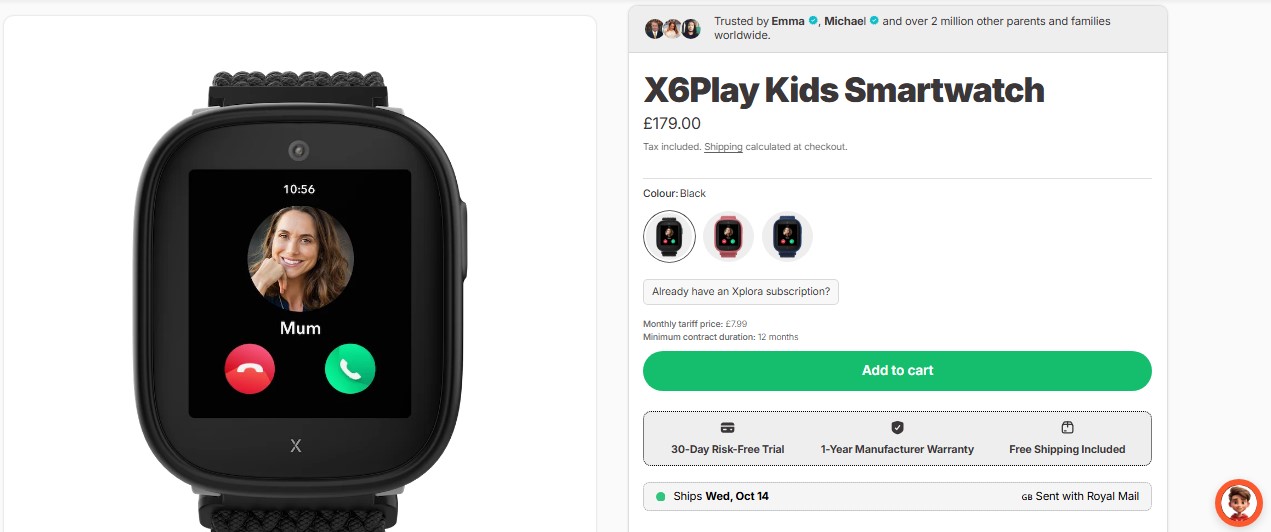
Xplora X6Play offers calls to approved contacts, GPS and other location methods, Safe Zones, an SOS button, and school schedules. Swappable bands and frames make it more personal, while its activity platform rewards movement. The watch has a camera, so check your school’s policy before buying it. The U.S. listing is $169.99 plus a $12 monthly Xplora Connect plan.
School Mode silences calls and messages, but Xplora’s regional support wording is inconsistent about location behavior during that mode. If you need location updates while class is in session, confirm the behavior for your model and region before relying on it. I would consider the X6Play for a child who wants a watch that looks and feels more like their own, provided the rewards will not become another distraction.
9. T-Mobile SyncUP KIDS Watch 2: Best for Existing T-Mobile Accounts
SyncUP KIDS Watch 2 gives T-Mobile customers location and boundary alerts, approved contacts, voice and video calling, school controls, cameras and games. Its convenience is having the watch on an account you already use, assuming coverage is good along your child’s regular routes.
T-Mobile lists $174 as the device’s full amount, but watch-line prices and promotions depend on your account. Most functions need a qualifying line, the parent app, a compatible phone, and at least one separate T-Mobile voice line. A “free” watch offer can involve monthly bill credits; canceling service may leave a financed balance due. T-Mobile also says location is approximate and may not always be available. Set the school controls and approved contacts before the child starts wearing it.
10. Apple Watch SE 3 GPS + Cellular: Best for an Older Child in an Apple Family
Apple Watch SE 3 gives an older child more room to grow. With Apple Watch For Your Kids, a parent uses an iPhone to set up a child’s GPS + Cellular watch and manage contacts, location sharing, apps, and Schooltime. It is a broader device than the purpose-built kids’ watches above, so it asks more of the parent at setup.
Schooltime blocks distractions during scheduled hours, but the child can temporarily exit it, and the parent is notified. Start with a small contact list and limited app downloads. For a child who does not have an iPhone, choose the GPS + Cellular model; the advertised price of a GPS-only model is not the relevant price. Independent cellular use also depends on an eligible plan. Check carrier and country support for family setup before buying.
How Reliable Is GPS on a Kids’ Smartwatch?
A map shows the location of the watch based on its latest available update. It does not prove exactly where a child is at that moment. A dead battery, poor signal, indoor location, or delayed refresh can leave you looking at an old or approximate pin. Safe Zone alerts can arrive late, too.
Before relying on any watch, try it on an ordinary route. Check the timestamp, make a call, and see how the alerts behave near your child’s school and home. If a location looks wrong, contact your child or the adult who is with them. The watch works best as one part of a pickup and check-in plan.
Which Watch Would I Choose?
For a first watch centered on calls, my shortlist would begin with TickTalk 6. Gabb Watch 3e is simpler if its guardian-only SOS and contract suit your family. Choose Garmin Bounce 2 or Fitbit Ace LTE because your child will use their activity features, not merely for their location tools. I would leave Apple Watch SE 3 GPS + Cellular for an older child who can handle more apps and choices. Let school rules, local coverage, and the full service bill break any tie.
Frequently Asked Questions About the Best Kids’ GPS Smartwatches
1. Can a kids’ GPS smartwatch work without a plan?
Basic offline features may work, but remote location, calls, and messages generally need an active watch service plan. Check the exact model before buying; your existing phone plan does not automatically cover it.
2. How accurate is the GPS indoors?
Accuracy varies by building, signal, and the methods the watch uses to estimate location. Treat the pin as an estimate and check its last-update time, especially when it seems surprising.
3. Can my child wear a smartwatch at school?
Ask the school first. A quiet mode may reduce distractions, but the rules may still restrict watches with calling or cameras. Test the mode you plan to use.
4. What age is right for a first smartwatch?
Readiness matters more than a number. A child should be able to keep the watch charged, call a trusted adult, follow school rules, and understand what the help button does.
5. Will a U.S. watch work in another country?
Not necessarily. Confirm local activation, network coverage, parent-app availability, and emergency features. Roaming on a trip is different from setting up the watch where you live.