

Finding quality gaming accessories doesn’t have to break the bank. Whether you’re a casual gamer or a dedicated esports enthusiast, the right tools can make a world of difference in your gaming experience.
The good news? There are plenty of high-quality, budget-friendly options out there.
In this guide, we’ll dive into the best gaming accessories on Amazon under $50, offering you value-packed recommendations without compromising on performance or style.
Gaming accessories are not just add-ons; they enhance gameplay, improve comfort, and allow you to customize your gaming environment.
Whether you’re on the hunt for immersive audio, quick-response controls, or ergonomically designed tools, this guide has got you covered.
Let’s explore these affordable gems and see how the best gaming accessories on Amazon under $50 can elevate your gameplay while staying within budget.
Best Gaming Accessories on Amazon Under $50
Discover the top gaming accessories on Amazon that won’t break the bank. From headsets to controllers, these budget-friendly options enhance your gaming experience without exceeding $50.
Gaming Headsets
A good gaming headset can transform your experience, providing clear communication and immersive soundscapes.
For budget-conscious gamers, several options deliver exceptional performance without exceeding $50.
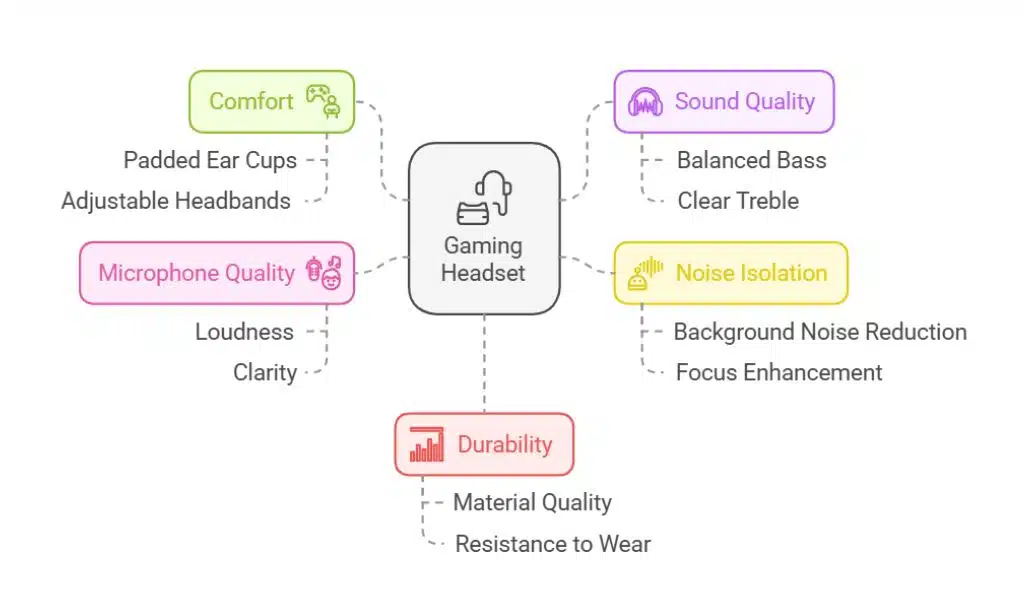
Features to Look for in Budget Headsets
When selecting a gaming headset, focus on:
- Comfort: Padded ear cups and adjustable headbands for long sessions.
- Sound Quality: Clear audio with balanced bass and treble for immersive gameplay.
- Noise Isolation: Helps block out background distractions, keeping you focused on the game.
- Microphone Quality: Ensures your teammates hear you loud and clear during multiplayer matches.
- Durability: Sturdy build to withstand daily wear and tear.
Top Picks for Gaming Headsets
| Brand/Model | Key Features | Price |
| HyperX Cloud Stinger | Lightweight, 50mm drivers, noise-canceling mic | $49.99 |
| Razer Kraken X | Surround sound, ultra-light build | $49.99 |
| Corsair HS35 | Cross-platform compatibility, plush ear cups | $44.99 |
The HyperX Cloud Stinger stands out for its lightweight design and noise-canceling microphone, making it perfect for marathon gaming sessions.
Similarly, the Razer Kraken X delivers surround sound in an ultra-light frame, ensuring comfort and audio clarity.
For gamers seeking versatility, the Corsair HS35 offers cross-platform compatibility, making it one of the best gaming accessories on Amazon for under $50.
Gaming Keyboards
A responsive keyboard is crucial for precise gameplay. Even at a budget price point, there are impressive options available that deliver durability and advanced features.
Mechanical vs. Membrane Keyboards
Understanding the difference:
- Mechanical Keyboards: Known for tactile feedback, quicker response times, and durability. They are ideal for competitive gaming.
- Membrane Keyboards: Quiet, affordable, and lightweight, making them suitable for casual gamers or those who prefer minimal noise.
Recommended Keyboards Under $50
| Brand/Model | Key Features | Price |
| Redragon K552 | Compact design, RGB backlighting, mechanical switches | $39.99 |
| SteelSeries Apex 3 | Whisper-quiet keys, water-resistant, RGB lighting | $49.99 |
| Logitech K845 | Slim design, mechanical keys, customizable lighting | $49.99 |
The Redragon K552 offers a compact design with vibrant RGB backlighting and mechanical switches, making it a standout option for gamers who prioritize speed and aesthetics.
On the other hand, the SteelSeries Apex 3 features whisper-quiet membrane keys and water resistance, providing excellent value for those who want reliability and comfort.
Meanwhile, the Logitech K845 strikes a balance between style and functionality with its slim design and customizable lighting, securing its spot among the best gaming accessories on Amazon under $50.
Gaming Mice
Precision and comfort are essential when it comes to gaming mice. A well-designed mouse can significantly enhance your performance by offering better control and customization options.
Essential Features for Gaming Mice
Look for:
- DPI Settings: Adjustable DPI allows you to tailor sensitivity based on your gameplay needs, from precision sniping to fast-paced action.
- Ergonomic Design: Reduces strain during extended gaming sessions and provides a comfortable grip.
- Programmable Buttons: Customizable options for macros and shortcuts that enhance efficiency and gameplay.
- Durability: High-quality switches and materials ensure long-lasting use.
Best Gaming Mice Under $50
| Brand/Model | Key Features | Price |
| Logitech G203 | Customizable RGB, 8,000 DPI | $39.99 |
| Razer DeathAdder V2 | Ergonomic design, optical sensor | $49.99 |
| SteelSeries Rival 3 | Lightweight, accurate sensor, RGB lighting | $29.99 |
The Logitech G203 combines high DPI settings with customizable RGB lighting, making it a versatile option for gamers who enjoy both performance and aesthetics.
Meanwhile, the Razer DeathAdder V2 boasts an ergonomic design and a high-precision optical sensor, ensuring smooth and accurate tracking.
For those seeking a lightweight option, the SteelSeries Rival 3 delivers exceptional accuracy and durability at an unbeatable price, easily ranking among the best gaming accessories on Amazon under $50.
Gaming Controllers
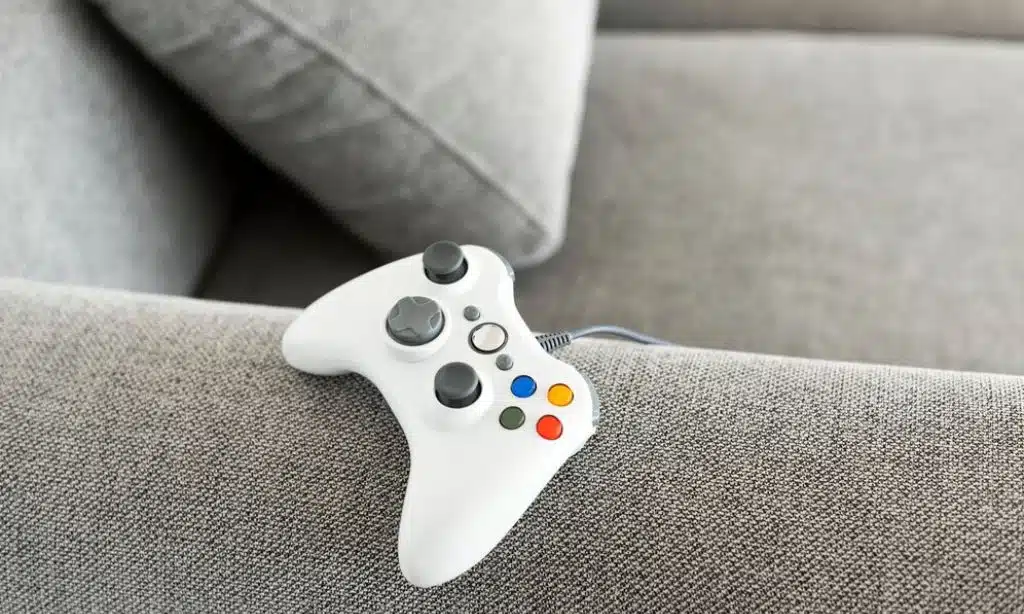
For certain genres, like racing or sports games, a controller can provide a more intuitive and enjoyable experience compared to a keyboard and mouse setup.
Benefits of Using a Controller for PC Gaming
- Enhanced gameplay for racing, sports, and platformers due to analog controls.
- Plug-and-play compatibility with most games, minimizing setup hassle.
- Comfortable grip designed for prolonged use without hand fatigue.
Best Gaming Controllers Under $50
| Brand/Model | Key Features |
Price |
| PowerA Enhanced | Officially licensed, responsive buttons, customizable design | $49.99 |
| 8BitDo SN30 Pro | Retro design, multi-platform support | $45.00 |
| Logitech F310 | Simple plug-and-play functionality, wide compatibility | $24.99 |
The PowerA Enhanced controller offers excellent build quality and responsive buttons, making it a great choice for competitive gamers.
For retro gaming enthusiasts, the 8BitDo SN30 Pro provides a nostalgic design combined with multi-platform compatibility, allowing seamless transitions between PC, Android, and Nintendo Switch.
The Logitech F310 stands out for its simplicity and wide compatibility, making it one of the best gaming accessories on Amazon under $50 for casual gamers.
Additional Accessories
Beyond the essentials, a few thoughtful extras can make your gaming setup even better, enhancing comfort, organization, and overall experience.
Mouse Pads and Wrist Rests
- Extended Mouse Pads: These provide a smooth and consistent surface for precise mouse tracking while protecting your desk.
- Wrist Support: Ergonomically designed wrist rests can reduce strain and improve comfort during long gaming sessions.
| Accessory | Key Features | Price |
| SteelSeries QcK | Durable, non-slip base | $14.99 |
| Gimars Wrist Rest | Memory foam support | $19.99 |
| Razer Goliathus | Portable, optimized for all sensors | $19.99 |
USB Hubs for Gamers
With multiple devices to connect, a reliable USB hub can be a game-changer, ensuring that all your peripherals are easily accessible and powered.
| Accessory | Key Features | Price |
| Anker 4-Port USB Hub | Sleek design, fast data transfer | $19.99 |
| TP-Link UH720 | 7 ports, high-speed data transfer | $39.99 |
The SteelSeries QcK mouse pad offers a durable surface for smooth gameplay, while the Gimars Wrist Rest provides essential support for prolonged gaming sessions. The Razer Goliathus is a portable option optimized for all sensor types.
For connectivity, the Anker 4-Port USB Hub is compact and reliable, while the TP-Link UH720 provides an extensive 7-port solution, cementing their spots as some of the best gaming accessories on Amazon under $50.
Takeaways
Selecting the best gaming accessories on Amazon under $50 comes down to understanding your needs and gaming style. Prioritize features that align with your gaming habits—whether it’s immersive audio, precise controls, or ergonomic design.
Consider durability, compatibility, and additional features like lighting or programmability to ensure long-term satisfaction.
Amazon remains a trusted platform for purchasing gaming accessories, offering competitive pricing, fast shipping, and detailed customer reviews to guide your choices. Before making a purchase, take the time to read reviews, compare specifications, and identify which accessory best suits your setup.
What are your favorite gaming accessories on a budget? Share your recommendations and let us know how these tools have enhanced your gaming experience.
Dive into the world of budget-friendly gaming gear and explore the best gaming accessories on Amazon under $50 to level up your setup today!
























