

Your child has just received an allowance. They can buy something small today, or keep the money for the bigger thing they wanted last week. That choice is a better starting point for a money lesson than a lecture about budgeting.
The best apps for teaching kids about money make those everyday choices easier to see and discuss. Some are games or virtual allowance records. Others combine lessons with a supervised card, so a child can practise with real spending. I also included one browser-based course, clearly marked below, for families who want structured instruction.
My quick picks: Greenlight offers the strongest mix of lessons and supervised spending for eligible U.S. families. Bankaroo is a good free starting point for tracking an allowance without a card. In the UK, NatWest Rooster Money lets families begin with a free tracker and add a card later. The best fit for your child depends on their age, the skill you want to teach, and where your family can open an account.
The Best Apps for Teaching Kids About Money at a Glance
| App | Best for | Age guidance | Starting price | Format and availability |
| Greenlight | Lessons plus supervised spending | No minimum card age stated | US$5.99/month per family | App and card; eligible U.S. families |
| Acorns Early | Lessons that change with age | 6–18 | US$8/month for up to four children | App and card; eligible U.S. families |
| BusyKid | Splitting allowance among spending, saving and sharing | Designed for 5–17 | US$48 billed annually per family | App and prepaid card; U.S.-focused |
| FamZoo | Custom family money rules | Children and teens; card eligibility applies | US$5.99/month per family | App or browser; U.S. cards or virtual IOUs |
| NatWest Rooster Money | A gradual start with pocket money | Tracker for younger children; card 6–17 | Free tracker; card £1.99/month or £19.99/year | App; UK-resident families |
| Bankaroo | A free virtual allowance record | Basic reading skills; most users 5–14 | Free web version | Browser or mobile web; no real funds |
| Gimi | Allowance habits and family activities | Parental permission required | Free version; Pro from €2.99/month | App; bank links depend on location |
| MoneyPrep | Money concepts and elementary maths | 5–12 | Free download; premium content offered | Mobile game |
| MoneyTime | A structured financial literacy course | 10–15 | U.S. one-year licence US$66 per child | Browser-based; five localised editions |
| Zogo | Short lessons for teens | 13+ | Free download; sponsored access | App; U.S. ID rules for rewards |
Prices reflect the providers’ advertised base offers checked in October 2026. A free download may include paid features, and card fees, taxes, discounts, or local prices can differ. Check the terms presented to your family before signing up.
1. Greenlight: Best Overall for Lessons and Supervised Spending
Greenlight puts a learning activity and a real money decision in the same place. Its Level Up challenges introduce financial concepts; the family app manages chores, allowance, savings goals, and a child’s card. A parent can set spending controls and review purchases.
That combination is why I put it first for an eligible U.S. family. A child can learn about saving, then see what happens to a goal when they spend this week’s allowance. The useful lesson comes in the conversation afterward: Was the purchase worth waiting longer for the goal?
Greenlight Core is US$5.99 a month per family and covers up to five children. The provider does not state a minimum age for the card, but readiness matters more than the absence of an age floor. A younger child will need close help.
The tradeoff is the subscription. If your child only needs a way to record pocket money, Bankaroo can do that for free. Greenlight’s investing tools and some extras also depend on higher plans; check the specific feature before upgrading.
2. Acorns Early: Best for Lessons That Grow With a Child
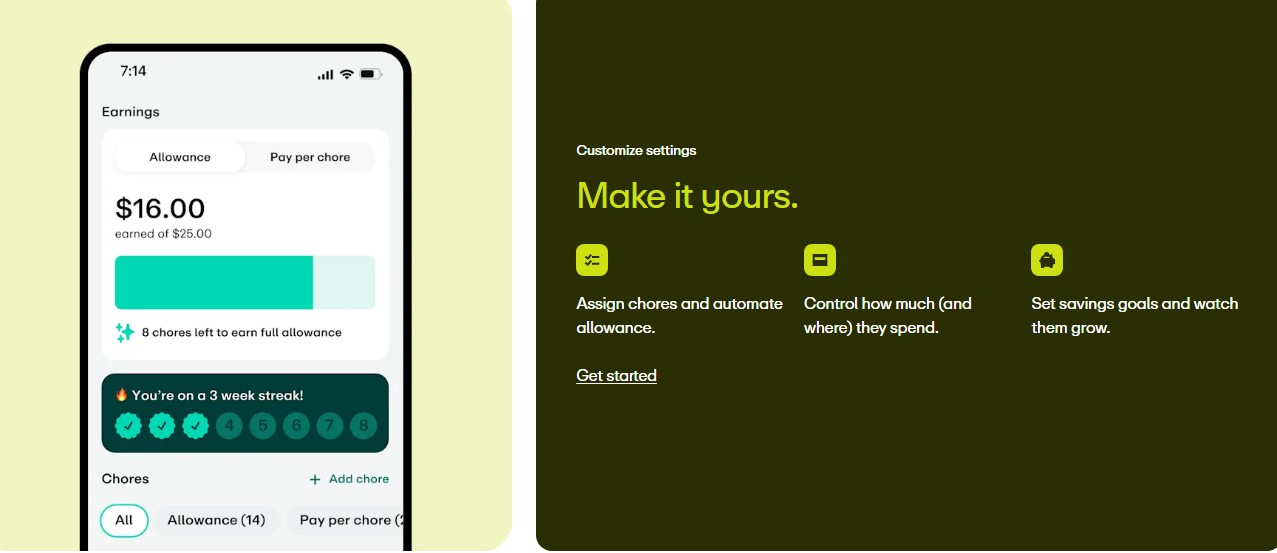
Acorns Early stands out for its age-based Money Missions. Stories, videos, and quizzes begin with introductory material for children six and older, then move toward more involved topics for older children and teens. Allowance, chores, savings goals, and a supervised card give families ways to use those ideas outside a quiz.
I would look at Acorns Early if a parent wants guided lessons alongside a card but expects a child’s questions to change over several years. A seven-year-old learning to wait for a purchase and a seventeen-year-old thinking about a budget should not get identical material.
Acorns Early Lite costs US$8 a month for up to four child accounts. Acorns Gold costs US$12 a month and adds services from the wider Acorns range. The kids’ app and card are designed for ages 6–18 in the U.S.
Its higher starting price is the main drawback compared with some card alternatives. Check the names carefully, too: Acorns Early is the former U.S. GoHenry service. UK GoHenry is a separate offering, and Acorns Early Invest is a separate investment product.
BusyKid gives an allowance a purpose before a child spends it. Parents can set chores or a regular allowance and divide the money among spending, saving, and sharing. Savings matching, giving, and optional investing add further choices as a child gets older.
I like the question this creates at home: “If you move more into spending, what happens to the other two pots?” A child can explain a tradeoff instead of simply watching a number go down. Parents do not have to turn every household task into a paid chore to use the app.
BusyKid is designed for ages 5–17. Its family subscription is US$48 billed annually and includes up to five prepaid cards. The advertised “US$4 a month” describes that annual charge; it is not a monthly billing option.
The card is U.S.-focused and cannot be shipped abroad. Check possible card-related fees before enrolling. If you only want to discuss spending, saving and sharing with a younger child, you may not need a paid card yet. Investing, if used, carries the risk of loss.
4. FamZoo: Best for Families Who Want to Set Their Own Rules
FamZoo is flexible enough to act like a family’s own money system. Parents can set allowances, track chores, create savings goals, add parent-paid interest, record a family loan, or split an expense. It offers both prepaid cards and virtual IOU accounts.
That flexibility makes it particularly useful when a child is ready to see how rules work over time. If a parent decides to pay interest on a savings pot, the child can watch the result of waiting. If the child borrows from a parent, the repayment can be recorded. These are family arrangements, not an advertised bank savings rate or a formal child loan.
FamZoo costs US$5.99 a month per family, with prepayment options that may reduce the monthly equivalent. It works by app or browser. Prepaid cards are for eligible U.S. families; an IOU balance is a virtual record of money the family manages.
FamZoo’s strength is also its limitation: the parent must choose, explain, and maintain the rules. A family looking for short, self-guided lessons may prefer Acorns Early or a learning game.
5. NatWest Rooster Money: Best for Starting With Pocket Money in the UK
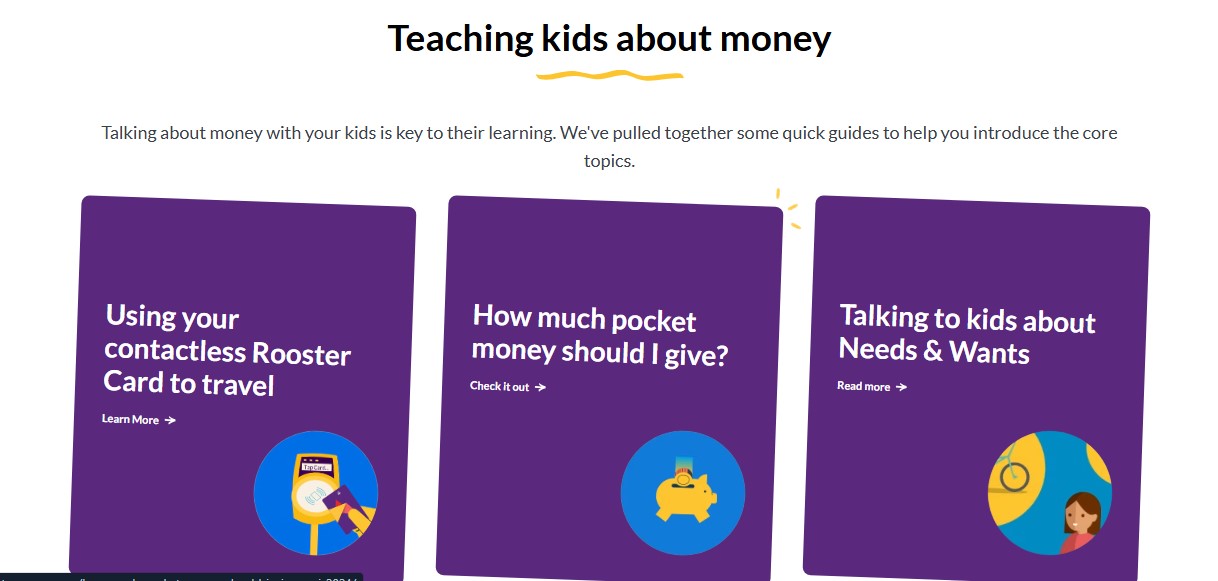
NatWest Rooster Money lets a family start without handing a child a card. Its free Virtual Tracker can record stars or pocket money, including for children younger than six. Later, a family can add a prepaid Rooster Card when the child is ready to make supervised purchases.
That sequence feels sensible to me. A child can first practise watching a savings pot grow and noticing what a small purchase costs. The parent can introduce card spending after those conversations become familiar.
The Virtual Tracker is free. The card is for ages 6–17 and costs £1.99 per month or £19.99 per year per card after the introductory trial. Eligible families with linked NatWest, Royal Bank of Scotland or Ulster Bank accounts may receive up to three card subscriptions at no charge, although other fees can apply.
The geographic rule matters: the parent or guardian must be an adult UK resident, even to use the free tracker. Check the current bank offer and card terms rather than assuming the free tier removes the residency requirement.
6. Bankaroo: Best Free Virtual Allowance Tracker
Bankaroo is a virtual family bank. A child can see an allowance come in, record a purchase, and watch progress toward a savings goal. Its provider says users need basic reading skills and that most are between five and fourteen.
For a child who keeps asking, “How much do I have left?”, a simple record may teach more than a pile of advanced lessons. They can look back at a purchase and see why a goal now takes longer. A parent still needs to supply or hold the actual money and talk through the entries.
The web and mobile-web versions are free. Native apps and Bankaroo Plus are separate options; Plus adds checking, savings and charity records and family transfers. The free browser version needs an internet connection.
Bankaroo does not hold real funds. That is an advantage if a family wants to practise without a financial account, but it is not a substitute for a card when a child is ready to pay in a store.
7. Gimi: Best for Money Habits and Family Activities
Gimi combines a digital piggy bank, allowance, chores and savings goals. Its Pro offering adds personal-finance lessons and Family Missions that ask parents and children to practise a skill together. Certain bank-account connections are available through supported institutions.
A family mission can turn “make a budget” into a conversation about the cost of an outing. That is the appeal here: the lesson has a place in ordinary family life, and the child can revisit the goal afterward.
Gimi has a free version, while Pro is advertised from €2.99 a month. Some partner-bank customers can receive Pro access under a bank offer. Children use the service with parental permission.
I would check the local bank list and subscription offer before choosing Gimi for its connected features. Availability varies by country and institution. The digital piggy bank is useful as a learning tool, but Gimi should not be described as a universally available kids’ debit card.
8. MoneyPrep: Best for Money Skills Alongside Maths
MoneyPrep aims at children aged 5–12. Its games connect saving, spending, budgeting and consumer choices with arithmetic. That can be a better starting point than a lesson about financial products for a child who is still learning to calculate what remains after a purchase.
A short game can lead naturally to a real question: Which of two items costs more? What would be left for the savings goal after buying one? A parent can adjust the numbers and help with reading when needed.
MoneyPrep is free to download on current app-store listings, but premium content and a subscription are offered. A dependable current premium price was not available in the listings I checked. Look at the price displayed on your device before subscribing.
Its strength is accessible practice with basic concepts. Families looking for allowance management or a real spending card will need another tool.
9. MoneyTime: Best Structured Course for Ages 10–15
MoneyTime is the deliberate exception to the phone-app format in this list. It is a browser-based program for a computer or tablet, with 30 interactive lessons and a virtual money-management game. Topics include budgeting, saving, debt, investing, business profit, and insurance.
That depth makes it a good fit for a child aged 10–15 who is ready to follow a course, particularly in home education. The game lets children try decisions without using actual card funds. It also asks for more sustained attention than a quick allowance tracker.
In the U.S. edition, a one-year licence is US$66 per child, without recurring billing. A US$12.95 monthly subscription is another option. MoneyTime has localised editions for the UK, Australia, New Zealand and South Africa; check each edition’s own price and examples.
Choose it for structured instruction. If the aim is to manage weekly pocket money or download a phone app, its format will feel less convenient.
10. Zogo: Best Bite-Sized Lessons for Teens
Zogo offers short financial lessons and quizzes for learners 13 and older. The provider describes more than 1,200 modules across money topics, with pathways based on a learner’s age and interests. It is better suited to a teen curious about banking or broader personal finance than to a younger child learning to count coins.
The app is free to download, and sponsored users can access learning resources without paying. Lessons can earn points toward rewards, but I would choose Zogo for the explanations rather than the promise of a gift card.
There is a significant reward restriction: redemption requires identity verification with accepted U.S. documents. A minor without suitable ID may need a parent or guardian to verify. Gift cards are limited, and a sponsoring financial institution may contact users with offers.
A teen can still use the lessons without redeeming rewards. For families outside the U.S., that distinction is more useful than treating the incentives as a guaranteed benefit.
Make the Lesson Stick Outside the Screen
Pick one small goal the child cares about. Agree on how much money they can manage, and check the goal together once a week. When they want to buy something else, ask what the purchase would leave. They may decide to spend; the point is that they can explain the choice.
Let the app’s record lead to a real conversation. Look at a purchase, compare two prices, or plan the cost of an outing. A badge or completed quiz tells you what the child tapped. Their explanation tells you more about what they understood.
Keep the responsibility proportionate. A virtual balance is a reasonable first step. A prepaid card introduces actual payments, so set limits and review them together. Investing is a separate decision with a risk of loss; a child does not need an investment account to learn how saving works.
The Sign That an App Is Helping
After a few weeks, ask your child about one choice: what they spent, what they kept, and whether they would do the same thing again. If they can answer in their own words, you have something to build on.
The screen can show the balance. The conversation helps a child understand what it means.
Frequently Asked Questions on the Best Apps for Teaching Kids About Money
1. What is the best free app for teaching kids about money?
Bankaroo’s web version is a strong free option for tracking an allowance and savings goals. NatWest Rooster Money offers a free virtual tracker to eligible UK families. MoneyPrep is free to download for younger children, though some content is paid. They teach through different activities, so choose by the skill your child needs.
2. Does my child need a debit card to learn money management?
No. Cash, a savings jar, a virtual allowance record, or a simulated game can all support planning and comparison. A supervised card makes sense when your child is ready to practise with actual payments, and you are prepared to review them.
3. At what age should I teach my child about money?
Start with a choice the child can understand: waiting for something they want, comparing prices or keeping track of a small amount. Add allowance planning and wider topics as their reading, maths, and judgment develop. There is no single age at which every child should get a card.
4. Which app is best for managing an allowance?
For a simple virtual record, try Bankaroo. BusyKid emphasises splitting an allowance into spending, saving and sharing. FamZoo lets a parent set detailed rules. Greenlight and NatWest Rooster Money can connect an allowance to supervised card spending for families eligible in their respective countries.
5. Can families outside the United States use these apps?
Some learning tools are accessible without a U.S. card account, but app-store access and enrolment rules are different questions. Rooster Money is a UK offer, MoneyTime has several localised courses, and Gimi’s connected features depend on supported banks. Check the service in your country before paying; Zogo’s rewards currently require accepted U.S. identity documents.