


In the ever-evolving world of web development, APIs (Application Programming Interfaces) play a crucial role in enabling seamless communication between different software applications.
From creating robust backends to integrating third-party services, developers rely on powerful tools to streamline API development. Choosing the right tool can make a significant difference in productivity, security, and overall efficiency.
With an increasing number of APIs being developed and used across industries, having a reliable tool to manage API development, testing, and integration is essential. The right API tool can help businesses scale faster, improve security, and enhance developer collaboration.
In this guide, we explore the best API development tools for web developers, discussing their features, benefits, use cases, and real-world applications.
Whether you’re a beginner or a seasoned professional, these tools will help you build, test, and manage APIs effectively.
How to Choose the Best API Development Tool
Selecting the right API development tool depends on various factors, including ease of use, functionality, integration capabilities, and scalability. Here are some key features to consider:
- User-Friendly Interface: A well-designed UI simplifies API development and testing.
- Automation Capabilities: Support for automated testing and debugging improves efficiency.
- Security Features: Built-in security mechanisms like authentication and encryption ensure safe API transactions.
- Integration Support: Compatibility with different programming languages and third-party services.
- Scalability: The tool should support growing application needs without performance bottlenecks.
- Documentation and Collaboration: Features like auto-generated documentation and team collaboration enhance workflow.
- Cost and Licensing: Whether free, freemium, or enterprise-level, pricing can influence the decision for startups and enterprises alike.
With these factors in mind, let’s explore the best API development tools for web developers that stand out in 2025.
7 Best API Development Tools for Web Developers
API development tools are essential for building, testing, and managing APIs efficiently. With a variety of tools available, developers can streamline workflows, improve collaboration, and ensure robust security for their API-based applications.
In this section, we explore the most popular and effective tools that web developers rely on.
1. Postman – Best for API Testing and Collaboration
Postman is one of the most widely used API development tools, offering an all-in-one platform for designing, testing, and monitoring APIs.
It is especially favored for its intuitive UI and collaborative features. The tool is available as both a desktop and web application, making it accessible for developers working across different environments.
Key Features:
- API request testing with support for REST, GraphQL, and SOAP.
- Automated testing with scripts and predefined assertions.
- Mock servers for simulating API responses.
- API documentation generation and sharing.
- Collaboration tools for team-based development.
- Supports CI/CD pipeline integration.
Best For:
- API testing, debugging, and collaboration.
- Teams working on large-scale API projects.
- Developers looking for an all-in-one API development suite.
Real-World Example: Many SaaS companies, including Twitter and Slack, use Postman to streamline API testing and ensure consistent performance before deployment.
Pricing:
| Plan | Features | Cost |
| Free | Basic API testing and collaboration | $0 |
| Team | Advanced collaboration tools | $12/user/month |
| Business | API governance and security | $24/user/month |
| Enterprise | Custom SLAs and premium support | Custom pricing |
2. Insomnia – Lightweight API Testing Alternative
Insomnia is a fast and lightweight API testing tool preferred by developers who need a simple yet powerful solution.
It supports REST and GraphQL API testing with minimal setup. Unlike Postman, Insomnia focuses primarily on simplicity and speed, making it an excellent choice for solo developers and smaller teams.
Key Features:
- Intuitive interface for making API requests.
- Environment variable support for dynamic testing.
- Plugins for extended functionality.
- GraphQL support for API queries.
- Open-source option available.
- Secure API token management.
Best For:
- Developers looking for a lightweight alternative to Postman.
- GraphQL API testing.
- Teams that require an open-source, extendable tool.
Real-World Example: Many startups use Insomnia due to its open-source flexibility and strong GraphQL support, making API queries more efficient and effective.
Pricing:
| Plan | Features | Cost |
| Free | Basic API testing and debugging | $0 |
| Plus | Sync across devices, custom themes | $5/user/month |
| Teams | Shared workspaces, collaboration | $12/user/month |
3. Swagger (OpenAPI) – Best for API Documentation
Swagger (now part of the OpenAPI Specification) is the go-to tool for API documentation and design. It allows developers to define APIs using a standardized format, making it easier for teams to collaborate.
Companies using Swagger often find it easier to maintain large-scale API systems and ensure consistency across microservices.
Key Features:
- Interactive API documentation generation.
- API design and mockup creation.
- Support for OpenAPI Specification (OAS).
- API testing directly from the documentation.
- Integration with various API gateways.
- Code generation in multiple languages.
Best For:
- Creating well-structured and interactive API documentation.
- Ensuring API consistency across teams.
- API-first development approaches.
Real-World Example: Companies like Microsoft and Google leverage Swagger to document their APIs, enabling developers worldwide to integrate their services seamlessly.
Pricing:
| Plan | Features | Cost |
| Free | Open-source documentation tool | $0 |
| Pro | Advanced API design and security features | Custom pricing |
4. RapidAPI – Best for API Marketplaces and Management
RapidAPI provides an extensive API marketplace where developers can discover, connect, and manage APIs from various providers.
It helps developers integrate third-party APIs without having to manage separate subscriptions or authentication setups.
Key Features:
- Access to thousands of public APIs.
- Built-in API analytics and monitoring.
- API monetization options for developers.
- Team collaboration and access control.
- One-click API subscription management.
- Usage-based pricing models.
Best For:
- Developers looking to integrate third-party APIs.
- API providers wanting to monetize their APIs.
- Businesses needing API analytics and subscription management.
Real-World Example: Many mobile app developers use RapidAPI to quickly integrate APIs like Google Maps, Twilio, and OpenWeather without handling multiple API keys.
Pricing:
| Plan | Features | Cost |
| Free | Limited API access | $0 |
| Pro | Premium API access and analytics | Varies per API |
5. Apigee – Best for Enterprise API Management
Apigee, a Google Cloud product, is an enterprise-grade API management tool that helps organizations securely expose and manage their APIs.
It is specifically designed for businesses requiring high-performance API security, monitoring, and scalability.
Key Features:
- Full API lifecycle management.
- Security features like OAuth, JWT, and rate limiting.
- AI-powered anomaly detection for security.
- Built-in API analytics and monitoring.
- Integration with Google Cloud and Kubernetes.
Best For:
- Enterprises managing high-traffic APIs.
- Businesses needing advanced security and analytics.
- Organizations requiring cloud-based API management.
Real-World Example: Large enterprises like PayPal and eBay use Apigee to secure and scale their API ecosystems while maintaining high levels of security and performance.
Pricing:
| Plan | Features | Cost |
| Standard | API monitoring, analytics | Starts at $500/month |
| Enterprise | Advanced security, AI-driven insights | Custom pricing |
6. PostgREST – Best for Auto-Generated APIs
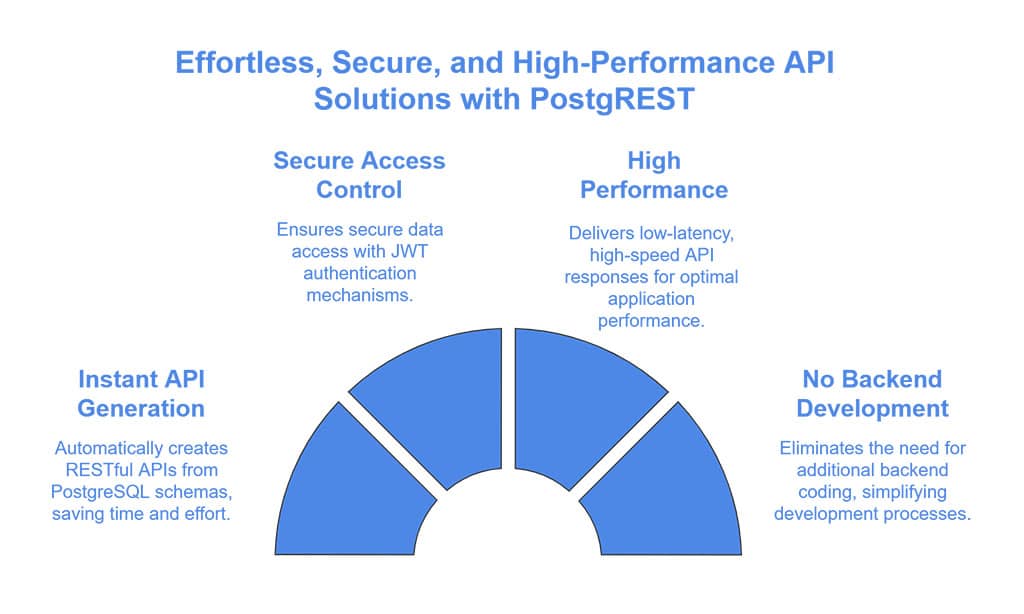
PostgREST is an open-source tool that automatically generates APIs based on PostgreSQL database structures, reducing the need for backend coding. It is lightweight, fast, and ideal for database-driven applications.
Key Features:
- Instant RESTful API generation from PostgreSQL schema.
- Secure access control with JWT authentication.
- High-performance and low-latency API responses.
- No additional backend development required.
Best For:
- Developers using PostgreSQL who need quick API solutions.
- Teams that prefer minimal backend development.
- Applications requiring high-speed data retrieval.
Real-World Example: Many fintech companies use PostgREST to quickly create database-backed APIs without needing to write traditional REST endpoints manually.
Pricing:
| Plan | Features | Cost |
| Open-source | Full API generation | Free |
7. MuleSoft – Best for Enterprise Integration
MuleSoft offers a powerful API management and integration platform designed for enterprise-level applications.
It enables organizations to connect different systems, applications, and data sources seamlessly.
Key Features:
- API-led connectivity framework for seamless integrations.
- Advanced security, compliance, and governance tools.
- Integration with Salesforce and enterprise applications.
- API analytics and performance monitoring.
- Supports microservices architecture and cloud deployments.
Best For:
- Enterprises requiring large-scale API integrations.
- Businesses leveraging Salesforce and ERP systems.
- Organizations needing a unified API management solution.
Real-World Example: Companies like Coca-Cola and McDonald’s use MuleSoft to manage their global API integrations efficiently, connecting multiple data sources and applications in real-time.
Pricing:
| Plan | Features | Cost |
| Enterprise | Full API management suite | Custom pricing |
Takeaways
Selecting the right API development tool is essential for streamlining API workflows, enhancing security, and improving overall efficiency. Each tool listed in this guide serves a unique purpose, catering to different development needs.
For developers looking for an all-in-one solution, Postman remains the go-to choice due to its comprehensive testing and collaboration features.
Swagger is the best option for creating structured API documentation, while Apigee and MuleSoft excel in enterprise-level API management and integration.
Ultimately, the best API development tool depends on your specific project requirements, team size, and budget. Exploring and experimenting with different tools will help you find the most suitable one for your development workflow.
By leveraging these API development tools effectively, web developers can build more secure, scalable, and high-performing applications, ensuring seamless digital experiences for users across different platforms.























