Choosing Contabo alternatives for GPU hosting starts with what you want to change: GPU type, availability, location, operating model or cost at your actual utilization. Contabo’s GPU VPS is the reference point; the products below compete for similar workloads but are not identical servers.
This research-based comparison reviews public product and documentation pages available November 10, 2026. It is not a hands-on benchmark or a ranked test. Pricing, features, regions and capacity can change; verify the exact configuration before committing. For the wider landscape, see our GPU cloud guide for startups.
What Are We Comparing?
Contabo describes a persistent GPU VPS for training and inference. We selected providers with documented GPU VMs, cloud servers or viable workload substitutes. The first eight are infrastructure alternatives; Modal is a conditional serverless substitute for intermittent workloads. Vendor size, product and procurement terms vary. This list is not an independent speed or reliability ranking.
Contabo Alternatives at a Glance
| Provider | Model | When to consider |
|---|---|---|
| Runpod | GPU Pods and serverless inference | Teams that want hourly GPU development plus an inference deployment route |
| TensorDock | GPU marketplace and configurable virtual machines | Developers who want to compare configurable GPU servers |
| Vast.ai | Marketplace GPU rentals | Price-sensitive technical teams comfortable comparing hosts |
| Hyperstack | GPU cloud virtual machines | Teams seeking AI-oriented GPU VMs |
| Jarvislabs | GPU instances for model development | Small ML teams using notebooks and SSH |
| HOSTKEY | GPU cloud and dedicated servers | Teams needing a GPU server and hardware control |
| Lambda | On-demand GPU virtual machines | ML developers requiring AI-oriented GPU instances |
| Vultr | Cloud GPU instances | Teams seeking GPU capacity within a broader cloud |
| Modal | Serverless GPU execution | Teams with intermittent workloads and a code-first deployment workflow |
1. Runpod: GPU Pods and serverless inference
Runpod publishes separate GPU Pod and serverless products, with different tiers and billing. A Pod offers a server-like environment; its serverless offering targets containerized inference.
Best for: Teams that want hourly GPU development plus an inference deployment route.
What to check: Compare GPU model, allocated RAM, persistent volume charges and the Community or Secure cloud tier. A Pod that runs all month may cost more than its headline hourly rate suggests.
2. TensorDock: GPU marketplace and configurable virtual machines
TensorDock describes a marketplace of independent hosts and a VM deployment flow in which resource selection matters. This is a GPU VM alternative, not necessarily an identical monthly VPS.
Best for: Developers who want to compare configurable GPU servers.
What to check: Inspect host location, GPU availability, CPU and RAM costs, storage persistence and bandwidth terms. Confirm a machine remains suitable for the intended runtime.
3. Vast.ai: Marketplace GPU rentals
Vast.ai lists host-provided GPU capacity, including on-demand and interruptible offers. Its marketplace lets teams examine individual configurations instead of choosing a single standardized VPS plan.
Best for: Price-sensitive technical teams comfortable comparing hosts.
What to check: Check host reliability, location, networking, storage and interruption terms. Make off-instance backups and avoid assuming the lowest listed offer has production-grade availability.
4. Hyperstack: GPU cloud virtual machines
Hyperstack offers GPU virtual machines and documents machine flavors and storage billing. It is worth considering if the desired GPU or a usage-based contract matters more than matching Contabo’s server bundle.
Best for: Teams seeking AI-oriented GPU VMs.
What to check: Confirm inventory in the required region, storage and hibernation charges, firewall features and support. Ask for a complete quote for CPU, RAM and GPU, not GPU price alone.
5. Jarvislabs: GPU instances for model development
Jarvislabs documents GPU instances with JupyterLab, VS Code or SSH and publishes on-demand and spot options. It can suit experiments where time on the GPU changes from week to week.
Best for: Small ML teams using notebooks and SSH.
What to check: Spot instances can be interrupted. Confirm checkpoint recovery, region, currency and storage charges when stopped. Compare a full month of expected instance use with the VPS quote.
6. HOSTKEY: GPU cloud and dedicated servers
HOSTKEY offers GPU cloud hosting and dedicated GPU servers with different configurations. A dedicated machine may fit a sustained workload, but requires comparison at the full-server level.
Best for: Teams needing a GPU server and hardware control.
What to check: Check setup time, minimum rental, management responsibility, available GPUs, network allocation and location. Verify the support and isolation terms for the selected server.
7. Lambda: On-demand GPU virtual machines
Lambda publishes on-demand GPU instance offerings and describes preinstalled ML tooling. It is an alternative for teams that need a different accelerator or instance size and can access capacity.
Best for: ML developers requiring AI-oriented GPU instances.
What to check: Confirm current availability, account limits, filesystem pricing and the exact GPU. An hourly instance is not a like-for-like monthly VPS unless utilization and supporting costs are accounted for.
8. Vultr: Cloud GPU instances
Vultr offers GPU-backed infrastructure alongside other cloud services. It may appeal to a team that also needs associated compute and networking services.
Best for: Teams seeking GPU capacity within a broader cloud.
What to check: Compare the full machine bundle, location, storage and actual billing terms. Check whether the plan provides a whole GPU or a fraction of one.
9. Modal: Serverless GPU execution
Modal offers serverless GPU execution rather than a traditional persistent server. This is a workload alternative for appropriate inference and batch jobs, not a direct replacement for every GPU VPS.
Best for: Teams with intermittent workloads and a code-first deployment workflow.
What to check: Test startup latency, scaling limits, persistent data design and all CPU, memory and GPU charges. A continuously warm service may have different economics from scale-to-zero workloads.
How to Compare Each Alternative With Contabo
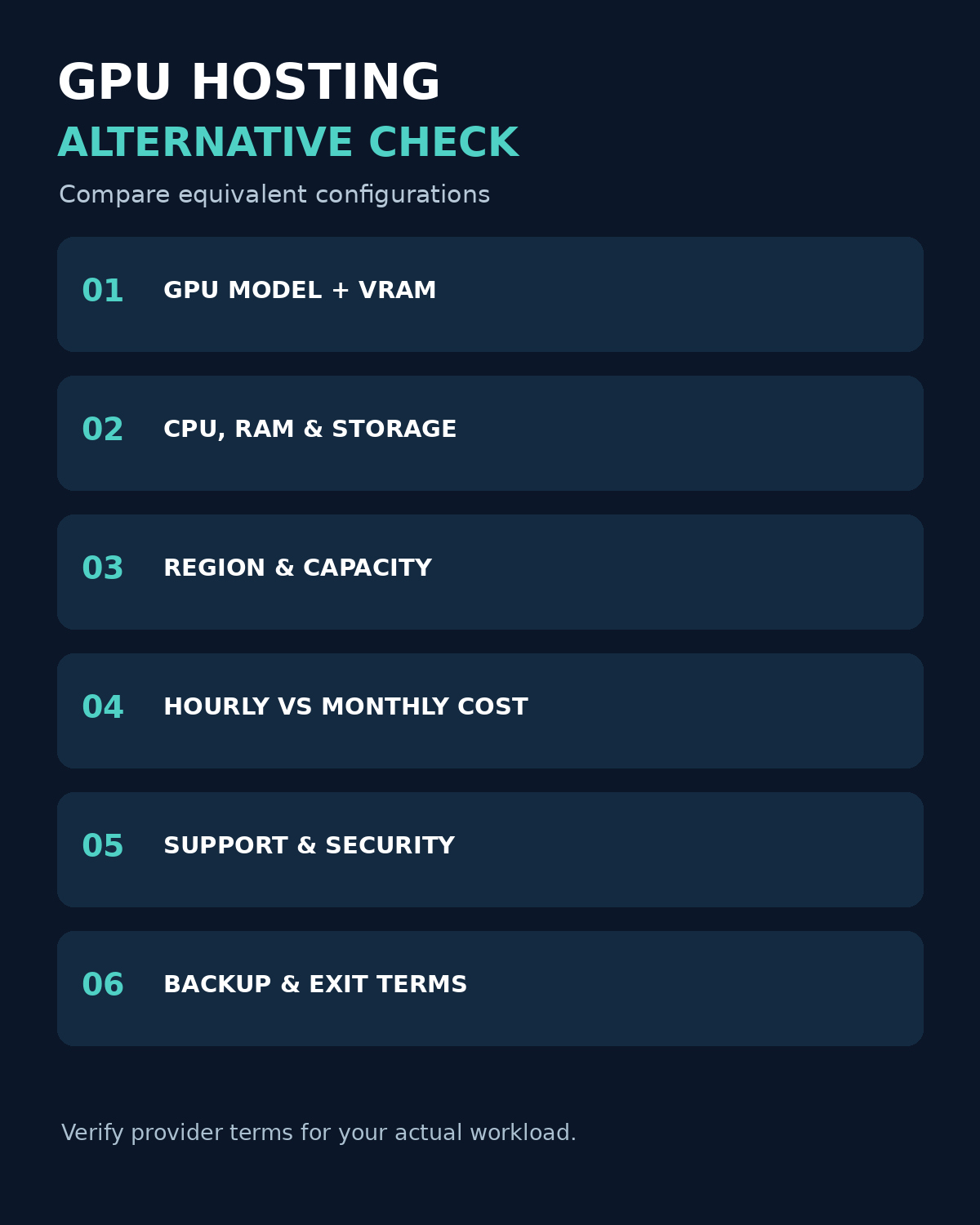
Start with the exact GPU and its VRAM, then compare CPU, RAM, storage, region, included transfer and administration. Our guide to GPU requirements for AI applications explains the hardware considerations. A 24 GB card and a 96 GB card are not equivalent simply because both can run AI workloads. For marketplace listings, document the host and resilience terms as well as the GPU.
Calculate monthly cost as billed compute plus storage, network, IP, support, setup and tax. The NIST definition of cloud computing identifies measured service as a core cloud characteristic; your invoice can still include multiple metered resources. Include idle time, minimum commitments and the engineering effort to deploy, monitor and recover. Ask whether a stopped machine retains its data and continues to accrue storage charges.
Illustrative decision: If a workload uses a $1.20-per-hour GPU for 100 hours, the compute component is $120; at 700 hours it is $840. Add all other costs and compare only equivalent resources and service levels with a monthly VPS. These are hypothetical figures, not provider quotes.
A Practical Migration Checklist
- Inventory model weights, data, drivers, network rules and framework versions.
- Back up and test restore, then transfer a non-sensitive sample first.
- Run the same representative job and measure completion time, GPU memory, total charges and failure recovery.
- Confirm security, location, contract, access controls and deletion process. NIST’s zero trust guidance provides a useful starting point for considering access to cloud resources.
- Move traffic gradually only after a rollback path and monitoring are ready.
Takeaway
Choosing the right Contabo alternative for GPU hosting and AI workloads depends on your computing requirements, budget, performance expectations, and scalability needs. While Contabo may appeal to users looking for affordable hosting, providers such as cloud GPU platforms and specialized infrastructure companies can offer better access to high-performance GPUs, flexible deployment options, and resources optimized for AI development.
Before making a decision, compare GPU availability, VRAM capacity, CPU and RAM configurations, storage performance, network speed, pricing models, and customer support. Also, consider whether you need on-demand GPU instances for AI experiments, dedicated GPU servers for model training, or scalable infrastructure for production workloads.