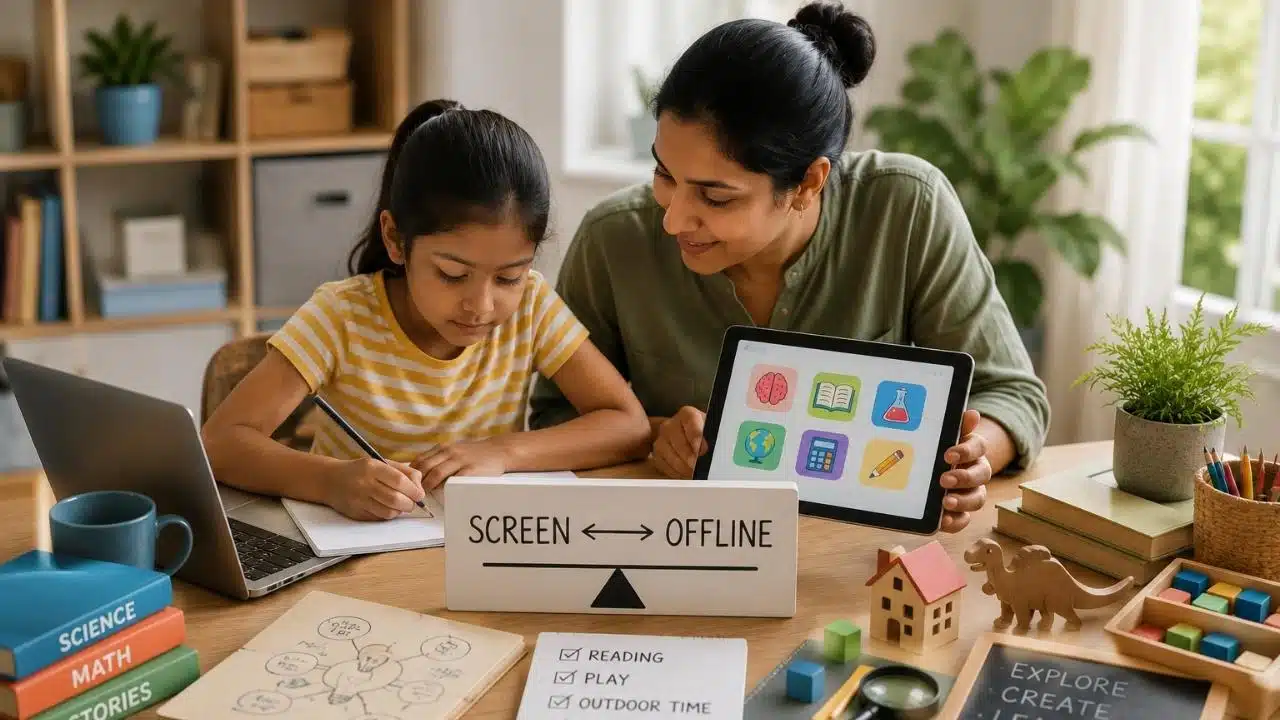
A screen can teach a child something useful. So can a book, a pencil, a muddy backyard, a kitchen table conversation, a puzzle, a walk, a cardboard box, or a quiet hour of boredom. That is where many families get stuck. Parents are often told to either embrace educational technology or fear it. Neither extreme is very helpful. A child may need a tablet for school assignments, a reading app for phonics practice, a video lesson for science, or a laptop for research.
The same child also needs sleep, movement, handwriting, outdoor play, face-to-face conversation, imagination, and hands-on work. That is why balancing screen and offline learning matters in 2026. The goal is not to remove screens from learning. That is unrealistic for most families. The better goal is to build a learning mix where digital tools support real growth without crowding out the offline experiences children still need.
A healthy learning mix asks better questions than “How many minutes?” It asks: What is the child doing on the screen? What happens after the screen is turned off? Is the tool helping learning or replacing effort? Is there enough space for books, play, movement, conversation, creativity, and rest?
Screen time balance is not about guilt. It is about rhythm.
What Balancing Screen and Offline Learning Really Means
Balancing screen and offline learning means using digital tools with purpose while protecting the offline experiences that help children think, move, connect, and grow. It does not mean every day has to be perfectly divided into equal parts of screen and no-screen activity.
Some days may include more digital learning because of homework, school portals, online tutoring, or a project. Other days may be mostly offline, with books, crafts, outdoor play, family conversation, and hands-on learning. The key is whether screens are becoming the default answer to every learning need.
A balanced routine uses screens for specific jobs:
- Practicing reading sounds
- Reviewing math facts
- Watching a short science explanation
- Learning a language
- Researching a school topic
- Creating a digital story
- Coding a simple project
- Joining a live class
- Listening to an audiobook
Then it connects that digital learning to offline life:
- Reading a physical book
- Writing notes by hand
- Explaining the idea aloud
- Drawing the concept
- Building a model
- Practicing with real objects
- Playing outside
- Asking questions
- Teaching someone else
That connection matters. Technology becomes stronger when it starts a learning loop. It becomes weaker when it traps the child in passive scrolling, endless rewards, and “just one more” behavior.
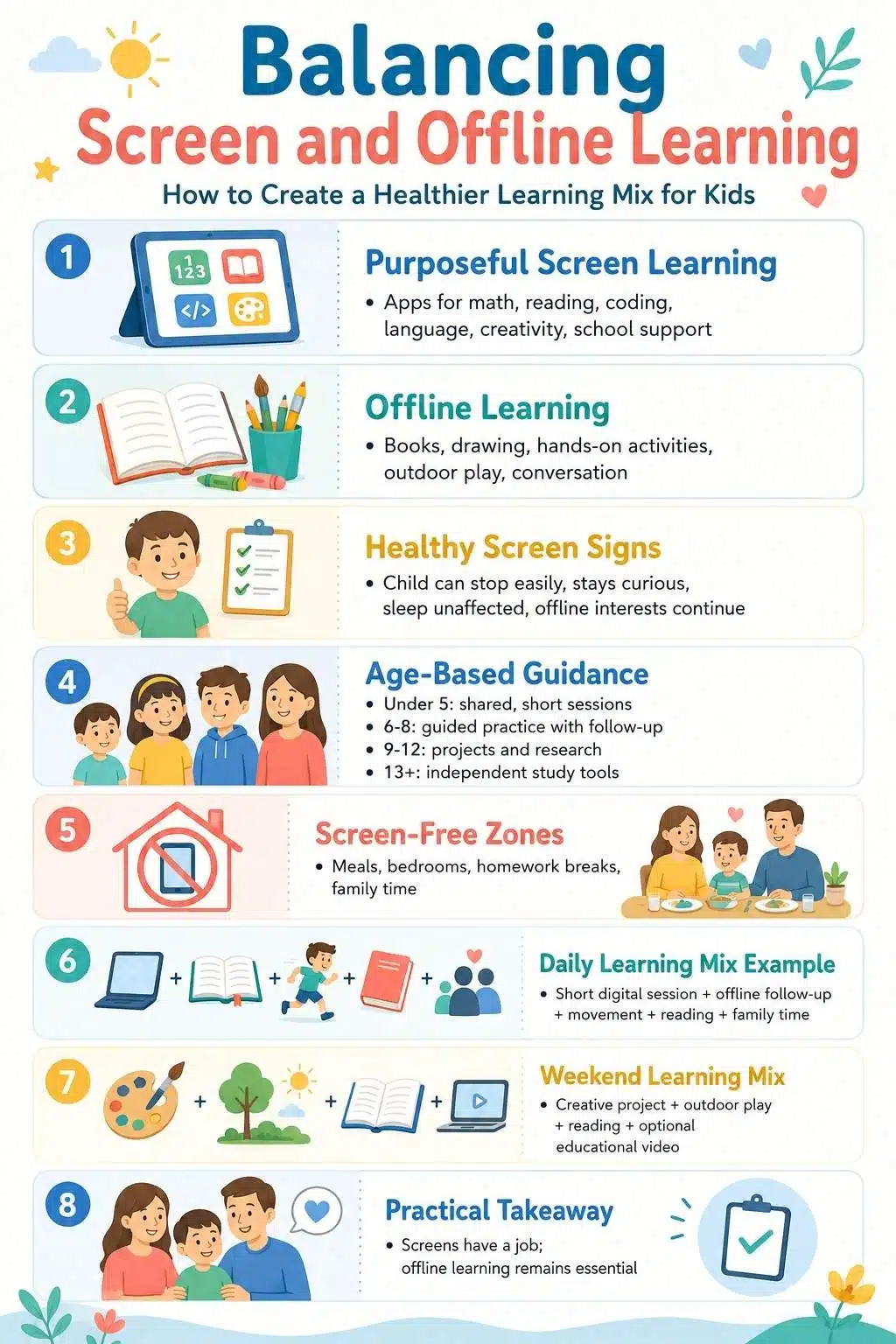
Why Screen Time Balance Is Not Just About Minutes
Parents often want a clear number. Thirty minutes? One hour? Two hours? Less on weekdays? More on weekends?
Numbers can help, especially for younger children. But screen time balance is not only about total minutes. A child can spend 20 minutes in a low-quality app and end up overstimulated. Another child can spend 30 minutes using a math tool with a parent nearby and then complete offline practice calmly.
The quality of the screen activity, context, and the child’s behavior afterward matters. A balanced screen routine should consider:
- Age
- Content quality
- Learning purpose
- Parent involvement
- Time of day
- Sleep impact
- Physical activity
- School workload
- Emotional response
- Ability to stop
- Offline interests
- Family values
This is why strict minute-counting often fails. Parents may count the time but miss the pattern.
A better question is:
Did this screen session help the child learn, create, practice, or connect?
If not, it may need stronger limits or a better replacement.
The Learning Mix: A Simple Framework for Families
A good learning mix gives every type of learning a job. Digital tools are useful, but they should not do all the work. Children learn through many channels: seeing, hearing, touching, moving, speaking, building, reading, writing, and reflecting.
A simple family learning mix can include five parts:
| Learning Type | What It Looks Like | Why It Matters |
| Screen-based learning | Apps, videos, online lessons, research, coding | Supports practice, access, feedback, and digital skills |
| Book-based learning | Reading, picture books, textbooks, and library time | Builds attention, vocabulary, imagination, and comprehension |
| Hands-on learning | Blocks, experiments, crafts, cooking, puzzles | Connects ideas to real-world action |
| Movement-based learning | Outdoor play, sports, nature walks, and physical games | Supports health, mood, focus, and coordination |
| Social learning | Talking, asking questions, storytelling, and family discussion | Builds language, reasoning, empathy, and confidence |
The point is not to do all five every day. The point is to notice when one part is taking over. If screen-based learning keeps replacing books, movement, sleep, play, and conversation, the mix is unbalanced.
When Screens Help Learning
Screens are not automatically bad. Some digital tools solve real problems. A child who struggles with reading may benefit from phonics practice and audio support. A child learning multiplication may need quick feedback and repetition. A curious child may enjoy a short science animation that explains something hard to visualize. A teenager may use digital flashcards, a research database, or a coding platform.
Screens can help when they are:
- Purposeful
- Age-appropriate
- Short enough to stay focused
- Connected to a learning goal
- Balanced with offline practice
- Free from aggressive ads and distractions
- Used in shared family spaces
- Easy to stop
- Followed by discussion or practice
A screen session is more useful when the child can explain what they learned afterward.
For example:
- “I learned how volcanoes erupt.”
- “I practiced the 7 times table.”
- “I listened to a story and found three new words.”
- “I built a simple coding sequence.”
- “I watched how plants grow from seeds.”
If the child cannot explain the learning and only talks about points, badges, coins, or levels, the app may be training engagement more than understanding.
When Screens Start Replacing Learning
The problem begins when screens become the easiest answer to everything.
- Bored? Screen.
- Tired? Screen.
- Homework frustration? Screen.
- Meal time? Screen.
- Car ride? Screen.
- Quiet moment? Screen.
That pattern makes offline learning harder. Books may feel slow. Handwriting may feel boring. Outdoor play may feel less exciting. Conversations may feel like interruptions. The child may expect every activity to be fast, colorful, and instantly rewarding.
Warning signs include:
- The child becomes angry every time screen time ends
- Offline play decreases
- Sleep gets worse
- The child avoids reading or writing unless a device is involved
- Homework becomes harder without an app
- The child constantly asks for “educational” screen time, but does little learning
- The child rushes through tasks to reach rewards
- Family meals or bedtime are repeatedly interrupted by devices
- The child loses patience with slow, hands-on activities
One bad day does not prove a problem. Patterns matter. If screens are regularly replacing sleep, movement, family time, reading, or independent play, the routine needs adjustment.
Screen-First vs Offline-First Learning
A helpful parenting question is: Should this activity start on a screen or offline?
Some learning works well screen-first. Other learning works better offline-first.
| Learning Goal | Better Starting Point | Example |
| Phonics practice | Screen or offline | Short app session, then read a simple book |
| Math facts | Screen or offline | App drills, then card games or real-life counting |
| Science curiosity | Screen | Watch a short explanation, then do a simple experiment |
| Storytelling | Offline | Draw or plan the story first, then create it digitally |
| Research project | Offline first | Write questions first, then search online |
| Creative art | Either | Sketch on paper, then try a digital drawing app |
| Coding logic | Offline first for younger kids | Use cards or blocks, then move to a coding app |
| Language learning | Screen plus conversation | Practice words in an app, then use them aloud |
Offline-first learning helps children think before the device gives them options. For example, before researching animals online, a child can write three questions:
- Where does it live?
- What does it eat?
- How does it protect itself?
Then the screen becomes a tool, not the driver. That small shift changes the learning experience.
Age-Based Screen and Offline Learning Balance
Children need different learning mixes at different ages.
Young children learn best through people, play, language, touch, movement, and repetition. Screens should be limited, high-quality, and usually shared with an adult. A short phonics song, shape game, or story app can be useful, but the real learning often happens when the parent talks about it afterward.
Good offline pairings:
- Read the same story in a book
- Name shapes around the room
- Count toys
- Draw what appeared on the screen
- Act out the story
- Sing the song away from the device
For this age, co-use matters more than app quantity.
Ages 6-8: Guided Practice With Real-World Follow-Up
Children in this age range may use apps for reading, math, spelling, language, and school support. The best screen sessions are short and followed by offline practice.
Examples:
- Ten minutes of math app practice, then count coins
- Reading app lesson, then read aloud from a book
- Science video, then draw the process
- Spelling app, then write the words by hand
At this age, children still need help stopping. Clear routines prevent conflict.
Ages 9-12: Projects, Research, and Digital Judgment
Older children can use technology for research, writing, presentations, coding, language learning, and creative work. They also need guidance on distraction.
A child may start with a school project and end up watching unrelated videos. That does not mean they are irresponsible. It means the digital environment is designed to pull attention.
Useful rules:
- Write research questions before opening the browser
- Keep one screen activity at a time
- Use a visible workspace
- Take movement breaks
- Keep entertainment apps separate from schoolwork
- Discuss what sources are trustworthy
This age group benefits from learning how to manage screens, not only by being blocked from them.
Ages 13+: Independence With Accountability
Teenagers need digital skills. They may use devices for school, communication, creativity, study planning, research, AI tools, and career interests. The goal should slowly shift from control to coaching. Parents can still set boundaries around sleep, privacy, social media, and school responsibilities. But teens also need practice building judgment.
A healthy balance for teens may include:
- Device-free sleep time
- Focus blocks for schoolwork
- Offline exercise or hobbies
- Clear rules about AI use
- Honest conversations about distraction
- Time for reading, creativity, and real-world friendships
Older children should understand why balance matters, not only follow rules because a parent said so.
Offline Learning Ideas That Actually Work
Offline learning does not have to look like school. In many cases, the best offline learning ideas are simple, ordinary, and low-cost.
Reading and Language
- Read a physical book together
- Visit a library
- Keep a family word jar
- Ask the child to retell a story
- Write a letter to a relative
- Make a comic strip
- Read recipe instructions
- Play word games
Math
- Count coins
- Measure ingredients while cooking
- Compare prices at a store
- Build patterns with blocks
- Use playing cards for math facts
- Track weather or steps
- Make a simple family budget activity
- Sort toys by shape, size, or color
Science
- Grow seeds
- Watch insects outdoors
- Make a shadow chart
- Freeze and melt water
- Build a paper bridge
- Explore magnets
- Observe clouds
- Keep a nature notebook
Creativity
- Draw a scene from a story
- Build with cardboard
- Make paper puppets
- Create a family newspaper
- Design a board game
- Paint stones
- Make a collage
- Build a model from recycled materials
Movement and Body Learning
- Nature walk scavenger hunt
- Jump rope counting
- Dance pattern game
- Obstacle course
- Ball toss spelling
- Yoga story poses
- Playground shape hunt
- Backyard measuring activity
Offline learning is powerful because children use their whole body and environment. A screen can show a plant growing. Planting a seed teaches patience. Both can help. Together, they are stronger.
How to Turn Screen Learning Into Offline Learning
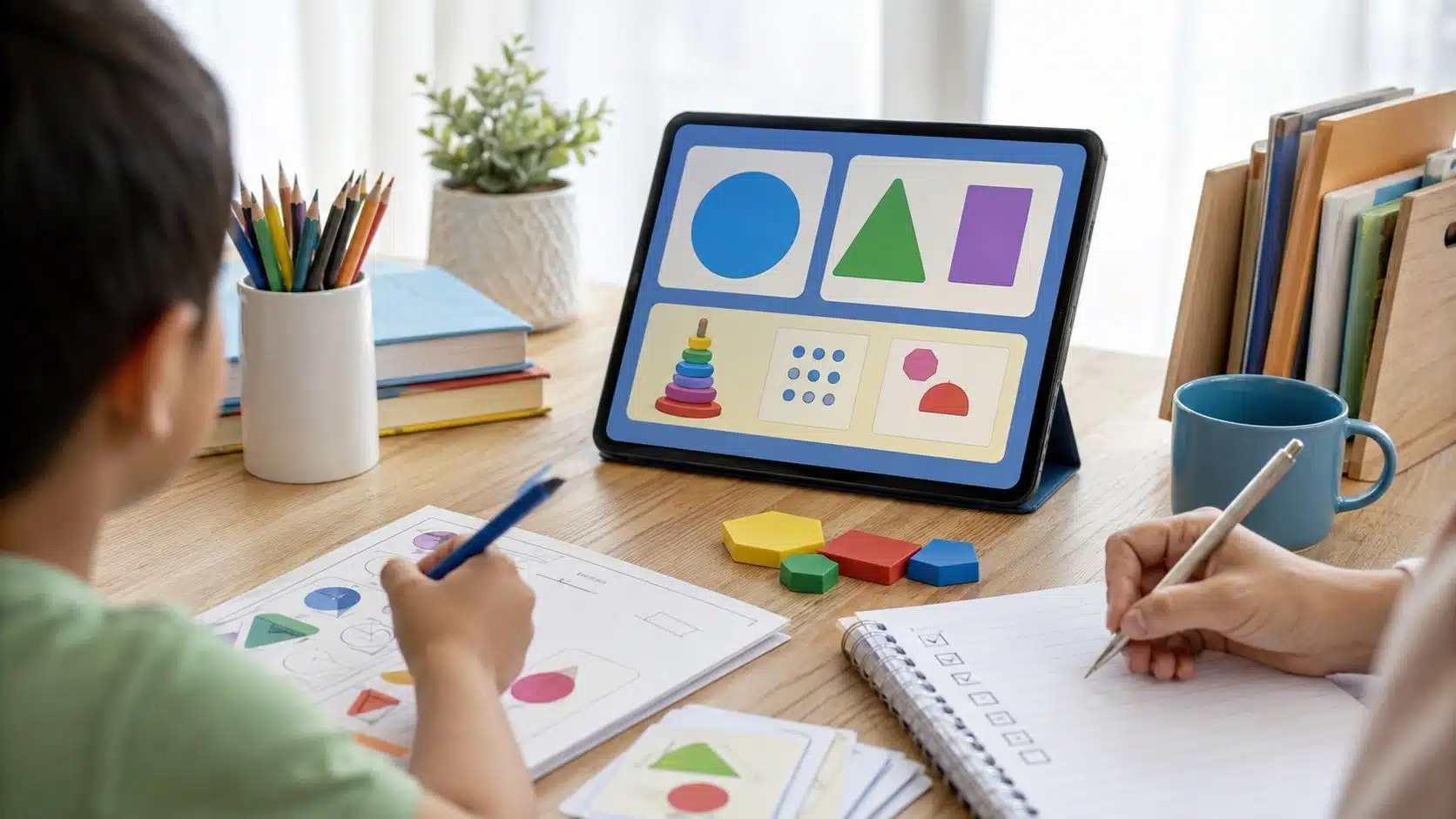
The best balance often comes from pairing one screen activity with one offline activity.
Here are simple examples:
| Screen Activity | Offline Follow-Up |
| Watch a video about planets | Draw the solar system |
| Practice phonics in an app | Read a short book aloud |
| Learn fractions online | Cut fruit or paper into fractions |
| Use a coding game | Plan the sequence with cards |
| Listen to an audiobook | Tell the story in the child’s own words |
| Watch a science experiment | Try a safe version at home |
| Use a drawing app | Sketch the same idea on paper |
| Learn vocabulary | Use the words in a family conversation |
This prevents digital learning from staying trapped inside the device.
A good question after screen learning is: “What can we do with this idea now?” That one question turns passive consumption into active learning.
Creating Screen-Free Zones That Do Not Feel Like Punishment
Screen-free zones work best when they protect something valuable. The message should not be “screens are bad.” The message should be “this time is for something else.”
Useful screen-free zones include:
- Meals
- Bedrooms at night
- Family reading time
- Outdoor play
- Homework focus blocks, unless a device is needed
- Car rides sometimes
- The first 30 minutes after school
- The last hour before bed
- Family visits
- Creative play time
Screen-free zones should be realistic. A family does not need a perfect rule for every moment. Start with the highest-impact areas. Bedrooms at night are a strong starting point because sleep affects learning, mood, memory, and behavior.
Meals are another strong starting point because they protect conversation and connection. If a child resists, explain the purpose.
“We are not removing the tablet because it is bad. We are keeping dinner for talking and bedtime for sleep.”
That tone helps.
A Practical Daily Learning Mix for School Days
A school-day routine should be simple enough to repeat.
Here is one example:
| Time | Learning Mix |
| After school | Snack, rest, outdoor play, or movement |
| Homework block | Schoolwork first, device only if needed |
| Screen learning | Short focused app, lesson, or research session |
| Offline follow-up | Reading, writing, drawing, practice, or explanation |
| Family time | Meal, conversation, chores, or shared activity |
| Bedtime | No screens, reading, calm routine |
This is only a model. Every family schedule is different. The key is sequence. Many children do better when movement or rest comes before homework. Many also do better when entertainment screens do not come before learning tasks.
A useful rule:
Needs before feeds. That means schoolwork, reading, chores, movement, and family responsibilities come before algorithm-driven entertainment feeds. Educational screens can have a place. They should not open the door to endless scrolling.
A Weekend Learning Mix That Feels Less Strict
Weekends are different. Children may have more free time, and families may relax rules. That is fine. Balance does not require a rigid school-day structure every day.
A weekend learning mix might include:
- One longer creative project
- Outdoor play
- Library time
- A documentary or educational video
- Cooking together
- A family walk
- A game that uses math or strategy
- Limited entertainment screen time
- Device-free bedtime
The weekend is also a good time for interest-based learning. If a child loves animals, use a short video, then visit a park, draw an animal, read a book, or make a fact sheet. If a child loves space, watch a short lesson, then build a cardboard rocket or look at the night sky.
Do not make every activity feel like homework. Curiosity works better when children have room to explore.
How to Handle School Screen Time
School screen time complicates the balance. A child may already spend time on classroom devices, school portals, online homework, digital textbooks, or video lessons. Parents may not control all of that. So home routines should account for it.
If a child had a heavy screen day at school, home may need more offline recovery:
- Outdoor play
- Reading on paper
- Hands-on homework
- Drawing
- Music
- Movement
- Quiet play
- Family conversation
Parents can also ask teachers practical questions:
- How much homework requires screens?
- Are offline alternatives available?
- Which apps are required?
- Which tools are optional?
- Is the child using screens for practice or mostly watching?
- Can assignments be printed when needed?
- Are there breaks during digital work?
The goal is not to fight every school screen. The goal is to understand the full daily picture.
Using Educational Apps Without Letting Them Take Over
Educational apps can be helpful when they are used with boundaries.
A good routine answers:
- Which app is allowed?
- Why is it being used?
- When can it be used?
- How long is the session?
- Where will the device be used?
- What happens after the screen?
- Who approves new apps?
- What signs mean the app needs a break?
Parents should avoid vague rules like “You can use learning apps.” That can turn into a loophole.
Better:
“You can use the reading app for 15 minutes after homework, then we read one book together.”
Or:
“You can watch one science video, then draw what you learned.”
Specific rules reduce arguments. Children handle limits better when the routine is predictable.
The Transition Problem: Helping Kids Stop Screens Calmly
Many screen-time battles happen during transitions. Children are not always upset because the parent is unfair. They may be upset because the app, video, or game is designed to keep them engaged. Stopping can feel abrupt.
Helpful transition strategies include:
- Give a five-minute warning
- Use a visual timer
- Stop at natural ending points
- Turn off autoplay
- Disable notifications
- Avoid starting screens right before meals or bedtime
- Offer the next activity clearly
- Keep the tone calm
- Do not negotiate every time
- Praise smooth transitions
A good phrase:
“Finish this activity, then the tablet goes to the charging spot.”
Avoid:
“Just five more minutes” repeated five times.
Children learn routines through consistency. If the rule changes every day, the argument becomes part of the routine.
Signs the Learning Mix Is Working
A healthy screen and offline learning balance shows up in behavior.
Signs include:
- The child can stop screen use with reasonable support
- Sleep is stable
- Offline play still happens
- Books and hands-on activities still interest the child
- The child talks about what they learned
- Screen learning connects to real life
- Homework does not require constant digital rewards
- Family meals and bedtime stay mostly device-free
- The child can handle boredom sometimes
- The child has time for movement
No family gets this perfect every day. The goal is a stable pattern. A child can enjoy screens and still have a healthy learning life. The issue is not enjoyment. The issue is whether screens are crowding out the rest of childhood.
Signs the Balance Needs Repair
Sometimes the learning mix starts to lean too heavily toward screens.
Warning signs include:
- Constant negotiation over devices
- Meltdowns when screens stop
- Loss of interest in offline play
- Less reading or creative work
- Poor sleep
- Rushing homework to get back to screens
- Using “educational” apps as an excuse for entertainment
- Secretive device use
- Mood changes after screen sessions
- Decline in physical activity
- Devices appear during every quiet moment
When this happens, do not start with shame. Start with a reset. A family can pause one app, move devices out of bedrooms, create screen-free meals, shorten sessions, add outdoor time, or pair each screen activity with offline follow-up.
The goal is not punishment. The goal is restoring balance.
A Screen and Offline Learning Plan Parents Can Use
A simple plan can reduce daily conflict.
Use this structure:
| Plan Area | Family Decision |
| Learning apps | Which apps are allowed and why |
| Screen schedule | When learning screens are allowed |
| Offline follow-up | What happens after screen learning |
| Screen-free zones | Meals, bedrooms, bedtime, family time |
| Device storage | Where devices charge overnight |
| App approval | Who can download new apps |
| Entertainment screens | When they are separate from learning |
| School screens | How required digital homework is handled |
| Review routine | When the plan is adjusted |
A plan should be simple enough for children to remember. For younger children, use pictures. For older children, involve them in the discussion.
Ask:
- What helps you focus?
- What distracts you?
- Which offline activities do you still enjoy?
- What screen rules feel fair?
- What makes stopping hard?
Children do not need final control, but their answers help parents create better routines.
Common Mistakes Parents Should Avoid
Balancing digital and offline learning is easier when parents avoid a few common mistakes.
1. Treating Educational Screens as Automatically Healthy
An app can be educational and still be too much, too passive, too distracting, or too hard to stop.
2. Using Screens as the Only Reward
If screens become the reward for every chore, homework task, or quiet moment, they gain too much power.
3. Removing Screens Without Replacing Them
A child who loses screen time but gets no alternative may feel punished. Offer books, crafts, outdoor play, games, chores, or shared time.
4. Letting Autoplay Control the Routine
Autoplay is not a family plan. Turn it off where possible.
5. Ignoring School Screen Load
If a child already had hours of digital schoolwork, more home screen learning may not be the best choice that day.
6. Confusing Quiet With Healthy
A child may be quiet on a device, but that does not mean the activity is helping.
7. Making Rules Too Complicated
Simple rules are easier to follow. Too many exceptions create arguments.
8. Forgetting Sleep
Sleep should win over screens. A tired child cannot learn well.
Offline Learning Ideas by Goal
Here is a practical list parents can use when they want to learn without another screen.
| Learning Goal | Offline Activity |
| Reading | Read aloud, library visit, story retelling |
| Writing | Journal, letters, comics, captions for drawings |
| Math | Card games, cooking measurements, and store price comparisons |
| Science | Seed planting, weather chart, nature observation |
| Creativity | Drawing, crafts, cardboard building, music |
| Language | Family word game, labeling objects, conversation practice |
| Focus | Puzzle, LEGO-style building, quiet reading |
| Movement | Scavenger hunt, sports, yoga, obstacle course |
| Problem-solving | Board games, riddles, and building challenges |
| Emotional learning | Story discussion, role-play, feelings chart |
Offline learning should not always feel formal. A child can learn a lot while helping cook dinner, sorting laundry, counting change, caring for a plant, or explaining a drawing.
Frequently Asked Questions About Balancing Screen Offline Learning
1. What Does Balancing Screen Offline Learning Mean?
Balancing screen offline learning means using digital tools for specific learning goals while protecting time for books, play, movement, conversation, sleep, and hands-on activities. It is about building a healthy learning mix, not banning technology.
2. How Can Parents Create Better Screen Time Balance?
Parents can create better screen time balance by setting screen-free zones, choosing high-quality content, turning off autoplay, protecting sleep, pairing screen learning with offline follow-up, and watching how the child behaves after screen use.
3. Are Educational Screens Better Than Entertainment Screens?
Educational screens can be better when they support a real skill, encourage active thinking, and fit the child’s age. But they still need limits. An educational app can still become a problem if it replaces sleep, play, reading, or family time.
4. What Are Good Offline Learning Ideas for Kids?
Good offline learning ideas include reading physical books, cooking with measurements, drawing, building models, nature walks, board games, puzzles, journaling, science experiments, and family conversations about what the child learned.
5. Should Children Use Screens for Homework?
Screens may be necessary for some homework, research, school portals, or digital assignments. Parents can support balance by separating required school screen use from entertainment screens and adding offline breaks before or after digital work.
6. How Do I Help My Child Stop Screen Time Without Arguments?
Use predictable routines, visual timers, five-minute warnings, natural stopping points, disabled autoplay, and clear next activities. Consistency matters more than long negotiations.
Keep the Screen Useful, Not Central
Technology can be part of a healthy learning life. It can explain, demonstrate, connect, practice, and support. It can help children access ideas that would be harder to reach otherwise. But it should not become the center of childhood.
That is the real purpose of balancing screen and offline learning. The screen should have a job. It should not quietly take over every quiet moment, every learning task, every reward, and every transition.
Children still need books they can hold, pencils they can press into paper, dirt under their shoes, stories told by real people, math in the kitchen, science in the backyard, boredom that turns into imagination, and sleep that is not interrupted by a glowing device.
A strong learning mix does not reject technology. It puts technology in its place. Use the app. Watch the lesson. Practice the skill. Then close the device and do something with what was learned.
That is how screen time balance becomes more than a rule. It becomes a healthier way to learn.