

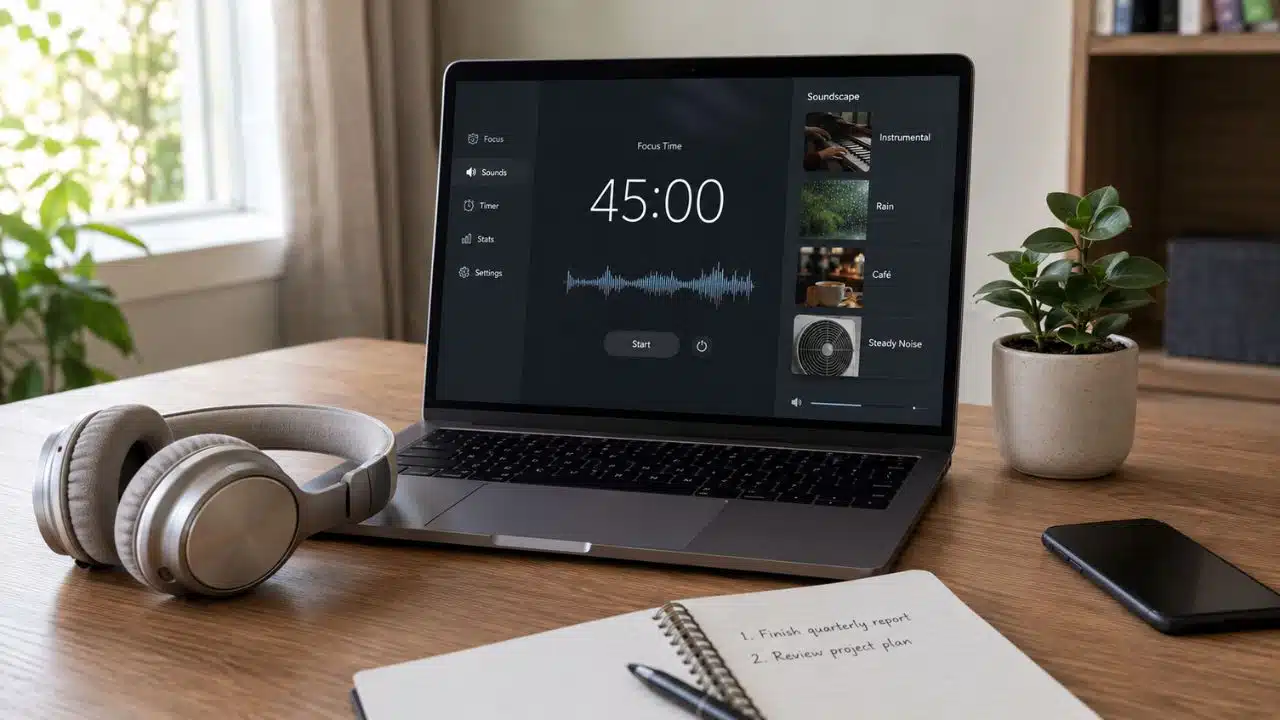
The wrong background sound can be as distracting as the noise it is meant to cover. Lyrics compete with writing, dramatic music keeps pulling you back into the track, and even rain becomes irritating once you notice the loop.
So I would not choose a focus app by looking for the largest library or the boldest scientific promise. I would start with the problem: do you need music to create momentum, steady noise to mask conversations, or an environment that makes a silent room feel less empty?
That matters more than the size of the sound library. The best focus music apps help you settle into work and then stop demanding attention.
This guide compares 11 current options by sound type, platform support, playback controls, free limits, price, privacy considerations, and practical drawbacks.
The Best Focus Music and Ambient Sound Apps for Different Work Styles
The right background sound depends on what tends to break your concentration. Some apps offer structured instrumental music for demanding tasks, while others mask conversations, traffic, or uncomfortable silence with steady noise and natural ambience. The following options serve different needs, so the best choice is the one that supports your work without repeatedly drawing your attention.
1. Brain.fm: Best Purpose-Built Focus Music App
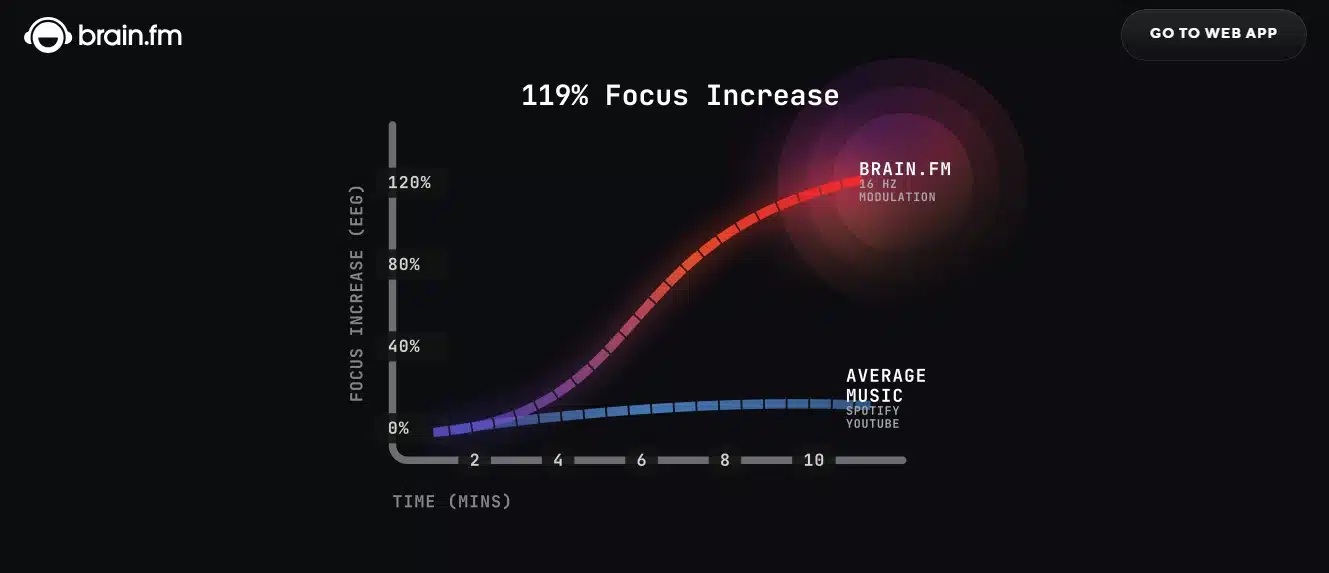
Brain.fm is the most complete option for people who want music designed around focused work rather than a collection of ordinary instrumental playlists. You can choose a mental state, change the stimulation level, start a Pomodoro session, and download audio for offline use.
Its product-specific research is more substantial than most rivals offer. Findings around modulation and sustained attention are promising, particularly for people who report attention difficulties. They do not prove a benefit for everyone, and the company’s involvement in the research matters.
The seven-day trial leads to a plan costing about $14.99 per month or $99.99 per year. That makes sense only if you use focus audio regularly and want very little to configure. If an ordinary playlist works, keep it.
2. focus.music: Best for Human-Composed Adaptive Sessions
focus.music is the rebuilt successor to Focus@Will. It organizes lyric-free music created by musicians into 25-minute, 50-minute, custom, and open-ended sessions. You can select an environment yourself or let the service learn which options appear to suit your work.
It sits between a standard playlist and fully generated ambient audio. Limited listening is available before an account or payment card is required, followed by a seven-day trial. Paid access is about $4.99 per month or $39.99 per year.
The service was rebuilt in 2026, so it has less independent review history than older products. I would use the free access to judge the music itself rather than relying on the reputation of the previous Focus@Will service.
3. Endel: Best Adaptive Ambient Soundscape
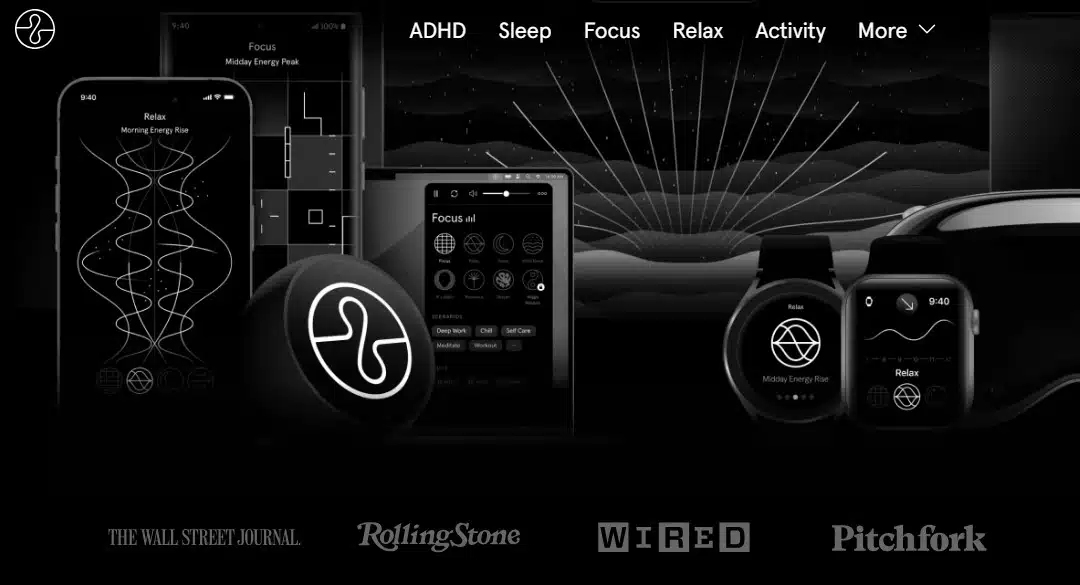
Endel creates soundscapes that change with factors such as time of day, weather, and movement. Some setups can also use heart-rate information. Focus modes, timers, colored noise, and offline playback make it more flexible than a basic generative soundtrack.
The gradual variation suits listeners who notice loops. Research involving Endel suggests that personalized soundscapes may support focus for some people, but responses varied by person and task. Try the free version; do not treat the research as a guarantee.
Paid options vary by device and region. Review the permissions before sharing location, activity, or health information for personalization.
4. myNoise: Best for Detailed Sound Control
myNoise is closer to a sound workshop than a playlist service. Its collection covers natural environments, offices, transport, noise colors, and atmospheric music. Frequency sliders and calibration tools let you shape a sound around your hearing, equipment, room, or a particular distraction.
That control helps when a generic rain track is not enough. The website offers substantial free audio without advertising. Complete mobile access costs roughly $10 once, although web support and mobile purchases are separate.
There is a learning curve. If you want to press one button and begin working, myNoise may feel unnecessarily technical. If you want to soften a specific noise without paying every month, it is one of the most capable options here.
5. Noisli: Best Browser-Based Focus Workspace
Noisli puts a sound mixer, playlists, timer, and distraction-free text editor in one browser workspace. The free web plan includes 16 sounds. Paid access expands the library and adds features such as advanced timers, shuffle, and changing sound intensity.
It suits writers and remote workers who want their focus tools in one tab. The free plan is limited to 1.5 hours of daily playback. Pro costs about $12 monthly or $10 per month with annual billing.
The full experience is built for desktop browsers. Noisli’s mobile apps are separate products and do not mirror every web feature, so decide where you will actually listen before paying.
6. Portal: Best Immersive Nature App
Portal combines field-recorded environments, polished visuals, and spatial audio. It creates a stronger sense of place than a typical forest or rain loop, especially with compatible AirPods.
The app is available on iPhone, iPad, and Mac. It provides free starter content, while paid access currently costs $2.99 per month, $29.99 per year, or $99.99 for lifetime access.
Portal suits Apple users who care about recording quality and find nature easier to ignore than music. If the visuals attract your attention, choose a simpler audio-only tool.
7. White Noise by TMSOFT: Best Cross-Platform Value
White Noise by TMSOFT is practical, widely supported, and inexpensive. Its free Lite version includes 50 sounds, alarms, mixing tools, a recorder, offline playback, and access to community uploads. It runs on iOS, Android, Mac, Windows, selected watches, and television devices.
The Full and Pro editions use small one-time purchases, starting at roughly $0.99. The interface is functional rather than elegant, and community recordings vary in quality. Start with the built-in library. For dependable masking across devices, the value is hard to beat.
8. Dark Noise: Best for Apple Shortcuts and Widgets
Dark Noise is designed to feel at home on Apple devices. It includes more than 50 ambient sounds, custom mixes, timers, AirPlay, Siri Shortcuts, and configurable widgets. Eight sounds are free; Pro is offered through subscriptions, with a $49.99 lifetime option listed in the US App Store when this guide was checked.
Try Apple’s built-in Background Sounds before paying. Dark Noise becomes worthwhile when its custom mixes, widgets, and automations solve a need those free controls do not.
9. Coffitivity: Best Café Ambience
Coffitivity does one thing: it recreates the low, steady activity of a coffee shop. That narrow focus keeps setup simple and makes the service easy to understand.
Its responsive web app provides one free hour each day. Premium costs $47.99 annually and extends access to the café environments. Native mobile apps have not yet been relaunched, despite older articles still pointing readers toward them.
Choose Coffitivity only if café noise already helps you work. The subscription is hard to justify if you also want rain, nature recordings, or colored noise.
10. A Soft Murmur: Best Simple Ambient Mixer
A Soft Murmur keeps things simple: combine rain, waves, wind, thunder, and a few other sounds, then leave the mix running. Its mobile apps add timers, saved mixes, offline playback, and optional sounds.
The library is small, and the iOS version has not had a major feature update for several years. That matters if you want active development or frequent additions. It matters far less if you want a familiar mix that takes seconds to start and continues working without an internet connection.
11. Ambie White Noise: Best Free Windows Option
Ambie White Noise is a free native Windows app with downloadable sounds, offline playback, a focus timer, and mixes containing up to three audio layers. An Xbox version is also available.
It lacks the catalog of myNoise and the device support of TMSOFT, but it solves a simple problem without a subscription or another open browser tab.
What Science Says About Music, Noise, and Concentration
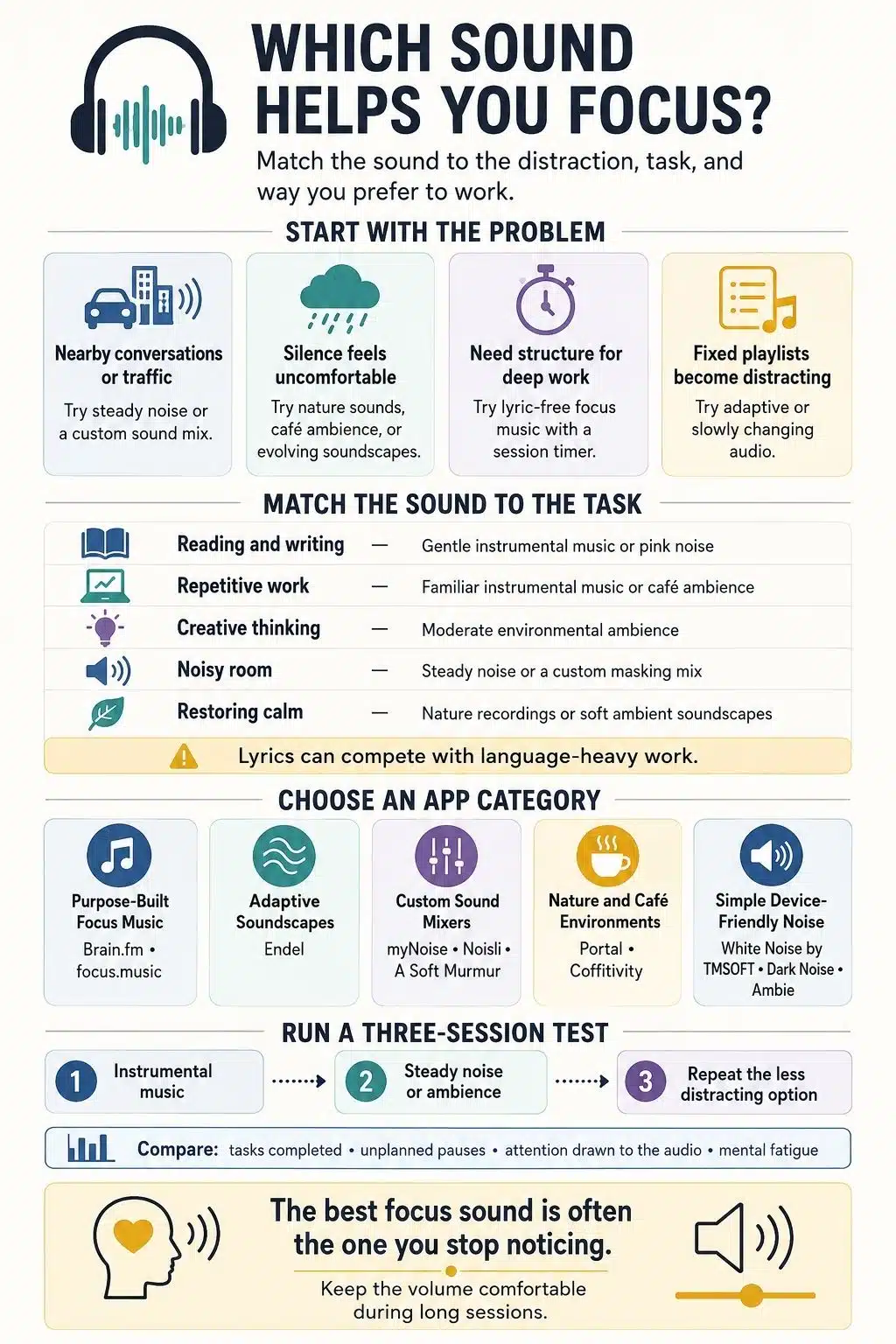
There is no universal focus sound. Lyrics can interfere with reading, writing, and other language-heavy work. Preferred music may support attention during easier or repetitive tasks, but that does not establish the same benefit for close analysis or complex reasoning.
Noise also affects tasks differently. Moderate ambient noise has been associated with better performance on some creative tasks, while higher levels were harmful. A sound level that encourages broad thinking may still make proofreading more difficult.
Research on white and pink noise has found a small average benefit in laboratory attention tasks among participants with ADHD symptoms. The same review found a small negative effect among comparison groups without those symptoms and identified no eligible brown-noise studies. Marketing claims about brown noise and ADHD are therefore much stronger than the evidence.
These are averages, not a diagnosis or promise. Your work quality and ability to stay with the task are better buying signals than scientific language on a sales page.
Final Thoughts
The best focus music apps solve a particular problem with as little friction as possible. Brain.fm and focus.music provide structured music. myNoise, TMSOFT, and Ambie are better suited to sound masking. Portal, Coffitivity, and A Soft Murmur create a sense of place.
Start with a free option and test it during the same kind of work more than once. Pay only when a specific feature, better recordings, offline listening, session controls, personalization, or device integration, makes the app meaningfully easier to use.
If a free sound you already have helps you begin and stay with the task, you do not need a more sophisticated answer.
Frequently Asked Questions on Focus Music and Ambient Sound Apps
1. Do focus music apps actually improve concentration?
They can help by masking distracting sounds and creating a consistent work environment. However, their effect depends on the person and the task. The best test is whether you finish real work with fewer interruptions, not whether the audio sounds impressive.
2. What type of sound is best for focus?
Instrumental music often suits structured work, while steady noise can help mask conversations or traffic. Nature sounds and café ambience may work better when silence feels uncomfortable. There is no universal winner, so try each option on a similar task and compare the results.
3. Is brown noise better than white noise for studying?
Not necessarily. Brown noise has a deeper, softer sound, while white noise contains more high-frequency energy. Some people find brown noise more comfortable, but current research does not prove that it improves focus for everyone.
4. Is music with lyrics distracting while working?
Lyrics can compete with reading, writing, and other language-heavy tasks. Instrumental or ambient audio is usually the safer choice for deep work. Familiar songs with lyrics may still suit repetitive tasks that require less verbal concentration.
5. Are paid focus music apps worth it?
A paid app may be worthwhile if you regularly use features such as offline playback, adaptive sound, timers, or detailed sound mixing. Start with a free plan or built-in device sounds first. Pay only when a particular feature solves a real focus problem.























