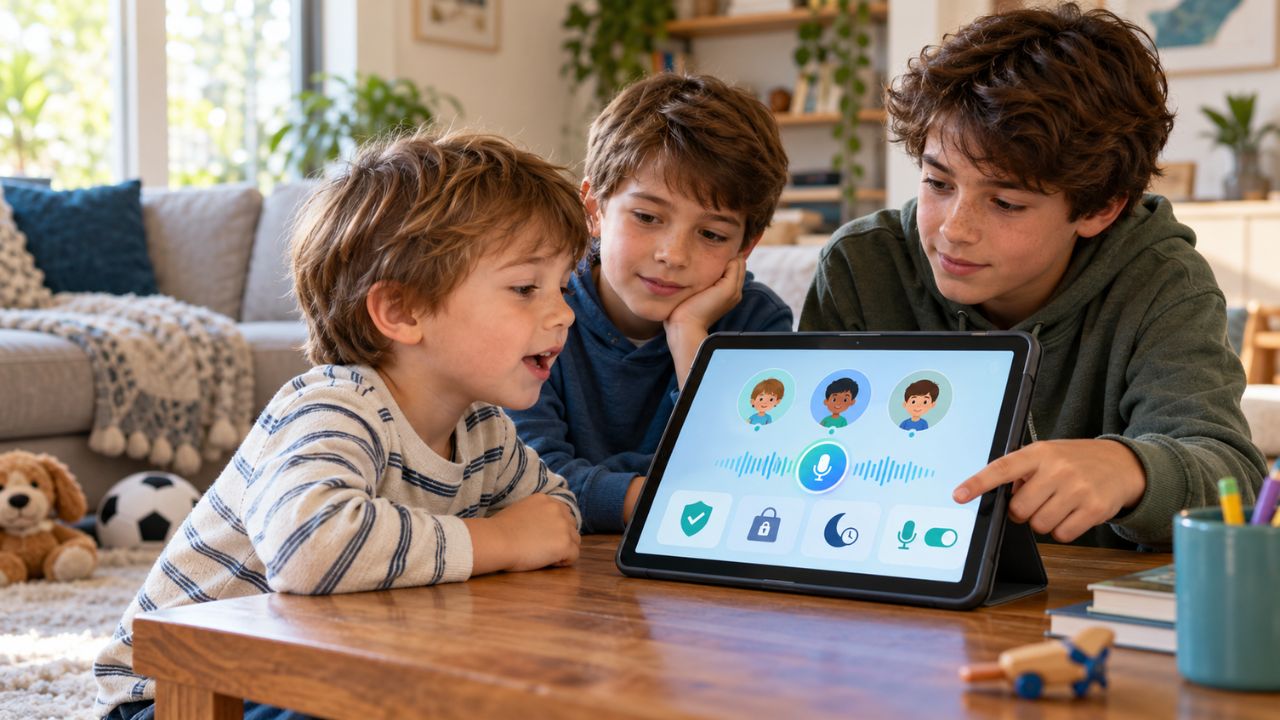
Educational technology used to feel optional. A child might use a math game after school, watch a phonics video, or open a tablet during a long trip. Now it is woven into homework, classrooms, tutoring, reading practice, language learning, school communication, and even creative projects. That shift has made parenting harder.
Many families are no longer asking, “Should my child use technology?” They are asking better questions. Which tools are actually useful? How much screen learning is too much? At what age is it right for a tablet, laptop, or phone? Can educational apps be trusted with children’s data? When does learning technology support curiosity, and when does it quietly become another distraction?
This parents guide to edtech is built around that real-world problem. Educational technology can help children practice skills, explore new subjects, receive feedback, and access learning support that may not always be available offline. But not every app with bright colors and cheerful badges deserves a place in a child’s routine.
Good family edtech decisions need balance. Parents need to look at learning value, age fit, privacy, cost, screen habits, device choice, parental controls, and the child’s actual behavior after using the tool.
The goal is not to raise a child who avoids technology completely. That is unrealistic for most families in 2026. The better goal is to raise a child who can use technology with purpose, limits, curiosity, and self-control.
What Educational Technology Means for Families in 2026
Educational technology, often called edtech, includes digital tools designed to support learning.
That can include:
- Reading apps
- Math practice platforms
- Language learning tools
- Coding games
- Audiobook libraries
- Digital tutoring platforms
- School learning portals
- Interactive whiteboards
- AI learning assistants
- Educational videos
- Digital flashcards
- Creativity tools
- Learning management systems
- Assessment and progress-tracking tools
For schools, edtech often means systems and platforms. For families, it usually means something more practical: the apps, websites, devices, and subscriptions children actually use at home. That difference matters.
A school may choose a platform for classroom management or curriculum alignment. A parent is often trying to answer a more personal question: “Is this good for my child right now?” The answer depends on age, maturity, learning needs, family values, school expectations, cost, privacy, and how the tool fits into the rest of the child’s life.
A useful family edtech guide should not treat all children the same. A four-year-old using a phonics app is not the same as a twelve-year-old learning coding. A teenager using an AI writing assistant is not the same as a second grader playing a counting game. The tool matters. The child matters more.
Why Parents Need a Smarter EdTech Framework Now
Parents are dealing with more digital learning decisions than previous generations did. A child may use one app for school assignments, another for reading, another for math practice, another for language learning, another for classroom messages, and another for creative projects. Add videos, games, group chats, school portals, and AI tools, and the digital environment becomes crowded quickly.
The problem is not simply “too much screen time.” The bigger problem is unmanaged digital learning.
A child can spend 30 minutes with a high-quality reading app and gain confidence. The same child can spend 30 minutes clicking through reward loops and learn almost nothing. One screen session can be shared, active, and useful. Another can be passive, overstimulating, and hard to stop. That is why parents need a decision framework, not just a timer.
Modern edtech choices should be judged by questions like:
- Does this tool support a real learning goal?
- Is it suitable for the child’s age and maturity?
- Does it encourage active thinking?
- Does it protect privacy?
- Does it avoid manipulative design?
- Can the child stop using it without a meltdown?
- Does it leave enough room for sleep, outdoor play, reading, family time, and offline learning?
- Is the subscription worth paying for after the trial period?
- Does the parent understand what data the tool collects?
- Does the child become more curious, or only more dependent on the app?
This is where many families get stuck. They are not against technology. They are tired of guessing.
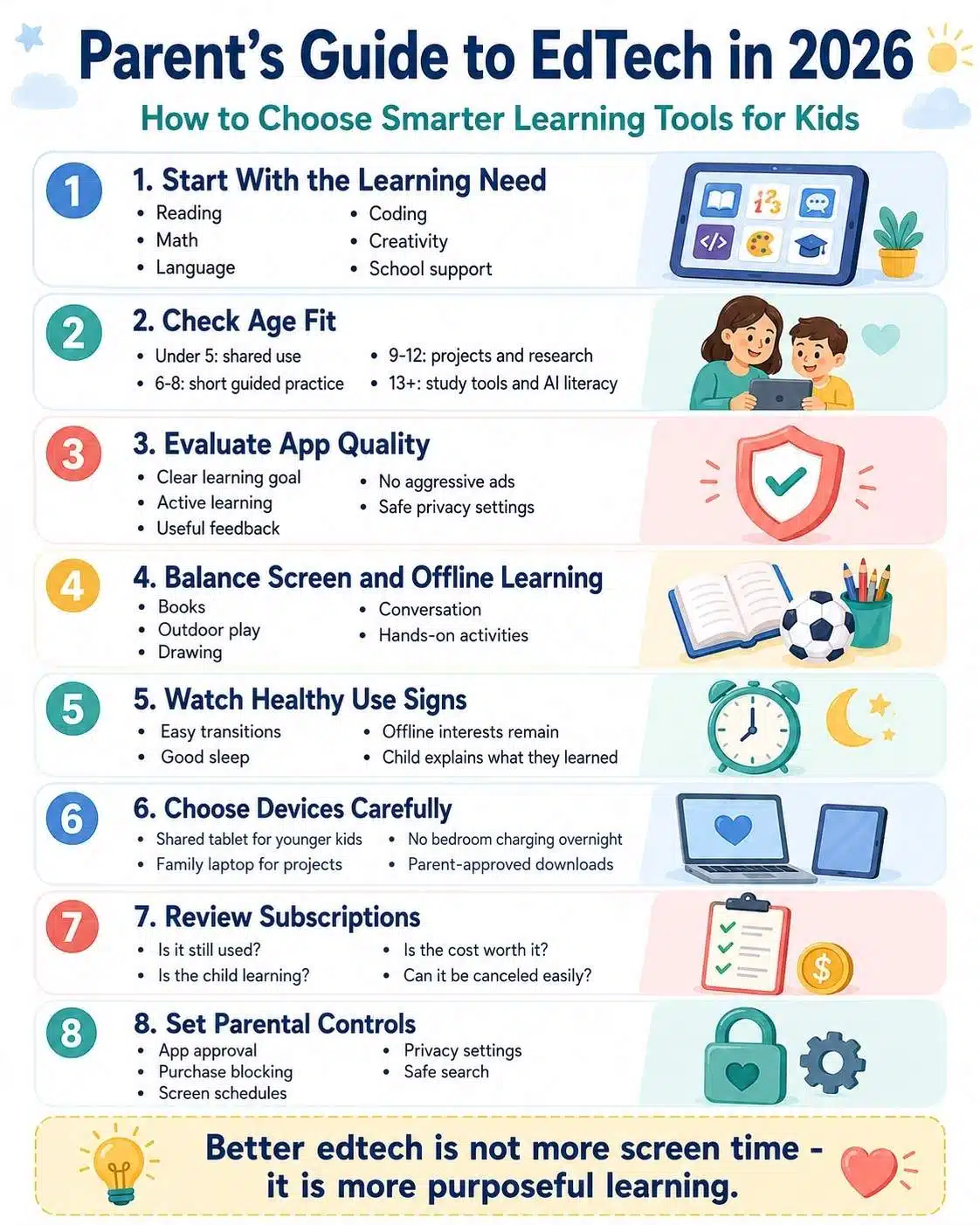
Parents Guide to EdTech: The Core Family Decision Framework
A practical parents guide to edtech should begin with one simple rule:
Do not choose the tool first. Choose the learning need first.
Many families do the opposite. They hear about a popular app, download it, let the child explore, and then try to justify its place in the routine. That approach often leads to app clutter.
A better framework looks like this:
| Family Question | What It Helps Decide |
| What skill does the child need support with? | Whether the tool has a real purpose |
| Is the child ready for this type of screen use? | Age and maturity fit |
| Does the tool teach, practice, create, or only entertain? | Learning quality |
| What data does the app collect? | Privacy risk |
| Can the parent monitor progress without over-monitoring? | Healthy supervision |
| Does the tool fit the family routine? | Long-term use |
| Is there an offline alternative? | Balance |
| Is the paid version truly necessary? | Subscription value |
This framework keeps the parent in control. The best educational tools parents can choose are not always the most popular ones. They are the tools that solve a specific problem without creating three new ones.
Age-Appropriate Tech Use Guidelines for Kids
Age matters because children do not all process digital media the same way. Younger children need more adult involvement. They learn better when a parent or caregiver talks with them, asks questions, connects the digital activity to real life, and helps them stop when the session is over.
Older children can handle more independence, but they still need boundaries, privacy guidance, and help understanding distraction, persuasive design, online safety, and age-appropriate tech guidelines for responsible use.
Here is a practical age-based view:
| Age Group | Best Use of Educational Technology | Parent Role |
| Under 2 | Very limited use, mainly video calls or brief shared moments | Stay involved and prioritize real-world interaction |
| Ages 2-5 | Short, high-quality, co-used learning activities | Choose carefully, sit nearby, and talk about the activity |
| Ages 6-8 | Reading, math, creativity, and basic problem-solving | Set routines, review apps, keep sessions short |
| Ages 9-12 | Research, coding, projects, and subject practice | Teach digital judgment and balance |
| Ages 13+ | Study tools, productivity apps, AI literacy, and advanced learning | Shift toward coaching, trust, and accountability |
These are not rigid rules. A child’s temperament matters. Some children handle transitions well. Others struggle to stop even after a short session. Some use learning apps calmly. Others become irritable, distracted, or obsessed with rewards.
That behavior is data. Parents should watch the child after the screen is turned off. If the tool leads to arguments, sleep problems, mood swings, avoidance of offline work, or constant requests for more, the routine needs adjustment.
How to Evaluate Educational Apps for Quality
A good educational app should do more than keep a child busy. The best apps support thinking, practice, creativity, problem-solving, or meaningful feedback. They do not rely only on badges, streaks, cartoon rewards, and endless levels. Before keeping an app, parents should check five things.
1. Learning Goal
What does the app actually teach?
If the answer is vague, that is a warning sign. “Brain training,” “smart learning,” or “fun education” can mean very little. A stronger app explains the skill clearly: phonics, number sense, multiplication fluency, vocabulary, coding logic, music theory, typing, reading comprehension, or another defined goal.
2. Active Learning
Does the child make decisions, solve problems, speak, build, write, draw, compare, or explain?
Passive watching can be useful sometimes, but children usually learn more when they interact with ideas. A math app that asks a child to reason through problems is different from a video playlist that keeps autoplaying.
3. Age Fit
Does the content match the child’s age and reading level?
Some apps look child-friendly but include instructions that are too advanced. Others are too easy and become entertainment dressed as learning. A good tool should stretch the child slightly without creating frustration.
4. Feedback Quality
Good feedback explains mistakes.
Weak feedback only says “wrong” and moves on. Better feedback shows the child what to try next, gives hints, or adjusts the difficulty in a reasonable way.
5. Privacy and Ads
This is non-negotiable.
Parents should check whether the app has ads, in-app purchases, social features, location tracking, unnecessary data collection, third-party sharing, or confusing consent settings. A cute design does not guarantee a safe design.
A simple rule works well: if an app is free but heavily tracks behavior, pushes purchases, or uses aggressive engagement tricks, the real cost may not be zero.
Balancing Screen and Offline Learning
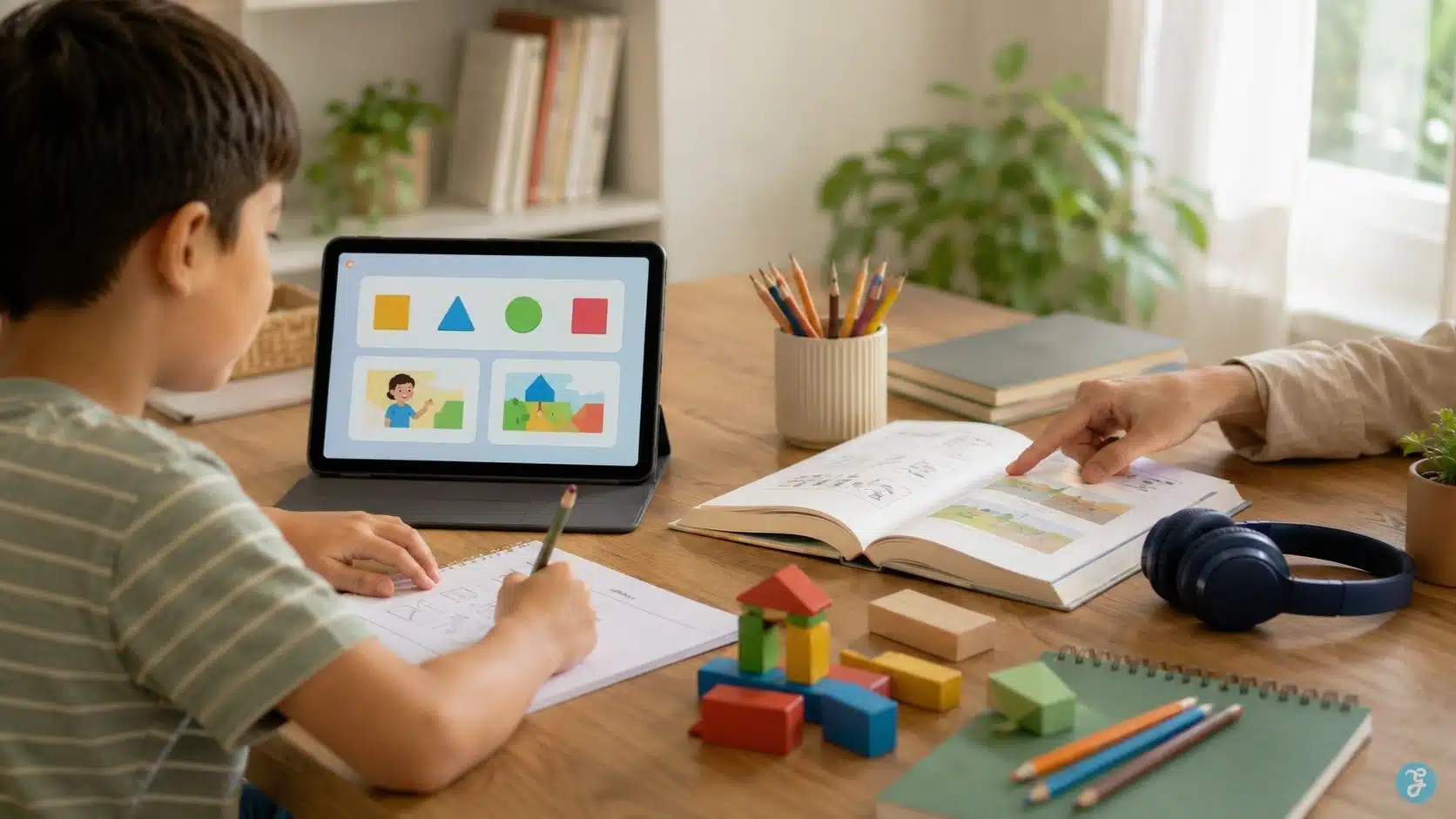
Educational technology should not replace childhood basics. Children still need handwriting, books, physical play, conversation, boredom, drawing, outdoor movement, building toys, music, chores, sleep, and face-to-face relationships. These are not old-fashioned extras. They are part of healthy development.
A balanced learning routine might look like this:
- Read a physical book after using a phonics app
- Practice math facts digitally, then solve real-life money or cooking problems
- Watch a science animation, then do a simple home experiment
- Use a drawing app, then draw with paper and pencil
- Learn coding basics, then build a story or game idea offline first
- Listen to an audiobook, then discuss the story at dinner
The best screen learning often becomes stronger when it leads to offline action. That is the test many parents miss. After using the tool, does the child talk about the idea? Try something new? Ask questions? Draw, build, read, write, move, or explain?
If yes, the technology is supporting learning. If the child only wants another level, another episode, another reward, or another streak, the tool may be training a habit more than understanding.
Signs of Healthy Tech Use in Kids
Healthy tech use is not only about minutes. A child may use a device for schoolwork and still have a balanced routine. Another child may use a device for a short time but become upset, secretive, or unable to transition. Parents should look for patterns.
Healthy signs include:
- The child can stop with reasonable support
- The child still enjoys offline play
- Sleep is not affected
- Schoolwork is not avoided
- The child talks about what they learned
- Screen use does not dominate every free moment
- The child can use technology creatively, not only passively
- The child follows family rules most of the time
- The child understands basic safety and privacy expectations
- The tool supports confidence instead of anxiety
Warning signs include:
- Frequent anger when screen time ends
- Secretive device use
- Loss of interest in offline activities
- Sleep disruption
- Constant requests for paid upgrades
- Avoiding homework unless it is gamified
- Using educational apps as an excuse for entertainment
- Repeating content without learning progress
- Exposure to ads, chats, or content that does not fit the child’s age
One bad day does not mean a child has an unhealthy relationship with technology. Families should look at the pattern over time.
If problems continue, reduce access, change the tool, co-use the app, move devices out of bedrooms, or speak with a pediatrician, teacher, or child development professional when needed.
Choosing Devices for Kids by Age Group
The device matters because it shapes behavior. A shared family tablet creates a different routine than a personal phone. A school-managed Chromebook is different from a gaming laptop. A child using a tablet in the living room is different from a child using a phone alone in bed.
Here is a practical device guide:
| Age Group | Better Device Choice | Why |
| Under 5 | Shared tablet used with the parent | Easier supervision and short sessions |
| Ages 6-8 | Shared tablet or school device | Good for reading, math, and guided practice |
| Ages 9-12 | Family laptop, school Chromebook, or supervised tablet | Better for projects, typing, research, and creation |
| Ages 13+ | Laptop for schoolwork, phone only when maturity supports it | Supports independence with boundaries |
| Any age | No device in the bedroom overnight | Protects sleep and reduces unsupervised use |
Younger children usually do not need personal devices. They need access when there is a purpose. A personal device changes the relationship. It becomes easier for the child to see it as “mine,” harder for parents to supervise, and more likely to become part of every quiet moment.
Before buying a device, ask:
- What will this device be used for?
- Where will it be used?
- Who controls downloads?
- Are purchases blocked?
- Are parental controls set up?
- Can the child use it without constant conflict?
- Where will the device charge overnight?
- What happens if rules are broken?
Buying the device is the easy part. Building the routine is the real work.
Educational Subscriptions Worth Considering
A paid educational subscription is worth considering only when it solves a real learning need and fits the family routine. Not every child needs multiple subscriptions. In many homes, one strong reading, math, language, coding, or creativity tool is better than five forgotten apps.
Before paying, review these points:
| Subscription Question | Why It Matters |
| Does the child use it consistently after the trial? | Avoids paying for novelty |
| Is the learning goal clear? | Prevents app clutter |
| Does it match school needs or personal interest? | Supports relevance |
| Is progress visible without pressure? | Helps parents monitor gently |
| Are there ads or upsells? | Protects focus |
| Can it be canceled easily? | Avoids subscription traps |
| Does it offer multiple child profiles? | Helps families with siblings |
| Is data privacy clear? | Protects children’s information |
The best subscriptions usually have three qualities: clear learning design, respectful child experience, and transparent pricing.
Be careful with tools that rely heavily on streaks, leaderboards, countdowns, constant rewards, or pressure to upgrade. Some motivation is fine. But if the child is more attached to the reward system than the learning itself, the tool may not be worth keeping.
A good rule: review every subscription every three months. If the child is not using it, not learning from it, or fighting over it, cancel it.
Parental Controls Setup Complete Guide
Parental controls are useful, but they are not a parenting strategy by themselves. They help set boundaries. They do not replace conversation, trust, routines, and supervision.
A strong parental control setup usually includes:
- App download approval
- Purchase blocking
- Age filters
- Screen time schedules
- Bedtime device limits
- Website restrictions
- Safe search settings
- Location sharing when appropriate
- Privacy settings
- Ad tracking limits
- Password protection
- Regular review of installed apps
For younger children, controls should be stricter. For teens, controls should gradually shift toward coaching and accountability, depending on maturity.
Parents should explain the reason behind controls. A child who understands the rule is more likely to build judgment. A child who only feels blocked may look for workarounds.
A simple family conversation can help:
“We use controls because the internet is not designed only for children. These settings help us protect sleep, privacy, learning time, and safety. As you show responsibility, we can review the rules together.”
That tone works better than treating every device like a battlefield.
Privacy, Data, and Children’s Digital Safety
Privacy should be part of every family edtech decision. Educational tools may collect names, emails, school information, usage behavior, voice data, progress data, location data, device identifiers, or other personal information. Some tools collect only what they need. Others collect far more than parents expect.
Parents do not need to become privacy lawyers, but they should check a few basics.
Before using an app, look for:
- A child-friendly privacy policy
- Clear parental consent process
- No unnecessary location tracking
- No public profiles for young children
- No open chat with strangers
- No hidden social features
- No aggressive third-party advertising
- Easy account deletion
- Clear data export or deletion options
- Strong password and login settings
If a tool is used through school, parents can ask the school what data is collected, who can access it, whether it is shared with vendors, and what happens when the child leaves the school. This matters more in 2026 because edtech tools are becoming more personalized, more data-driven, and increasingly AI-assisted. Personalization can be useful. Unchecked data collection is not.
Where AI Learning Tools Fit for Children
AI tools are becoming part of educational technology, but parents should be careful. AI can help older students brainstorm, practice languages, generate study questions, simplify explanations, or receive feedback. But it can also give wrong answers, encourage shortcuts, collect sensitive data, or weaken independent thinking if used poorly.
For younger children, AI tools should be used sparingly and with adult supervision. For older children and teens, the better approach is AI literacy.
Teach them:
- AI can be wrong
- AI should not replace thinking
- Do not enter private information
- Always check important facts
- Use AI for practice, not cheating
- Ask better questions
- Compare answers with trusted sources
- Understand school rules before using AI for assignments
A useful AI learning routine might be:
- Try the work first.
- Use AI to ask for hints or explanations.
- Rewrite the answer in your own words.
- Check the result with a textbook, teacher, or trusted source.
- Reflect on what you actually learned.
That teaches agency. Without boundaries, AI can become a shortcut machine. With guidance, it can become a study partner.
How to Build a Family EdTech Plan
A family edtech plan does not need to be complicated. It should answer the questions that usually cause conflict before the conflict starts.
Include these basics:
| Family Rule Area | Example Decision |
| Learning purpose | Which apps are allowed and why |
| Time windows | When devices can be used |
| Screen-free zones | Meals, bedrooms, homework breaks |
| Device storage | Where devices charge overnight |
| App approval | Who can install new apps |
| Purchases | No purchases without parent approval |
| Privacy | No real names, location, or photos without permission |
| Schoolwork | School tools first, entertainment later |
| Offline balance | Reading, outdoor play, chores, family time |
| Review rhythm | Revisit rules monthly or each school term |
The plan should be visible and simple. A child should not need a legal document to understand family tech rules. For younger children, use pictures or short rules. For older children, involve them in the discussion. Ask what helps them focus, what distracts them, and what rules feel fair. They may not get final authority, but their input matters. Rules work better when children understand the purpose.
A Practical Educational App Evaluation Checklist
Use this checklist before adding a new app, website, subscription, or AI tool.
Learning value
- Does it teach a clear skill?
- Does it match the child’s age?
- Does it encourage active thinking?
- Does it give useful feedback?
- Does it connect to school or personal interests?
Child experience
- Is it easy to use without being addictive?
- Can the child stop without major conflict?
- Are rewards reasonable?
- Does it avoid overstimulation?
- Does it support confidence?
Parent control
- Can parents review progress?
- Can purchases be blocked?
- Can settings be adjusted?
- Can the account be deleted?
- Can multiple children use separate profiles?
Privacy and safety
- Is the privacy policy understandable?
- Does it collect only necessary data?
- Are ads limited or absent?
- Are chats, public profiles, or location tools disabled?
- Does it follow child privacy expectations in the relevant country?
Family fit
- Does it fit the daily routine?
- Is the cost reasonable?
- Is there an offline alternative?
- Will it still be useful after two weeks?
- Does it reduce stress or add another thing to manage?
If an app fails several of these checks, skip it. A family does not need more digital clutter.
Common EdTech Mistakes Parents Should Avoid
Even careful parents make mistakes with kids educational technology. Most of them are fixable.
Using “Educational” as a Free Pass
Not every educational app is valuable. Some apps teach little but use educational branding well. Parents should watch what the child actually does inside the app.
Adding Too Many Tools at Once
Too many apps create confusion. Children may jump between platforms without building depth. Start with one need and one tool.
Ignoring the Child’s Mood After Use
The best sign is not whether the app looks impressive. It is how the child behaves after using it. Calm curiosity is a good sign. Agitation, obsession, and constant bargaining are warning signs.
Letting Devices Replace Parent Interaction
A good app can support learning. It cannot replace conversation, encouragement, reading together, or helping a child through frustration.
Forgetting Privacy
Parents often check age ratings and reviews, but skip privacy. That is risky, especially with children’s data.
Paying for Subscriptions Without Reviewing Them
Many families pay for apps long after the child stops using them. Review paid tools regularly.
Treating Parental Controls as Enough
Controls help, but children also need explanation, trust, and digital judgment.
How Educational Technology Supports Topical Learning
The best edtech tools do not sit alone. They connect to a child’s real learning life.
A child interested in space might use:
- A documentary clip
- A reading app article
- A drawing tool to design a planet
- A math activity about distance
- A library book
- A cardboard model
- A family conversation about gravity
That is healthy technology use. The screen becomes one part of a larger learning loop. This is especially useful for families trying to support curiosity without turning every moment into school. Children do not need constant productivity. They need room to explore.
Educational tools are strongest when they open doors, not when they control the whole room.
How to Know an EdTech Tool Is Actually Working
Parents should not judge a tool only by usage time. High usage does not always mean strong learning. A child may spend hours in an app because it is rewarding, not because it is effective.
Look for real signs of progress:
- The child explains concepts more clearly
- School confidence improves
- Practice becomes less stressful
- The child applies the skill offline
- Mistakes decrease over time
- The child asks better questions
- The tool fills a specific gap
- The child does not need constant pressure to use it
- The parent can see meaningful progress data
Also, look for limits. A math app may help with fluency, but not word problems. A reading app may support decoding but not deep comprehension. A language app may teach vocabulary but not conversation. A coding game may teach logic, but not full programming.
No tool does everything. That is not a flaw. It is a reason to choose tools honestly.
Frequently Asked Questions About Parents Guide to EdTech
1. What Is a Parents Guide to EdTech?
A parents guide to edtech helps families choose, manage, and evaluate educational technology for children. It covers learning quality, age fit, screen balance, device choices, privacy, subscriptions, and parental controls.
2. Is Educational Technology Good for Kids?
Educational technology can be useful when it supports a clear learning goal, matches the child’s age, protects privacy, and fits a healthy routine. It becomes a problem when it replaces sleep, play, reading, family time, or real-world learning.
3. How Do Parents Choose Good Educational Apps?
Parents should look for a clear learning goal, age-appropriate content, active learning, useful feedback, limited ads, strong privacy, and signs that the child is actually learning. Popularity alone is not enough.
4. How Much Screen Time Is Okay for Educational Apps?
There is no perfect number for every child. Parents should consider age, content quality, context, behavior after use, sleep, schoolwork, physical activity, and family routines. Short, purposeful, shared sessions are usually better than long, passive use.
5. What Are Signs of Healthy Tech Use in Kids?
Healthy signs include easy transitions, continued interest in offline play, stable sleep, curiosity about what was learned, and the ability to follow family rules. Warning signs include secrecy, sleep disruption, constant conflict, and loss of interest in offline activities.
6. Should Young Children Have Their Own Tablets?
Many young children do better with shared family devices rather than personal tablets. Shared devices are easier to supervise and help parents keep technology tied to purpose instead of constant access.
7. Are Educational Subscriptions Worth Paying For?
Some are worth it, but only if they match a real learning need, are used consistently, protect privacy, avoid aggressive upsells, and provide value beyond free alternatives. Review subscriptions every few months.
Build a Family Learning System, Not Just a Folder of Apps
Educational technology is not going away. Children will keep using digital tools for school, creativity, communication, research, practice, and future work. The question is whether those tools are used with purpose.
That is the real message of this parents guide to edtech. Families do not need to panic about every screen. They also should not accept every app, device, or subscription just because it says “educational.” Good edtech should make learning clearer, not noisier.
It should help a child practice, explore, create, or understand something better. It should respect privacy. It should fit the child’s age. It should leave room for books, movement, boredom, sleep, family conversation, and offline discovery.
The smartest family edtech strategy in 2026 is not more technology. It is a better judgment. Choose fewer tools. Use them more intentionally. Watch the child, not just the dashboard. Build routines before problems grow. Review privacy before signing up. Cancel what does not help. Keep devices out of bedrooms at night. Talk about online safety before something goes wrong.
Most of all, remember that parents do not need to be tech experts to make good decisions. They need a clear framework, honest observation, and the confidence to say no when a tool does not serve the child. That is how educational technology becomes part of a healthy learning life, instead of taking over family life.