Comparing flights, choosing a hotel, and fitting must-see places into a few days can turn trip planning into a second job. AI travel planning tools can help with specific parts of that work, from finding options to organizing bookings. They don’t all do the same thing, though: some are general chat assistants, while others focus on searches, maps, or reservation records.
The tools below are presented as options, not a ranked “best” list. Features and access can vary by country, account, device, and plan. Use suggestions as a starting point, then check opening hours, travel times, prices, and booking terms before you commit.
10 AI Travel Planning Tools to Consider
AI travel planning tools can turn scattered ideas into a workable trip plan. Some compare flights and hotels, while others suggest itineraries, map stops, or organize bookings. Choose one based on the task you need help with, then verify prices, opening hours, travel times, and booking terms before making plans.
1. Google Gemini — for flight and hotel research

Gemini can connect a planning conversation with searches for flights and hotels. Give it your destination, dates, budget, and preferences, then refine the options with follow-up questions. Google says Gemini uses public information from Google Flights and Google Hotels for these searches.
It’s handy when you’re comparing possibilities. Keep in mind that this feature can’t book or change a flight or hotel, check you in, or send alerts about saved flights. Confirm the details with the airline or hotel before booking.
2. ChatGPT — for shaping a flexible itinerary
ChatGPT can help turn constraints—dates, budget, interests, group size, and preferred pace—into a rough itinerary. Ask it to group stops by neighborhood or suggest indoor alternatives for a rainy day. Web search can provide current information and links, but you should still check opening hours and whether the route makes sense.
Expedia also offers an app in ChatGPT that can show flight and hotel options, maps, and dynamic prices. Expedia says it’s available to logged-in ChatGPT users outside the EU.
3. KAYAK Ask AI — for conversational travel searches
KAYAK Ask AI lets you describe a trip in everyday language and refine your search through follow-up questions. KAYAK says flight, hotel, and rental-car results update alongside the chat, with bookable options from travel providers.
Among AI travel planning tools, this one is a practical option when you already know your constraints—dates, budget, or destination—and want to compare results. KAYAK says Ask AI is free, but its AI features are experimental and may change. Before booking, compare baggage allowances, cancellation terms, and the total price.
4. Tripadvisor AI — for review-based ideas
Tripadvisor’s AI assistant can suggest hotels, restaurants, activities, and day-by-day itineraries. Its page describes editable, shareable plans, map comparisons, and live prices and availability for some options.
This can help narrow down ideas using traveler reviews. Reviews are only one input, so check recent feedback and the provider’s listing for current policies. Reservations are completed through Tripadvisor or the provider.
5. Mindtrip — for organizing saved inspiration
Mindtrip combines conversational planning with maps and trip organization. Its site describes personalized recommendations for stays, restaurants, and activities.
The app listing describes timed stops, travel times, and the ability to reorder or remove places. It also says unlimited AI trip planning and link imports are part of Mindtrip AI Pro.
Mindtrip is worth considering if your trip ideas are scattered across maps, articles, and social posts. Don’t trust a schedule just because it looks tidy; leave room for meals, queues, rest, and getting between stops.
6. Layla — for AI planning with optional expert help
Layla starts with a chat about your trip ideas, preferences, and budget. You can build a plan with AI or work with a travel expert to refine it and arrange bookings. Layla says planning is free, but booked travel arrangements have costs; it recommends a minimum budget of €100 per person, per night for tailor-made trips.
That makes Layla more relevant to travelers who want help with a complex route or prefer a person to review the details. Check what the booking includes, as well as the terms for changes and support, before approving a plan.
7. GuideGeek — for quick questions in a messaging app
GuideGeek is an AI travel assistant available through messaging platforms such as WhatsApp, Instagram, and Messenger. Its site describes help with destination ideas, itineraries, accommodation comparisons, activities, and local questions.
It’s convenient for quick research, such as asking what to do during a free afternoon. For transport, local rules, and opening times, treat the answer as a lead and check a current source before relying on it.
Wanderlog brings a trip itinerary and map together, with reservation storage and group collaboration. Its site also lists an AI assistant, route optimization, flight-status tracking, budgeting, checklists, and offline access.
The map is useful for spotting an overpacked day or stops that are far apart. Travel companions can edit a plan together. Some features, including offline access, are listed among the premium offerings, so check the current plan details first.
9. TripIt — for organizing confirmed bookings
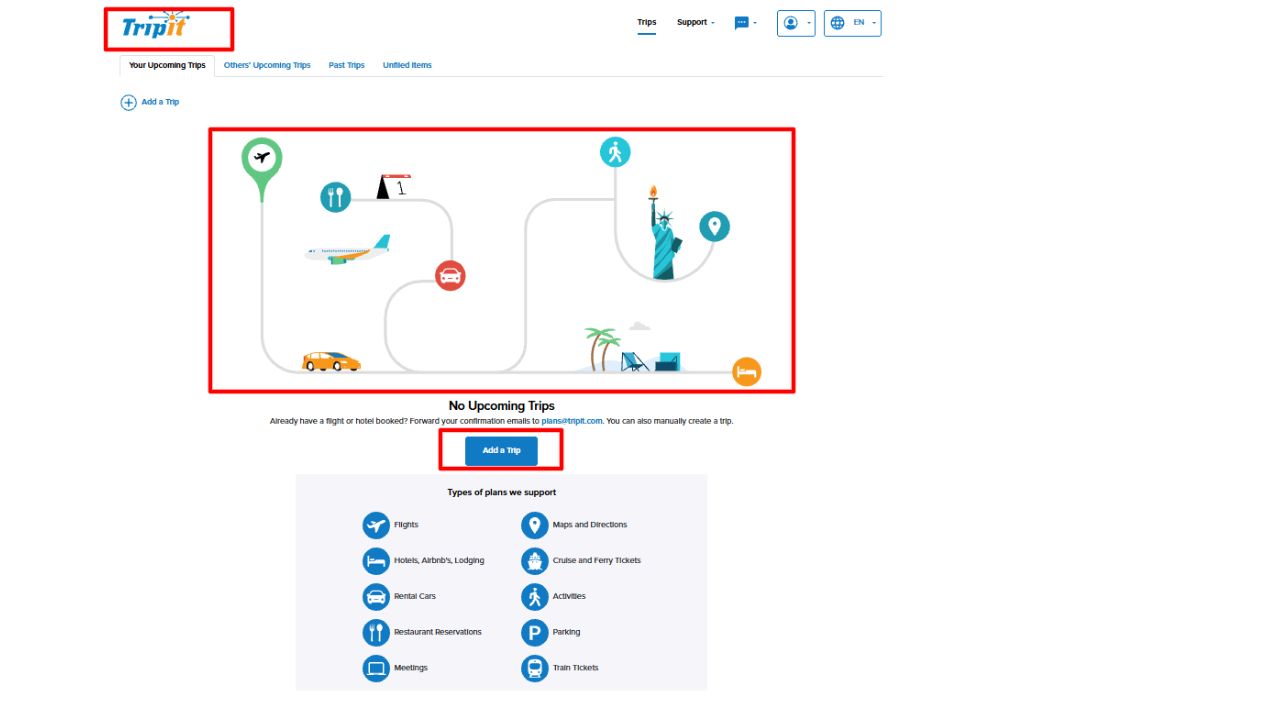
TripIt is mainly a booking organizer, not a destination-finder. Forward confirmation emails or add plans manually, then keep trip details, documents, and calendar entries together.
Its Apple Intelligence feature can turn a photo, PDF, or unfiled item into a plan. It requires TripIt Pro and compatible Apple devices, software, and language settings; you can review and edit details before saving.
Of the AI travel planning tools in this list, TripIt is the clearest choice for travelers who have booked already and need a single place for their plans. Check the subscription requirements before counting on the AI feature.
10. Expedia Trip Matching — for planning from travel videos
Expedia Trip Matching lets users send a public travel Reel to Expedia on Instagram. Expedia says its AI analyzes the video and suggests places to stay, activities, and a plan that can be personalized.
It can help turn a video into a research starting point, but it’s currently limited to Instagram and optimized for the U.S. market. Expedia also warns that AI-generated suggestions may be mistaken. Verify the locations and compare booking options before making plans.
How to Choose Among AI Travel Planning Tools
Start with the task that’s slowing you down. Try Gemini or KAYAK Ask AI for flight and hotel searches; ChatGPT, Tripadvisor AI, or Mindtrip for itinerary ideas; TripIt for confirmed bookings; and Wanderlog for a shared map and plan.
You can combine tools, too: draft a route, check distances on a map, compare current prices, then save confirmed reservations in an organizer. When prompting, include dates or season, budget, group size, interests, preferred pace, and anything you want to avoid. That context makes it easier to judge whether a suggestion fits.
Final Thoughts
The right AI travel planning tools can reduce the tab-juggling, but they can’t make every decision for you. Pick one that handles your biggest planning headache, try it with a low-stakes question, and verify the details that could affect your schedule or budget before booking.
Frequently Asked Questions (FAQs) About AI Travel Planning Tools
Can AI plan an entire trip?
It can draft an itinerary and help with research. You’ll still need to confirm opening hours, travel times, prices, entry requirements, and booking terms.
Are these tools available everywhere?
No. Availability may depend on your country, account, device, subscription, or platform. Check the product’s current official page for access details.
What should I include in a travel-planning prompt?
Give the tool your dates or travel season, destination, budget, group size, interests, preferred pace, and any dietary or mobility needs. Then review the result for practical gaps.