A scan can contain a finding that needs attention, but reviewing images takes time and depends on the clinical question. AI in medical imaging can help by flagging areas for review, measuring structures, or organizing scans in a worklist. It does not interpret a patient’s full health picture. A clinician still needs to assess the images alongside symptoms, medical history, and other test results.
AI tools have different jobs. A system designed to flag possible findings on a brain CT, for example, should not be assumed to interpret a chest X-ray. Its intended use matters as much as the technology behind it.
What AI Does With a Medical Image
Many imaging tools use machine learning: software trained on examples to recognize patterns linked to a specific task. The result might be a highlighted area, a measurement, or a reconstructed image.
That output is a prompt for clinical review, not automatically a diagnosis. The clinician needs to check whether it fits the scan and the reason it was ordered.
How AI in Medical Imaging Supports Diagnosis
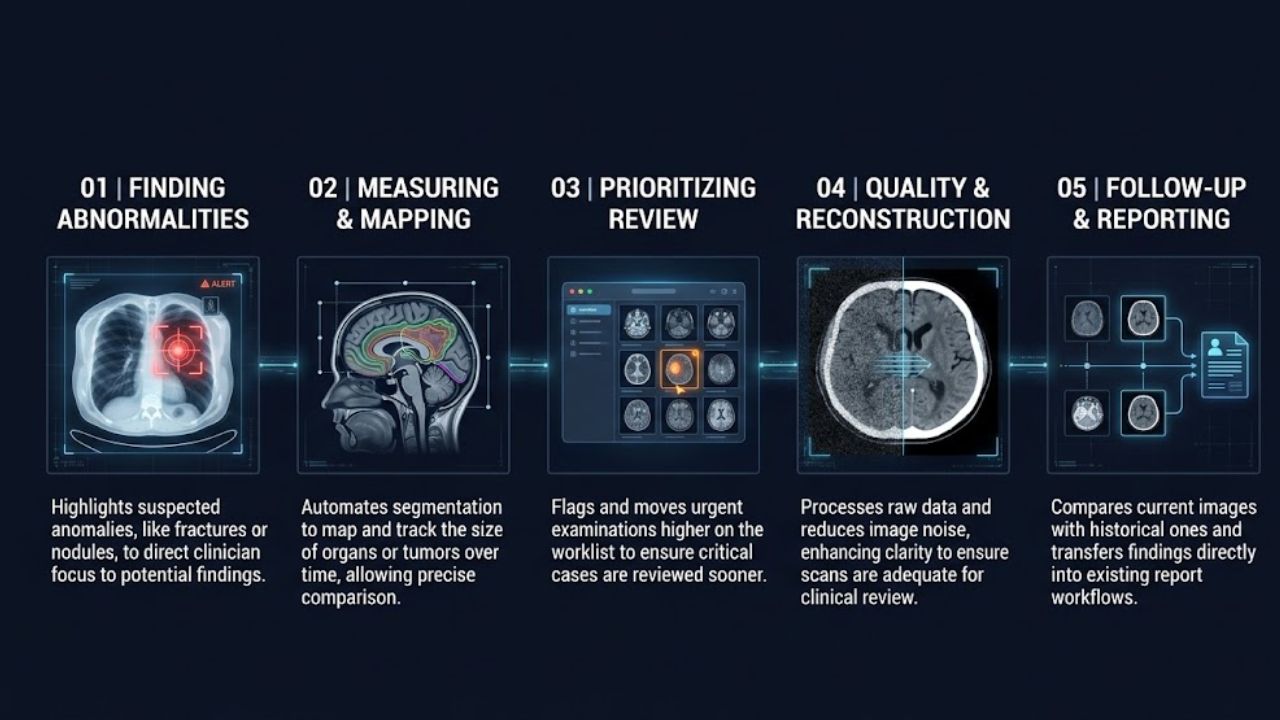
Most tools assist with one part of imaging review. They can help draw attention to a possible finding or handle a measurement, but they do not provide the wider context needed to decide what it means for a patient.
Finding Possible Abnormalities
A tool may mark a suspected fracture on an X-ray, a possible lung nodule on a CT scan, or a possible sign of bleeding on a brain scan. The exact task depends on the system.
The alert should direct the radiologist’s attention, not settle the question. A mark can be false, or the finding may not be clinically significant. The radiologist checks the images and decides what, if anything, should happen next.
Measuring and Mapping Structures
AI can outline organs, blood vessels, or areas of suspected disease. This process, called segmentation, can help clinicians measure a finding and compare it across scans.
For example, a clinician following a tumor may compare its size on images taken at different times. Automated outlines can speed up that comparison, but the clinician must check that the system followed the correct boundary. A small measurement error can make a comparison less useful.
Sorting Images and Prioritizing Review
Some tools flag examinations that may need prompt attention and move them higher on a worklist. In a busy imaging department, that can help staff see urgent scans sooner.
The alert does not determine the patient’s diagnosis or treatment. It helps route the examination; a clinician still reviews the images and acts on the findings.
Improving Image Quality and Reconstruction
Some systems help process images after a scan is captured. They may reduce noise or reconstruct an image from scan data. That can support image quality, but it cannot guarantee that every scan will be adequate for its clinical purpose.
Movement, incomplete coverage, or other image problems may still require a clinician to request additional imaging or choose another approach.
Supporting Follow-Up and Reporting
A tool may help compare current images with earlier ones, produce measurements, or transfer reviewed findings into a report. The result is easier to use when it appears in the imaging system clinicians already work in. Radiology workflow research describes systems that let clinicians accept, adjust, or reject AI results within that process. A separate tool that adds extra screens or steps can create friction instead of saving time.
Where Imaging AI Is Used
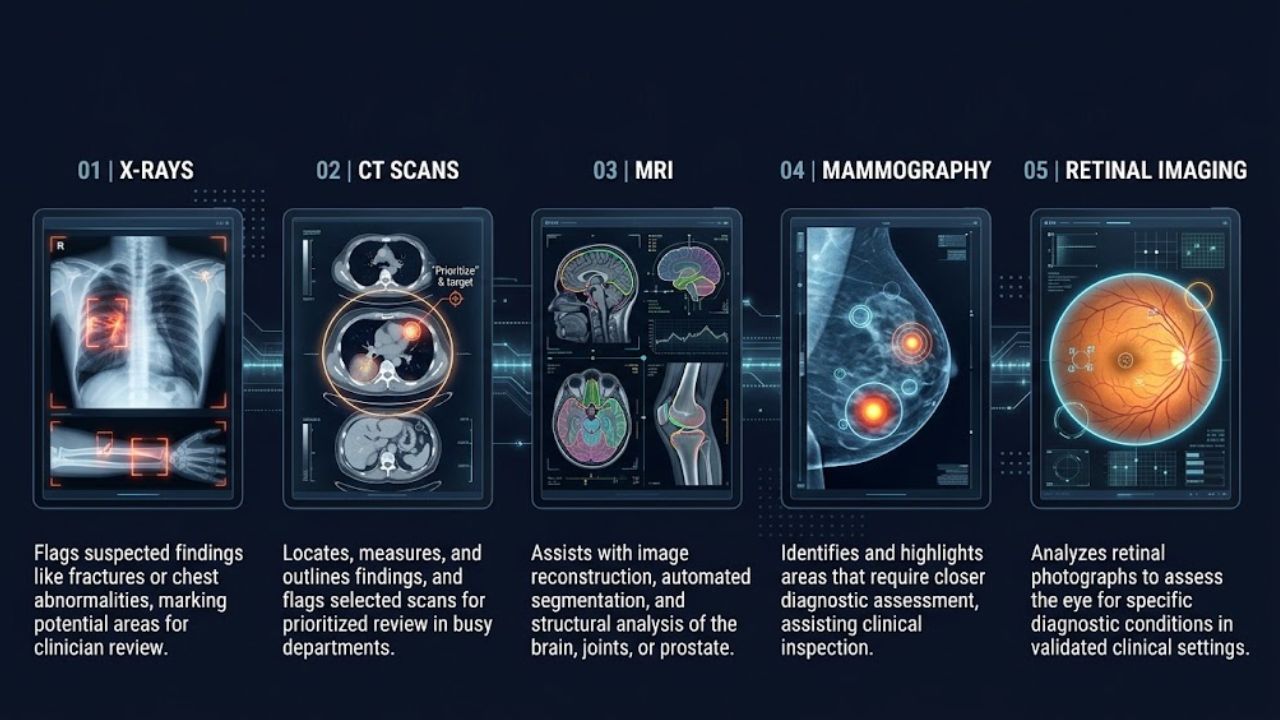
AI tools are developed for specific image types and clinical tasks. A system intended for one scan type or condition should not be assumed to work for another.
- X-rays: Some tools flag suspected findings, such as a possible fracture or chest abnormality, for a clinician to review.
- CT scans: AI may help locate or measure findings, or prioritize selected scans for review.
- MRI: Some tools help with image reconstruction, segmentation, or analysis of structures such as the brain, joints, or prostate.
- Mammography: Software may assist with identifying areas that require closer assessment. A clinician must review the image and interpret the result.
- Retinal imaging: AI tools can assess retinal photographs for specific eye conditions, in settings where the relevant system has been validated and is authorized for that use.
These are examples of the kinds of tasks AI systems may support. They do not mean every clinic uses AI for these exams or that every product has the same capabilities. In the United States, the FDA maintains a list of AI-enabled medical devices authorized for marketing. The agency says the list is not comprehensive, and authorization applies to a device’s specified use. Rules and product availability differ across countries.
What Clinicians Gain From AI Assistance
AI in medical imaging may help clinicians locate a possible abnormality, complete repetitive measurements, or sort examinations for review. It may also support more consistent measurements when it performs reliably on the images it is designed to assess.
Those benefits are not automatic. A tool’s performance in a study does not prove that it improves outcomes or saves time in every hospital. It has to address a real clinical need and fit the local workflow. Before adoption, healthcare organizations need to consider whether staff can review and correct its results and whether it works with their scanners and imaging systems.
The American College of Radiology and the Society for Imaging Informatics in Medicine identify local testing, governance, and real-world performance monitoring as parts of responsible adoption.
Why AI Results Need Human Review
An AI output shows what a system detected in an image. It does not necessarily explain what that finding means for a particular patient. A radiologist considers image quality, symptoms, medical history, earlier scans, and the question the referring clinician needs answered.
A system can flag something that turns out not to matter, or miss a finding. No alert does not prove that a scan is normal. Clinicians need to review the images and decide whether follow-up is appropriate.
The amount of human review depends on the device and its intended use. FDA guidance describes a range of roles for AI-enabled devices, from tools that support a clinician’s decision to more autonomous systems. Readers should not assume every product works the same way.
Limits, Bias, and Validation
AI in medical imaging is trained and tested on data. If a hospital’s scanners, protocols, image quality, or patient population differ from those used in development, performance may change.
A systematic review of external validation studies found that most of the radiology algorithms included performed less well on external data than on internal data. This does not mean every tool will fail in a new setting. It does show why independent testing matters before and during clinical use.
Bias also needs attention. If some patient groups are poorly represented in the data used to build or assess a system, performance may vary between groups. Healthcare organizations should ask whether a tool has been evaluated with populations and equipment similar to their own. WHO guidance calls for accountability, equity, and human rights to be considered in the design and use of AI in health.
Monitoring should continue after implementation, especially when software changes. For a U.S. device, the FDA list can help readers check regulatory information, but the listed intended use still matters.
What Patients Should Know
Patients may not always be told when software helped process or review an image. Practices vary by provider, country, and tool. If you want to know whether a scan involved AI, ask the imaging center or clinician:
- What was the tool designed to assess?
- Did a qualified clinician review the images?
- Does the result change the recommended follow-up?
A general-purpose AI app is not a substitute for professional interpretation. Avoid uploading private scans to a consumer tool unless you understand how it handles your data and whether it is designed for clinical use.
Final Thoughts
AI in medical imaging can support specific tasks, from flagging a possible finding to measuring a structure. Its usefulness depends on whether it has been properly evaluated for that task and fits the clinical workflow.
If you receive a scan result, ask the clinician responsible for your care what it means for you and whether any follow-up is needed. That conversation gives the finding its clinical context.
Frequently Asked Questions (FAQs) About AI in Medical Imaging
Can AI in medical imaging diagnose a patient on its own?
Some devices are designed for more autonomous tasks, while many support a clinician who reviews the result. The device’s intended use and local rules determine how it may be used. Discuss your scan results with a qualified clinician.
Does every hospital use AI to read scans?
No. Use varies by healthcare organization, available systems, clinical task, and local rules. A hospital may use a tool for selected examinations or a specific part of the workflow.
What should I do if an AI result conflicts with my doctor’s explanation?
Ask the clinician to explain the scan findings and how they relate to your symptoms and medical history. Do not treat an AI alert, or the absence of one, as a diagnosis by itself.