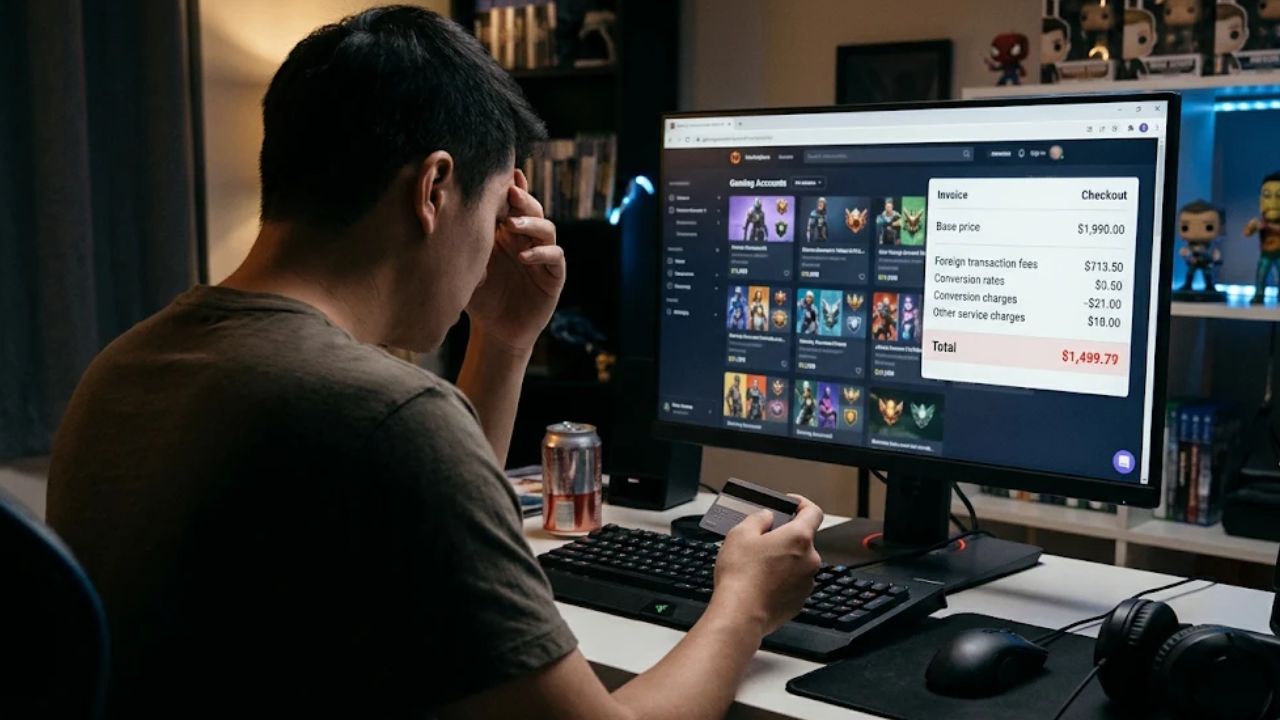

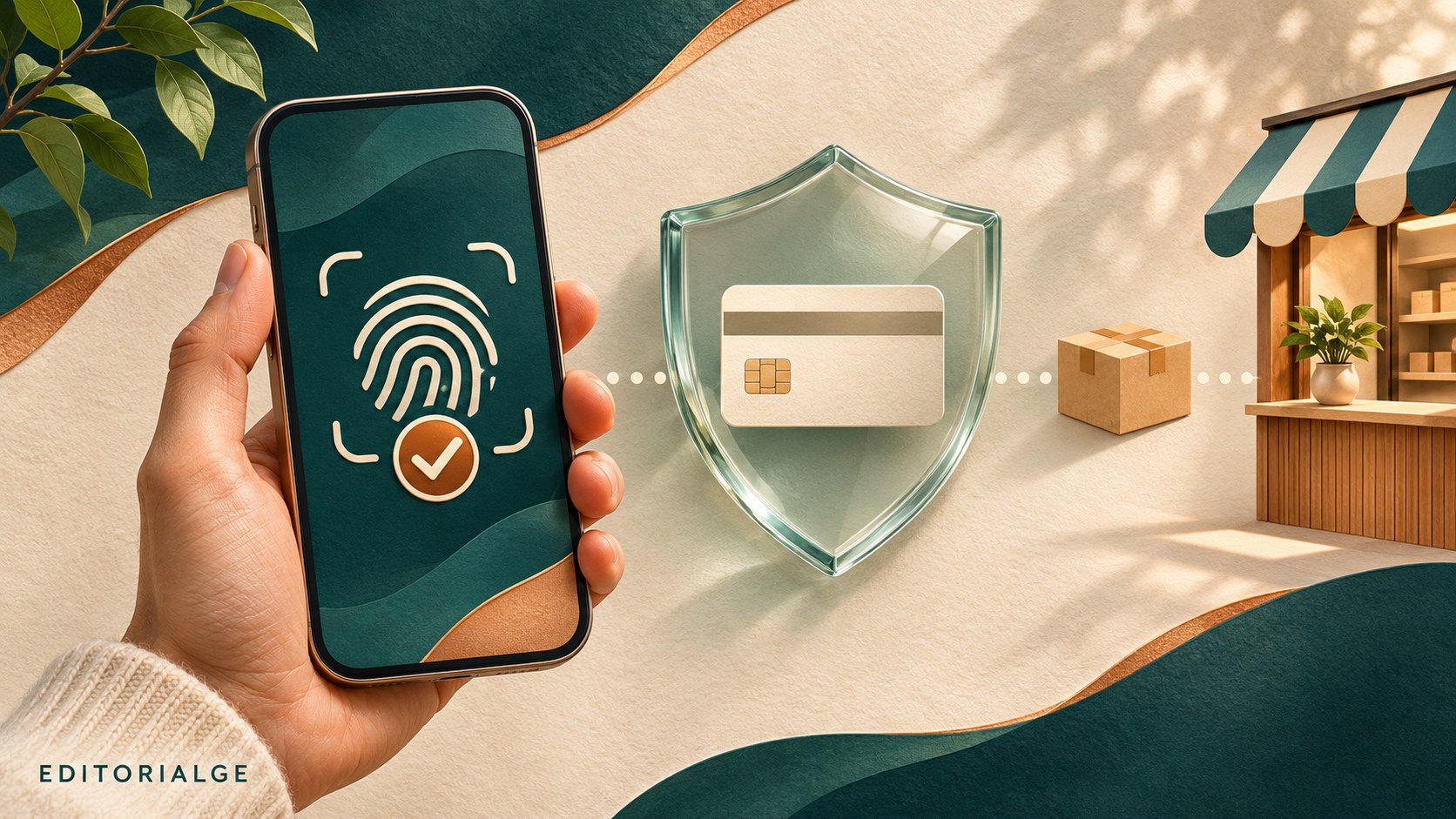
ChatGPT Wallet lets an eligible user authorize an AI agent to make a purchase using a payment credential linked to a credit card. The useful change is the separation of shopping assistance from permission to spend: an agent can prepare a purchase, while the customer reviews the request and completes biometric approval. Understanding that a boundary matters more than treating the word “secure” as a promise that nothing can go wrong.
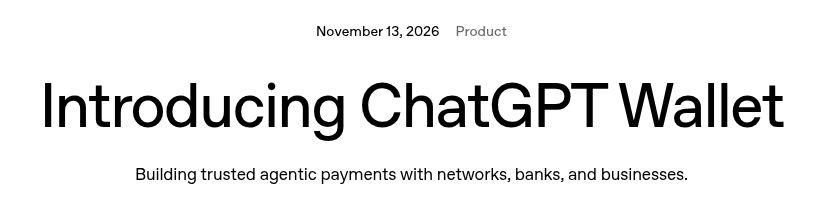
OpenAI announced ChatGPT Wallet on November 13, 2026, initially through dots for eligible US Pro subscribers. This guide explains the documented workflow, the decisions you still need to make, and how it compares with Google’s approach to AI shopping. It is a source-based walkthrough, not a report of completed purchases.
What Is ChatGPT Wallet?
Wallet connects an approved shopping task to a card payment. OpenAI’s launch announcement describes a payment token that substitutes for the underlying card details. The agent and merchant receive the substitute credential rather than the actual card information. The charge still reaches the selected card account.
The Wallet terms distinguish this service from a bank account, stored balance, lending product, or money-transfer service. Think of it as a way to authorize payment during an assisted checkout. “Wallet” does not mean you need to deposit cash into a new account.
Its practical value depends on the assignment. Comparing several specifications, checking a return policy, and preparing an order can be useful assistance. For an item you already buy from a familiar bookmarked store, opening another workflow may save very little effort. Decide whether the agent is solving a real shopping problem before connecting a payment method.
Who Can Use ChatGPT Wallet?
The initial rollout is limited, not a worldwide launch. OpenAI lists US residency, age 18 or older, a US billing address, an eligible US-issued credit card, and Pro access. Availability can still differ between eligible accounts.
The Help Center specifies a dot conversation and a device supporting biometric approval. Chat, Work, and standalone Codex threads are excluded. Debit cards and user-added virtual cards are unsupported at launch; Chase requires the primary cardholder.
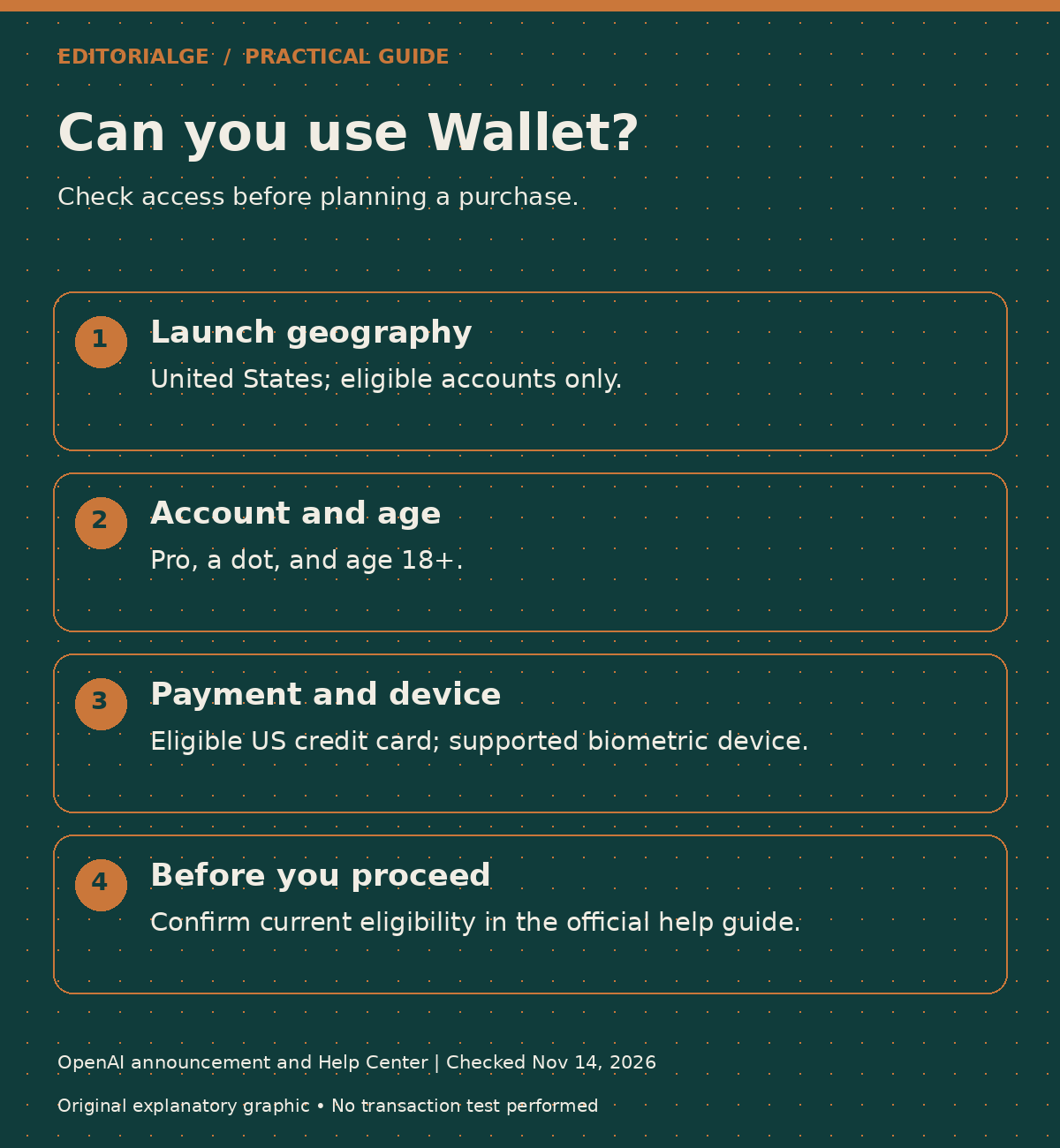
If you are reading from India, Bangladesh, or another country outside the launch geography, do not interpret a Pro subscription as access to Wallet. Check the current eligibility notice before planning a purchase around it. An article explaining a US launch is not evidence that the same feature is available in your account.
How to Set Up ChatGPT Wallet and Approve a Purchase
Follow the current OpenAI Wallet instructions if your screen differs. The numbered workflow below separates the documented setup actions from our suggested shopping checks.
1. Open the Secure Card Setup
Ask your dot to add a card, or use mobile Settings → Wallet → Add Card. Enter payment details in the secure form, review the terms, and complete any bank verification. Wait for “Card added.” Chase setup uses its mobile app.
Before starting, have your own device and the issuer’s official app available. Do not let a helpful-looking chat message persuade you to send payment secrets as ordinary text. A card enrollment screen and a conversation about shopping serve different purposes.
2. Describe the Purchase Precisely
Give the agent a product specification rather than an open-ended invitation to buy something “good.” Include the required size or model, quantity, condition, delivery deadline, acceptable seller, and a budget that includes shipping and tax. State any exclusions, such as subscriptions, warranties, or refurbished goods.
Here is an original example instruction, not a tested transaction:
Find one new USB-C headset compatible with my laptop. Keep the total, including tax and standard shipping, within $150. Compare the return terms and delivery estimates. Do not add a warranty, membership, or recurring plan. Show me the exact item and seller before requesting purchase approval.
A detailed instruction reduces ambiguity. It does not replace reading the actual approval request. If the displayed product differs from your instruction, resolve the difference before proceeding.
3. Inspect the Purchase Request
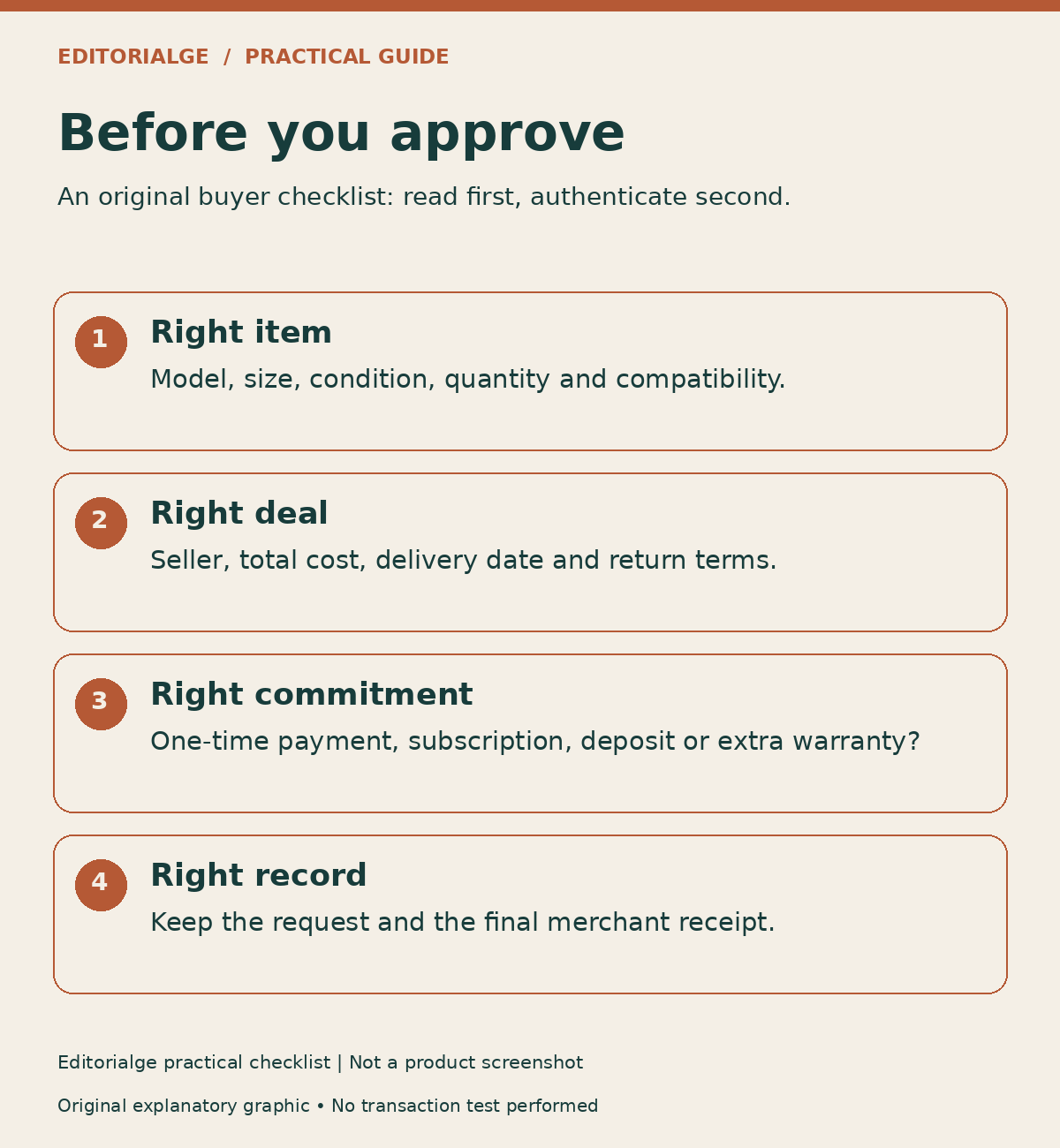
Start with the details most likely to change your decision. Is this the exact model? Is the seller the business you expected? Does the total include the unavoidable costs? Does the delivery estimate meet your deadline? Is the price conditional on joining a plan?
A low advertised price can distract from an unsuitable specification or an expensive return. Read the commercial terms with the same care you would use at a conventional checkout. The presence of an approval screen is an opportunity to catch errors, not evidence that the agent has already caught every error.
4. Complete Biometric Approval
Select Approve and complete the biometric check. If necessary, follow the provided link or QR code on a supported device using the same ChatGPT account. Your dot then continues checkout.
Pause if the request surprises you. A familiar face or fingerprint gesture can feel routine after hundreds of phone unlocks, but here it sits at a spending decision. Read first; authenticate second.
5. Confirm the Merchant Accepted the Order
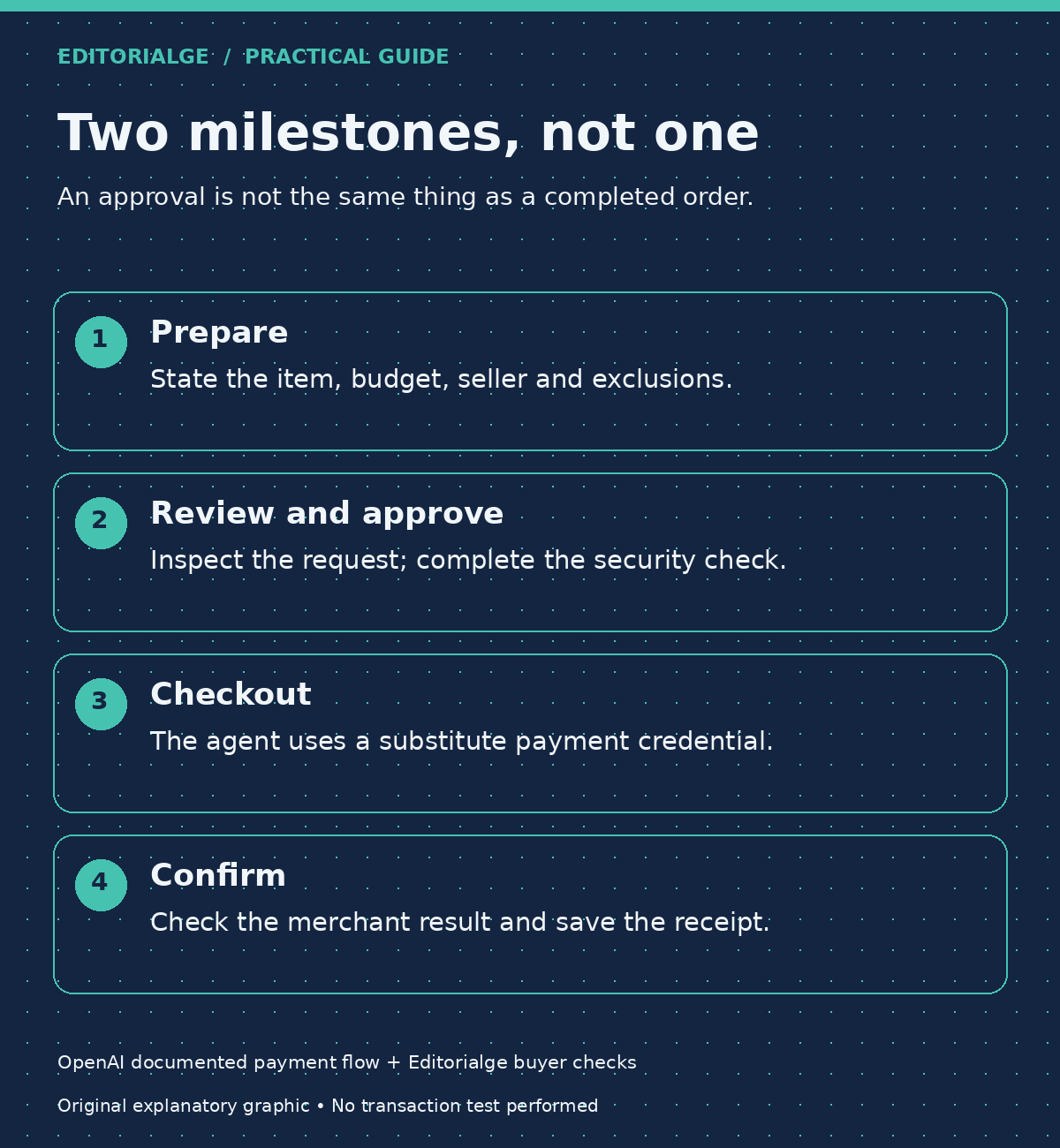
Approval and order acceptance are different events. The Wallet terms say the merchant decides whether to accept the transaction. Save the merchant’s confirmation and compare it with the approved request.
If the conversation ends with an unclear result, do not immediately repeat the purchase. First establish whether an order exists. A second attempt can create a second problem when the first attempt merely produced an incomplete status message.
6. Keep a Small Purchase Record
For an ordinary purchase, retain the receipt, item description, final amount, seller name, delivery estimate, and return deadline. For a work purchase, add the business purpose and internal approver. Redact payment details before sharing records with colleagues.
This is our suggested recordkeeping method, not a claim that Wallet automatically exports every field. Its purpose is simple: another person should be able to understand what was ordered without reconstructing an entire conversation.
What Biometric Approval Protects—and What It Does Not
Four questions are easy to collapse into one: Who is approving? What did they authorize? Which payment credential is exposed? Did the order succeed? A reliable shopping process needs an answer to each.
OpenAI describes review and a security check before purchase, followed by network-provided tokenized payment details. Existing card rewards and eligible dispute protections remain subject to the relevant card arrangements. Those design choices address payment handling; they do not establish a universal guarantee against fraud or a promise that every store works.
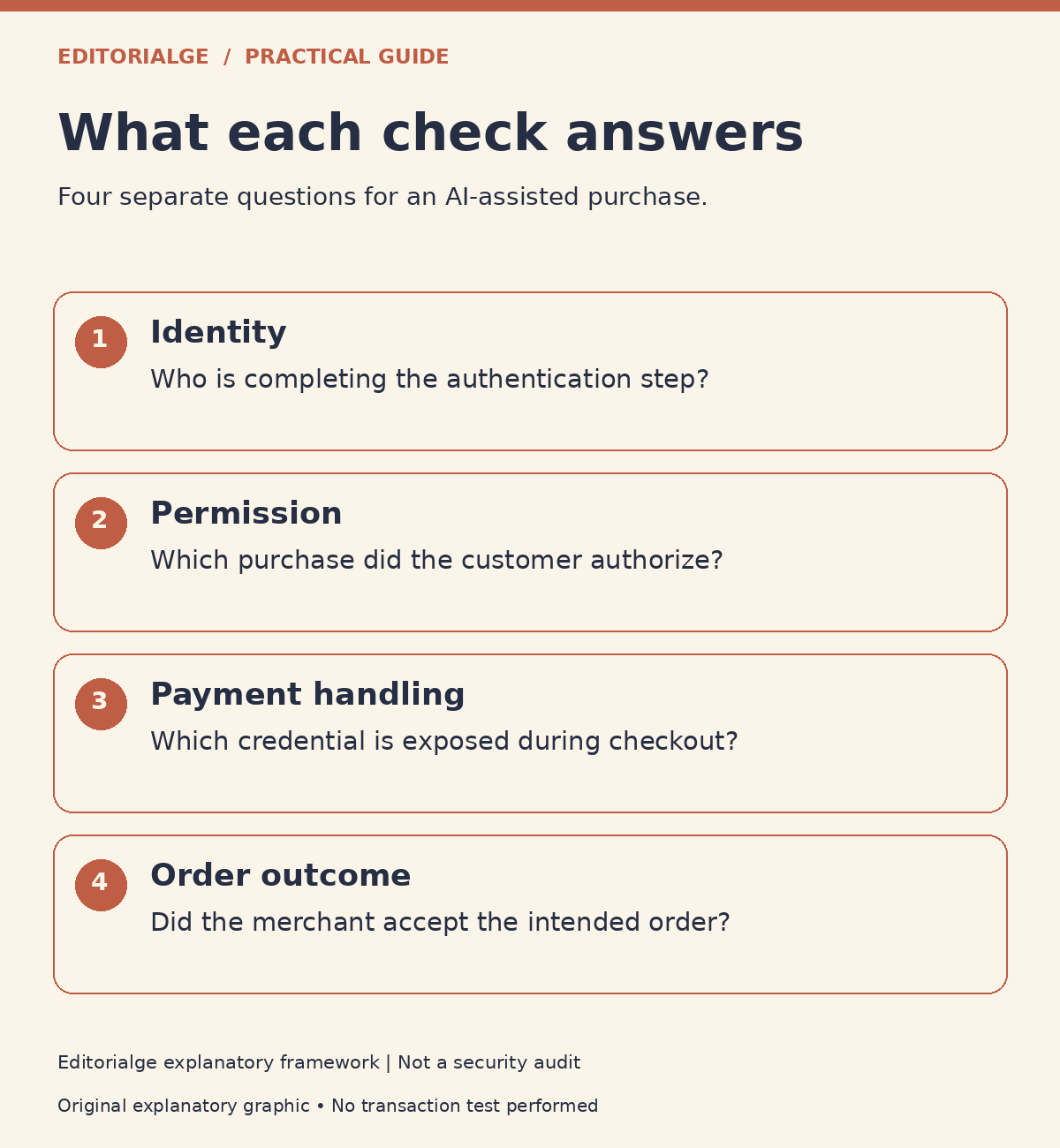
Imagine an agent selects the wrong laptop charger, and the customer approves it without checking the connector. Authentication can work exactly as designed while the purchase remains unsuitable. The failure is in the specification and review, not necessarily the payment mechanism.
Similarly, a genuine payment to a seller does not establish that the seller will ship promptly. Treat product suitability, merchant trust, payment authorization, and delivery as separate checks. Our guide to AI agent security explains why permission boundaries matter whenever software can take action.
Privacy: Which Information Still Moves?
OpenAI’s Wallet Privacy Notice says payment service providers collect full card details through the secure form; OpenAI receives tokenized information and limited card metadata rather than the full number and security code. It also describes transaction, contact, shipping, authentication-result, device, and fraud-prevention information.
That distinction matters. Concealing the underlying card number does not make a purchase anonymous. A merchant may still need an address to deliver a package. Payment participants need enough information to process a charge and investigate a problem.
The notice also permits retention for transaction completion, disputes, fraud prevention, and legal requirements. Removing a payment method is not equivalent to erasing the transaction history. Read the Wallet-specific privacy notice linked from the setup instructions, as well as the merchant’s policy.
For biometrics, avoid a broader claim than the documentation supports. The terms say that when the check occurs locally on a device, OpenAI does not receive the underlying face scan or fingerprint. This guide has not independently audited that implementation.
ChatGPT Wallet vs. Gemini Shopping: Compare Accountability
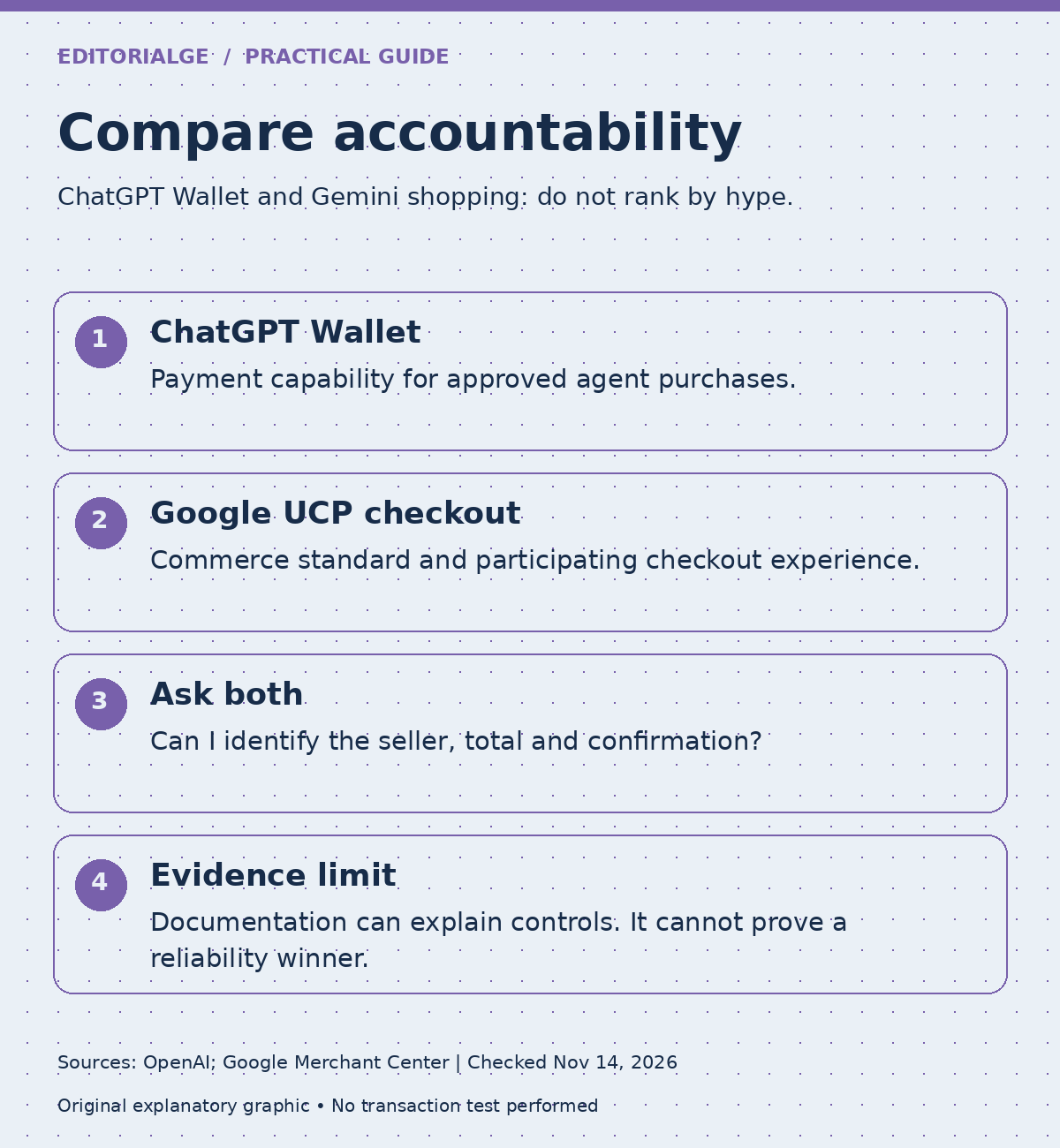
Coinpaper’s comparison of Gemini and ChatGPT Wallet frames the competition around control of AI shopping. The more useful buyer question is narrower: who prepares the order, who authorizes it, and who answers when something goes wrong?
Google’s Merchant Center documentation describes Universal Commerce Protocol, or UCP, as an open commerce standard. Its eligible checkout experience works on participating Google surfaces, uses Google Pay with saved Wallet information, and keeps the merchant as seller of record. Availability is phased and limited to participating merchants; the documentation identifies eligible markets, including the US, Canada, and Australia.
| Question | ChatGPT Wallet | Google’s UCP-powered shopping |
|---|---|---|
| What is being compared? | A payment capability for approved agent purchases. | A commerce protocol and checkout implementation. |
| Where does the documented experience run? | Initially eligible US Pro users’ dots. | Eligible listings on surfaces such as AI Mode and Gemini. |
| Who sells the product? | The merchant. | The merchant. |
| What should a buyer preserve? | Approved request and merchant confirmation. | Checkout confirmation and merchant receipt. |
| What can this review establish? | Documented controls, not measured fraud performance. | Documented workflow, not a security ranking. |
Do not confuse UCP with Agent Payments Protocol, or AP2. On April 28, 2026, the FIDO Alliance announced work on agent authentication and commerce authorization, drawing on contributions including Google’s AP2 and Mastercard’s Verifiable Intent. That standards effort concerns provable instructions and bounded delegation; it is not proof that every Gemini user can already turn on unattended purchasing.
Google’s March 19 UCP update also described cart, catalog, and identity-linking capabilities. These are relevant to how a purchase is assembled. They do not tell us, by themselves, which customer will get the quickest refund or which agent makes fewer costly mistakes.
My accountability test is straightforward: can a customer connect the original request to an approved amount, an identified seller, and a receipt? If that chain is hard to reconstruct, an attractive interface has not solved the operational problem. This is an assessment framework, not a claim that I bought through both services.
To compare the experiences in practice, use the same product, seller, location, and delivery terms where both are eligible. Record the final price, approval steps, completion status, and support route. Keep unsuccessful attempts in the record. A single successful order cannot establish an overall reliability winner.
Three Practical Scenarios Before You Delegate Shopping
The following are hypothetical examples created for this guide. They are not customer testimonials or reported Wallet tests.
A Headset Within a Fixed Budget
A buyer sets a $150 ceiling. The proposed headset costs $129, with $12 shipping and $10 tax: $151 total. The correct response is to stop and revise the order, even though the headline price looks acceptable. The lesson is to specify the payable total and inspect it again before approval.
A Discount With an Ongoing Commitment
A shopper sees a low introductory price tied to a replenishment plan. The important question is no longer just “Can I afford today’s order?” It is “What am I agreeing to next month?” OpenAI’s help guidance notes that accepted recurring arrangements may permit later merchant charges. Cancel those arrangements with the merchant; do not assume removing a Wallet card ends them.
An Office Purchase With Two Decision-Makers
A team member researches equipment while a manager controls the budget. Before using any purchasing assistant, decide who may select items, who may approve spending, and where the receipt belongs. Do not share a personal login to imitate a procurement workflow. A consumer approval gesture does not, on its own, establish company purchasing authority.
These examples expose a common issue: faster checkout is useful only after the buying decision is clear. Automation can reduce repetitive work while leaving specification, spending authority, and recordkeeping unresolved.
When Something Goes Wrong
The documented division of responsibility is important: merchants handle orders and returns; issuers handle card charges and disputes; OpenAI handles Wallet or account problems. Contact the relevant party promptly and preserve the order reference.
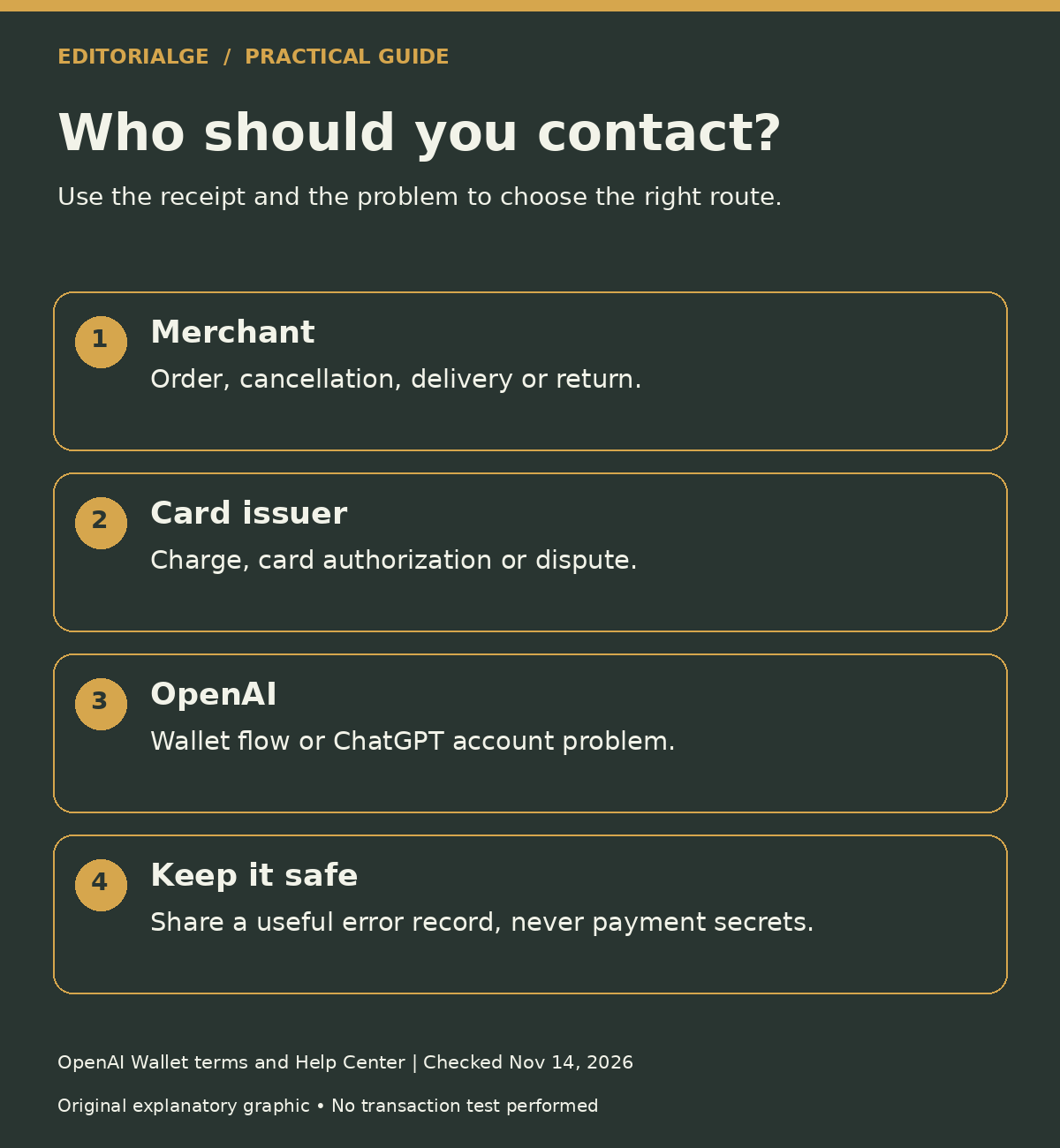
A useful support request explains what you intended, what you approved, and what happened instead. Include the time, merchant, amount, and a redacted error image where appropriate. Keep full card numbers, passwords, security codes, and bank verification codes out of messages.
If a purchase appears twice, distinguish two merchant orders from one order with an unsettled authorization. Do not promise yourself a particular refund date based on an agent’s conversational answer. Ask the party handling the order or charge to confirm the status.
What Merchants and Small Teams Should Check
OpenAI’s Commerce Partner Playbook directs businesses toward accurate product information, agent access, and payment compatibility. A working conventional checkout does not automatically establish that an agent can navigate every step reliably.
For a merchant, a useful review starts with ordinary customer friction: unclear variants, late-added fees, changing inventory, ambiguous delivery estimates, and hard-to-find return terms. Fixing those issues helps people as well as agents. Next, ask your payment and fraud providers how legitimate agent traffic is recognized, without weakening controls for unrelated traffic.
For a buying team, measure time saved after including review and support work. A fast draft order that takes half an hour to correct is not an efficient purchase. Our coverage of Visa and Mastercard payment systems for AI agents provides context for the payment infrastructure behind these experiences.
Frequently Asked Questions
Does ChatGPT Wallet Mean Fully Autonomous Spending?
No. OpenAI’s launch announcement describes customer approval and presents broader preauthorized delegation as a future direction. Do not turn a roadmap statement into a current setup instruction.
Is It a Cryptocurrency Wallet?
The documented product facilitates card purchases. Its terms do not describe a cryptocurrency custody or trading account. Crypto-industry coverage of the launch does not change the product’s function.
Should I Choose It Over an Ordinary Checkout?
Choose based on the task. Research-heavy purchases may benefit from assistance. A familiar, straightforward repeat purchase may be simpler directly with the merchant. Compare the complete effort, including verification and receipt handling.
Can Biometrics Guarantee the Right Purchase?
No. Identity verification cannot determine whether a shoe fits, a delivery date is acceptable, or a return policy suits your needs. Those judgments still require attention.
Author’s Practical Takeaway
I would evaluate ChatGPT Wallet by how clearly it separates recommendation, authorization, and confirmation. A useful assistant should make the buying decision easier to inspect, not merely quicker to approve. For a business, the test is whether a colleague can understand the receipt and responsibility without being present in the original conversation.
Start with a precise request, inspect the payable total, and keep the merchant’s confirmation. That discipline matters whichever AI shopping service you use.
Methodology, Evidence, and Disclosure
This guide uses AI-assisted research of public documentation checked on November 14, 2026: OpenAI’s launch announcement, purchase instructions, Wallet terms and privacy notice, Google’s Merchant Center UCP guidance and March 19 update, and the FIDO Alliance’s April 28 announcement. Coinpaper supplied the requested secondary comparison angle; product claims were checked against primary documentation.
The source screenshot is a cropped capture of OpenAI’s public announcement, showing its title and date. It is not a screenshot of the author’s account or a completed purchase. The infographics are original explanatory diagrams; the featured artwork is an AI-generated illustration, not a product-interface image. No card was enrolled, no biometric flow was tested, and no purchase or refund was executed for this guide. The examples and accountability checklist are illustrative editorial analysis.
Aushnik Das is Deputy CEO and COO of Editorialge Media LLC and, according to the author information supplied for this article, founder and director of Tech Unico Solutions Private Limited in India. His perspective here is operational; this article is not an independent payment-security certification.
Disclaimer: This is educational product guidance, not individualized financial or legal advice. Availability, issuer eligibility, merchant terms, and interfaces can change. Check the current provider instructions before using the service.