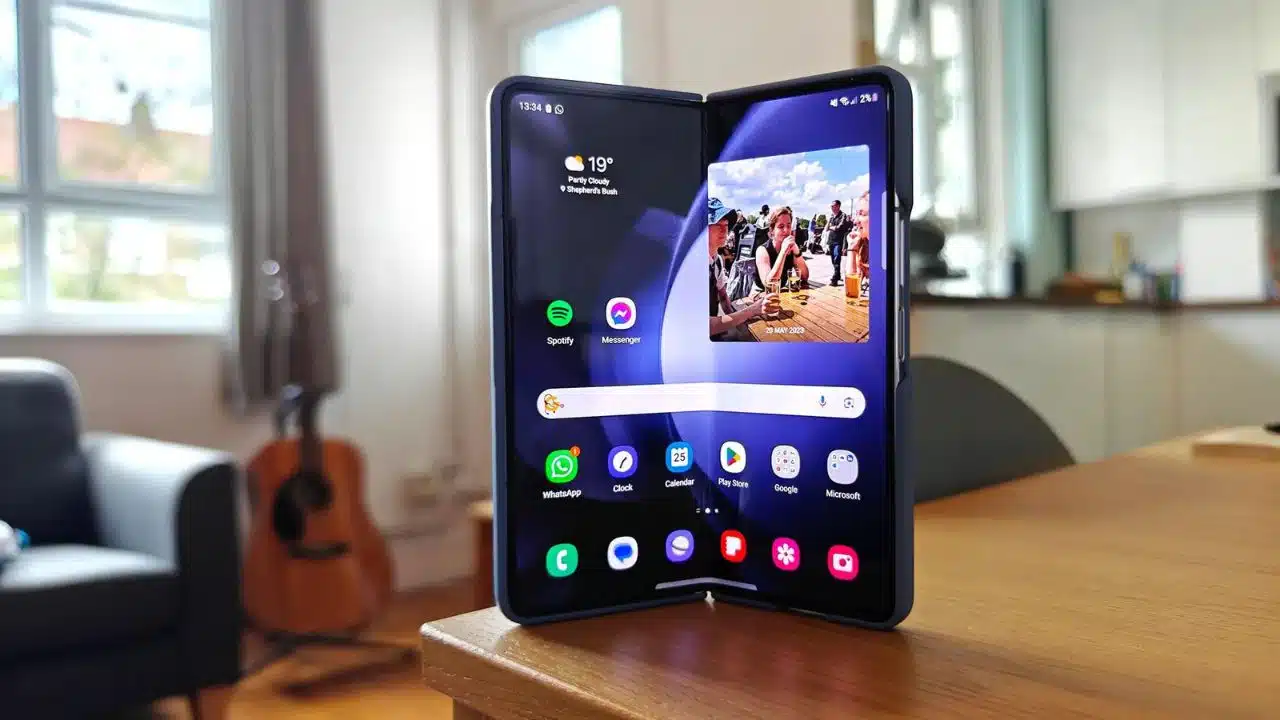
So you just got a shiny new Galaxy Z Fold 5, and you’re wondering what to do with it. That makes sense. With such a large, expansive display, it’s only natural you’d want to find the best apps and games capable of filling it. And considering Samsung’s latest foldable is our pick for one of the best you can buy right now, you’ve made an excellent choice. Whether you’re new to folding phones or upgrading from an older model, you need these ten apps on your smartphone.
1. Good Lock
An essential app for any Samsung phone, much less a foldable, Good Lock is a favorite of power users everywhere. It’s hard to sum up what this app can do through its various modules. From Theme Park’s powerful theming engine that makes Material You look like a kindergartner’s coloring book to Pentastic for changing actions on the S Pen to LockStar’s endlessly personalizable lock screen, the results are endless.
Unlike on the Galaxy Z Flip 5 — where Good Lock is mandatory to run third-party apps on the Flex Window — not every user needs this app. But if you miss the days of deep Android customization, it’s a satisfying app worth trying out.
Good Lock isn’t available on the Google Play Store, but you can grab it by visiting the Galaxy Store, which comes preinstalled on your smartphone.
2. Gboard
Let’s be honest: Samsung’s keyboard sucks. You know it, we know it, and anyone stuck using it on the Galaxy Z Flip 5’s front display knows it. However, as a Z Fold 5 user, you don’t have to suffer. Rather than deal with mediocrity, swap to Gboard, our favorite keyboard on the Play Store. Google’s standard typing experience for Android is excellent, with support for all sorts of customization through themes and Material You colors. It even has a split keyboard option for those who prefer it, though you might be able to type faster with it turned off. If you spend all day firing off emails or writing long tirades on Reddit, Gboard is a must-have. Additionally, you can also read about- Unlock the Full Potential of Gboard: Top 5 Hidden Features
3. Vampire Survivors
The mobile gaming scene can seem pretty dire. Sure, you’re bound to find some diamonds in the rough, but exploring the Play Store for something new to play can feel like browsing through one microtransaction-filled gambling simulator after another. Instead of pouring countless bucks into a never-ending gacha game, try out one of the hottest and cheapest games to arrive on the gaming scene in the last couple of years. Bonus: It’s also, sort of, a gambling simulator!
Vampire Survivors is a roguelike accessible on the Play Store for free with advertisements, with the opportunity to upgrade to an ad-free version for a few dollars. It’s some of the most fun we’ve had in years in the genre, essentially turning bullet hells on their heads and allowing you to become the bullet. Choose a character, level up your powers, and upgrade your skills between runs to see if you can last thirty minutes or longer. Another AP journalist falls in love with this game every time it is released on a new platform. And, with the Z Fold 5’s large display, it’s our pick for a must-have game for your foldable.
4. Backdrops
Wallpapers are more important than ever on Android these days. Sure, having a cute or bright phone wallpaper has always been important. And, unlike on iOS, it’s been available since the beginning. Material Because of your dynamic themes, every feature of your phone is coated in colors drawn from your wallpaper. Backdrops is the software for you if you’d rather utilize a live artwork than a still shot.
Backdrops is the app to beat on the Play Store, with an enormous UI built for larger displays and unlimited options for creative, distinctive backgrounds. It’s worth keeping around anytime you want to shake up your smartphone, whether you’re seeking for a simple design to decorate your lock screen or something as vibrant as your personality.
5. Niagara Launcher
The stock launcher in One UI is really good, but if you want a new take on how your homescreen looks and feels, Niagara Launcher is worth a look. Niagara, unlike the most of the apps on this list, works better on the Z Fold 5’s outer screen. Niagara’s easy-scroll list, with its ultra-tall aspect ratio, seems totally at home on the 6.2-inch cover panel, letting you to quickly find the app you’re looking for without feeling constrained by a compressed homescreen.
That’s not to imply it’s ineffective on the inner screen. When you open the device, you’ll see your favorite apps first, followed by everything else alphabetically, just like on the cover screen. It’s a good method to bring the two experiences closer together. Niagara isn’t for everyone, but if you’re looking for a new experience on your Z Fold 5, we recommend giving it a shot.
6. Evernote
There are other note-taking apps that are ideal for the foldable lifestyle, but Evernote remains a must-have. While some may be put off by the limits of its free plan, if you’re ready to pay, Evernote can effectively organize your entire life. To-do lists, web clips, pictures, documents, notes, and even a scratch pad for rapid entries are all great features. What’s more, its foldable-optimized layout is much better. It’s about as impressive as they come, with the controls on the left and a large open space for organizing your material.
7. DraStic
The Galaxy Z Fold 5 is a lifesaver for emulators of all kinds and sizes because to its expansive 7.6-inch display, and DraStic remains one of the most spectacular you’ll find on the Play Store. DraStic transforms the Z Fold 5 into an all-touch Nintendo DS, connecting its two displays with virtual controls on the left and right, making it ideal for playing through your collection of spilled DS cartridges.
DraStic contains the standard emulation-powered techniques, such as upscaling visuals, save states, and fully customizable controls. It’s a wonderful way to transform your Galaxy Z Fold 5 into the portable game console you’ve always wanted. When combined with a S Pen, it allows you to play even stylus-focused games. If you prefer to play games on a different platform, the Play Store has a plethora of possibilities.
8. Apple Music
Unlike YouTube Music and Spotify, we believe Apple nailed its big-screen design. You have more room to browse material than before, and the tabs and Now Playing UI have been relocated to the bottom of the screen. Furthermore, there is no full-screen option on the Now Playing page. It is confined to a pop-up panel that disappears when not needed.
It’s a matter of taste, but we believe this is a better look for a music app on a foldable than the blown-up UI elements seen on apps like Spotify. The most significant disadvantage of Apple Music is the inability to switch between the main and front screens without a full reset. However, if you can get over how unpleasant that experience is, we believe Apple has smashed their app here.
9. Lightroom
If you want to edit your photo collection on the go, Lightroom is unrivaled. With most of the desktop tool’s capability ported to mobile, this is a must-have app worth your time. Editing photographs on the fly has never been easier than it is on Samsung’s large Galaxy Z Fold 5 display, whether making automatic edits or optimizing the exposure, saturation levels, and white balance.
If you’re new to Lightroom, knowing every feature can be overwhelming. It’s also ideal when used with one of Adobe’s membership programs. Otherwise, your overall experience may feel constrained. If you’re used to editing on a desktop computer, try Lightroom’s Android app on your foldable. You will not be sorry.
10. Kindle
The Galaxy Z Fold 5’s size and form make it ideal as an e-reader replacement, and while it doesn’t come close to replacing a true E Ink screen, it’s an acceptable substitute. There are plenty of e-reader apps available on the Play Store, but we keep coming back to Kindle. It’s not that the app performs any better than its competitors. It’s because Kindle syncs between devices, allowing you to read using Amazon’s app. And purchasing through its marketplace is the most convenient way to manage your book collection.
Make the Most of Your Pocket PC
The Galaxy Z Fold 5 is more than just a phone. Still, without the correct software, the world’s largest screen can only accomplish so much. Just look over the last ten years of Android tablets. With these ten apps, you’ll be well on your way to making the most of your recent investment. The only remaining question is what you’ll download next.