

Google Introduces Blue Accent Color in Play Store

Play Store App Removal Start in 6 Weeks

Listen to the Podcast:

Google has updated the Play Store by adding a blue accent color throughout the app. As a result, certain Dynamic Color theming options have been reduced.

Before the update, Dynamic Color was used in the search field, top tabs, and bottom bar of the Play Store. This ensured that the app’s main feeds followed the design principles of Material You. However, in April, the app switched to a shorter bottom bar, although tablets still use a standard navigation rail.

While the Play Store had incorporated Dynamic Color in specific sections such as the search field, top tabs, and bottom bar, it did not extend to other parts of the app, including listings, search results, and the “Manage apps & device” update page. In those areas, Google Play maintained its traditional green accent color.

The Google Play Store Has Adapted Blue As Accent Color
play-store-blue-scaled

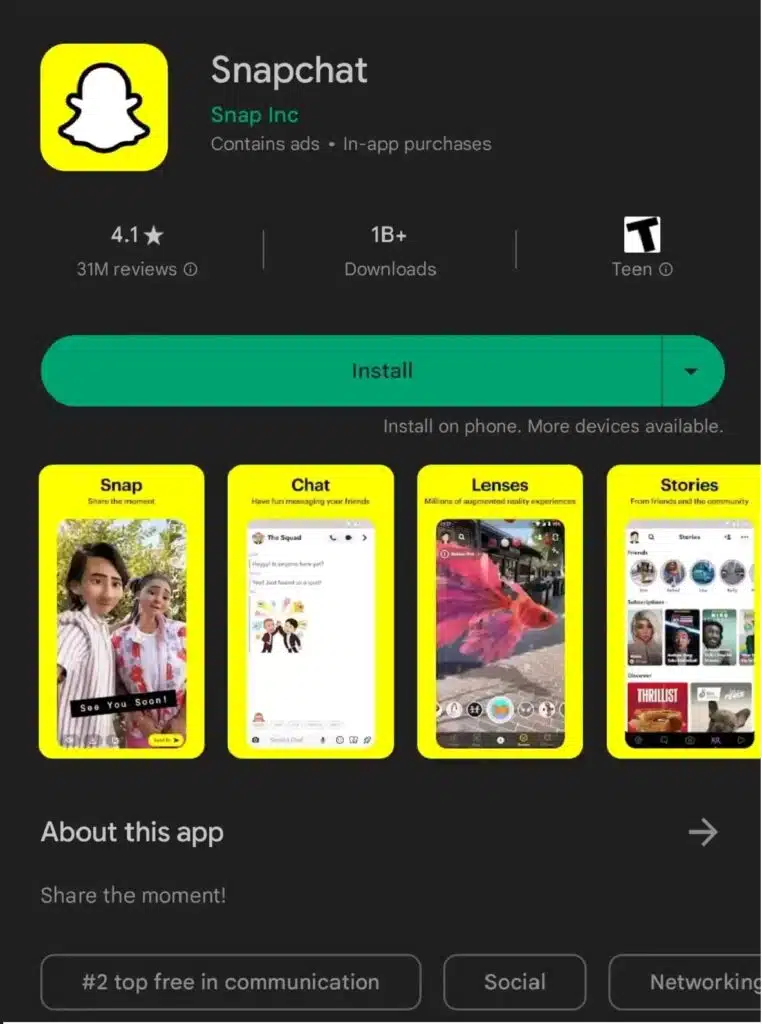
The Play Store has recently undergone a significant design change by introducing blue as the accent color across the entire app. This new color replaces the previous usage of Dynamic Color in the main feeds and the traditional green accent color in other areas. However, it’s important to note that the account menu still maintains its original theming.

play-store-blue

It is possible that the adoption of blue as the accent color is a temporary measure leading up to the full implementation of Dynamic Color throughout the app. This transition may explain why blue is being used in sections that have already been updated, even though it may initially seem counterproductive. The update began rolling out over the weekend and appears to have been completed, indicating that a server-side update has been applied to all users.

Google Has Also Rolled Out Sync Apps To Devices

Google has recently finished rolling out a feature known as “Sync apps to devices.” Initially tested in March and mainly observed on tablet and Chromebook devices, this feature is now accessible on all smartphones too. It enables users to effortlessly synchronize and install apps across multiple devices, delivering a smoother and more consistent experience.

Read More: Google Opens Up Its AI Toolkit for Indian Developers


Subscribe to Our Newsletter

Related Articles

Top Trending

How to Teach Letters to Kids
8 Ways to Teach Letters to Kids Who Hate Sitting Still
Alphabet Magic vs 123 Magic Number Fun
Alphabet Magic vs 123 Magic Number Fun: Which Skill Does Each App Actually Target?
How to Promote a Blog Post After Publish
10 Best Ways to Promote a Blog Post After Hitting Publish
How to Help a Child Who Refuses to Count Aloud
Articleify 7th anniversary
Happy 7th Anniversary of ArticleIFY: The Journey from a Small Room to Global Horizons

Technology & AI

SEO Agency vs In-House SEO vs Freelancer
SEO Agency vs In-House SEO vs Freelancer: A Decision Framework for Small Teams
ImagineLab Voice Lab vs Murf AI
ImagineLab Voice Lab vs Murf AI: I Tried Multilingual Narration from the Same Script
Best Document Collaboration Tools
10 Best Online Document Collaboration Tools for Teams
Important Signs When Should Raise Prices on Your SaaS
10 Signs It's Time to Raise Prices on Your SaaS
Nostalgia economy
The Nostalgia Economy Is Selling Us a Past We Never Lived

GAMING

Intentional Screen Time
How to Spend Your Screen Time More Intentionally
Complete Guide on Game Programgeeks
Game Programgeeks: A Complete Guide on PC, Game Dev, and Tech
Online Color Game Philippines
Online Color Game Philippines: What Every Beginner Should Know Before Playing
Ways to Reduce Game Development Costs
12 Ways Studios Cut Game Development Costs
NFT game development cost
How Much Does NFT Game Development Cost? A Realistic Budget Breakdown

Business & Marketing

Email Marketing Agency vs DIY Platform
Email Marketing Agency vs DIY Platform: When Outside Help Adds Value
Critical Path Method
The Critical Path Method Explained in Plain English
Time to Value: How SaaS Teams Can Reach Results Faster
How to Onboard New Team Members With a Self-Serve Wiki
How to Document Team Processes for Better Teamwork

EdTech & E-Learning

How to Teach Letters to Kids
8 Ways to Teach Letters to Kids Who Hate Sitting Still
Alphabet Magic vs 123 Magic Number Fun
Alphabet Magic vs 123 Magic Number Fun: Which Skill Does Each App Actually Target?
Alphabet Magic vs ABC Kids: Which Offers Clearer Letter Practice
Alphabet Magic vs ABC Kids: Which Gives Clearer Uppercase and Lowercase Practice?
Alphabet Magic vs LetterSchool comparison review
Alphabet Magic vs LetterSchool: Letter-Tracing Accuracy on the Same Letters [A Hands-on Review]
Alphabet Magic Trace and Phonics vs Teach Your Monster to Read
Alphabet Magic Trace and Phonics vs Teach Your Monster to Read: Which Is Best?

Software & Apps

Best Document Collaboration Tools
10 Best Online Document Collaboration Tools for Teams
Important Signs When Should Raise Prices on Your SaaS
10 Signs It's Time to Raise Prices on Your SaaS
Best CRM Tools for Small Marketing Teams
10 CRM Tools for Small Marketing Teams Worth Using
SaaS partnership tools
10 Best Tools for Managing SaaS Partnerships and Integrations
White-Label SaaS Platform to Resell
8 Best White-Label SaaS Platforms to Resell

























