A client opens the square crop of an AI-generated product photo and spots tiny lettering on the mug. The creative brief called for an unmarked mug. The folder contains a final JPEG and a prompt document, but nobody can tell which prompt revision produced that JPEG or whether anyone checked the crop. The fix could be a quick export from the approved master or a new round of editing. Finding out takes longer than either.
AI negative prompt records give the next person a way to trace that decision. A negative prompt is an instruction about what to exclude from an AI-generated output. For delivery, keep six records that connect the exact exclusions to the files that shipped and the checks those files passed. A small team can store all six records in one workbook or project folder, provided the references still work when someone else opens it.
1. The delivery manifest
Give the recipient one place to see exactly what was sent. Record a delivery ID and revision, the date and time with time zone, the delivery location, and one row per file. Include the asset ID, filename, role, dimensions or duration, and applicable restrictions. Use roles such as “editable master,” “approved web export,” and “reference only” so a recipient can distinguish files even when the previews look similar.
List the assets by use. A landscape product image and a square social crop may come from the same master, but each has its own filename, intended placement, and review status. Use an optional file checksum when the recipient needs to verify the exact bytes after copying the package. Freeze the manifest for each delivery and issue a new revision when a file changes. That gives both teams the same reference when a file is replaced.
2. The exact prompt snapshot
Save the main prompt, exclusion text, and the way those exclusions were submitted for the run that produced the selected source. Keep the version of any reusable preset alongside the exact submitted text. A preset named “Clean product shot” can change between jobs. A dated snapshot lets a teammate check whether “printed lettering” was in the version used for this image.
Record whether the exclusion was submitted through a separate field, added through a parameter, written into the main prompt, or left empty. For example, Midjourney documents a --no parameter for specifying exclusions. If the tool or model lacked the intended control or the submission details are unavailable, record that state explicitly. Preserve what you can verify and link restricted text or reference images from a location the authorized team can access.
3. The run-to-output map
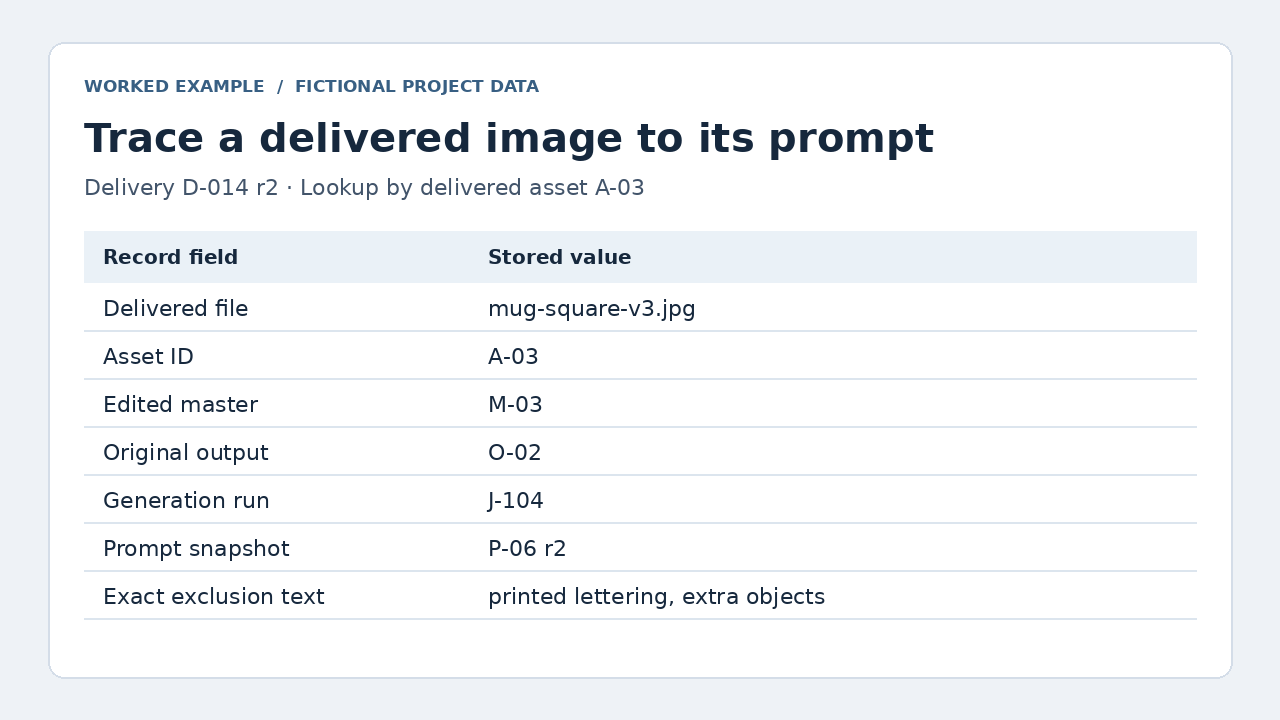
Record which run produced the selected source image and which delivered files descend from it. Start with the run or job ID, prompt snapshot ID, model name and version if exposed, generation timestamp, and selected output ID or index. Capture any available settings relevant to future revisions, such as aspect ratio, seed, and reference asset IDs. Mark unavailable values explicitly so nobody has to guess whether a field was missed.
A batch may return several similar images. Use the provider’s output ID where available, or assign a local ID and retain the original file. Link that source to the edited master and each export. If a composite uses multiple generated elements, include the source of each material element. Teams building their own tooling can use these test cases for AI negative prompt records to check that job IDs, queued revisions, and exports stay associated before the records reach the handoff stage.
4. The exclusion review
Turn each important exclusion into an observable check. “No lettering” becomes “Inspect the mug surface and visible background for unintended lettering.” “No additional objects” becomes “Check that the mug is the only product visible.” Record the asset version, reviewer, review date, result, and the location of any issue. A note such as “tiny lettering near lower-left rim in square export” tells an editor where to look.
Review the delivered files in their intended placements. A crop can make a flaw easier to see. An edit can remove an excluded detail from the master while an earlier thumbnail still shows it. If a requirement fails, log the fix and repeat the check on the replacement file. If the recipient accepts an exception, record the exact variant and scope of that approval. For teams already planning AI product photography, add these checks to the shot brief so reviewers know what to inspect before exports start.
5. The edit history
Keep a short record of material changes between the selected generation and the delivered version. Identify the input and output asset IDs, describe the change, and record who performed it and when. Include changes that affect a stated exclusion or alter what the recipient sees, such as removing lettering, replacing a background, or cropping away part of a composition.
Suppose the model output had faint lettering that an editor removed. The entry should point to the original and edited files and say that the cleanup happened after generation. If the editor regenerated part of the image, link the new run and prompt snapshot too. This history helps the next person reproduce the cleanup, replace the source when needed, and understand why a fresh generation might still require work.
6. The release receipt
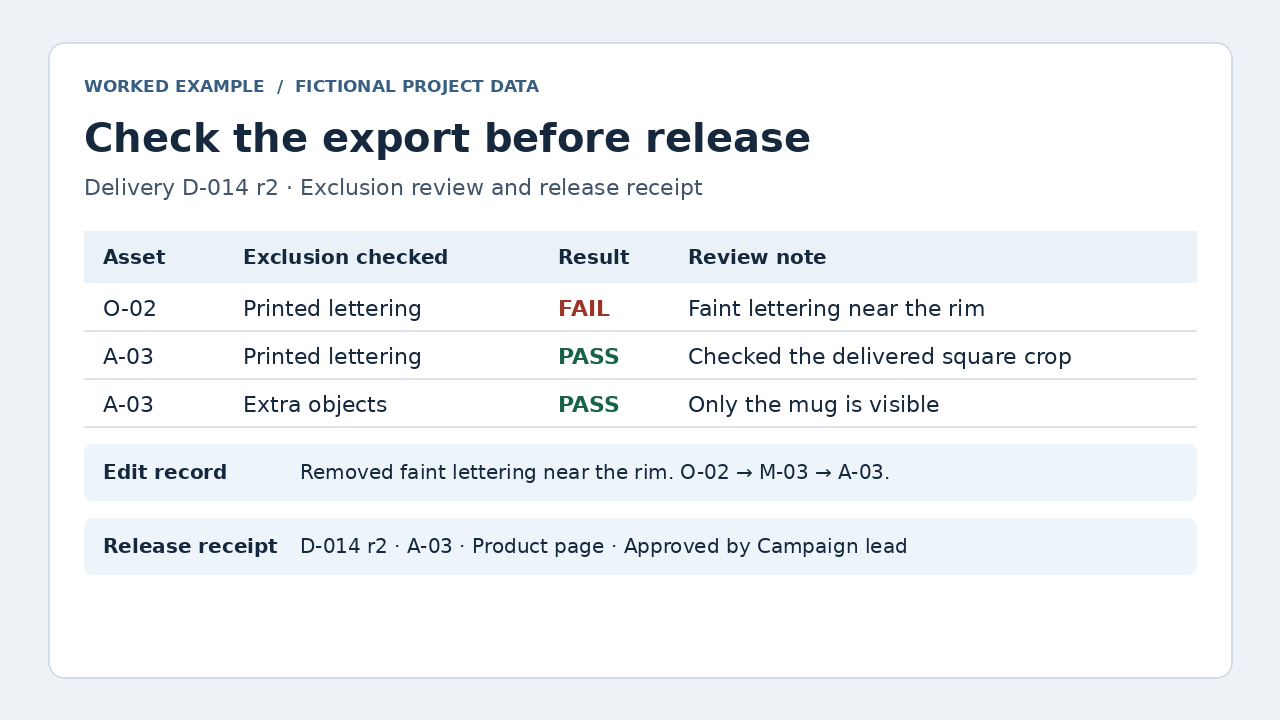
Record who cleared a specific delivery revision for a specific use and when. Link to the approval record, describe any approved exceptions, and note who owns corrections. If the recipient acknowledges receipt, record that separately. A downloaded folder tells you that someone received the files. A release approval tells you where those specific files can be used.
Give each replacement delivery its own receipt. Identify the revision it supersedes and update the affected checks and approvals. If the web team needs to swap one square export, name that file in the release note. The team can replace the intended asset without reopening every decision about the campaign.
What the six records look like in one handoff
This fictional example follows a square web export of a white mug. The recipient can begin with the filename and trace it back to the prompt, source image, cleanup, and release decision.
| Record | Example entry |
|---|---|
| Delivery manifest | D-014 r2 lists mug-square-v3.jpg, asset A-03, as the 1080 × 1080 web export. |
| Prompt snapshot | P-06 r2 records the exact exclusion text “printed lettering, extra objects” and the field used to submit it. |
| Run-to-output map | J-104 used P-06 r2. Output O-02 became master M-03, which produced A-03. |
| Exclusion review | Lettering failed on O-02. Both exclusions passed on A-03 after cleanup. |
| Edit history | The editor removed rim lettering from O-02 to create master M-03, then exported the square crop as A-03. |
| Release receipt | D-014 r2 replaces r1. The campaign lead approved A-03 for the product page. |
Start with the file that shipped
Before closing a project, ask a teammate to pick one delivered file and trace it backward without help. They should find the release approval, the check on that specific export, the edits that produced it, and the source run with its prompt snapshot. Any missing link shows where a future correction could stall. Keep your AI negative prompt records tied to the files people actually use, and the next editor can start with the fix instead of reconstructing the project.