
Small teams can deploy an impressive security stack for free, but tools fail if nobody checks alerts, tests backups, or revokes access for former employees. The best free cybersecurity tools for small teams aren’t the ones with the longest feature lists—they are the solutions your lean team can realistically manage.
The ideal low-overhead stack starts with fundamentals: password management, endpoint protection, and reliable recovery. Advanced network monitoring, server defense, and web application security follow only after the core is secured.
How These Tools Were Chosen
Each recommendation had to meet four standards:
- The free release is usable beyond a short trial.
- Current official documentation is available.
- It solves a distinct security problem rather than duplicating another entry.
- A small team can realistically manage its limitations.
The list includes open-source projects, built-in protection, and commercial free tiers. Open source still carries hosting and maintenance costs; a free service may restrict users, logs, or administration.
Detail Most Free-Tool Lists Miss
Free software still needs an owner to install updates, review alerts, test restores, remove former employees, and act on findings. Unattended warnings have little value.
No product here replaces multifactor authentication, patching, staff awareness, or an incident-response plan. Free tiers may omit central policies, audit records, support, and long-term retention, especially important gaps for sensitive data.
10 Best Free Cybersecurity Tools for Small Teams
Small teams need security tools that solve clear problems without demanding a full-time specialist. The options below cover password management, endpoint protection, backups, breach monitoring, network discovery, log analysis, vulnerability scanning, and web application testing. They are ranked by practical value, setup demands, and realistic usefulness for lean businesses worldwide.
1. Bitwarden: The Most Useful First Step for Password Security
Reused passwords and credentials passed through chat are avoidable risks, which is why Bitwarden leads. Its free individual plan supports unlimited logins and devices; a Free Organization lets two users share items in up to two collections.
That limit matters. A five-person company can use personal vaults, but it will not gain company-wide sharing, event logs, or reliable offboarding. Bitwarden ranks first for password hygiene, not free team administration. Never bypass the limit with one shared account. Move to a business plan when central control becomes necessary.
For two people, the free organization is useful. KeePassXC is a credible offline alternative, although sharing its encrypted database requires more discipline.
2. Microsoft Defender Antivirus: A Sensible Windows Baseline
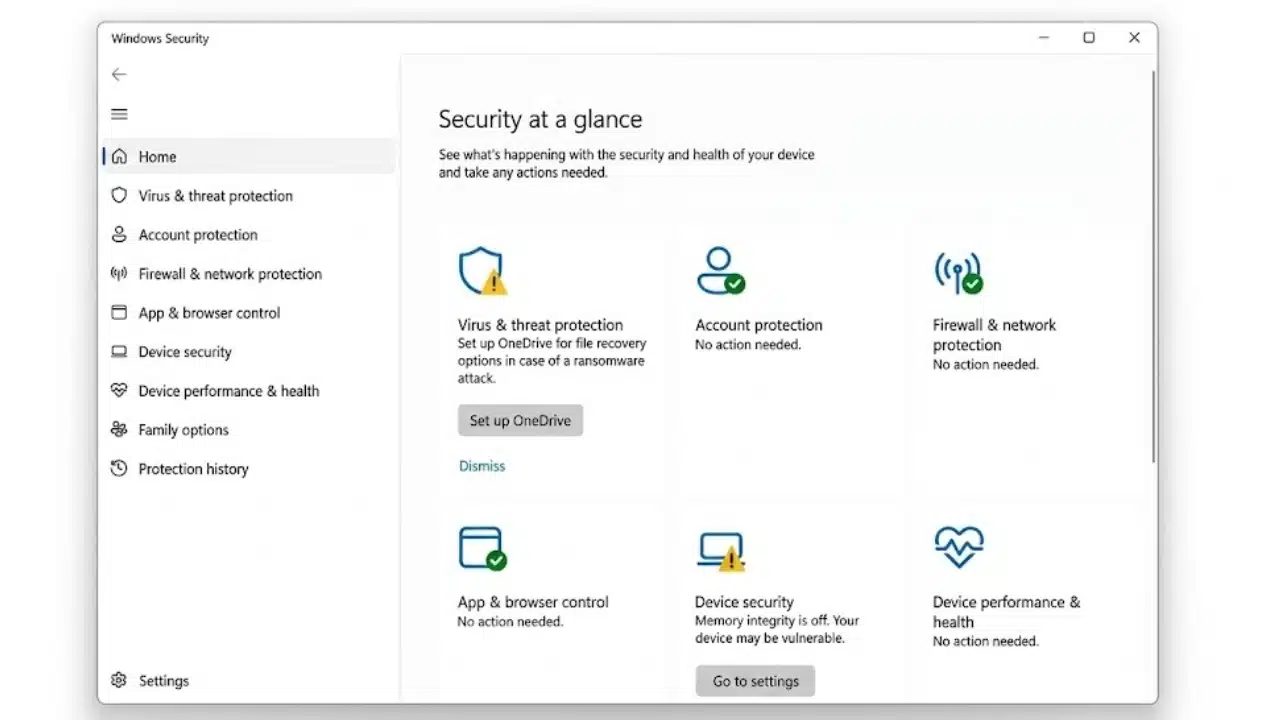
Teams running Windows 11 already have Microsoft Defender Antivirus. It provides real-time malware protection through Windows Security, so buying another antivirus package should not be the first reaction to a tight security budget.
The missing piece is management. Built-in Defender is not Defender for Business or Defender for Endpoint, and separate laptops lack their central policy and response features. Keep Windows updated, avoid casual scan exclusions, and use a broader plan for mixed operating systems.
3. Veeam Backup & Replication Community Edition: Best for Small Backup Environments
Recovery is easy to overlook when comparing the best free cybersecurity tools. Veeam Backup & Replication Community Edition currently protects up to 10 workloads, including supported virtual, physical, cloud, laptop, server, and NAS environments.
Someone must still manage repositories, retention, storage capacity, and restores. The free license does not include off-site storage. Protect the systems whose loss would stop the business, isolate at least one copy from ordinary users, and test a restore. A successful job is not proof of recoverability.
4. Have I Been Pwned: Low-Effort Breach Monitoring
Have I Been Pwned is the lowest-effort option here. Staff can register work addresses for free breach notifications, while an authorized owner can verify a company domain. At the time of writing, free domain monitoring supports domains with up to 10 breached addresses; larger results require a subscription.
Treat a match as a prompt to investigate the affected service, change reused credentials, review active sessions, and strengthen authentication. It is an early-warning service, not proof that the company itself was breached.
5. Cloudflare Zero Trust Free: Useful for Controlling Access to Internal Apps
Cloudflare Zero Trust can put identity checks in front of self-hosted applications and route enrolled-device traffic through security policies. It suits distributed teams with internal tools but is unnecessary for SaaS-only businesses.
The Free plan currently requires payment details, although it is not charged. Access, DNS, network, and HTTP logs last only 24 hours. Pilot one low-risk application first; a poor policy can lock out staff or route traffic unexpectedly.
6. Nmap: Best for Finding What Is Actually on the Network
An old printer, forgotten test server, or exposed management port can remain unnoticed for months. Nmap finds reachable hosts and services, which makes it useful for checking a network inventory after equipment or infrastructure changes. It is not a vulnerability verdict, and its service or operating-system guesses can be incomplete. Scan only systems the business owns or is authorized to assess.
7. Wazuh: Strong Monitoring, With a Real Administration Burden
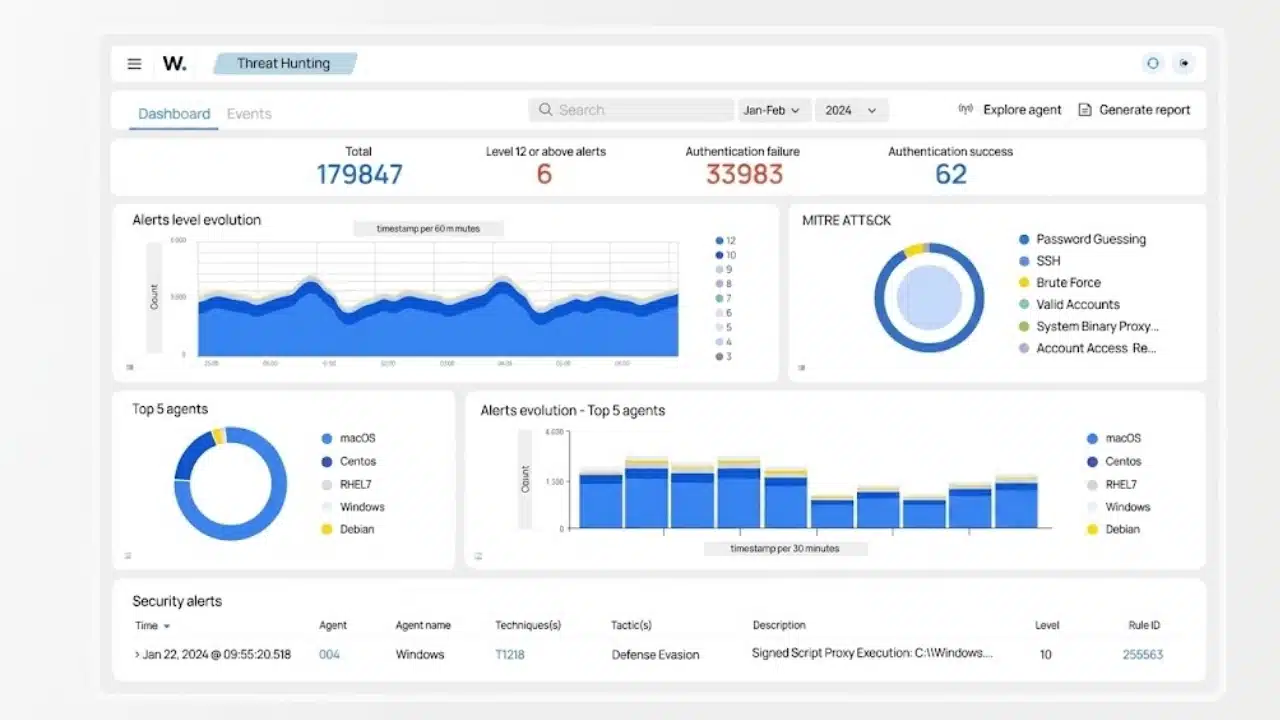
Wazuh combines endpoint agents with a server, indexer, and dashboard for log analysis, file-integrity monitoring, and security alerts. Its all-in-one deployment is intended for labs and small environments with limited endpoint counts.
Logs consume storage, rules need tuning, and alerts need investigation. Wazuh makes sense when an IT generalist can give it regular attention. Anyone expecting a maintenance-free dashboard should choose a managed service.
8. Greenbone Community Edition: Capable Vulnerability Scanning for Technical Teams
Greenbone Community Edition is an open-source vulnerability-management framework that includes the OpenVAS Scanner. It can support repeatable assessments of servers and network devices, but this is not a beginner-friendly desktop scanner.
The community-container route requires Docker or Podman knowledge and is intended for familiarization rather than production. Initial feed loading may take hours. Without Linux and vulnerability-management skills, a focused external assessment may be more economical.
9. CrowdSec: An Underrated Layer for Internet-Facing Servers
CrowdSec suits internet-facing servers, reverse proxies, and self-hosted applications. Its Security Engine analyzes logs, but detection alone blocks nothing. A separate remediation component, formerly called a bouncer, must enforce decisions. Verify both parts after installation. SaaS-only businesses can skip it.
10. ZAP by Checkmarx: Best Reserved for Teams That Own Web Applications
Zed Attack Proxy, now branded as ZAP by Checkmarx, offers passive and active web-application scanning. The old “OWASP ZAP” name is outdated because the project left OWASP in August 2023.
ZAP is last because its value depends on skill. Active scanning sends attack traffic and belongs on authorized applications, preferably in staging. It can find technical weaknesses but not reliably uncover business-logic or access-control failures. Teams that only operate a hosted website should leave active testing to someone qualified.
Final Thoughts
Most small businesses should start with three moves: place work credentials in properly owned password-manager accounts, confirm endpoint protection and updates are active, and create a backup that has passed a restore test. Add breach notifications next.
The best free cybersecurity tools should reduce a named risk without becoming abandoned infrastructure. Install fewer tools, assign an owner to each, and record when its alerts, access, updates, and recovery process were last reviewed. Add the advanced scanners only when the team has both the systems to protect and the time to respond.
Frequently Asked Questions (FAQs)
Are these free tools available for commercial use?
Many are, but open-source licenses and commercial free-plan terms differ. Check the current terms before business rollout, especially if the software will be modified, redistributed, or used to serve clients.
When should a small team pay for security software?
Pay when the team needs central policies, dependable offboarding, longer retention, audit records, vendor support, or one console across operating systems. Data sensitivity matters more than headcount.
Do these tools make a business compliant with GDPR or PCI DSS?
No. A tool may support a particular control, but compliance also depends on policies, data handling, contracts, access reviews, evidence, and applicable legal requirements. Businesses should not treat a scan report or installed product as proof of compliance.
What should happen when an employee leaves?
Disable the person’s accounts, revoke active sessions, remove access to password collections and internal applications, recover company devices, and rotate any credentials that were genuinely shared. Offboarding should be documented rather than left to memory.