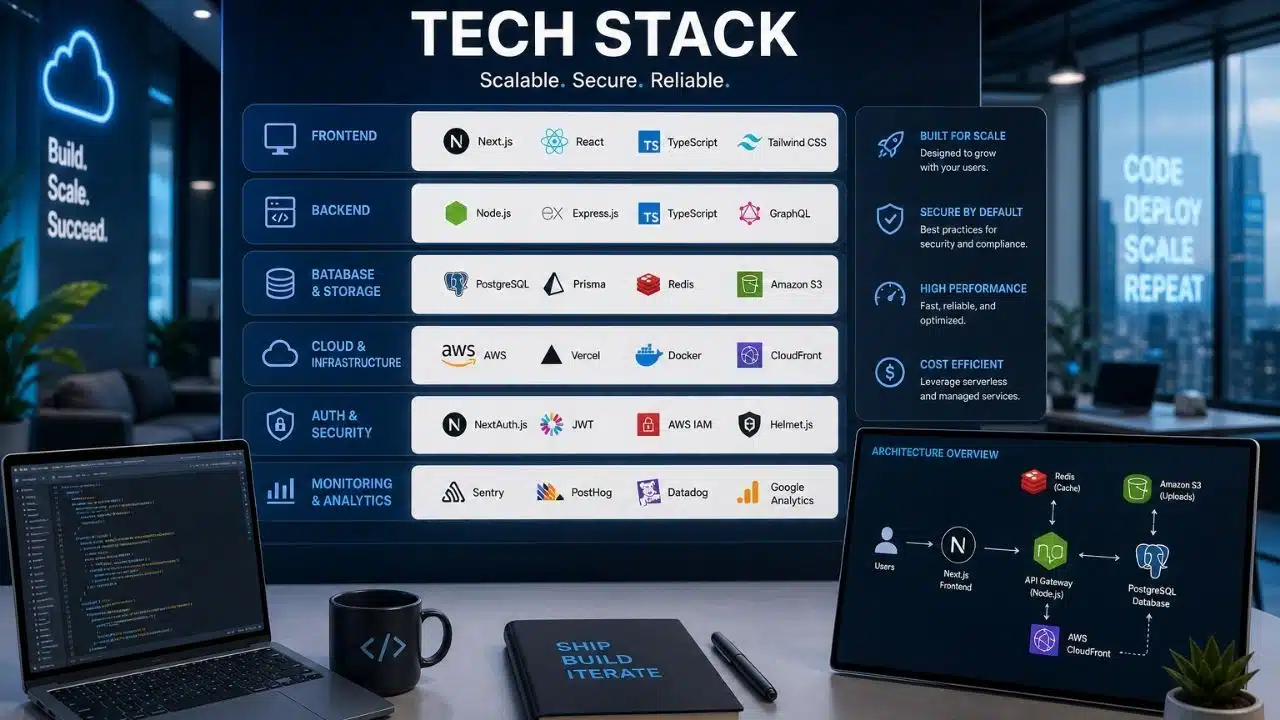
Choosing a tech stack for a SaaS startup comes down to three questions: What can you already build fast? What should you buy instead of build? And what will the bill look like at a thousand users?
For most founders in 2026, the answer is Next.js on the front, Postgres underneath, a hosted auth provider, and Stripe for money. That stack starts at $0 and stays under $100 a month well past your first customers. The rest of this piece is how to get to your own answer and what it costs.
What a SaaS Tech Stack Actually Is
A SaaS tech stack is the set of languages, frameworks, databases, and hosted services you use to build and run a subscription software product.
It has five layers. The frontend your users click on. The backend that holds your logic. The database that stores everything. The infrastructure it runs on. And the services you rent instead of writing, like login, payments, and email.
That last layer is the one founders underrate. In 2026 it’s often half the stack.
The Six Decisions that Actually Matter
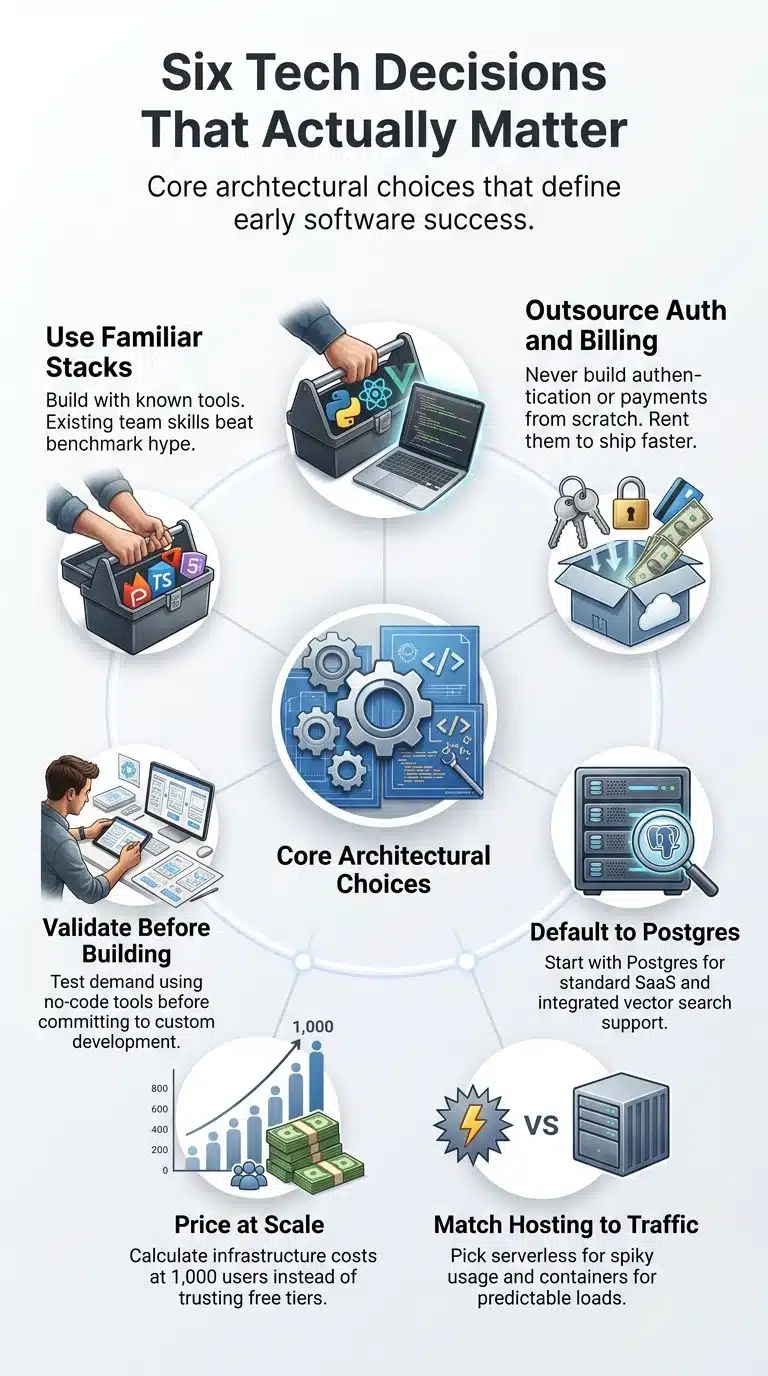
1. Start with what you already know
The best stack is the one you can debug at 2 a.m. without opening a tutorial.
This sounds lazy. It isn’t. A developer writing on freeCodeCamp described watching projects stall for months while the team argued over which database to use or tried to master a complex framework before writing a single line of product code. That’s the real cost of picking the “correct” stack over the familiar one.
Adoption data from 2026 lands in the same place: the best stack is the one your team already knows.
If you write TypeScript, your answer is probably TypeScript. If you write Python, write Python. A skill you already have beats a framework benchmark every time.
2. Decide what you refuse to build
Two things you should almost never write yourself: authentication and billing.
Founder guides in 2026 are unusually blunt about this. Don’t build authentication from scratch. Use Clerk or Auth0 for auth and Stripe for subscriptions every time. Auth is security-critical and takes forever to get right. Billing is worse. Proration, failed cards, tax, refunds, dunning. Every week is a week you didn’t spend on your product.
The same logic covers transactional email, error tracking, and analytics. Rent them. Getting this right early is most of what separates a shipped MVP from a half-built one.
3. Pick the database before the framework
Postgres, unless you have a specific reason not to.
It’s the right default for most SaaS products. Add Redis for caching when performance actually demands it, and reach for MongoDB only when your data model genuinely requires it.
One thing to settle now if there’s any AI feature on your roadmap: vector search. Retrofitting vector search or LLM infrastructure onto a database that doesn’t support it costs far more than building it in from the start. Postgres handles this with pgvector, which Supabase includes free.
Settle multi-tenancy now too. Start multi-tenant. It’s the right default for around 90% of SaaS products, and your tenancy model decides your data isolation, your compliance posture, and how much engineering each new customer costs you.
4. Choose hosting for your traffic shape
Match the host to how your traffic behaves, not to how big you plan to get.
Spiky or low-traffic runs are cheapest on serverless. A steady, predictable load is usually cheaper on containers. Start on Vercel, Railway, or Supabase. Move to AWS or GCP when your scale needs more control, not before.
One trap worth naming. Vercel’s Hobby plan is free forever and includes 100 GB of data transfer and 1 million function invocations a month, but it’s scoped to personal, non-commercial projects. Any site earning money needs Pro. That’s a policy limit, not a technical one, so nothing breaks. You just aren’t allowed to be there.
More on the trade-offs in our hosting comparison for SaaS startups.
5. Count the bill at a thousand users, not at zero
Free tiers are generous in 2026. That’s the problem. They hide the shape of the curve.
The wrong stack often looks affordable in year one and gets expensive by year three. Before you commit, price out three points: today, a thousand users, and ten thousand users. The numbers are in the next section.
6. Decide whether you’re building or validating
If you don’t know yet that people want this, you may not need a stack at all.
No-code tools like Bubble and FlutterFlow are a real choice for SaaS in 2026, especially for non-technical founders validating before committing to a custom build. Validate first, then build the thing properly. That order saves months.
Worth reading if you’re still at this stage: SaaS ideas for niche communities and micro-SaaS ideas for solopreneurs.
The Stack I’d Pick in 2026
Three starting points, depending on what you’re building.
| Layer | Solo / micro-SaaS | Small B2B team | AI-first product |
|---|---|---|---|
| Frontend | Next.js + Tailwind | Next.js + Tailwind | Next.js |
| Backend | Next.js API routes | Node.js | Python (FastAPI) |
| Database | Supabase (Postgres) | Postgres + Redis | Postgres + pgvector |
| Auth | Supabase Auth | Clerk | Clerk |
| Payments | Stripe | Stripe | Stripe |
| Hosting | Vercel | Vercel + Railway | Railway or AWS |
| Resend | Resend | Resend |
None of this is exotic, and that’s deliberate. Next.js with Postgres, Clerk, and Stripe is the most commonly recommended starter stack for 2026. The solo-founder version usually reads TypeScript, Next.js, Tailwind, Supabase, Vercel, Stripe, and Resend, and it costs nothing to start.
The AI column is the one real fork. An AI-native startup needs Python, pgvector, and LangChain, while a solo founder is better served by speed. Python is the right backend for AI-enabled or data-heavy products. Node.js is the right choice for nearly everything else.
There’s no best stack, only a best stack for you. These three are just the shortest paths to a working product.
What this Actually Costs Per Month
This is the part nobody publishes. All figures verified as of mid-2026.
| Service | Free tier | Paid entry | Watch out for |
|---|---|---|---|
| Supabase | 500 MB database, 50K monthly active users, 2 projects | $25/mo Pro | Projects pause after 7 idle days; egress overage runs $0.09/GB |
| Vercel | 100 GB transfer, 1M function calls | $20/mo per seat | A hobby is non-commercial only |
| Clerk | 50,000 monthly retained users | $25/mo Pro | Older blog posts say 10K free; that changed |
| Stripe | No monthly fee | 2.9% + $0.30 per US card charge | The flat 30¢ and add-on fees |
Four notes on those.
Supabase runs free at $0, Pro at $25 a month per organization plus usage, and Team at $599. A growing SaaS on a small compute tier with 20 GB of storage and 300 GB of egress lands around $36 a month. At 50,000 users, real bills typically fall between $100 and $200.
Clerk’s free tier is the most misreported number in this space. It’s 50,000 monthly retained users, not 10,000. The 10,000 figure came from a tier clerk who retired on 5 February 2026, and most of the internet still repeats it. Retained users exclude people who sign up once and never come back, so the effective number is friendlier than a plain MAU count.
Stripe’s headline rate hides its real one. It’s 2.9% plus $0.30 per online card charge in the US with no monthly fee, but that flat 30 cents is 12.9% of a $3 sale and 6.2% of a $9 sale. Add international cards, currency conversion, or Stripe Billing at 0.7%, and most businesses land somewhere between 3.2% and 13%. If you sell cheap, raise your average order value, or your processor eats your margin.
Put together, you can launch for nothing and stay under roughly $70 to $100 a month deep into your first hundred paying customers. That’s a very different conversation from the one you’d have with an investor about seed capital. Most early SaaS doesn’t have an infrastructure problem. It has a distribution problem.
Three Mistakes I Keep Seeing
- Building for scale you don’t have: Microservices, Kubernetes, and a message queue at zero users. Monolith first. Split it when something actually hurts.
- Writing auth to save $25: You will spend forty hours and ship something worse than the free tier.
- Treating the decision as permanent: It isn’t, but it isn’t free either. Defining a stack usually takes two to four weeks depending on complexity. Spending longer than that is avoidance.
Frequently Asked Questions (FAQs)
What is the best tech stack for a SaaS startup in 2026?
For most products, Next.js, Postgres, a hosted auth provider like Clerk or Supabase Auth, and Stripe. It’s battle-tested, costs nothing to start, and scales a long way before you need a rewrite. Swap the backend to Python if your product is AI-heavy.
Can I change my tech stack later?
Yes, but it costs. Swapping a hosting provider or email service is a weekend. Swapping your database or backend language is a rewrite. That’s why the database decision deserves more thought than the framework one.
How long should choosing a tech stack take?
Two to four weeks for a complex product. For a first SaaS, one afternoon. If you’re past a week and still comparing, you’re procrastinating.
Should a non-technical founder use no-code?
For validation, yes. Bubble and FlutterFlow are legitimate options in 2026 for founders testing an idea before committing to a custom build. Move to code once you have paying users and the tool starts fighting you.
Do I need microservices?
Almost certainly not. Start with a monolith and multi-tenancy done properly. Multi-tenancy is the right default for about 90% of SaaS products.
What does a SaaS tech stack cost per month?
Zero to launch on free tiers. Roughly $45 to $70 once you need paid plans on hosting and a database, plus Stripe’s percentage of revenue. Expect $100 to $200 for around 50,000 users.
Final Words
Here’s the rule the whole article reduces to: pick the stack you can ship with, buy every layer that isn’t your product, and check the bill at a thousand users before you commit.
Then stop reading about stacks and go find customers. The tooling was never the hard part. If that’s where you are, start with the strategy and tools side of growth instead.