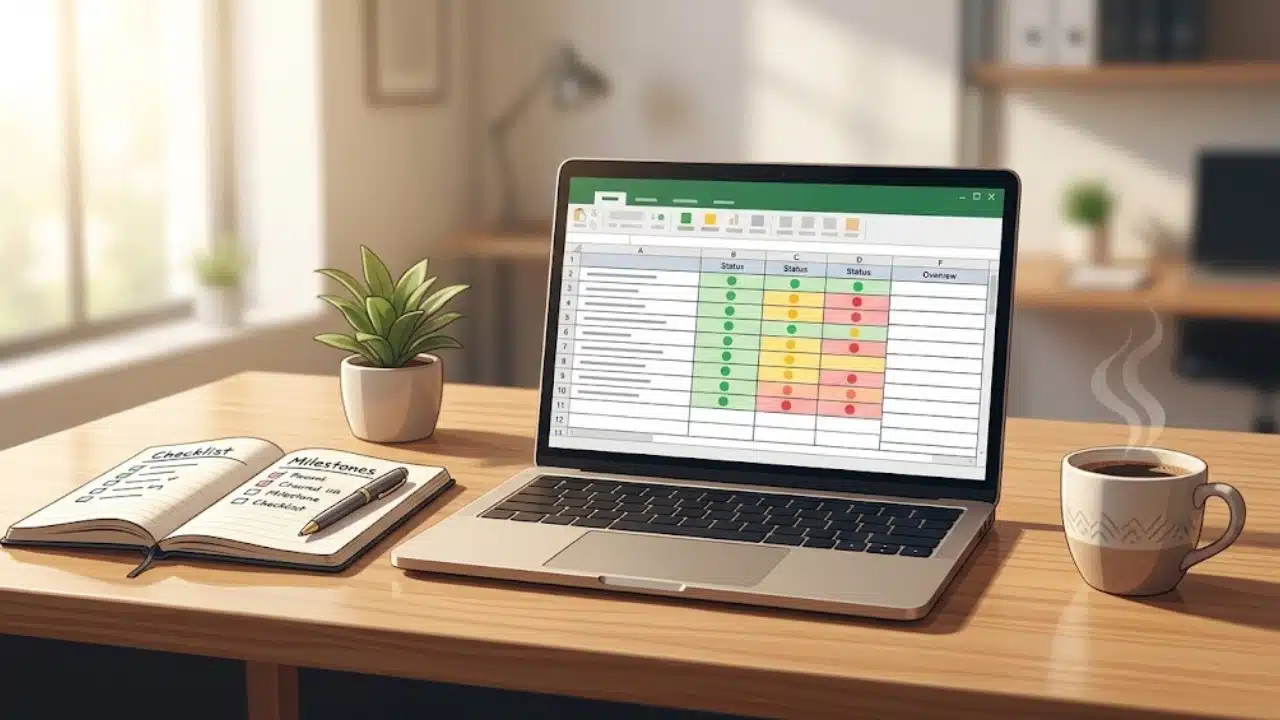
Running an initiative successfully depends on clear communication, explicit accountability, and a reliable source of truth your team updates daily. Skipping expensive software platforms eliminates subscription costs and keeps team focus on delivering actual results rather than managing digital task boards.
The 5 Project Lifecycle Stages Without Software
Executing an initiative without specialized software requires translating traditional project management phases into lightweight, document-based workflows:
| Project Phase | Primary Tool | Key Deliverables & Outputs |
| 1. Initiation | Shared Document | One-Page Project Charter, business objective, and scope boundaries. |
| 2. Planning | Cloud Spreadsheet | Work Breakdown Structure (WBS), task owners, and target deadlines. |
| 3. Execution | Chat & Standups | Async daily check-ins, weekly alignment, and active task production. |
| 4. Monitoring | Color-Coded Sheet | Status tracker, risk log, and deliverable completion metrics. |
| 5. Closure | Summary Doc | Final deliverable sign-off, retrospective notes, and file archiving. |
Understanding How to Run a Project with Minimal Tools
Adopting complex task management platforms at the start of a project introduces subtle operational friction that can slow down daily momentum.
-
Platform Fatigue: Switching between task applications, chat threads, and document storage breaks focus and causes critical updates to get lost.
-
Administrative Overhead: Intricate digital boards demand continuous manual maintenance. When updating status fields feels burdensome, team members abandon the platform.
-
The Illusion of Productivity: Moving visual cards across a kanban board creates a feeling of progress while core, high-value deliverables remain incomplete.
Relying on basic spreadsheets and shared documents strips away digital clutter, directing energy toward transparent outcomes, direct ownership, and tangible progress.
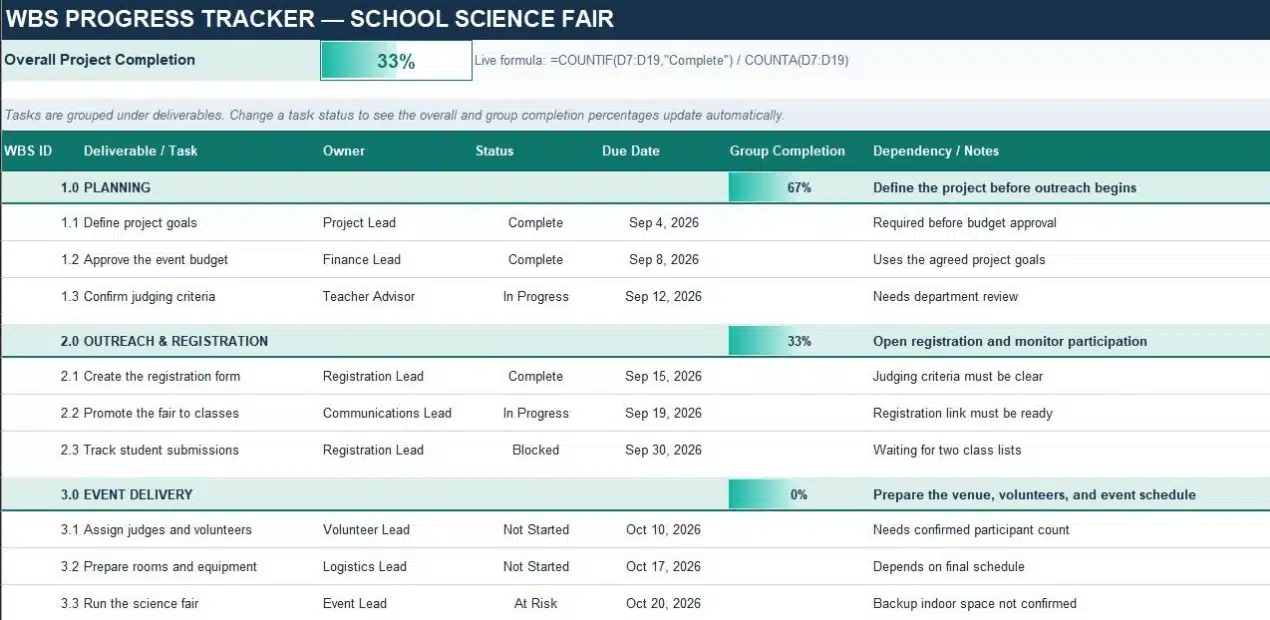
The Four Pillars of Software-Free Execution
A streamlined execution system relies on four accessible elements that replace complex software features:
| Pillar | Primary Format | Core Objective |
| 1. Project Charter | Single-page document | Establishes project goals, scope parameters, and decision-makers upfront. |
| 2. Master Spreadsheet | Live cloud sheet | Tracks active tasks, assigned owners, due dates, and real-time status. |
| 3. Status Rhythm | Standup & chat updates | Maintains momentum through predictable, short check-ins. |
| 4. Central Repository | Shared cloud folder | Stores all working drafts, assets, and final deliverables in one hub. |
Step-by-Step Guide: How to Run a Project From Start to Finish
You can build a reliable, professional workflow using standard office productivity tools like Google Workspace or Microsoft Office.
1. Draft a One-Page Project Charter
Create a shared cloud document that serves as the single source of truth for the initiative before work begins:
-
Core Objective: A concise two-sentence statement defining success.
-
In-Scope Deliverables: A bulleted list of mandatory outputs required for completion.
-
Out-of-Scope Items: Explicit statements detailing what will not be produced, preventing scope expansion.
-
Project Roles: Designated names for the project lead, primary decision-maker, and key contributors.
2. Build a Master Tracking Spreadsheet
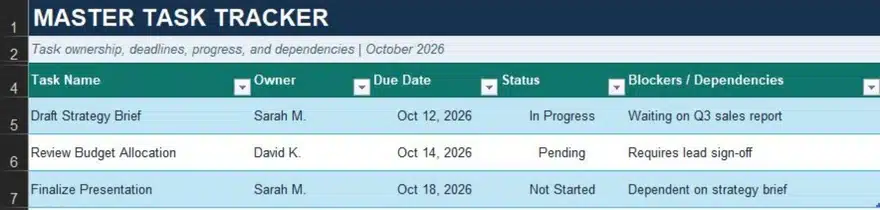
A clean spreadsheet replaces complex visual boards while keeping task ownership fully transparent:
| Task Name | Owner | Due Date | Status | Blockers / Dependencies |
| Draft Strategy Brief | Sarah M. | Oct 12 | In Progress | Waiting on Q3 sales report |
| Review Budget Allocation | David K. | Oct 14 | Pending | Requires lead sign-off |
| Finalize Presentation | Sarah M. | Oct 18 | Not Started | Dependent on strategy brief |
Apply simple color coding (Green for Done, Yellow for In Progress, Red for Blocked) so stakeholders can assess overall project health instantly.
3. Establish an Asynchronous Communication Rhythm
Keep team members aligned through structured touchpoints without relying on automated software notifications:
-
Weekly Alignment Meeting (15 Minutes): Review the tracking sheet together, update task statuses, and clear immediate roadblocks.
-
Mid-Week Async Check-In: Require team members to post a three-bullet summary in team chat outlining completed items, current focus, and active blockers.
4. Organize a Centralized Cloud Hub
Establish a single shared folder dedicated to the project to prevent files from scattering across private drives and email threads. Create dedicated sub-folders for research, working drafts, and approved assets, enforcing a rule that all work lives in this shared directory from day one.
How to Track Project Progress in Excel or Google Sheets
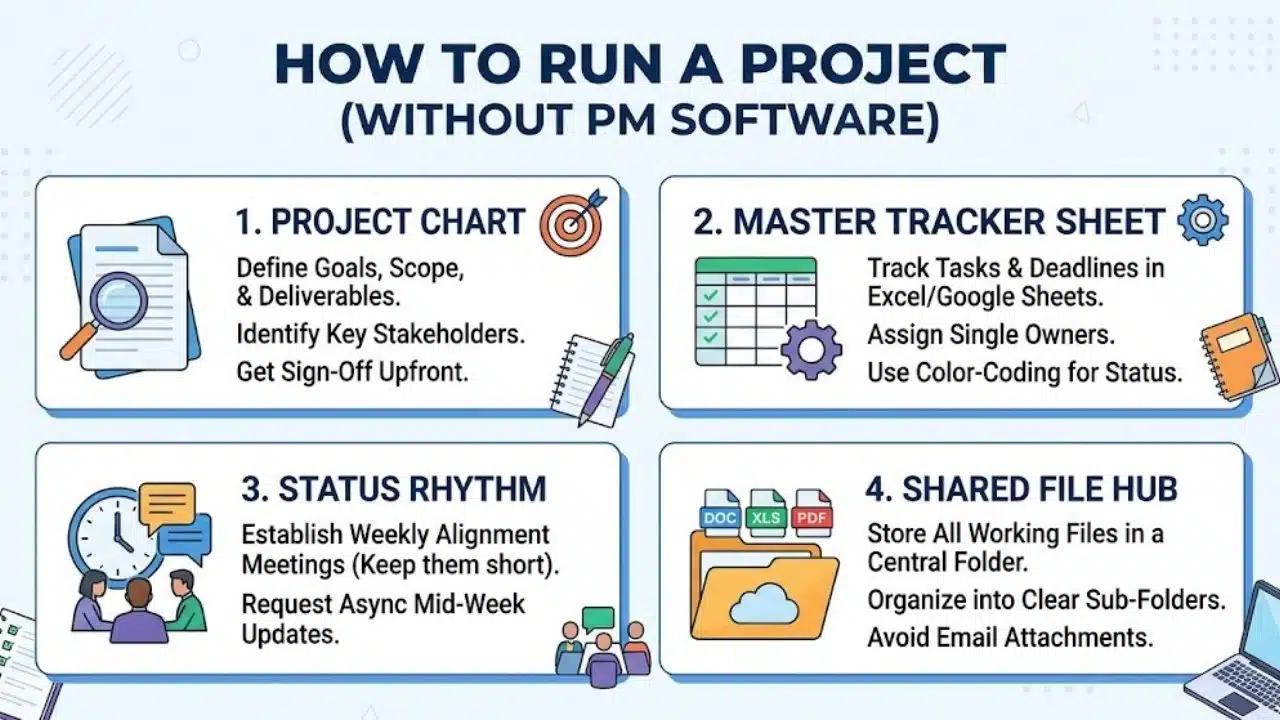
Tracking execution in a cloud spreadsheet requires structuring data so progress is visible at a glance.
Work Breakdown Structure (WBS)
Group tasks under major deliverable headings rather than listing assignments randomly. Insert summary rows above each task group to display overall completion percentages.
Automated Status Indicators
Use dropdown conditional formatting for status columns:
-
Complete: Green background text.
-
In Progress: Soft blue or yellow background text.
-
Blocked / At Risk: Red background text.
Simple Completion Formulas
Calculate progress automatically by using the COUNTA and COUNTIF functions:
Plaintext=COUNTIF(D2:D20, “Complete”) / COUNTA(D2:D20)
Format this formula cell as a percentage to provide an instant top-level progress bar for leadership.
How to Manage Risks and Scope Creep Without Software
Unmanaged risks and scope expansion quickly derail projects that lack automated software alerts.
Building a Lightweight Risk Log
Add a second tab to your master spreadsheet titled Risk Register. Include five tracking columns: Risk Description, Potential Impact (High/Med/Low), Likelihood, Mitigation Strategy, and Risk Owner. Review this tab during weekly check-ins to address emerging bottlenecks early.
The Tradeoff Protocol for Scope Changes
When a client or stakeholder requests additional features mid-project, document the change inside a simple Scope Log doc and initiate a priority evaluation conversation:
“We can incorporate [New Feature]. To keep our target launch date of [Date] on budget, should we push back [Existing Feature A] or reallocate resources from [Existing Feature B]?”
This process ensures stakeholders evaluate operational tradeoffs explicitly before approving scope modifications.
Common Pitfalls When Learning How to Run a Project Without Software
Operating with basic productivity tools requires discipline to prevent common workflow issues:
-
File Version Conflict: Avoid emailing static spreadsheet attachments back and forth. Always work within live, web-based documents.
-
Shared Task Ownership: Assigning multiple owners to a single spreadsheet line item leads to diffused accountability. Ensure every task has exactly one primary owner.
-
Unanchored File Links: Link relevant working documents directly inside the master spreadsheet row to save time searching through cloud folders.
When to Transition to Dedicated PM Software
A software-free approach works exceptionally well for small-to-medium initiatives, internal process launches, and small team workflows. However, specific operational growth signals indicate when specialized software becomes necessary:
-
Team size exceeds 15 active contributors on a single initiative.
-
Projects involve complex, inter-departmental task dependencies across multiple teams.
-
External clients require restricted, role-based dashboard access.
Until you reach those operational scale limits, mastering how to run a project using simple tools keeps your workflow agile and your team focused on core deliverables.
Frequently Asked Questions (FAQs) About How to Run a Project
How do I know if my team can run a project without software?
Small-to-medium teams working on straightforward initiatives with under 15 contributors can easily operate using shared spreadsheets and documents. If your workflow does not require complex automated dependencies or role-based client views, basic tools offer higher efficiency.
What basic tools do you need when learning how to run a project lean?
You only need standard office productivity apps: a web-based document editor for your project charter, a shared spreadsheet for task tracking and progress formulas, and a centralized cloud folder for document storage.
How do you prevent version control issues on tracking spreadsheets?
Use live cloud spreadsheet applications that support real-time multi-user editing rather than emailing static attachments. Keep a single master tracker link pinned in your primary team chat channel for instant access.
How do you handle project risks without automated software alerts?
Maintain a dedicated Risk Register tab in your master spreadsheet to log potential bottlenecks, impact levels, and mitigation strategies. Review this tab during weekly standups to address emerging issues before they delay deadlines.
How do you maintain accountability without software notifications?
Assign a single named owner to every spreadsheet task line item and establish a short, mandatory weekly check-in. Clear single-person ownership combined with consistent communication drives accountability better than automated software alerts.