Writing on tablets can feel tricky. The screen, the stylus, and the apps might leave you overwhelmed. If your tablet writing feels messy or slow, you’re not alone. Many writers struggle to make it work smoothly.
The Tabletwritings.com Blog is here to help fix that problem. It’s packed with tips and guides for better digital writing. You’ll learn how to pick the right tools, adjust settings, and boost creativity while working smarter.
This blog post will explore all those helpful tips in one spot. Ready to step up your tablet-writing game? Keep reading!
Key Takeaways
- Choose the right tablet and stylus for better writing. Look for large screens, long battery life, and high stylus sensitivity like the Apple Pencil with 4096 pressure levels.
- Optimize writing apps by adjusting font size, using dark mode, enabling auto-save, and turning on cloud syncing for safety.
- Use templates from tools like Notion or Canva to organize ideas or spark creativity in your work.
- Explore advanced features on TabletWritings.com like automation tips and secure sharing advice to boost productivity.
- Discover helpful guides on balancing creativity with practical tasks for writers at any skill level.
Essential Tablet Writing Tips

Choosing the best device makes a big difference. Fine-tuning app settings can improve your experience.
Choosing the right tablet and stylus
Choosing a tablet and stylus can feel like picking the right shoes for a marathon—essential, yet not always easy. The right combo will boost your writing experience like a charm. Below is a quick breakdown to help you select wisely.
| Factor | Why It Matters | Example/Tip |
|---|---|---|
| Screen Size | Small screens can feel cramped. Large screens give more room for ideas. | iPad Pro has a 12.9-inch screen for comfortable writing. |
| Battery Life | Low battery cuts creativity short. Long-lasting devices keep you focused. | Most Samsung tablets offer 10-hour battery life or more. |
| Stylus Sensitivity | Pressure levels affect line thickness and writing precision. | Apple Pencil provides 4096 pressure levels for fluid strokes. |
| Storage Capacity | More storage means room for apps, documents, and notes. | Go for at least 128GB if planning to store multimedia or large projects. |
| Compatibility | Not all styluses work with every tablet. | Microsoft Surface Pen pairs only with Surface tablets. |
Finding the right gear isn’t just practical—it’s inspiring. It sets a solid foundation for creative output. Up next, let’s explore how tweaking your app settings can maximize productivity.
Optimizing your writing app settings
Writing apps can do wonders if set up right. Take a moment to tweak your settings for better results.
- Adjust font size and typography to suit your screen. Use clear fonts like Arial or Verdana for easy reading. Avoid fancy styles that strain your eyes.
- Pick a layout that fits your writing flow. Many tools offer page layout options, such as landscape or portrait. Test both to see what feels right on your tablet computer.
- Use dark mode if you write at night. It reduces eye strain and saves battery life on most mobile apps.
- Set automatic saving in your app. This feature supports seamless work by preventing data loss during sudden shutdowns.
- Turn on cloud syncing for convenience and safety. Platforms like Google Drive or OneDrive keep files accessible from different devices.
- Explore available templates for inspiration. Options like storyboards, article outlines, or digital notebooks can make planning effortless.
- Enable spelling and grammar checkers in the app’s settings menu for high-quality content creation without extra steps.
- Personalize keyboard shortcuts for faster text edits or navigation within the document.
- Optimize display brightness based on location and time of day to improve user experience while reducing glare issues.
- Test advanced features like voice typing or handwriting recognition available on premium apps for innovative ways to boost productivity efficiently!
Boosting Creativity with Tablet Writing
A tablet isn’t just a device; it’s a blank canvas for your thoughts. With the right tools, you can turn simple ideas into vibrant stories or polished designs.
Using templates and digital tools for inspiration
Templates and digital tools can spark fresh ideas. They help writers stay creative and organized.
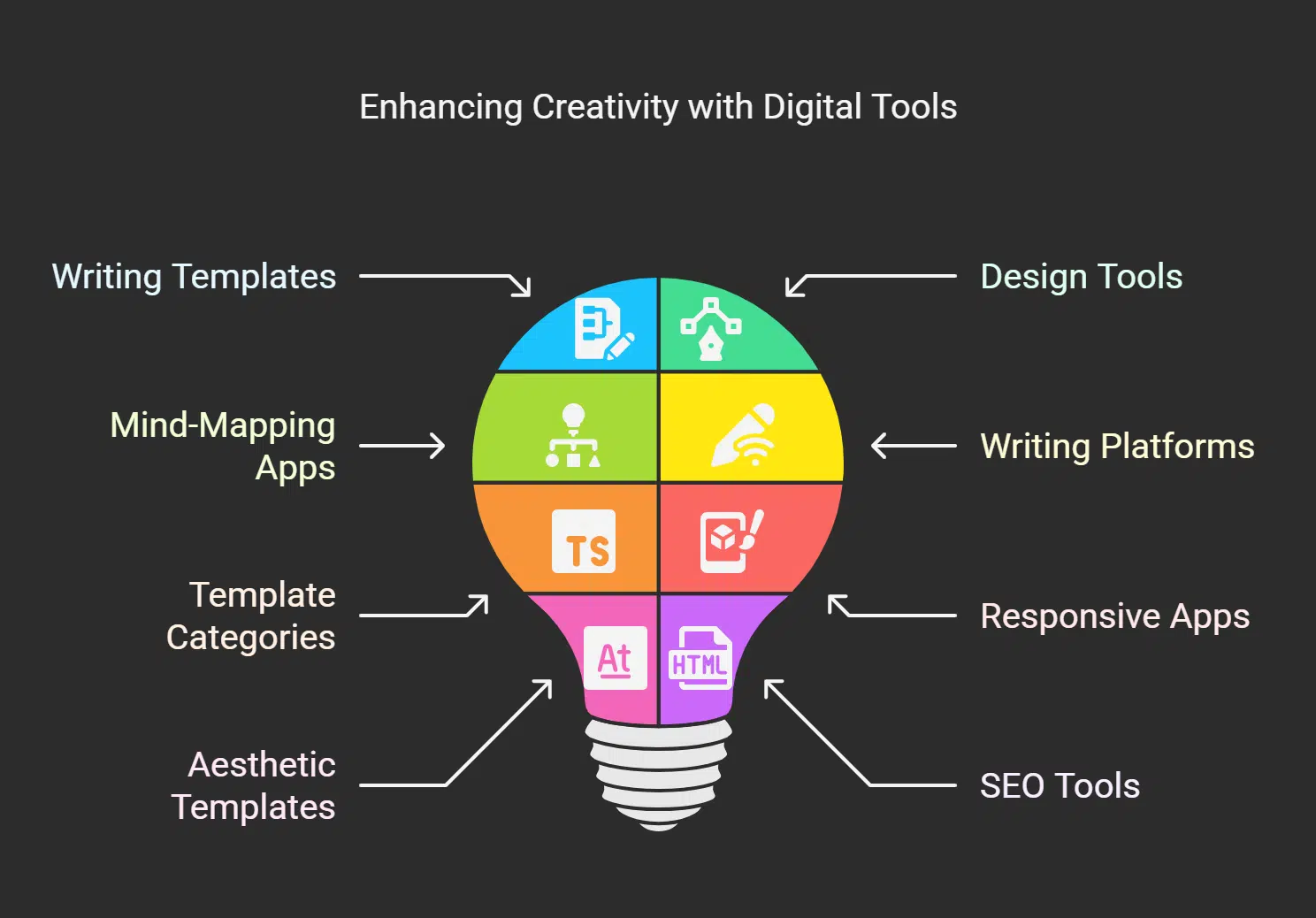
- Explore free writing templates on apps like Notion or Evernote. These tools offer easy layouts for story planning, note-taking, or organizing thoughts.
- Use Canva to design vibrant visuals for storytelling. It provides pre-made designs that match different narratives or themes.
- Experiment with mind-mapping apps such as MindMeister. These tools boost creativity by visually connecting ideas in a simple way.
- Try using writing platforms like tabletwritings.com. This blog provides insights into essential tools and templates you can explore for better digital note-taking.
- Take advantage of template categories available online. Many are designed specifically for fiction, blogging, or even social media posts.
- Install responsive writing apps on Android tablets or laptops to maintain flexibility while drafting content anytime, anywhere.
- Look up aesthetic templates that align with your topic to save time while boosting discoverability in blogs or LinkedIn posts.
- Automate formatting tasks with SEO tools such as Ubersuggest, helping focus on creating richer content instead of technical details.
- Access keyword guides through websites like tabletwritings.com to elevate the appeal of digital stories effectively across platforms.
- Rely on search engine-friendly formats shared by experts in blogs to ensure your work ranks higher and gains engagement in the long term!
Enhancing Productivity on Tabletwritings. com Blog
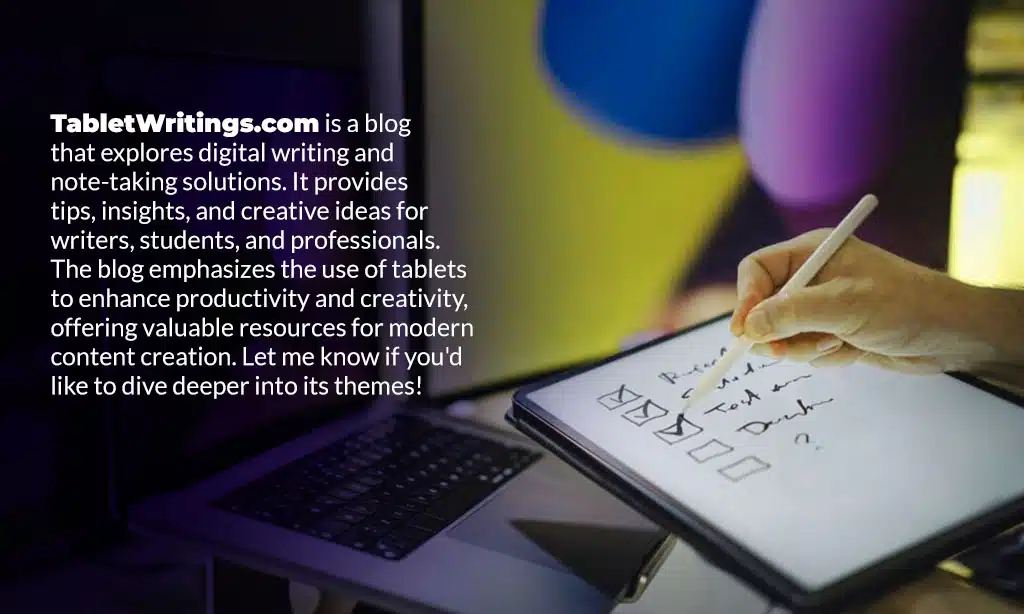
Discover clever tricks, handy tools, and smart features on tabletwritings.com to sharpen your writing game!
The TabletWritings.com blog highlights features that make tablet writing smooth. It showcases tools like automation for quicker edits and digital storytelling tips to boost creativity. TabletWritings.com offers insights into using an on-screen keyboard or computer keyboard more effectively.
For Android users, the blog suggests apps with responsive design and intuitive settings. It guides beginners through simple design choices to improve functionality without feeling lost.
Hacking incidents happen every 39 seconds globally, as shared in a recent cyber guide post. The blog emphasizes keeping your writing platform secure while sharing work on social media platforms or virtual communities.
Posts also explore using templates to stay productive across desktops and tablets. Readers can find insightful advice about balancing creative flair with practical tasks on this go-to resource for writers of all skill levels!
Takeaways
TabletWritings.com blog sparks creativity and productivity with ease. Their tips make writing on tablets feel natural, almost like pen to paper. Explore tools, tricks, and ideas that inspire fresh thoughts every day.
Whether you’re a beginner or pro, there’s something new waiting for you. Start your journey into smarter digital writing today!
FAQs on TabletWritings.com Blog
1. What can I find on the TabletWritings.com blog?
TabletWritings.com blog explores topics about writing tools, communication tips, and navigating the digital landscape for bloggers and caregivers.
2. How does TabletWritings.com help writers?
It’s a straightforward platform offering practical advice on writing service platforms, search engine optimization, and Android-friendly tools to improve your work.
3. Why is this blog useful for bloggers?
Tabletwritings.com blog stands out by providing easy-to-find tips tailored to community needs while helping writers stay relevant in today’s fast-paced internet world.
4. Can beginners benefit from these tablet writing tips?
Yes! The content is comprehensive yet simple enough for anyone looking to enhance their skills or explore new ways of working with tablets.
No, it also covers broader areas like building community connections through communication and sharing insights that resonate with diverse audiences online.