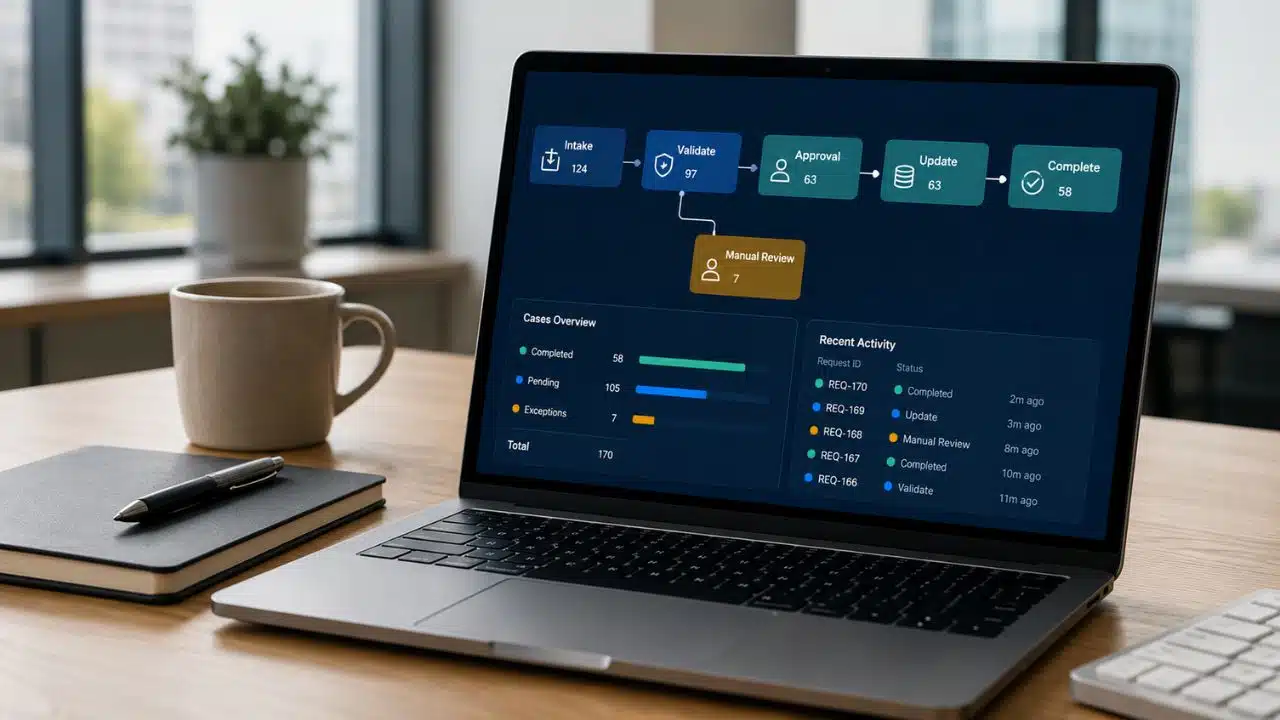
Workflow automation uses software to move tasks, information, and decisions through a repeatable process. It can route a request, update a record, send a reminder, collect an approval, or complete several connected actions without someone manually coordinating every handoff.
The harder questions are whether the process is stable enough to automate, which decisions should stay with people, and what happens when the normal path breaks. I would not begin by comparing tools. Start with one repetitive workflow that has clear rules, visible friction, and a measurable result.
What Is Workflow Automation?
Workflow automation uses software to execute all or part of a business process according to triggers, rules, conditions, and assigned actions. It does not require the process to run without people.
For a purchase request, software might create the record, check required information, identify the approver, send reminders, and record the outcome. A manager can still make the final decision.
Unlike a basic shortcut, a workflow coordinates a sequence across people, data, and systems.
Common examples include:
- Routing sales leads by territory or account type
- Sending invoices through validation and approval
- Escalating overdue customer-support cases
- Creating an IT ticket when monitoring detects a known issue
AI is not required. Many dependable workflows use rules: create a record when a form is complete, request another approval above a threshold, or escalate after a missed deadline.
How Workflow Automation Works
A reliable automated workflow contains seven parts:
- Trigger: The event that starts the workflow, such as a form, email, changed record, manual command, or schedule.
- Input: The information required to continue, such as an invoice or customer record.
- Rules and conditions: Logic that checks a value, owner, status, deadline, or risk.
- Automated actions: Tasks such as creating a record, updating a status, or sending a notification.
- Human checkpoints: Reviews retained when judgment, authority, or accountability matters.
- Exception and recovery paths: Instructions for missing data, duplicates, rejections, timeouts, and system failures.
- Logs and ownership: A record of what ran, where it stopped, and who must correct it.
The first four are easy to demonstrate. The last three determine whether the workflow survives real work.
A Simple Invoice-Approval Example
Suppose invoices arrive by email. An employee downloads each file, enters its details, finds the right approver, follows up, and sends the result to finance.
An automated version might work like this:
- A new invoice arrives, and the system creates a case.
- Required fields are captured and checked for missing information or duplicates.
- The invoice is routed according to the supplier, cost center, and amount.
- The appropriate person approves or rejects it.
- The decision is recorded, the requester is notified, and an approved invoice moves to finance.
An unknown supplier, purchase-order mismatch, absent approver, or unavailable finance system needs a visible exception route and a named owner. Otherwise, the workflow merely moves manual work into a less visible queue.
This process is automated, but it is not unsupervised. Software handles the predictable coordination while a person retains the decision that carries financial authority.
Workflow Automation vs. Other Types of Automation
Automation terms overlap. The practical differences are these:
| Term | Main purpose | Typical example |
| Task automation | Completes one narrow activity | Rename a file or send a scheduled reminder |
| Workflow automation | Coordinates a repeatable sequence across steps, systems, or people | Route and approve an invoice |
| Business process automation | Improves a broader end-to-end business process | Redesign order-to-cash across departments |
| Business process management | Discovers, models, governs, measures, and improves processes | Manage process performance across the company |
| Robotic process automation | Mimics user actions in an interface, often when an API is unavailable | Copy data from a legacy desktop application |
| Orchestration | Coordinates multiple automated services or workflows | Run connected provisioning, security, and notification processes |
| AI-assisted automation | Uses probabilistic models for unstructured inputs or recommendations | Classify emails or extract fields from varied documents |
RPA can sit inside a wider workflow. A bot might enter information into a legacy application while the workflow determines when it runs and what follows.
AI can also be one component. It helps with unstructured text, images, or language, but its probabilistic output needs different safeguards from a deterministic rule.
What Workflow Automation Can Improve
Good automation reduces waiting, makes routine routing more consistent, exposes bottlenecks, and preserves a usable record of actions and decisions. It may also reduce repetitive data entry and related mistakes.
Automation will not settle conflicting policies, identify an owner nobody has appointed, or turn unreliable data into dependable data. A bad rule can be more damaging than a manual mistake because it repeats the same error at scale.
Before building, remove obsolete steps, identify the authoritative source for important data, and resolve disagreements about decision rights. The software should encode an agreed process, not conceal an unresolved one.
Which Workflow Should You Automate First?
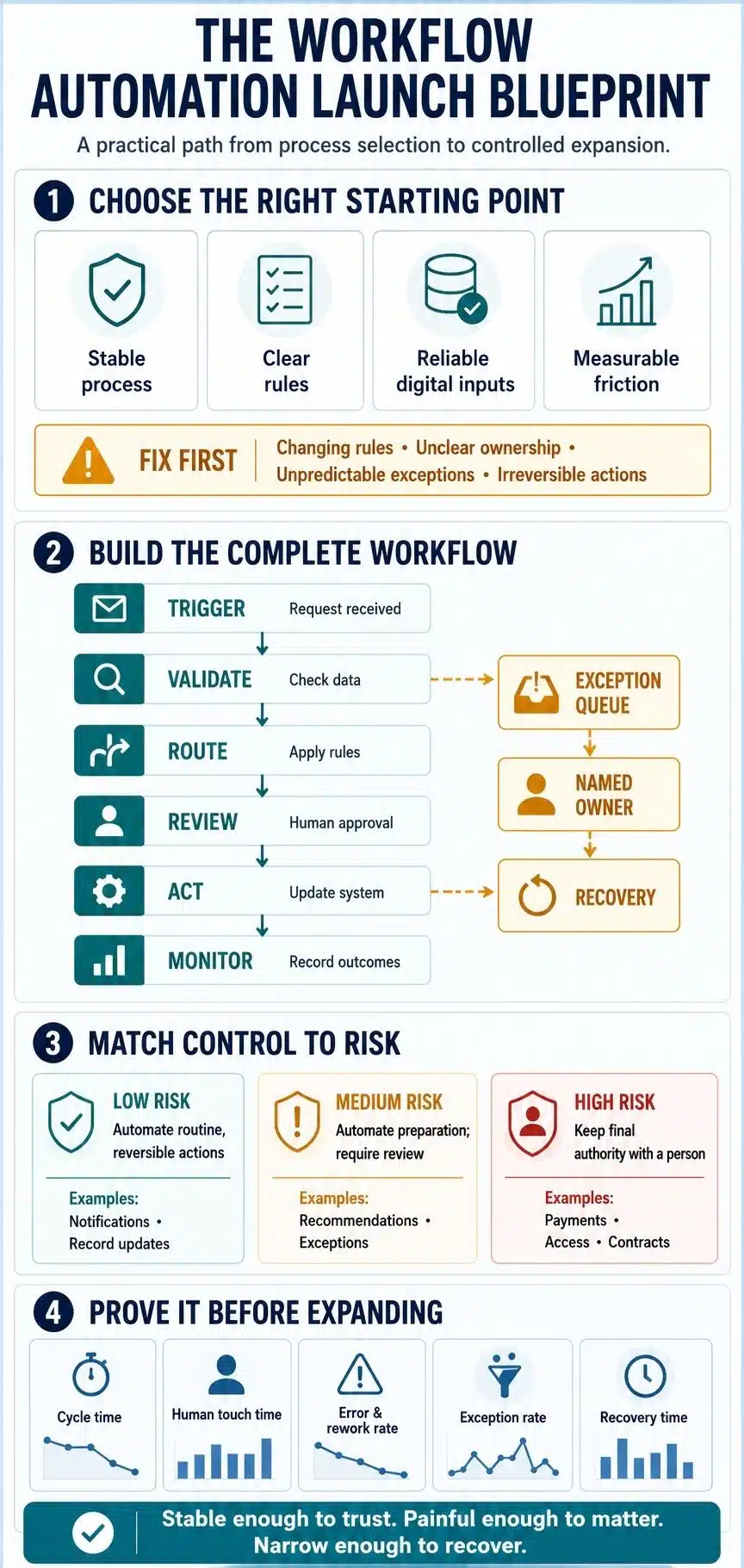
The process attracting the most complaints may still be a poor first project if it uses sensitive data, changing rules, unstable systems, or actions that are expensive to reverse.
A stronger first candidate usually has:
- Enough volume or delay to make improvement worthwhile
- Stable steps, systems, and business rules
- Digital inputs that the automation can access reliably
- Visible rework, missed handoffs, or repetitive coordination
- Exceptions that are known and manageable
- An owner who can make process decisions
- An outcome that can be measured before and after launch
A high-volume process may look attractive, but not if half its cases require unpredictable judgment. A stable process may be easy to automate, but not worth the effort if it runs twice a year.
A Practical Automation-Readiness Scorecard
Score each factor from 0 to 2. This is an editorial planning aid, not a universal industry standard.
| Factor | 0 points | 1 point | 2 points |
| Process stability | Changes often | Some changes expected | Stable and documented |
| Rule clarity | Mostly subjective | Mixed rules and judgment | Clear rules |
| Input quality | Manual or inconsistent | Partly structured | Digital and dependable |
| Volume or delay | Rare and low-friction | Moderate | Frequent or visibly delayed |
| Exceptions | Unpredictable | Known but common | Limited and understood |
| System stability | Replacement planned | Some integration concerns | Stable systems and access |
| Reversibility | Hard to undo | Recoverable with effort | Easy to stop or reverse |
| Ownership | No clear owner | Informal owner | Named owner and backup |
- 13–16 points: Strong pilot candidate
- 9–12 points: Narrow the scope and address weak areas
- 5–8 points: Simplify, standardize, or digitize first
- 0–4 points: Keep it manual for now or redesign it
Do not let a high total excuse a zero for ownership or reversibility. Either can become an operational risk even when the rest of the process looks ready.
Where Should You Start With Workflow Automation?
“Start small” is incomplete advice. The first project should be narrow enough to recover when it fails and important enough for people to care whether it succeeds.
1. Define the Outcome
Describe the problem in operational terms. “Automate invoice processing” is too broad. “Reduce the time from invoice receipt to approval while preserving finance controls” gives the project a boundary.
Choose one primary result, such as shorter cycle time, fewer overdue cases, or less rework. One main outcome keeps the pilot honest.
2. Map the Process People Actually Use
Document the current path from trigger to completion with the people doing the work. Formal procedures often omit side spreadsheets, inbox searches, workarounds, and judgment calls.
Capture the systems, data, handoffs, approvals, waiting points, and causes of rework. If two employees handle the same request differently, find out why.
3. Remove Work That Should Not Exist
Do not spend money automating duplicate approvals, unread reports, or data entry that serves no current purpose. A shorter process is easier to explain, cheaper to automate, and less demanding to maintain.
4. Establish a Baseline
Measure the current process using real cases. Useful baseline measures include end-to-end cycle time, human touch time, error rate, rework, overdue items, and cost per completed case.
Estimates such as “this takes ten minutes” often exclude waiting, searching, and correction. Use a representative sample that includes busy periods.
5. Design for Failure, Not Just Completion
Map the normal path, then challenge it. What happens if a field is blank? What if the same request arrives twice, an approver is unavailable, permissions change, or one system fails after another has already been updated?
Each important failure needs a visible outcome: a retry, alert, exception item, or handoff to a named person. Decide which actions are safe to repeat. An unread error log is not a recovery plan.
6. Choose the Tool After the Constraints Are Clear
A simple app-to-app flow may need only a lightweight platform. A regulated process may require granular permissions, formal approvals, audit logs, testing environments, and stronger lifecycle controls.
Inspect integrations at the action level. A product that “connects” with your CRM may not support the record type, trigger, or update you need. Connector limits and authentication rules often decide whether the design works in production.
7. Run a Controlled Pilot
Limit the first release to a department, request type, or transaction range. For higher-risk work, allow the automation to prepare the action while a person confirms it.
Test missing data, duplicates, timeouts, rejected approvals, system outages, changed permissions, and unusual volumes. The happy path proves little about operational reliability.
8. Compare Production Results With the Baseline
Count failures, exceptions, recovery time, corrections, and maintenance—not just successful runs. Estimated savings remain estimates until the process operates under real conditions.
Expand only after users trust the output, owners can support the workflow, and the measured benefit justifies its ongoing cost.
How to Choose a Workflow Automation Tool
Start by identifying the type of tool the process needs:
- App-integration platforms: It suit straightforward trigger-and-action flows across cloud applications.
- Low-code workflow platforms: It add forms, approvals, data handling, and tools for business users.
- Enterprise automation suites: It support complex processes, governance, case management, and larger operating models.
- RPA platforms: It help when critical work remains trapped behind desktop interfaces or systems without suitable APIs.
- Developer orchestration tools: It fit technical workflows that require code, version control, testing, and infrastructure integration.
Then examine the details that affect production use:
- Connector capabilities and API limits
- Approval and exception handling
- Permissions and credential management
- Logs, alerts, testing, versioning, and rollback
- Shared ownership and backup administration
- Data location, retention, and compliance requirements
- Pricing units, usage limits, and premium-connector costs
- Export options and the effort required to switch later
The production cost may exceed the entry price once volume, premium integrations, governance, and separate environments are included.
Where Human Judgment Still Belongs
Human review should follow risk rather than habit. Requiring approval for every low-risk action can preserve the very bottleneck the automation was meant to remove. Removing every approval can quietly transfer authority to software without clarifying who remains accountable.
Keep human authority around consequential or difficult-to-reverse actions. Payments, access changes, contractual commitments, record deletion, sensitive employment decisions, and important customer promises generally need stronger controls and often explicit approval.
A system may act on routine, reversible cases, send uncertain ones for review, and block high-impact actions until an authorized person decides. AI can prepare a recommendation without owning the decision.
Start With a Workflow You Can Defend
The best first automation is rarely the most impressive one in a demonstration. It is usually a repetitive handoff, approval, update, or notification that employees understand and would gladly stop coordinating by hand.
That familiarity is useful. It gives the team a clear baseline and makes failures easier to recognize. Choose a workflow that is stable enough to trust, painful enough to improve, and narrow enough to stop safely. Keep human judgment where the consequences demand it, measure what happens in production, and expand only when the evidence supports the next step.
Frequently Asked Questions on Workflow Automation
1. What Is a Simple Example of Workflow Automation?
A leave request is a simple example. Software records it, sends it to the manager, reports the decision, and updates the status. The manager still decides.
2. What Is the Difference Between Workflow Automation and RPA?
Workflow automation coordinates a process. RPA imitates user actions, such as entering information into an application, and can perform one task inside a wider workflow.
3. Do You Need Coding Skills for Workflow Automation?
Not always. Visual builders and prebuilt connectors handle many common processes. Custom APIs, complicated data, or unusual security needs may require technical help. No-code software still requires process design, permission controls, and failure planning.
4. Which Business Process Should You Automate First?
Choose a repetitive, stable, rules-based process with digital inputs, known exceptions, clear ownership, and measurable friction. Avoid subjective or difficult-to-reverse decisions.
5. Can AI Fully Automate a Business Workflow?
AI can handle classification, data extraction, and summarization. Decisions involving money, access, contracts, employees, deletion, or major external commitments need stronger controls and often human approval.