A CRM status field can look tidy in a settings menu and still make a pipeline report unreliable. Suppose a deal moves from “Proposal sent” to “Follow up Friday.” The salesperson has recorded a real action, but the report loses a deal that still belongs in the proposal stage. If a reminder also depends on the old value, the same edit can affect both reporting and follow-up.
Audit one field on one record type at a time. Export the record ID, raw status, owner, and whatever dates or outcome fields you’ll need to verify the status. Include recent, stale, closed, and imported records. Then use these eight questions to decide which values to keep, clarify, or move elsewhere.
1. What decision should this CRM status field support?
Complete the sentence, “When this field says ___, the team can decide ___.” A deal-stage field might tell a sales manager which opportunities are waiting for a commercial decision. A contact outreach field might tell a rep who needs a first call. The two fields describe different records at different levels of detail. One contact may be associated with several deals, each at its own stage.
Check the object and field identifier behind the visible label. Two fields called “Status” may sit on different objects or come from different integrations. Compare the fields used in reports with the fields reps actually edit. As one product example, HubSpot documents lifecycle stages and Lead Status as distinct properties, with Lead Status describing substages within the Sales Qualified Lead lifecycle stage.
2. Can two people classify the same record consistently?
Write an entry rule using evidence someone else can verify. “Proposal sent” can mean a dated proposal was delivered to a buyer. “Proposal drafted” belongs somewhere else if that document is still waiting for approval. Give reviewers both examples and ask two teammates to classify the same records independently.
Investigate disagreements before changing the dropdown. If “Qualified” requires only a discovery call for one team and a confirmed buying need for another, agree on a common rule or make the separate pipelines explicit. Store the definition and an example where users can find them while updating records.
3. Does the field mix stages, tasks, and outcomes?
Look for values that can be true at the same time. A deal can be at “Proposal sent,” need a follow-up Friday, and have a buyer who asked about security. Those facts can live together in a deal stage, a dated task, and a note. A single-select field forces one fact to replace another.
Also check whether the team records reasons as stages. “Closed lost” is an outcome. “Chose a competitor” explains it and can live in a loss-reason field. Keep any existing distinction that changes a decision. For example, a temporary pause with a review date should only become a closed loss if the team’s documented process treats it as one.
4. Who can change it, and when should it move backward?
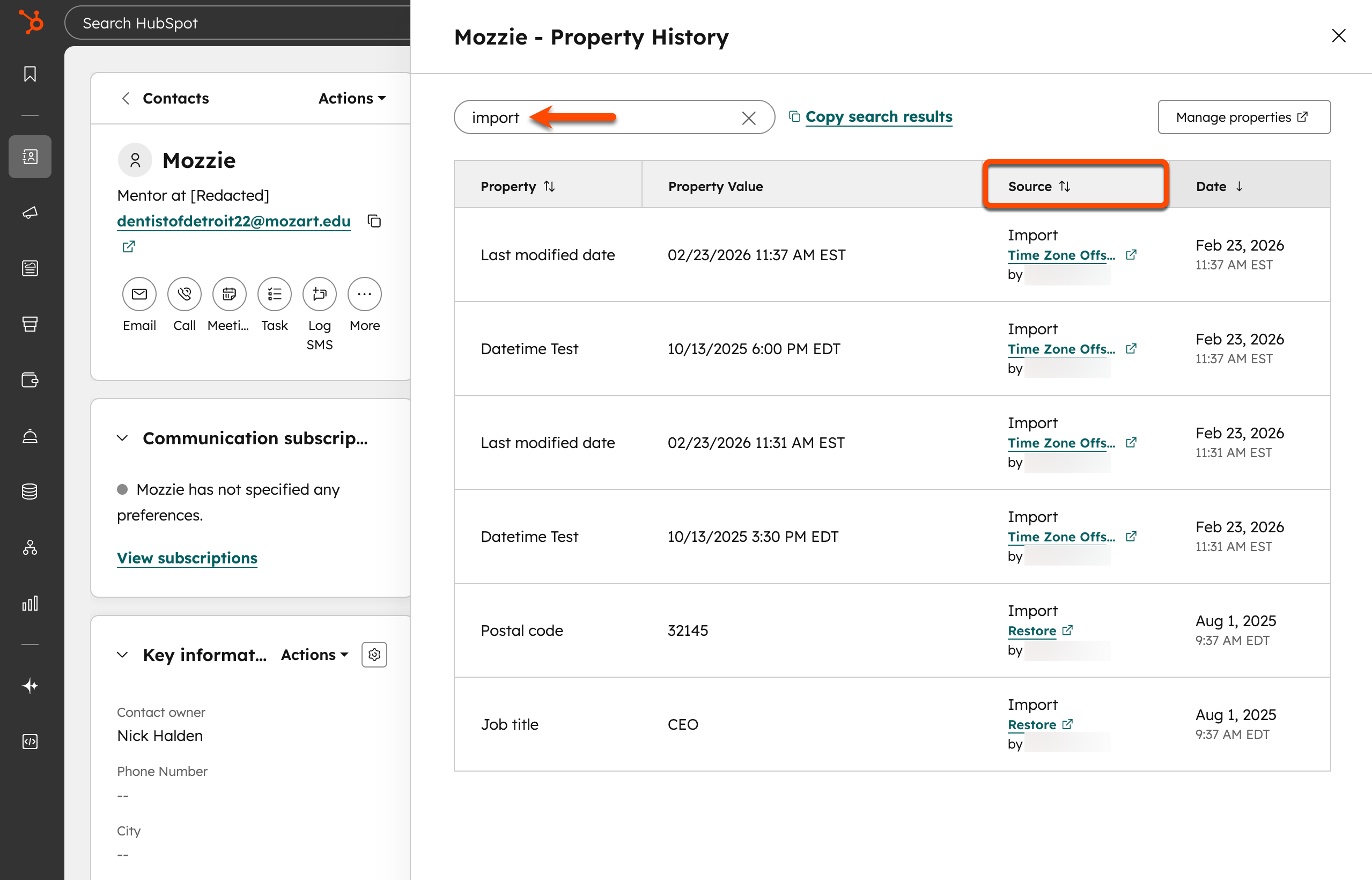
Identify each writer: individual reps, imports, integrations, bulk edits, and workflows. Use available history to inspect a few surprising transitions, such as deals reopening or a batch changing status overnight. HubSpot documents a record property history view that helps reviewers examine past changes and their sources.
Define the evidence for important transitions and agree on exceptions. A reopened deal may represent renewed negotiations. It may also be a correction to a record closed in error. Decide how each case affects close dates, reporting, and reminders. If two systems write the same field, determine which one controls the value in each situation and check what happens when updates arrive out of order.
5. What do blank, unknown, and stale values mean?
Group records by raw status and count blanks separately. Break those counts down by owner or import source when useful. A cluster of blanks concentrated in a migration batch calls for a different investigation from blanks spread across newly created deals.
Then inspect the date of the last meaningful update if you have one. “Proposal sent” describes a stage. A long period without a response describes inactivity. A report can show active stages with overdue next steps without forcing those deals into a generic “Stale” stage. If you add a required field or default, verify that users can provide the right value at creation time. A guess entered to pass validation can make data completeness look better while reducing accuracy.
6. Which reports, integrations, and workflows depend on each value?
Search for the field and its stored values in reports, saved views, automation rules, imports, and external syncs. Compare the display label with the value each integration reads or sends. Ask dashboard owners to show how they use the field, particularly if it drives forecasts, activity queues, or compensation reports.
Document what should happen before modifying a rule. For instance, a reminder can use a dated task, while a forecast continues to read the deal stage. In a controlled test, update a proposal-stage record and verify both outputs. Include an already closed deal and a reopened one so you can see whether the change sends an unexpected reminder or alters a report filter.
7. Can you map old values without guessing?
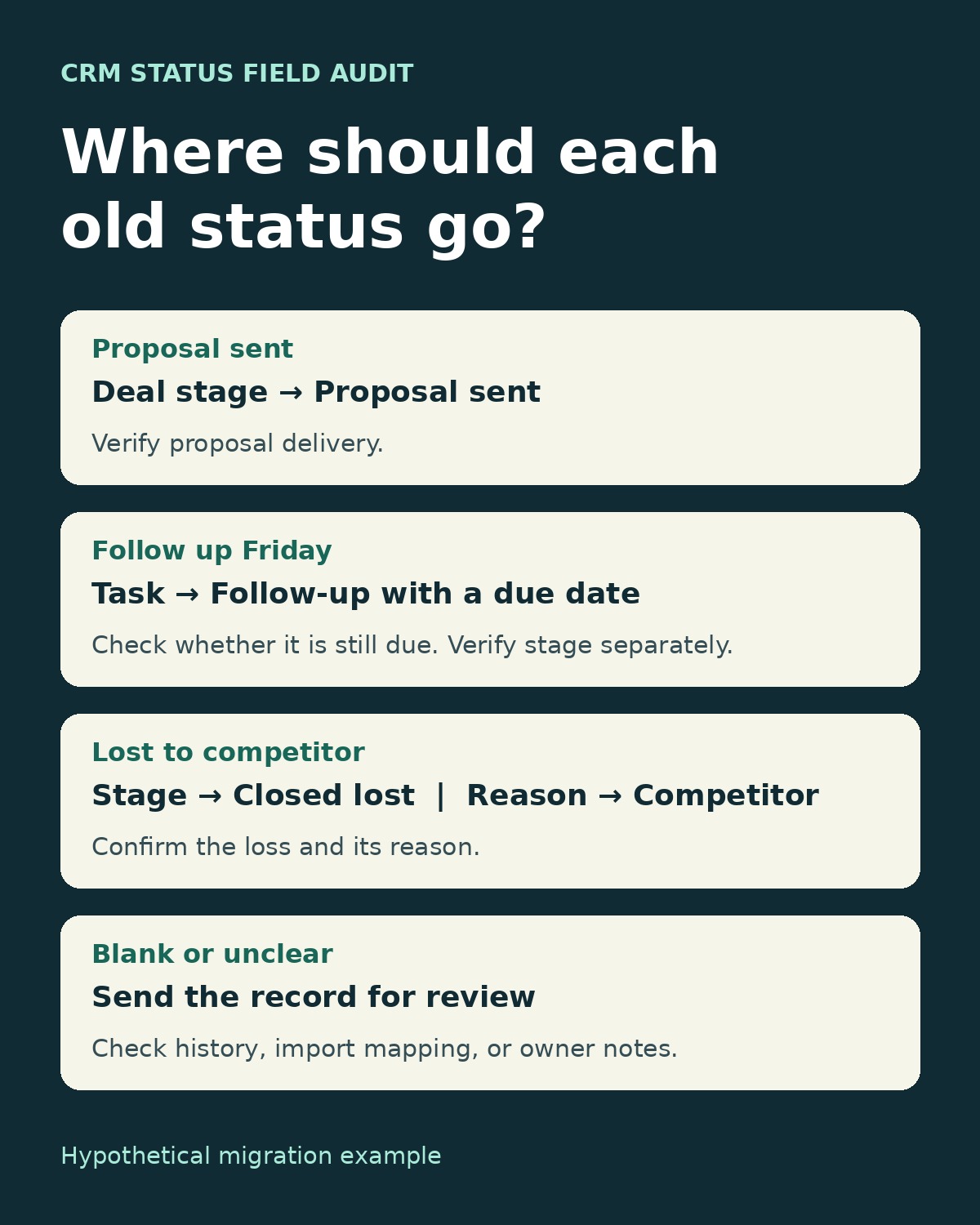
Write an old-to-new mapping and include a review path for ambiguous cases. “Follow up Friday” may have replaced “Proposal sent” on one deal and “Discovery” on another. A blanket mapping to either stage would invent a pipeline history for some records. Restore the last verified stage only where history or other evidence supports it. Check whether the follow-up was already completed before creating a task.
| Legacy status | What to verify | Proposed handling |
|---|---|---|
| Proposal sent | Proposal delivery date or logged activity | Keep as a deal stage |
| Follow up Friday | Last verified stage and whether the task is still due | Restore the supported stage and record an outstanding task separately |
| Lost to competitor | Confirmed loss and documented reason | Use Closed lost with Competitor as the loss reason |
| Blank | Import mapping, record history, or owner confirmation | Send unresolved records for review |
Preserve a dated export of record IDs and original values. If old statuses fed historical reports, keep the raw values or snapshots available for comparison. A current-stage cleanup cannot recover history that the system never stored.
8. How will you tell whether the cleanup worked?
Record a baseline before making changes. Count records by stage, blanks, and unmapped values. Capture one report total that depends on status and document its filters. Then test a small batch with an open deal, a closed deal, and an ambiguous legacy value. Compare the resulting counts with the mapping and check a sample of records against their activity.
Set a review date and name an owner for future changes. That owner should know how to propose a new value, check its dependencies, and explain it to the people who will select it. If the CRM status field gets a new option, repeat the audit question that started the work: what decision will this value help someone make?