

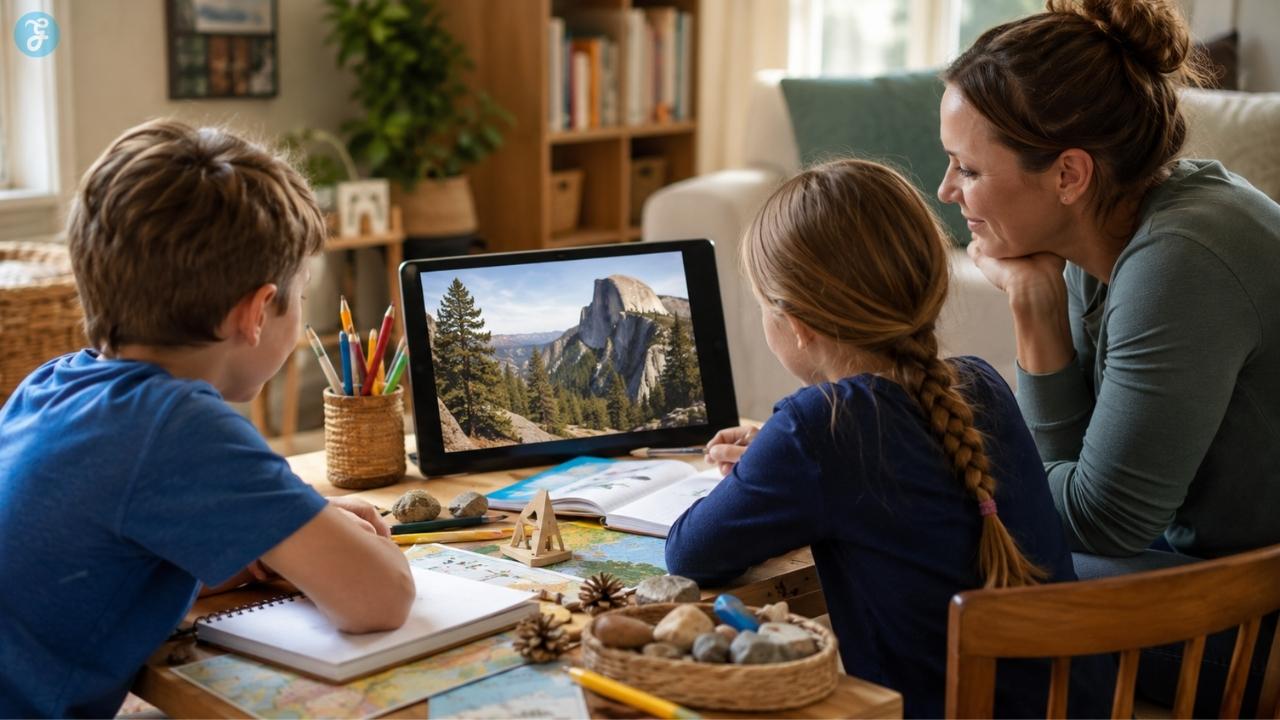
Some lessons need more than a worksheet. A child can read about ancient Egypt and still feel like it happened in some faraway textbook world. Then they see a museum artifact up close, notice the carving marks, ask who held it, and suddenly history feels less flat. That is the quiet power of a good field trip.
Of course, homeschool families cannot always drive to a museum, visit a national park, tour a science center, or spend the day at an aquarium. Life gets in the way. Distance gets in the way. Budget gets in the way. Weather, timing, younger siblings, and health all get a vote too. That is where virtual field trips homeschool families can use become genuinely helpful.
Not as a lazy replacement for going outside. Not as another hour of “educational screen time” that nobody remembers. A strong virtual field trip gives kids access to places they may never reach in person: museums, habitats, landmarks, labs, cultural sites, space centers, and historic locations. The trick is to use them with purpose.
A virtual field trip works best when a parent gives the child something to look for, pauses for conversation, and adds a simple follow-up activity afterward. Without that, it can turn into another video. With it, the screen becomes a doorway into real curiosity.
What Are Virtual Field Trips for Homeschoolers?
A virtual field trip is an online visit to a real place, collection, exhibit, environment, or expert-led learning experience. It might be a museum room, a national park tour, a zoo camera, a space center program, a historical landmark, an aquarium livestream, or a 360-degree walk-through of a cultural site.
Some are self-guided. Some are live. Some are recorded. Some are simple and visual, while others are packed with educator materials. The format matters less than the learning.
For example, the Smithsonian National Museum of Natural History offers self-guided, room-by-room virtual tours of selected exhibits and areas that can be viewed from desktop or mobile devices. It also gives access to selected collections, research areas, and past exhibits that are no longer on physical display. That kind of access is especially useful for homeschool families because kids can slow down, revisit a section, and explore without the pressure of a crowded museum day.
But clicking through a museum is not automatically learning. A child should come away with something: a question, a sketch, a comparison, a notebook page, a mini-report, a map, a discussion, or a small project. That is what turns a digital visit into a homeschool lesson.
Why Homeschool Families Use Virtual Field Trips
Homeschooling is not a fringe pandemic habit anymore. NCES reported that about 5.2% of children ages 5 to 17 received academic instruction at home during the 2022–23 school year. That matters because many families are looking for flexible ways to make learning richer without depending only on local options. Virtual field trips help because they remove the usual barriers.
A family can explore a museum in Washington, D.C., a palace gallery in Paris, a NASA facility, or a national park without booking flights, buying tickets, or planning a full day out. The Louvre, for instance, offers online tours that let visitors explore museum rooms, galleries, palace architecture, and views from home.
For homeschool parents, that access is valuable. A child studying art can walk through a virtual gallery. A child learning about geology can tour Yellowstone online. A child curious about space can join a NASA virtual program. A child who gets overwhelmed by crowds can explore calmly from the kitchen table.
That does not make virtual trips better than real trips. It makes them useful in a different way.
Virtual Field Trips Are Not Regular Screen Time
This is the part parents should take seriously. A virtual field trip happens on a screen, but it should not feel like passive scrolling. The American Academy of Pediatrics encourages families to build media habits around quality, routines, privacy settings, screen-free zones, and turning off autoplay and notifications. That advice fits homeschool digital learning very well.
The difference is intention. A child watching random animal videos may be entertained. A child watching an animal cam with the question, “How does this animal rest, move, eat, or react to its environment?” is observing.
A child wandering through a museum tour may click around and forget it. A child asked to “find three objects that show how people lived” will look more carefully. That small shift changes the experience.
Before opening a virtual tour, give your child a reason to pay attention. It does not need to be complicated. “Find one thing that surprises you” is enough for younger kids. “Compare two objects from different time periods” works well for older students. The screen should have a job.
What Makes a Good Virtual Field Trip?
Not every online tour is good for kids. Some virtual museum tours look impressive but are hard to navigate. Some are built more for adults than children. Some have too much text. Some have tiny labels. Some work beautifully on a desktop but poorly on a tablet. Research on online museum virtual tours found that there is no clear standard for tour design, and users can experience a gap between what they expect and how the tour actually behaves. That means parents need to preview when possible.
A good homeschool virtual field trip should feel easy enough to use, interesting enough to hold attention, and clear enough to support a real lesson.
| What to Check | Why It Matters for Homeschool |
| Age fit | A beautiful tour can still be too advanced for a younger child. |
| Easy navigation | If the child spends all their energy fighting the interface, the lesson gets lost. |
| Visual quality | Strong visuals help kids observe, compare, and remember. |
| Learning connection | The trip should connect to a subject, question, book, project, or curiosity. |
| Follow-up potential | A good trip should lead to a drawing, discussion, notebook page, map, model, report, or project. |
| Privacy and access | Check whether the site needs an account, personal data, downloads, or public sharing. |
The best virtual field trip is not always the flashiest one. It is the one your child can actually understand and talk about afterward.
Live vs Self-Guided Virtual Field Trips
Homeschool parents usually have two main options: live trips and self-guided trips. Live virtual field trips are scheduled. They may include an educator, guide, ranger, scientist, or question-and-answer session. NASA Wallops Visitor Center offers K–12 virtual field trips taught live by an informal education specialist, usually lasting about 30 to 45 minutes, with interactive presentation and Q&A depending on the booking.
Live trips are helpful when a child needs interaction. They can make the experience feel more official, and some kids pay closer attention when a real person is teaching.
Self-guided trips are more flexible. They are better for families who need to pause often, move slowly, help younger siblings, or spread the trip across two days. Smithsonian’s room-by-room virtual tours are a good example of this kind of flexible exploration.
Neither format is automatically better. A live NASA session may be perfect for a space unit. A self-guided museum tour may be better for a child who loves to linger over details. A recorded tour may work best when you want to pause every few minutes and talk.
Choose the format that fits your child, not the one that sounds most impressive.
Best Online Field Trip Ideas by Subject
The most useful online field trip ideas are the ones that match what your child is already learning. Virtual museum tours work beautifully for art, history, culture, archaeology, architecture, design, and world studies. They help kids see objects instead of only reading about them.
National parks and nature tours are strong for geography, geology, ecology, conservation, habitats, and environmental science. Yellowstone’s virtual tours, for example, let users explore the park through photographs, sounds, videos, and interactive maps.
Science and space trips are great for children who need big concepts to feel visible. NASA programs, observatories, science centers, and planetarium-style resources can support lessons on space, engineering, physics, weather, and technology.
Zoo, aquarium, and wildlife trips are especially good for younger kids because animals naturally hold attention. The learning becomes stronger when children observe behavior instead of simply watching.
History and culture trips help kids explore landmarks, historic homes, ancient sites, government buildings, and cultural traditions. They work well with timelines, postcards, maps, and short oral presentations.
Career and industry field trips are underrated. A child can virtually explore farms, factories, studios, newsrooms, labs, space centers, or engineering environments and begin to see how school subjects connect to real jobs.
A good homeschool week might include one virtual museum tour, one hands-on activity, and one short writing or drawing response. That is usually better than racing through ten links.
Best Virtual Museum Tours for Homeschool Learning
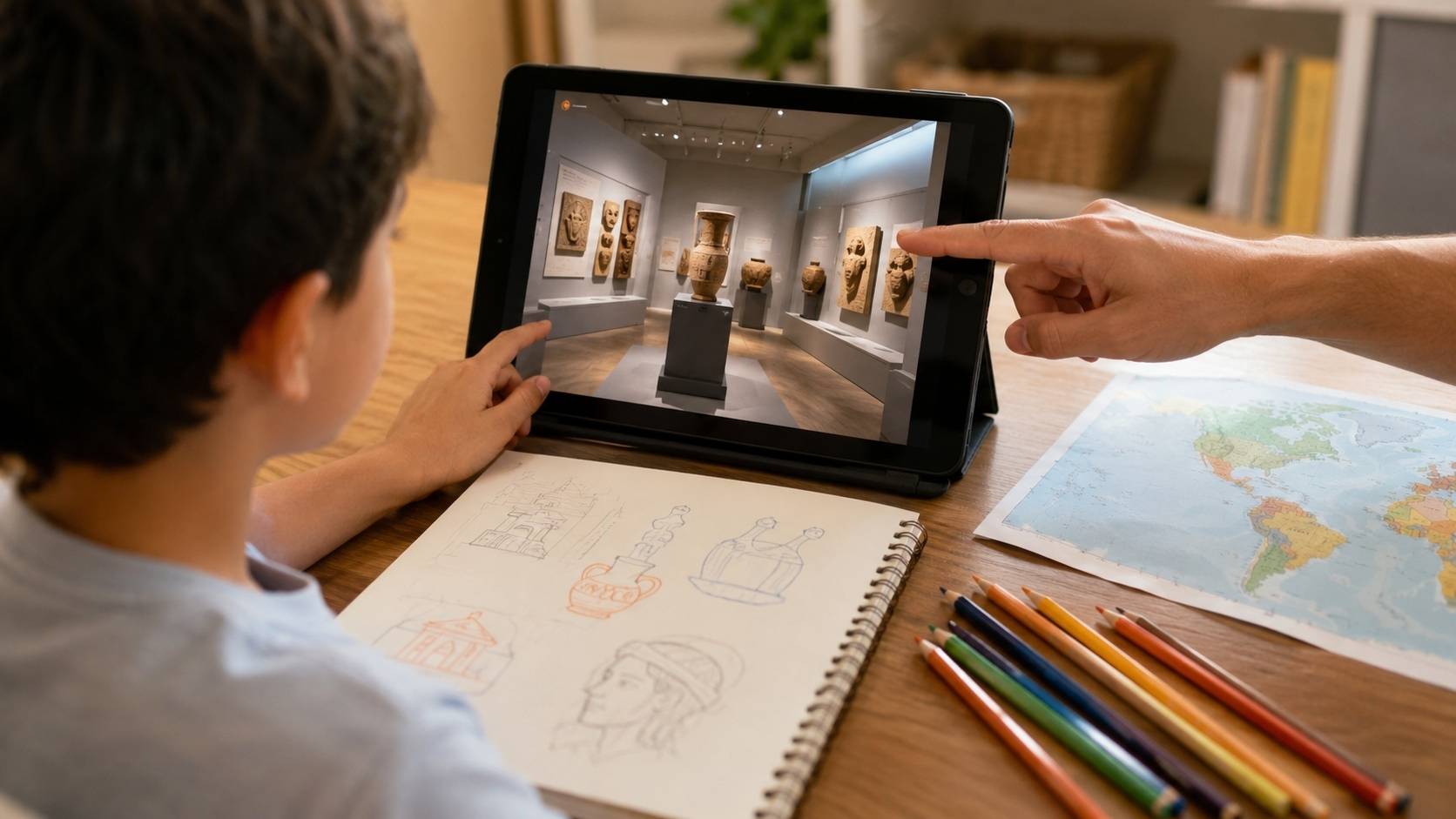
Virtual museum tours deserve a special place in homeschool planning because one object can open several subjects at once.
A painting can lead to history, geography, clothing, religion, trade, storytelling, and color. A fossil can lead to biology, geology, extinction, climate, and scientific evidence. A tool can tell a child how people worked, cooked, built, traveled, or survived.
The parent does not have to lecture the whole time. Ask better questions instead.
- For younger kids, try: “Which object would you take home if you could choose one?” Then ask why.
- For elementary kids, try: “Find three things that show how people lived.”
- For middle schoolers, try: “Choose two objects and compare what they tell us about daily life.”
- For teens, try: “What does this collection reveal about power, belief, technology, or identity?”
That is how a virtual museum visit becomes more than a pretty walk-through. It becomes observation practice.
Science, Space, Nature, and National Park Trips
Science becomes easier when kids can see something happening.
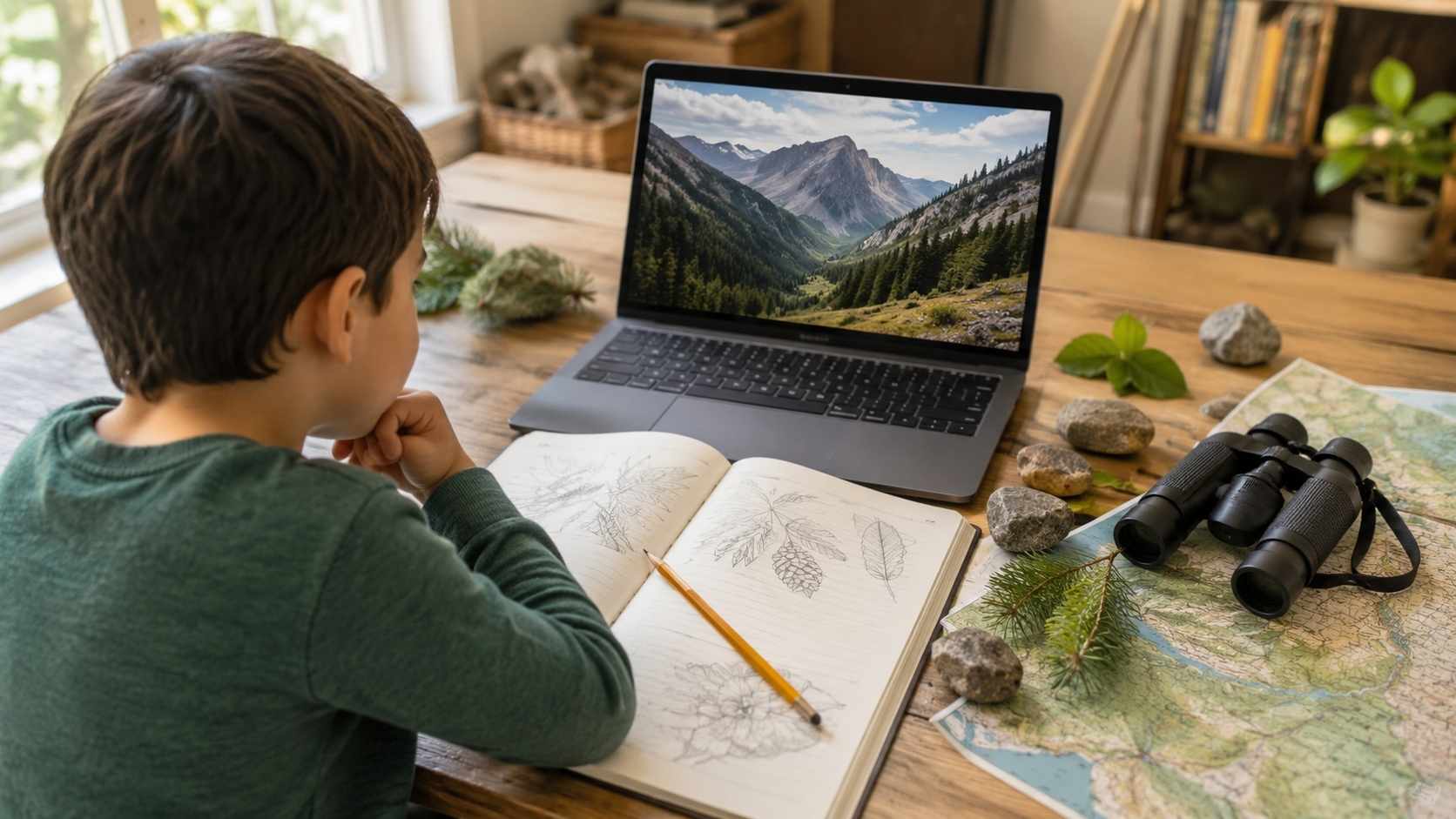
A child can read about geysers, but Yellowstone’s virtual materials make the landscape feel more concrete. A child can study rockets, but a NASA virtual field trip gives them a better sense of the real work behind space missions. A child can learn about habitats from a textbook, but animal cams and park tours help them connect facts to behavior and environment.
The National Park Service also supports virtual park experiences, distance learning, educator materials, Junior Ranger resources, and virtual field trips with rangers and volunteers.
After a nature or science trip, give the child a simple output. They could draw a food web, label a landform, create a ranger talk, keep a field journal page, build a small model, or make a conservation poster. The virtual trip opens the door. The follow-up is what helps the learning settle.
Digital Field Trips Kids Can Take by Age
The same trip can work differently depending on age. A six-year-old does not need the same task as a sixteen-year-old.
| Age Group | Best Trip Style | Human Follow-Up That Works |
| Younger kids | Short videos, animal cams, simple guided tours | Draw what they saw, tell three things, make a simple craft, act out an animal behavior. |
| Elementary kids | Interactive maps, museum rooms, science videos, park tours | Make a notebook page, diagram, mini-poster, labeled map, or “five things I noticed” list. |
| Middle school kids | Deeper museum collections, NASA programs, ecology tours, historic sites | Create a timeline, slideshow, comparison chart, short report, or research question. |
| Teens | Advanced archives, lab tours, career trips, cultural sites | Write a reflection, build a presentation, make an annotated source list, or add a portfolio entry. |
- For younger kids, keep it short. Ten to twenty minutes can be enough if the follow-up is good.
- For elementary kids, use a simple mission.
- For middle schoolers, ask them to compare and explain.
- For teens, ask them to analyze. What did the trip reveal? What source was most useful? What felt biased, incomplete, or surprising? How does this connect to a bigger topic?
That is how digital field trips kids take become age-appropriate instead of one-size-fits-all.
How to Turn a Virtual Field Trip Into a Real Lesson
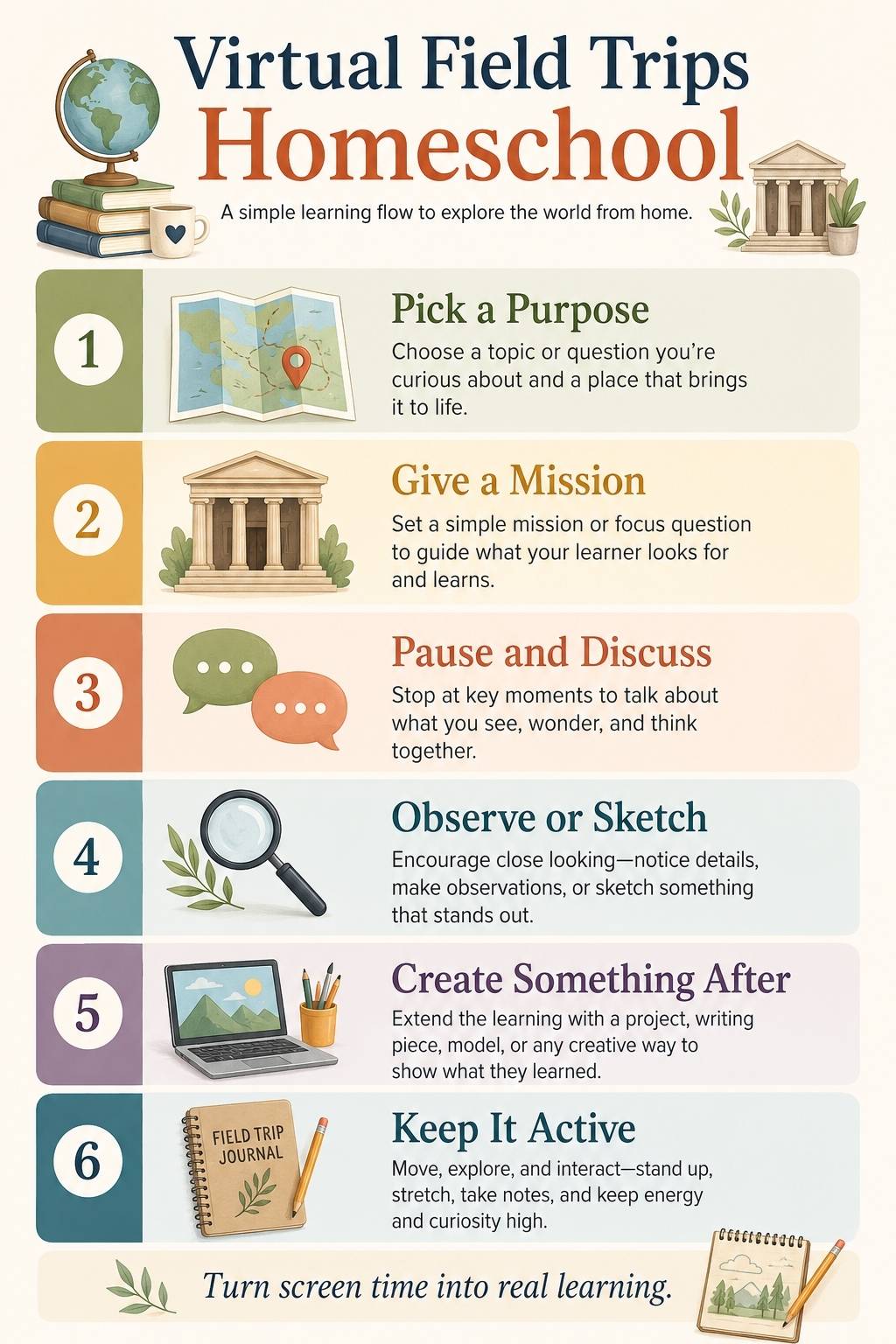
The easiest structure is before, during, and after. Before the trip, set a purpose. Give your child one question. For a museum, it might be, “What can this object tell us about daily life?” For a national park, it might be, “How does this environment shape what lives there?” For a career trip, it might be, “What tools and skills do these workers use?”
During the trip, slow down. Pause often. Ask what your child notices before you explain anything. Let them sketch, write, compare, or talk. After the trip, create something.
That “something” does not need to be fancy. It can be a field trip journal page, map, model, timeline, mini-report, oral narration, drawing, poster, poem, slideshow, short video, or hands-on experiment.
The American Alliance of Museums has noted that virtual field trips do not replace face-to-face visits, but they can enrich learning, especially when paired with pre-visit preparation and post-visit activities.
That is exactly how homeschool families should use them. Do not just take the trip. Build a little learning around it.
Free vs Paid Virtual Field Trips
Many excellent virtual field trips are free. Museums, national parks, NASA resources, cultural institutions, zoos, aquariums, and educational organizations often provide open-access materials.
Paid trips can still be worth it when they offer live teaching, expert interaction, small-group discussion, downloadable materials, or a well-designed sequence of activities.
But paid does not automatically mean better.
Before spending money, ask what the child gets that you could not create from a free resource. Is there a real educator? Is there Q&A? Is the material age-appropriate? Are there activities? Does the trip connect to your current lessons?
A free virtual museum tour with a thoughtful parent-led activity can sometimes teach more than a paid program with weak structure. The value is in the learning design, not just the platform.
Do Homeschoolers Need VR for Virtual Field Trips?
No, VR is optional. A headset can make some experiences more immersive, but it is not required for meaningful learning. Most homeschool families can do excellent virtual field trips with a normal laptop, desktop, or tablet.
Browser-based tours, videos, interactive maps, live sessions, webcams, and educator resources are often easier and more practical than full VR setups.
Research on Social VR-based virtual field trips suggests that immersive, collaborative environments have learning potential, but also points to challenges that still need to be addressed before regular educational use becomes simple.
So keep VR in perspective. It can add excitement. It does not replace a good question, a thoughtful parent, or a useful follow-up activity.
Safety, Privacy, and Parent Supervision
Virtual field trips are usually low-risk, but parents should still check the basics.
Does the site require an account? Does it ask for a child’s name, email, photo, location, or school information? Are there comments? Are there ads? Does the child need to upload anything? Can the resource be used without creating a profile?
For younger children, co-viewing works best. Sit nearby, pause, ask questions, and guide attention.
For older children, preview the site and set clear expectations. Ask them to report back with notes, observations, or a short reflection.
It also helps to keep the device focused. Close unrelated tabs. Turn off notifications. Avoid autoplay when possible. Set a loose time limit before starting.
A virtual field trip should feel like opening a door, not falling into a rabbit hole.
Common Mistakes Parents Make With Virtual Field Trips
- Starting without a question. If kids do not know what they are looking for, they may click around without learning much.
- Choosing a tour that is too advanced. Some museum and archive resources are wonderful, but they are not made for young children.
- Doing too many trips too quickly. A week full of random digital visits may look busy, but one well-chosen trip with discussion and follow-up usually teaches more.
- Skipping the after-activity. Without a drawing, conversation, notebook page, model, map, timeline, or explanation, the experience fades fast.
- Using virtual trips as a substitute for all real-world learning.
Kids still need parks, libraries, local museums, nature walks, hands-on projects, community visits, and ordinary outdoor observation. Virtual trips should widen the world, not shrink it to a screen.
The Better Way to Travel From Home
Virtual field trips are not magic. They do not automatically make kids curious. They do not replace touching real objects, walking through real places, asking questions in person, or getting muddy on a nature walk. But they can be powerful.
They let homeschool families travel beyond budget, distance, weather, and schedule. They bring museums, parks, space centers, landmarks, animals, art, and culture into the home. They help children see that the world is bigger than the page in front of them.
The key is to keep the experience active. Give your child a reason to look. Pause for conversation. Let them notice things before you explain. Let them ask odd questions. Let them make something afterward.
That is how virtual field trips homeschool families use become more than screen time. They become small doorways into deeper learning.
Frequently Asked Questions About Virtual Field Trips Homeschool Families Can Use
1. What are virtual field trips for homeschoolers?
Virtual field trips for homeschoolers are online visits to museums, parks, zoos, aquariums, science centers, landmarks, cultural sites, or expert-led educational programs. They help children explore real places and learning spaces from home.
2. Are virtual field trips good for kids?
Yes, virtual field trips can be good for kids when they are guided and connected to a learning goal. They work best when children have something to observe, a question to answer, and a simple follow-up activity afterward.
3. What are some good online field trip ideas?
Good online field trip ideas include virtual museum tours, NASA programs, national park tours, animal webcams, aquarium visits, historic site tours, farm tours, art gallery visits, and career-based digital field trips.
4. How do I make virtual museum tours useful for homeschool?
Give your child a small mission before the tour. Ask them to find one object, compare two artworks, describe a room, sketch something, or explain what one item reveals about history, culture, science, or daily life.
5. Are digital field trips kids take the same as screen time?
They are screen-based, but they do not have to be passive screen time. A digital field trip becomes educational when the child observes carefully, discusses what they see, records notes, and creates something after the experience.
6. Do homeschoolers need VR for virtual field trips?
No, homeschoolers do not need VR for virtual field trips. Many strong digital trips work through normal browsers, videos, interactive maps, live sessions, museum websites, webcams, and educational platforms. VR can be immersive, but it is optional.

























