

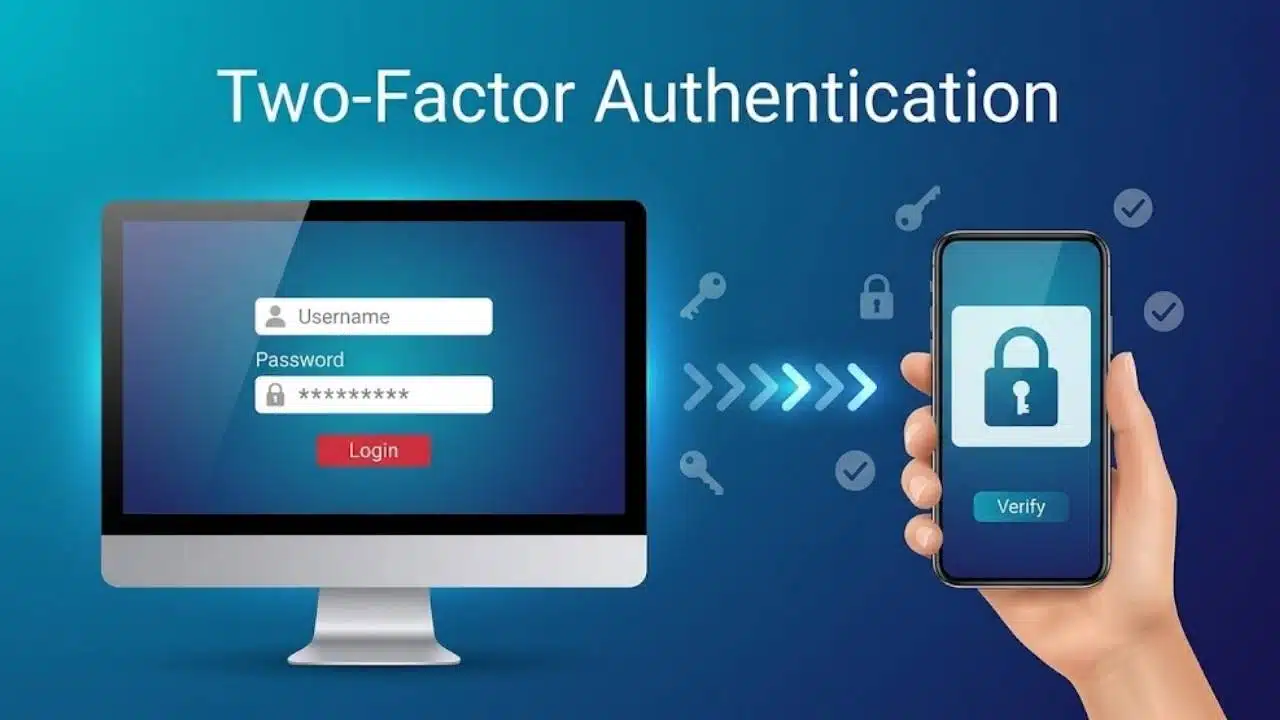
Two-factor authentication (2FA) adds a vital secondary check so a stolen password alone cannot compromise your account, but protection levels vary significantly by method.
The safest form of two-factor authentication is a physical hardware security key or passkey utilizing FIDO2/WebAuthn standards, as these are inherently resistant to remote phishing and man-in-the-middle attacks. Time-based authenticator apps provide strong secondary defense, whereas SMS and email codes remain vulnerable to SIM-swapping, interception, and relay attacks.
To maximize security, adopt phishing-resistant hardware keys or passkeys wherever available, rely on authenticator apps as your baseline, and restrict SMS or email verification to fallback options only.
What Is Two-Factor Authentication?
Two-factor authentication requires evidence from two different categories:
- Something you know: a password, PIN or other memorized secret
- Something you have: a phone, authenticator app, passkey or security key
- Something you are: a biometric characteristic, such as a fingerprint or facial scan
A password followed by a security question is not true 2FA because both are knowledge factors. The protection comes from combining different evidence, so compromising one factor does not automatically provide the other.
Two-factor authentication uses exactly two factors; MFA can use two or more. Services often use the terms interchangeably, while “two-step verification” is a broader product label that may not identify the factor categories involved.
A fingerprint or facial scan often activates a cryptographic key stored on the device instead of being sent to the website. The device supplies the possession factor; the biometric check or PIN activates it. NIST does not recognize a biometric characteristic as an authenticator by itself.
The Short Answer: Which Type Is Safest?
The strongest options use FIDO standards. Hardware security keys and passkeys overlap—a security key can hold a device-bound passkey—but this order is useful when reviewing account settings:
- A device-bound FIDO credential on a hardware security key, protected by a PIN or biometric, offers the highest practical assurance when its private key is hardware-protected and non-exportable.
- A passkey with local user verification provides strong phishing resistance with less hardware to carry. Synced passkeys are easier to use across devices, although they do not provide the same control over key location as device-bound credentials.
- A time-based code from an authenticator app is a credible fallback, but a phishing site can capture and relay the current code.
- Push approval with number matching is safer than a simple approve-or-deny prompt because it requires the user to connect the request to a sign-in screen.
- SMS, voice and email codes stop many password-only attacks, but their delivery channels introduce weaknesses.
If a service offers only SMS-based 2FA, enable it. Weaker additional protection is usually preferable to leaving the account dependent on a password alone.
Why Phishing Resistance Changes the Ranking
Short expiry does not make a code phishing-resistant. A fake login page can collect a password and current code, then relay both before the code expires. Authenticator apps avoid phone-number takeover, but their codes remain vulnerable to this real-time attack.
FIDO authentication binds a public-key credential to the legitimate website’s domain. A lookalike site cannot collect a reusable secret or use the response for another domain. NIST therefore treats properly implemented WebAuthn authentication as phishing-resistant, unlike manually entered one-time passwords.
This protection has limits. Malware on an unlocked device, theft of an active browser session, insecure account recovery or a compromised administrator may bypass the normal login process.
Hardware Security Keys: Strongest for High-Value Accounts
A hardware security key communicates through a supported connection such as USB or NFC. During registration, the service stores a public key. The matching private key remains on the device-bound authenticator and signs a fresh challenge during login.
If a security key is used after a password, the password remains the first factor. The advantage is that the key does not reveal a reusable second-factor secret that can be copied from a phishing page.
This is the strongest practical choice for administrators, finance staff and others likely to face targeted phishing. A key can still be lost or incompatible with a device. Register two for a critical account, carry one and store the spare securely.
Before buying, confirm support for FIDO2 or WebAuthn and the key’s connection type. Some banks and legacy applications still do not accept security keys.
Passkeys: The Best Balance for Most Users
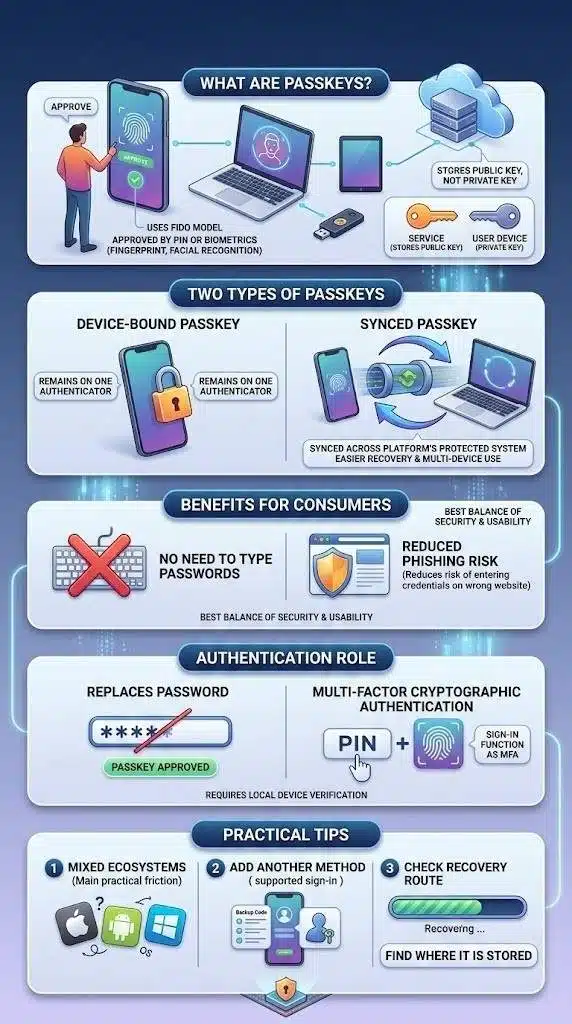
Passkeys use the FIDO model but may live on a phone, computer or security key. The user usually approves a sign-in with a device PIN, fingerprint or facial recognition. The service stores the public key rather than the private one.
A device-bound passkey remains on one authenticator. A synced passkey may move through a platform’s protected synchronization system, easing recovery and multi-device use. This changes the storage and recovery model, although a properly implemented synced passkey remains phishing-resistant.
For most consumers, passkeys offer the best balance of security and usability. They remove the need to type a password and reduce the risk of entering credentials on the wrong website.
A passkey may replace the password rather than appear as 2FA. When the device performs local PIN or biometric verification and the service requires evidence of it, the sign-in can function as multi-factor cryptographic authentication.
Mixed device ecosystems create the main practical friction. Before relying on one passkey, find out where it is stored, add another supported sign-in method and check the recovery route.
Authenticator App Codes: Useful, but Still Phishable
Time-based one-time password apps generate changing codes from a secret established during enrollment. Google Authenticator, Microsoft Authenticator and other compatible apps support the method, although backup and synchronization vary. Code generation normally works without mobile reception.
App codes are generally safer than SMS because a criminal cannot redirect them by taking over the phone number. They are also widely supported by services that have not adopted passkeys or security keys.
The enrollment QR code deserves more care than it usually receives. It contains the information needed to configure the authenticator; someone who captures that secret may be able to generate future codes. Scan it only from the genuine service and avoid keeping an unprotected screenshot.
Authenticator apps are a sensible fallback, not a phishing-proof method. If a FIDO option is available and usable, choose it first.
Push Notifications: Convenience Can Become the Vulnerability
Push authentication sends a sign-in request to a registered device. Better prompts provide context and use number matching, requiring the number shown on the login screen to be selected or entered on the phone.
A plain “Approve” button asks too little of the user. Someone with a stolen password can send repeated requests and hope that one is accepted through confusion or fatigue. Number matching, clear context and rate limits reduce that risk but do not make push authentication equivalent to FIDO.
Deny an unexpected prompt. If the account uses a password before sending it, change that password, review active sessions and report the attempt if it involves a workplace account.
SMS and Voice Codes: Better Than Nothing, Not the Safest Choice
Text-message codes require little setup and help people who cannot use an app or security key. Removing SMS without a workable replacement may leave them with password-only access.
A criminal may move a victim’s number through SIM-swap or port-out fraud, capture the code through phishing, or read it from a lock-screen preview. NIST treats public telephone-network authentication as restricted and advises services to consider signals such as SIM changes and number porting.
If SMS is the strongest option available, use it and protect the carrier account with a PIN or account lock where offered. Never disclose a verification code to an unsolicited caller. Move to an authenticator app, passkey or security key when the service adds support.
Voice calls share the telephone network’s weaknesses. They can improve accessibility, but they are not a stronger technical channel.
Email Codes Depend on the Security of Your Inbox
Email verification is only as trustworthy as the inbox receiving the code. If an attacker controls the email account used for verification and password resets, the extra step offers little resistance.
Protect the primary email account first, preferably with a passkey, security key or authenticator app. It often controls recovery for many other services and should be treated as a master account. Use email codes when necessary, but do not mistake convenience for strong separation.
Recovery Can Quietly Undermine Strong Two-Factor Authentication
A strong login method achieves little if an attacker can persuade support staff to remove it or reset the account through a poorly protected email address. Recovery is part of authentication security.
When enabling Two-Factor Authentication:
- Register a second authenticator where the service permits it.
- Store recovery codes offline in a secure place. An encrypted password manager may also be suitable if its recovery does not depend entirely on the account being protected.
- Do not keep the only recovery code on the phone that serves as the only authenticator.
- Remove lost keys and old devices promptly.
- Review notifications about newly added authenticators or recovery methods.
NIST recognizes saved and issued recovery codes, recovery contacts and repeated identity proofing as recovery approaches. Saved codes are emergency credentials, not phishing-resistant everyday sign-in methods. Check the recovery path while access still works; discovering it after losing a phone is too late.
A Practical Setup Order
Begin with the account that can reset the others, usually the primary email. Continue with password managers, financial services, cloud storage, social media, business tools and accounts holding sensitive information.
For each account:
- Open the security settings and look for passkeys, security keys, two-step verification, 2FA or MFA.
- Choose a FIDO security key or passkey when supported. Otherwise, use an authenticator app.
- Add a backup authenticator and store recovery codes safely.
- Sign out and test the new method before removing the old one.
- Review active sessions, connected applications and recovery details.
Do not weaken a unique password after enabling 2FA. Authentication cannot protect an already stolen browser session, and it does not replace device updates or malware protection.
Businesses should start with administrators and other high-impact roles, then expand phishing-resistant authentication. Inventory incompatible applications, restrict temporary exceptions, protect enrollment and resets, and log authenticator changes. An MFA policy is incomplete if a persuasive call to the help desk can bypass it.
Final Thoughts
Two-Factor Authentication is strongest when the second factor cannot be copied into a fake website or redirected through a compromised phone number. For high-value accounts, use a device-bound hardware security key with local verification. For most everyday accounts, a passkey offers the better balance of protection and convenience. An authenticator app is the next practical choice; SMS or email still has value when nothing stronger is available.
Start with the email account that controls recovery, add a backup authenticator and test the recovery process. A secure method only helps if it can be maintained without creating an easier route around it.

























