

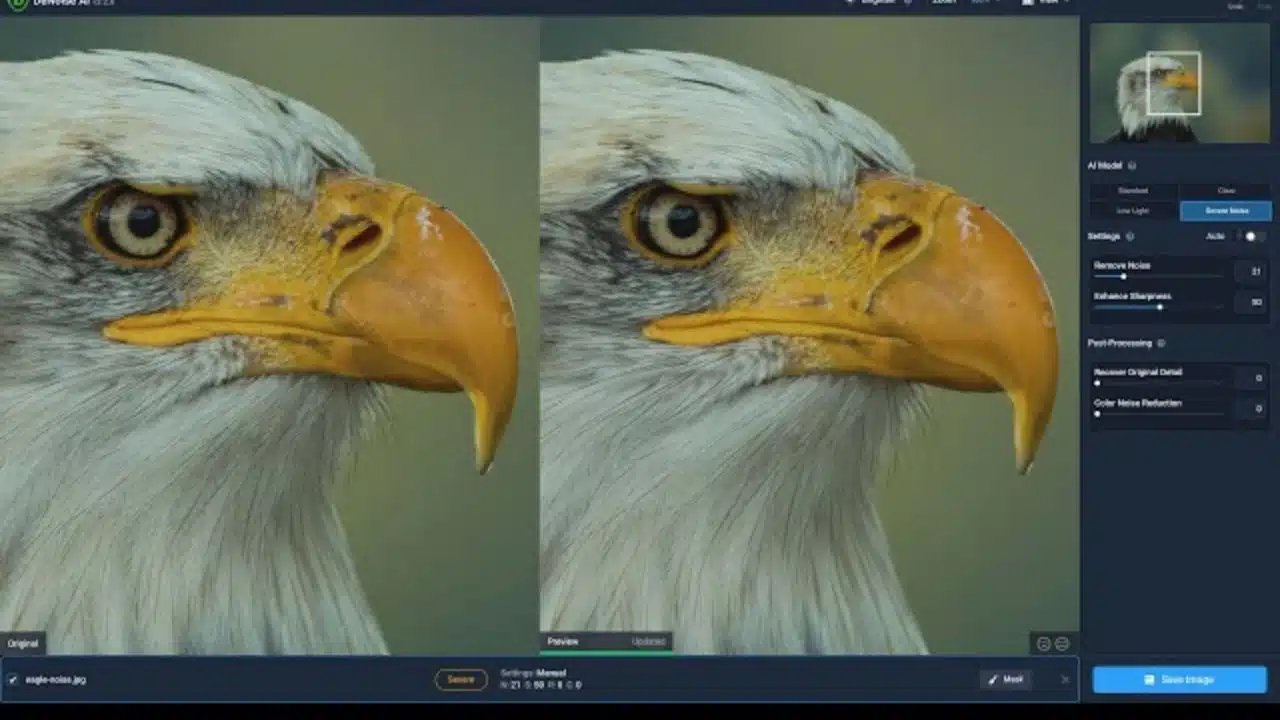
What is Video Denoise AI
Video Denoise AI is an innovative technology that uses artificial intelligence to enhance the quality of videos by reducing noise and improving overall clarity. By analyzing the patterns in a video and identifying unwanted noise, Video Denoise AI can effectively remove distractions and create a smoother and more professional-looking final product.
Unlike traditional denoising methods that rely on manual adjustments and filters, Video Denoise AI automates the process, making it more efficient and precise. By leveraging machine learning algorithms, this technology can adapt to different types of noise and intelligently adjust parameters to deliver optimal results.
With Video Denoise AI, users can achieve cleaner and sharper videos without compromising on speed or quality. Whether you are a content creator, filmmaker, or video editor, this tool can help elevate your work and impress your audience with crystal-clear visuals.
In conclusion, Video Denoise AI represents a significant advancement in video enhancement technology, offering a convenient and effective solution for removing noise and improving overall video quality. As the demand for high-quality video content continues to grow, Video Denoise AI is becoming an essential tool for anyone looking to create professional-looking videos.
Top Benefits of Video Denoise AI
Video Denoise AI technology offers a plethora of benefits that can significantly enhance the quality of your videos. Here are some of the top advantages of utilizing Video Denoise AI:
- Improved Video Quality: One of the most significant benefits of Video Denoise AI is its ability to reduce noise and enhance the overall quality of your videos. By eliminating unwanted noise, such as graininess or artifacts, your videos will appear clearer and more professional.
- Enhanced Detail Preservation: Video Denoise AI software is designed to detect and preserve important details in your videos while reducing noise. This ensures that your videos maintain their sharpness and clarity, even after denoising.
- Time-Saving: Traditional denoising methods can be time-consuming and labor-intensive. Video Denoise AI automates the denoising process, allowing you to quickly and efficiently enhance the quality of your videos without spending hours manually adjusting settings.
- Versatility: Video Denoise AI software can be used on a wide range of video content, including films, home videos, and online content. Whether you are a professional filmmaker or a casual videographer, Video Denoise AI can help you achieve the desired results.
- Cost-Effective: Investing in Video Denoise AI software can save you money in the long run by reducing the need for costly equipment or hiring external video editing services. With Video Denoise AI, you can achieve professional-quality results at a fraction of the cost.
In conclusion, Video Denoise AI offers a range of benefits that can elevate the quality of your videos and streamline your editing process. By leveraging the power of AI technology, you can achieve stunning, noise-free videos with ease and efficiency.
Top Video Denoise AI Software
When it comes to removing unwanted noise from your videos, having the right tools at your disposal is crucial. Thankfully, there are several top-notch Video Denoise AI software options available on the market that can help you achieve a cleaner and more professional-looking result.
One of the leading Video Denoise AI software programs is Neat Video. This powerful tool offers advanced noise reduction capabilities, allowing you to easily remove grain, static, and other visual distractions from your videos. With Neat Video, you can enjoy a high level of customization, making it easy to tailor the noise reduction process to your specific needs.
Another popular choice among video editors is Red Giant Denoiser. This software is known for its ability to effectively clean up noisy footage while preserving sharpness and detail. Red Giant Denoiser is also user-friendly, making it a great option for both beginners and experienced professionals.
For those looking for a comprehensive Video Denoise AI solution, UniFab Denoise AI is a top contender. This software is an essential tool for anyone seeking to enhance the visual quality of their videos. Whether you’re a novice, a skilled videographer, or simply a dedicated enthusiast, this software is designed to effectively eliminate any unwanted noise from your video content, regardless of its origin. Utilizing advanced AI technology, UniFab Denoise AI can effectively reduce noise caused by a variety of factors such as high ISO settings, low-light conditions, compression algorithms, signal interference, and camera malfunctions.
In addition to its noise reduction capabilities, this software is also able to maintain the original quality of the video, ensuring that every intricate detail is preserved. Moreover, thanks to GPU acceleration, UniFab Denoise AI operates at an impressive speed, enhancing the overall editing process by making it more seamless and efficient. Equipped with a range of powerful video editing features, including trimming, cropping, customizing sound effects, and eliminating background noise, UniFab Denoise AI provides users with the necessary tools to produce visually stunning, professional-looking videos.
Overall, investing in high-quality Video Denoise AI software is essential for achieving a polished and professional finish on your videos. Whether you choose Neat Video, Red Giant Denoiser, or DaVinci Resolve Studio, you can rest assured that you’ll be equipped with the tools you need to create stunning visual content.
Tips for Using Video Denoise AI
When using Video Denoise AI software, there are several tips that can help you achieve the best results possible. Here are some key tips to keep in mind:
- Adjust Denoising Strength: Most Video Denoise AI tools allow you to adjust the strength of the denoising effect. It’s crucial to find the right balance between reducing noise and maintaining video quality. Experiment with different settings to see what works best for your specific footage.
- Use Presets: Many Video Denoise AI software come with presets for different types of noise, such as grainy noise, color noise, or flickering noise. Utilize these presets to streamline the denoising process and achieve optimal results quickly.
- Apply Masking: Some Video Denoise AI tools offer the option to apply masking to focus the denoising effect on specific areas of the video. This can help preserve details in important parts of the footage while reducing noise in less critical areas.
- Batch Processing: If you have multiple videos that require denoising, look for Video Denoise AI software that supports batch processing. This feature can save you valuable time by denoising multiple videos simultaneously.
- Regularly Update Software: Video Denoise AI technology is continuously evolving, with new updates and enhancements released regularly. Make sure to keep your software up to date to access the latest features and improvements.
By following these tips, you can make the most of Video Denoise AI technology and enhance the quality of your videos effectively. Remember to experiment with different settings and techniques to find the best approach for your specific needs.





















