

WordPress is one of the most popular content management systems [CMS] in the world, powering over 40% of all websites. However, its popularity also makes it a prime target for hackers.
Cybercriminals use various techniques, such as brute-force attacks, malware injections, and SQL injections, to exploit vulnerabilities in WordPress sites. A single security breach can lead to data theft, financial loss, and even reputational damage for website owners.
To ensure the security of your website and protect sensitive data, implementing the right security measures is crucial.
In this comprehensive guide, we will explore essential security tips to keep your WordPress website safe from hackers. By following these steps, you can minimize risks, prevent cyber threats, and enhance the overall security of your site.
1. Keep WordPress Core, Themes, and Plugins Updated
Security experts recommend setting up automated updates for minor releases while manually reviewing major updates to ensure compatibility with your themes and plugins.
One of the most fundamental security tips to keep your WordPress website safe from hackers is keeping the WordPress core, themes, and plugins up to date.
Outdated software is a leading cause of security breaches because hackers exploit known vulnerabilities in older versions.
By ensuring that your site is running the latest updates, you minimize the risk of security loopholes being exploited.
Best Practices for Updating WordPress
- Enable automatic updates for minor WordPress core releases to ensure security patches are always applied promptly.
- Regularly check for updates to plugins and themes, as developers continuously patch vulnerabilities.
- Test updates in a staging environment before applying them to the live site to prevent compatibility issues.
- Delete unused plugins and themes to minimize security risks and reduce the attack surface.
| Update Type | Importance | Best Practice |
| WordPress Core | Critical for site security and functionality | Enable automatic updates |
| Themes | Prevents design-related vulnerabilities | Use trusted, regularly updated themes |
| Plugins | Protects against plugin exploits | Remove outdated and inactive plugins |
2. Use Strong Login Credentials and Two-Factor Authentication [2FA]
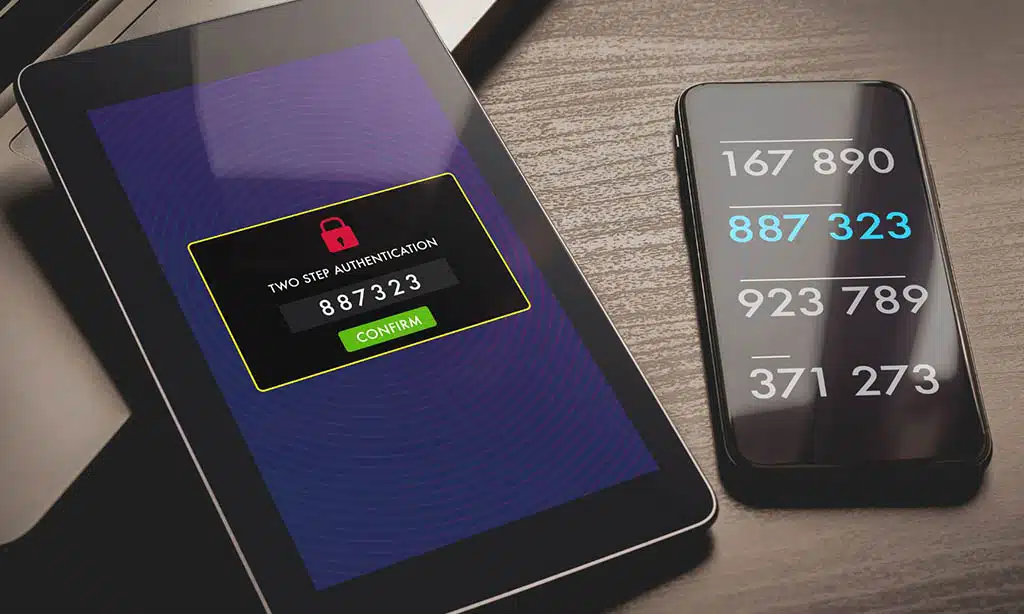
Brute-force attacks, where hackers repeatedly attempt to guess login credentials, are a common method used to compromise WordPress sites.
Weak passwords make it easier for hackers to gain access. Shockingly, “admin” and “123456” remain some of the most commonly used passwords, making sites using them highly vulnerable.
Steps to Secure Your Login
- Use a password manager to generate and store strong passwords.
- Enable two-factor authentication [2FA] to add an extra layer of security.
- Limit login attempts using security plugins to prevent brute-force attacks.
- Change the default “admin” username to something unique and difficult to guess.
| Security Measure | Why It’s Important |
| Strong Passwords | Prevents brute-force attacks |
| Two-Factor Authentication | Adds an extra layer of security |
| Limiting Login Attempts | Reduces chances of credential stuffing attacks |
3. Secure Your WordPress Admin Panel
Your WordPress admin dashboard is a critical area that needs protection. Hackers often attempt to gain access through brute-force attacks or by exploiting vulnerabilities in admin accounts.
If a hacker gains admin access, they can modify content, steal sensitive data, or even take down your entire website.
Best Practices for Securing the Admin Panel
- Change the default login URL [e.g., from yoursite.com/wp-admin to a custom URL to make it harder for attackers to find].
- Implement IP whitelisting to allow only specific IPs access to the admin panel, restricting unauthorized users.
- Use Role-Based Access Control [RBAC] to limit user permissions and grant access only when necessary.
| Security Feature | Function |
| Custom Login URL | Hides access points from hackers |
| IP Whitelisting | Restricts access to trusted IPs |
| Role-Based Access | Prevents unauthorized changes |
4. Install a Reliable Security Plugin
A security plugin acts as a virtual security guard for your WordPress website, continuously monitoring for potential threats, vulnerabilities, and malicious activity. Without a security plugin, your website remains exposed to various cyberattacks, including malware infections, brute-force attacks, and unauthorized access.
By installing a reliable security plugin, you create multiple layers of protection that help mitigate risks and ensure the integrity of your data.
Top WordPress Security Plugins
| Plugin | Features | Best For |
| Wordfence | Firewall, malware scanning | Comprehensive security |
| Sucuri | Cloud-based firewall, DDoS protection | High-performance sites |
| iThemes Security | Brute-force protection, login security | Beginners & small sites |
How to Configure a Security Plugin for Maximum Protection
- Enable real-time monitoring to detect suspicious activities.
- Set up automatic malware scans to identify and remove threats.
- Activate firewall protection to block malicious traffic before it reaches your site.
5. Use SSL Certificates to Encrypt Data
An SSL [Secure Sockets Layer] certificate encrypts data transmitted between your website and users, preventing man-in-the-middle attacks and boosting site credibility.
How to Get and Install an SSL Certificate
- Obtain a free SSL from Let’s Encrypt for basic encryption needs.
- Purchase a premium SSL for advanced encryption features and warranty.
- Redirect all HTTP traffic to HTTPS using a security plugin to enforce secure connections.
| SSL Type | Best For |
| Free SSL | Basic encryption needs |
| Premium SSL | Advanced security and trust indicators |
6. Regularly Back Up Your Website
Backups serve as a safety net in case of data loss due to cyberattacks, accidental deletions, or server failures. Without a recent backup, restoring your site after a security breach can be challenging and time-consuming.
Best Practices for WordPress Backups
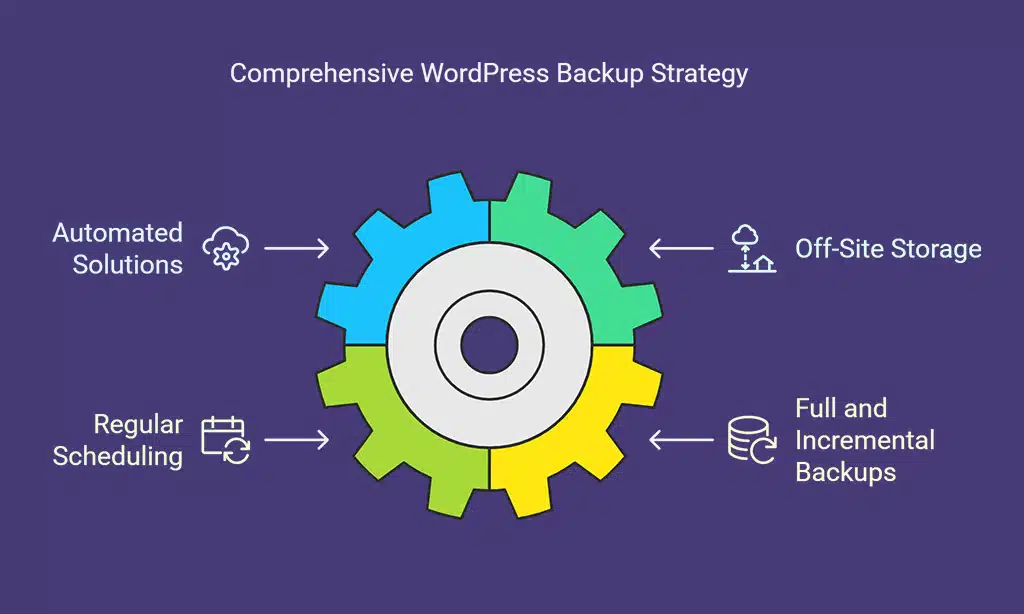
- Use automated backup solutions such as UpdraftPlus, VaultPress, or Jetpack Backup.
- Store backups off-site on cloud platforms like Google Drive, Dropbox, or Amazon S3 to prevent data loss.
- Schedule regular backups [daily or weekly] to ensure you always have an updated copy of your website.
- Perform full and incremental backups to optimize storage and recovery time.
| Backup Type | Purpose |
| Full Backup | Saves all website data, including files and databases. |
| Incremental Backup | Saves only changes made since the last backup. |
7. Implement a Web Application Firewall (WAF)
A Web Application Firewall [WAF] acts as a shield between your website and potential attackers, filtering out malicious traffic before it reaches your site.
Benefits of Using a WAF
- Blocks DDoS attacks, SQL injections, and cross-site scripting [XSS] attacks.
- Prevents unauthorized access by analyzing incoming traffic patterns.
- Reduces server load by stopping malicious requests early.
Recommended WAF Solutions
| WAF Provider | Key Features |
| Cloudflare WAF | DDoS protection, bot filtering, SSL enforcement |
| Sucuri Firewall | Website integrity monitoring, virtual patching |
| Wordfence WAF | Live traffic monitoring, brute-force protection |
8. Limit User Permissions and Roles
WordPress allows multiple user roles, such as Admin, Editor, Author, and Subscriber. Granting unnecessary administrative privileges increases security risks.
Limiting user roles ensures only trusted users can make critical changes.
Best Practices for Managing User Roles
- Assign Administrator roles sparingly—only to trusted individuals.
- Use the Principle of Least Privilege [PoLP] to ensure users have only the permissions necessary for their tasks.
- Regularly review and remove inactive users to minimize potential entry points for hackers.
- Use plugins like User Role Editor to customize and manage permissions effectively.
| User Role | Best Practice |
| Admin | Limit to essential users only. |
| Editor | Assign to content managers only. |
| Author/Contributor | Restrict publishing rights. |
9. Disable XML-RPC to Prevent Exploits
XML-RPC is a WordPress feature that allows remote connections, but it is often exploited for brute-force attacks and DDoS amplification attacks. Disabling it helps secure your site from these threats.
How to Disable XML-RPC
- Use a security plugin like Wordfence or Disable XML-RPC to block access.
- Manually disable it by adding the following code to your .htaccess file:
| Security Concern | Solution |
| Brute-force attacks | Disable XML-RPC |
| DDoS attacks | Restrict remote access |
10. Monitor Website Activity Logs
Keeping an eye on user activity logs helps detect suspicious actions before they turn into security breaches. Logs can reveal unauthorized login attempts, file modifications, and other anomalies.
Best Practices for Monitoring WordPress Activity
- Enable logging with plugins like WP Security Audit Log or Sucuri Security.
- Review login attempts regularly to spot unauthorized access attempts.
- Track file modifications to detect suspicious changes in themes or plugins.
| Monitoring Tool | Key Features |
| WP Security Audit Log | Tracks user activity and logins |
| Sucuri Security | Detects unauthorized file changes |
| Wordfence | Real-time traffic monitoring |
Final Thoughts
Securing your WordPress site is an ongoing process that requires vigilance and proactive measures. By implementing these security tips to keep your WordPress website safe from hackers, you can significantly reduce the risk of cyber threats.
A secure WordPress website ensures a better user experience, improved search engine rankings, and long-term business success.
To recap:
- Keep WordPress updated.
- Use strong passwords and enable 2FA.
- Secure the admin panel and database.
- Install a reliable security plugin.
- Use an SSL certificate and Web Application Firewall.
- Perform regular backups and malware scans.
Taking these steps will ensure your WordPress site remains protected from hackers and cyber threats. Stay proactive, stay secure!






















