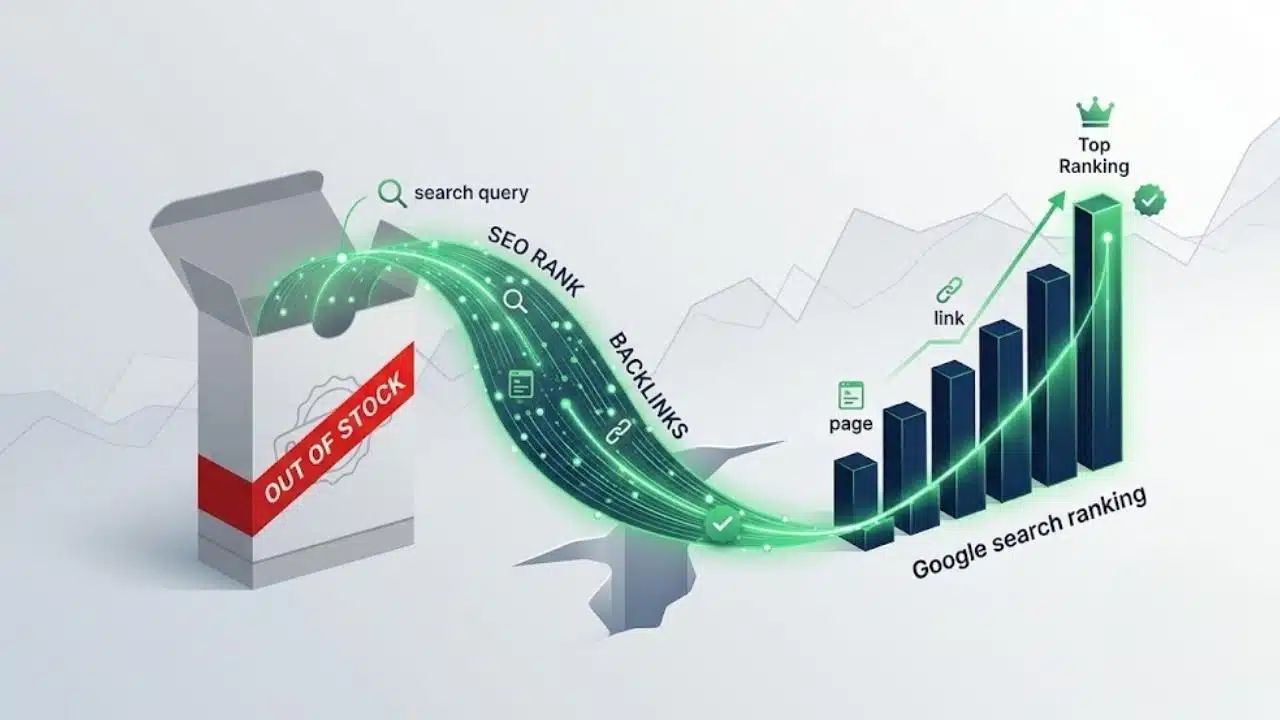
Out of stock pages SEO requires balancing search engine visibility with inventory changes to protect organic rankings, backlink authority, and user trust. When a product reaches zero inventory, automatically deleting or hiding the page destroys valuable search traffic and creates dead ends for potential buyers.
Instead, the ideal technical approach depends on whether the item is temporarily or permanently unavailable. Temporarily out-of-stock items should keep their live URL (200 OK status) while updating ItemAvailability schema markup to OutOfStock and capturing customer intent via back-in-stock notifications.
For permanently discontinued products, strategic 301 redirects to direct replacement items or parent categories preserve accumulated link equity, ensuring your store retains rank without frustrating shoppers.
Start With the Product, Not the Status Code
A stock quantity of zero does not provide enough information to choose an SEO action.
The item may be temporarily unavailable, available for backorder, sold out only in one colour or region, permanently replaced, or no longer sold but still useful as a support resource. Those decisions need input from inventory, merchandising, purchasing, and customer support.
Automating the wrong response at scale can create hundreds or thousands of unnecessary redirects and errors. A warehouse-sync delay may briefly report zero stock. One fulfilment centre may be empty while another can still ship the product. A single size may sell out while the parent product remains available.
Before touching the page, confirm:
- whether the same product will return;
- whether customers can still place an order;
- whether the status affects every variant and market;
- whether a direct replacement exists;
- whether the old page still has useful support or reference content.
For most stores, that classification matters more than any individual SEO setting.
Temporary Stockouts Should Usually Stay Live
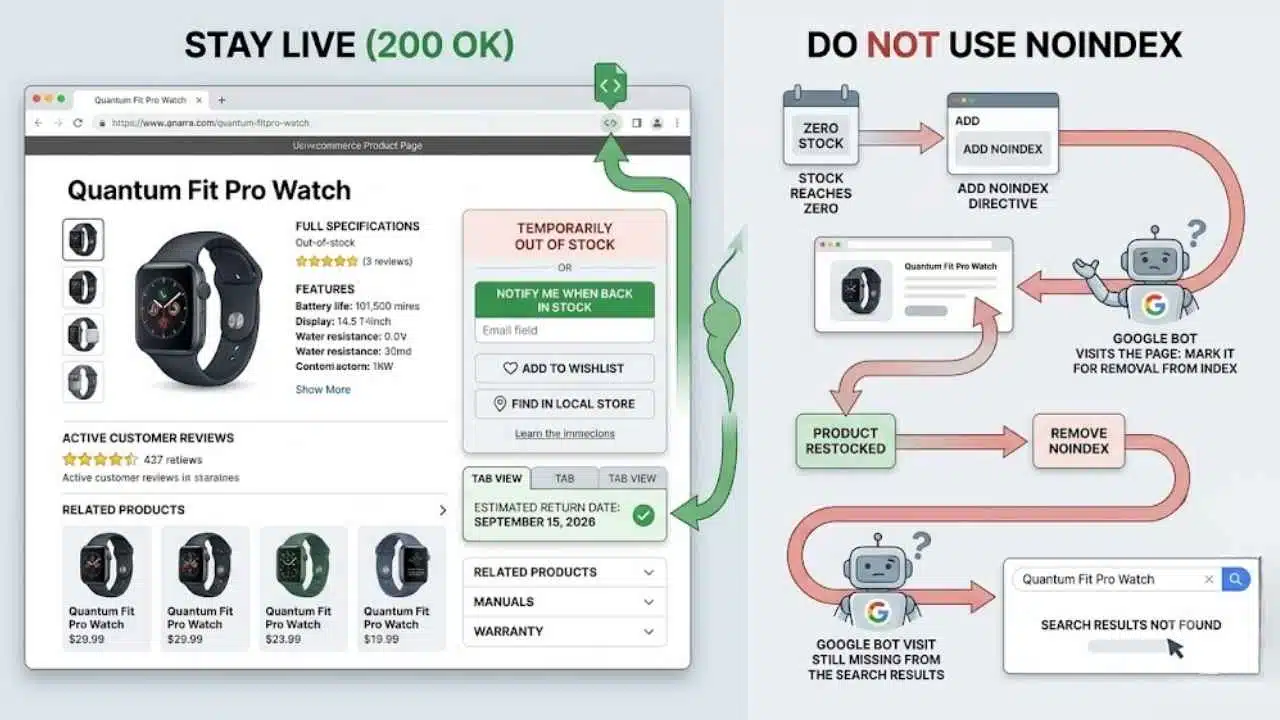
When the same item is expected to return, keep its existing URL accessible with a normal 200 OK response.
Do not strip the page down to a stock message. Keep the product name, model number, description, images, specifications, reviews, sizing information, manuals, warranty details, and compatibility notes. Those elements may be the reason the page ranks in the first place.
The purchase area should clearly show that the item is unavailable. A shopper should not have to choose a size, add the product to a cart, and reach checkout before discovering the problem.
Depending on the store, the page can offer:
- a restock notification;
- a wishlist or saved-item option;
- local-store availability;
- an estimated return date;
- a few closely related alternatives.
Estimated dates should come from a credible inventory source. Replacing “out of stock” with a vague promise such as “back soon” may increase sign-ups, but it also creates support problems when the delay stretches for months.
The page should normally keep its existing title, URL, and self-referencing canonical tag. A temporary inventory change does not make another product the preferred version of the page.
Do Not Use noindex as an Inventory Setting
Adding noindex to a temporarily unavailable product is usually counterproductive. Once Google recrawls the page, it can be removed from search. Removing the directive after restocking does not restore visibility immediately; the URL must be recrawled and processed again.
A product that sells out regularly can end up moving in and out of the index for no useful reason.
The same problem appears when a CMS changes an unavailable product to draft status or unpublishes it entirely. Depending on the platform, the URL may begin returning a 404, redirecting to a category, or disappearing behind an account screen.
Use noindex when a page should genuinely remain outside search. Do not tie it automatically to stock quantity.
The Page, Feed, Schema, and Checkout Must Agree
A visitor may see an out-of-stock label while Google, Merchant Center, and the checkout system receive three different answers.
For a temporarily unavailable product, the offer in Product structured data can use:
https://schema.org/OutOfStock
Other supported values include BackOrder, PreOrder, Discontinued, and SoldOut. The chosen value should describe the offer shoppers actually receive, not the status the merchandising team hopes to have next week.
Stores using Google Merchant Center must also keep the submitted availability consistent with the landing page and checkout. An item should not appear as in_stock in a product feed when customers cannot order it.
These mismatches often come from ordinary technical friction:
- a page cache preserves yesterday’s inventory;
- a feed updates once a day while the storefront updates instantly;
- an SEO plugin generates structured data separately from the ecommerce platform;
- JavaScript changes the button but not the underlying Product markup;
- stock differs by country, shipping zone, or warehouse;
- the parent product appears available even though every selectable variant is sold out.
Fast-changing details such as price and availability deserve special attention when structured data is generated with JavaScript. Google can process JavaScript, but its own documentation warns that dynamically generated Product markup can make Shopping crawls less frequent and less reliable. Providing current information in the initial HTML is safer where the platform allows it.
Test the rendered page rather than looking only at the source template. Google’s Rich Results Test can confirm the detected Product data, while URL Inspection helps show what Google receives for a specific page. Merchant Center diagnostics should be checked separately because a clean rich-result test does not prove the product feed is accurate.
Backorders Are Not Ordinary Stockouts
If customers can still buy the item, its status should reflect that.
Use backorder for an existing product that is temporarily unavailable but can still be ordered. Use preorder for a product that has not yet been released or made generally available. Reserve out of stock for items customers cannot currently purchase.
Google Merchant Center requires an availability date for products submitted as preorder or backorder, and that timing should also appear on the landing page. The information does not need to promise next-day precision when the supplier cannot provide it, but it should give customers a defensible expectation.
Allowing orders simply to preserve an active purchase button is poor practice. Without a realistic fulfilment plan, the store gains cancellations, support tickets, and possibly chargebacks.
Platform settings make this easy to mishandle. Shopify’s Continue selling when out of stock option is available for tracked inventory, but stores using multiple locations must consider which warehouses can serve each shipping zone. A positive total in the admin does not always mean the product is purchasable by every visitor.
WooCommerce also lets merchants allow backorders with or without a visible customer notice. Hiding the delay may be technically possible, but it is rarely the sensible choice. Customers should know before checkout that fulfilment will take longer.
Treat Variants Separately From the Parent Product
A sold-out size, colour, storage capacity, or material should not normally remove the whole product.
Keep the parent page available while meaningful variants remain in stock. Disable unavailable options and make the status visible before the shopper attempts to add the item to the cart.
The URL and canonical setup depends on how variants are published.
In a single-page setup, the main product URL usually represents the ProductGroup. Individual variants should still be directly addressable through a parameter or unique URL state that loads the correct image, price, stock status, and cart selection.
A multi-page setup may treat each important variant as a separate product page. This can make sense for configurations with their own search demand, imagery, specifications, prices, or compatibility—for example, a particular replacement part or device configuration. Those pages may need self-contained Product markup rather than having every variant canonicalised to a generic parent.
Blanket advice to canonicalise all variants is too simplistic. A colour parameter producing almost identical content may belong under one canonical product page. A materially different configuration that users search for directly may deserve its own indexable URL.
Permanent Discontinuation Requires a New Decision
When a product will not return, there are three sensible options: redirect it, preserve it as an archive, or remove it properly.
Redirect Only to a Genuine Successor
Use a server-side 301 or 308 redirect when the old product has moved or a new item closely replaces it.
Good candidates include:
- a new generation of the same device;
- an officially superseding part number;
- the same product moved to a permanent new URL;
- a reformulated version serving the same purpose;
- a consolidated product page that now includes the retired variation.
A permanent redirect is a strong signal that the destination should replace the old URL. It does not guarantee that every ranking will transfer. If the successor has a different purpose, price range, audience, or specification, Google may treat it as a different result because it is one.
Update internal links to point directly to the destination. Do not leave category pages, buying guides, and navigation sending visitors through redirects for years.
Category Redirects Need Restraint
Sending every discontinued product to its category or homepage is rarely a good catalogue policy.
A shopper following a link to a particular printer cartridge probably does not want a general electronics page. Someone looking for an obsolete industrial component may need its successor, a compatibility guide, or a clear message that it is no longer available.
A category redirect is reasonable when the category closely continues the original journey. A discontinued seasonal gift hamper, for example, might redirect usefully to the current version of the same hamper collection. Redirecting a specific laptop battery to the main electronics category is much harder to justify.
When no relevant destination exists, a proper not-found response is cleaner than forcing the visitor somewhere vague.
Keep an Archive When the Old Page Still Helps
Some discontinued pages remain valuable after sales stop.
Customers may still need manuals, firmware, dimensions, replacement parts, warranty information, recall notices, or compatibility details. This is common with appliances, electronics, industrial equipment, vehicles, and specialist components.
An archived page can remain indexable with a 200 response when it contains substantial reference or support information. Label the item clearly as discontinued, remove active purchase controls, update its availability markup, and show a replacement only when the alternative is genuinely compatible.
Archive pages are less defensible for thousands of interchangeable products with copied descriptions and no continuing demand. Backlinks alone are not enough reason to keep a thin, unhelpful page live.
Use 404 or 410 When Nothing Useful Remains
If the product is permanently gone, has no relevant successor, and provides no ongoing support value, return a 404 Not Found or 410 Gone.
Google currently treats most 4xx responses, apart from 429, in the same general way for crawling and indexing. Previously indexed URLs are removed over time, and their content is not processed as a valid page. There is little practical SEO benefit in debating 404 versus 410 at length.
The custom error page can still help visitors by offering site search, relevant categories, customer support, or a few carefully chosen alternatives. The server must continue returning the correct 404 or 410 response.
Do not show “Product not found” while returning 200 OK. That can produce a soft 404 because the HTTP response says a useful page exists while the content says it does not.
Permanently removed URLs should also disappear from XML sitemaps, paid product feeds, category grids, internal search, recommendation widgets, and automated email campaigns. A sitemap should represent important canonical URLs the store wants search engines to discover, not a historical list of every product ever created.
Do Not Confuse Indexation With Merchandising
A temporarily unavailable page can remain indexable without occupying a prominent position across the store.
A popular item expected back in a few days may stay in its category with an out-of-stock label and restock alert. A product with no confirmed return date can be moved lower in category sorting or removed from homepage promotions while its URL remains accessible to search visitors, backlinks, wishlists, and direct traffic.
WooCommerce’s Out Of Stock Visibility option, for example, can hide unavailable items from catalogue views. That storefront setting does not automatically define what happens to each product URL, its canonical tag, or its search visibility.
Prioritise available products in high-conversion areas such as:
- homepage features;
- paid campaign landing pages;
- internal search suggestions;
- cross-sell and recommendation modules;
- default category sorting.
Important temporary-stockout pages should still have crawlable internal links. A URL listed only in an XML sitemap is technically discoverable, but it is also receiving a weak signal about its importance within the site.
A Working Out of Stock Pages SEO Process
Large catalogues need a repeatable process, not manual decisions made only after traffic falls.
Start with an export containing the product URL, SKU, stock status, important variants, expected return date, organic traffic, backlinks, product-feed status, and any proposed replacement.
Then assign one outcome:
- Keep live: The same product is returning.
- Keep purchasable as preorder or backorder: Orders are accepted with a defensible availability expectation.
- Redirect: A close successor or permanently moved version exists.
- Archive: Sales have ended, but the page still supports existing customers.
- Remove: The item has no replacement or continuing value.
After implementing the decision, test more than what appears in a desktop browser. Confirm the HTTP response, canonical tag, rendered structured data, mobile experience, variant behaviour, regional availability, Merchant Center feed, and checkout result.
Finally, clean up the surrounding systems. Update internal links, sitemaps, category listings, advertisements, marketplaces, recommendation engines, and email automation. Correctly redirecting a page does not excuse leaving hundreds of obsolete links across the store.
Search Console, server logs, Merchant Center diagnostics, organic landing-page traffic, and restock-alert conversions can then show whether the process is working. Recrawling and reprocessing are not instant, particularly on large ecommerce sites, so avoid reversing a valid implementation after only a day or two.
Common Fixes That Create a Bigger Problem
Several shortcuts repeatedly cause ranking or revenue loss:
- unpublishing every product as soon as inventory reaches zero;
- adding noindex to temporary stockouts;
- redirecting all discontinued items to the homepage;
- replacing a detailed product page with a thin stock message;
- leaving InStock markup on an unavailable product;
- accepting backorders without a credible fulfilment expectation;
- deleting the parent page when only one variant is sold out;
- retaining redirected or deleted URLs in sitemaps and internal links;
- allowing the visible page, feed, and checkout to report different availability.
A 503 Service Unavailable response is not a normal stockout solution. It is intended for temporary server or site-level availability problems. A working product page with no inventory should generally remain a working page.
Final Thoughts
Effective out of stock pages SEO is less about preserving every old URL and more about matching the technical response to the product’s real future.
Keep temporary stockouts live. Make availability consistent across the page, structured data, product feed, and checkout. Redirect only when another page truly replaces the product. Preserve an archive when customers still need the information. Return a proper 404 or 410 when nothing useful remains.
Before approving any automated inventory rule, test five cases: a short stockout, a long stockout, one unavailable variant, a discontinued product with a successor, and a retired product with no replacement. Check what happens to the URL, status code, canonical, schema, internal links, sitemap, and feed in each case.
If those outcomes are deliberate rather than accidental, the store is far less likely to lose rankings whenever a warehouse count reaches zero.