


Ever get frustrated when a game doesn’t let you tweak the controls or adjust the difficulty? You’re not alone. Many players want basic gaming features that should be standard, like customizable settings, but some titles still miss the mark.
Good news: change is possible. Online multiplayer, cross-platform play, and accessibility options are becoming more common. This list covers seven must-have features every game needs—no exceptions.
Keep reading to see what made the cut.
Key Takeaways
- Games must have customizable controls to help all players, including left-handed users and those with disabilities. Options like button remapping and mouse sensitivity sliders improve comfort.
- Adjustable difficulty settings let beginners and experts enjoy the same game. Features like lower enemy health or slower puzzles make play fair for everyone.
- Accessibility options, such as colorblind modes, subtitles, and screen readers, are essential. They help players with visual or hearing impairments enjoy games fully.
- Save-anywhere functionality prevents lost progress when life interrupts gameplay. Unlike checkpoints, it lets players quit anytime without starting over.
- Cross-platform play unites friends on PC, Xbox, PlayStation, or mobile for better multiplayer fun—no one gets left behind due to their device choice.
Adjustable Difficulty Settings

Games should fit every player’s skill level. Adjustable difficulty settings let beginners and pros enjoy the same game without frustration. Sliders for combat, puzzles, or speed make gameplay fair for all.
Accessibility matters too. Players with disabilities benefit from options like lower enemy health or slower reaction times. Dynamic tutorials help newcomers learn while keeping veterans challenged.
The right balance keeps games fun, not punishing, for everyone.
Comprehensive Accessibility Options
A good game should welcome all players. That means including options like colorblind modes, screen readers, and subtitles. These features help gamers with visual impairments or hearing loss enjoy the experience fully.
Assistive technologies, such as voice recognition or custom button mapping, make games playable for people with physical disabilities too. The right settings can turn a frustrating challenge into pure fun.
Accessibility isn’t just nice to have—it’s a must for modern gaming. Developers who skip these options leave players behind unnecessarily. Simple changes can open up worlds of joy for everyone, no matter their abilities.
Subtitles and Audio Descriptions
Subtitles make games playable for everyone, including players with hearing impairments. They show dialogue and key sounds, like footsteps or gunfire, so no one misses the action. Games like The Last of Us set a high standard with clear, customizable subtitles.
Audio descriptions help blind or low-vision players by narrating visual details. Pairing these with visual cues ensures an inclusive experience. Features like closed captions and assistive technology should be standard, not an afterthought.
The video game industry must prioritize accessibility to reach all players.
Save Anywhere Functionality
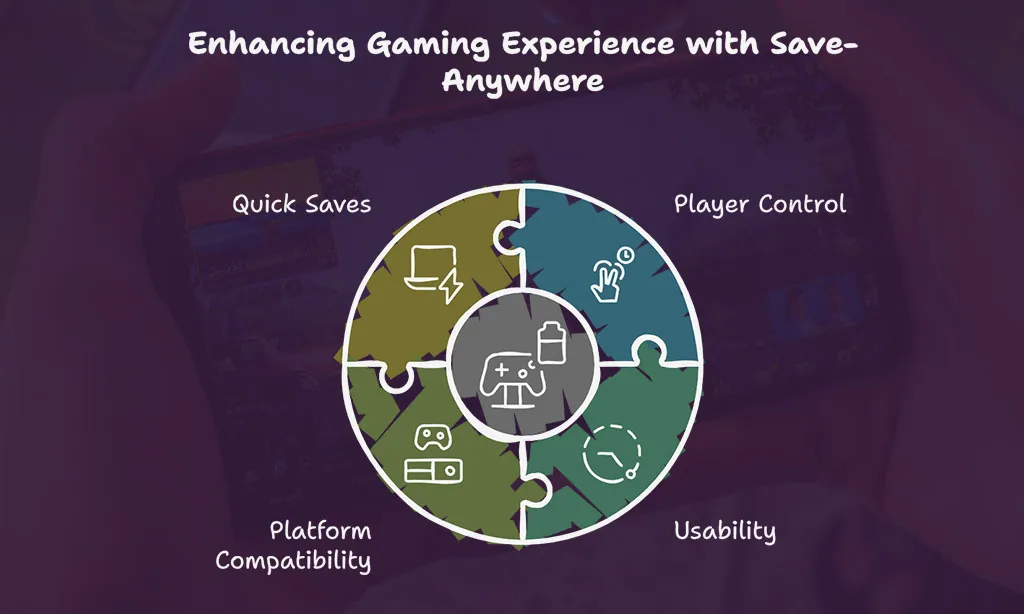
Gaming shouldn’t force you to replay chunks of a level just because life gets in the way. Save-anywhere functionality is a must-have, letting players pause progress at any point without losing hard-earned achievements.
Unlike checkpoints or auto-saves, this feature puts control in your hands, so quitting doesn’t mean starting over.
Some games lock saves behind specific moments, which hurts usability for busy players. A good save system works on consoles like PlayStation and Xbox Series S/X, as well as gaming PCs running Windows 10 or 11.
Quick saves reduce frustration when crashes happen or when higher frame rates can’t prevent lost progress. It’s simple: let people save often, and they’ll enjoy the game more.
Cross-Platform Play
Cross-platform play lets gamers team up with friends no matter what system they use. Whether you’re on PC, Xbox, PlayStation, or even a phone, everyone can join the same game. This feature boosts multiplayer fun and brings players together instead of splitting them apart by hardware.
More games now support cross-play thanks to tools like DirectX 12 and NVIDIA GeForce GTX optimizations. It widens the player base for faster matchmaking and livelier competition. Better accessibility means nobody gets left behind—friends stay connected whether they own a high-end graphics card or just a console.
Dynamic Tutorials and Hints
Good games teach without feeling like schoolwork! Dynamic tutorials guide players smoothly instead of dumping walls of text at them early on Step-by-step hints pop up naturally during gameplay so you learn by doing rather than memorizing rules
These smart systems adapt based on player skill too If someone struggles against bosses extra combat tips appear For puzzle fans stumped too long subtle visual cues nudge them forward It cuts frustration while keeping challenges fun Accessible design like this helps gamers focus on enjoyment over confusing menus
Takeaways
Great games deserve great features. Custom controls, cross-play, and smart tutorials make gaming better for everyone. These options should be standard, not extras. Let’s push developers to raise the bar.
The future of gaming is fun—and fair—for all players.
FAQs on Must-Have Gaming Features Every Game Should Include
1. Why should games support high refresh rates?
High refresh rates, like 120Hz or 144Hz, make gameplay smoother. They reduce screen tearing and improve frames-per-second (FPS). Gamers with GTX 1660 or RTX cards benefit the most.
2. How does customizable controls help players?
Customizable controls let players adjust buttons for comfort. This is key for gaming accessibility, especially for people with disabilities. Game developers should make this standard.
3. What’s the big deal about ultrawide monitors?
Ultrawide monitors offer a wider aspect ratio. More screen space means better immersion. IPS displays and high pixel density make colors pop. Gamers love them for open-world games.
4. Why do games need HDR and good color gamut?
High dynamic range (HDR) makes visuals lifelike. A wide color gamut keeps shades vibrant. Twisted nematic or VA panels struggle here, but IPS displays shine.
5. Should all games include accessibility features?
Yes. Features like subtitles help the deaf and hard of hearing. High-contrast modes assist the visually impaired. Blindness-friendly audio cues are also important. Gaming accessibility should never be an afterthought.




























