
Customer data redaction tools can help remove sensitive details from support conversations before those records reach an AI analysis workflow. The key question is where the redaction occurs, what the tool can detect, and whether someone checks the results before the data moves onward.
We compared six tools using published documentation. This is not a hands-on test. Detection is imperfect: a masked name does not guarantee that a conversation is anonymous or safe to share.
Compare the Options
| Tool | Useful starting point | Important limitation |
|---|---|---|
| Google Cloud Sensitive Data Protection | Text de-identification in Google Cloud | Configure detectors and data-handling rules |
| Amazon Comprehend | Batch redaction of supported text | Documented redaction uses asynchronous jobs |
| Azure Language PII | Text and conversation PII detection | Verify regions, language and feature status |
| Presidio | Developer-managed analysis and anonymization | Team owns deployment and evaluation |
| Skyflow Detect | De-identification and tokenization | Confirm data flows and contract terms |
| Limina / Private AI | Configurable text redaction | Check deployment, plan and retention |
1. Google Cloud Sensitive Data Protection
Best for: Teams building a Google Cloud processing pipeline.
Why choose it: Google documents redaction and other de-identification transformations for sensitive text. A team can evaluate how its infoTypes and templates handle representative support messages before sending the processed result to an analysis model.
What to consider: Verify region, supported data types, pricing and retention for the selected configuration. Add custom detectors where necessary, and test indirect identifiers and unexpected formats.
In a support workflow, the useful design question is which detector and transformation apply to each field. An email address might be removed completely, while an order reference may need a custom rule. Keep the original ticket in its approved system and assess the transformed output before it becomes an AI input. Google documents both built-in and custom detectors; the configuration, not the product name alone, determines what the pipeline attempts to catch.
Compare request volume, inspection and transformation costs for your actual architecture. Ask the provider about applicable billing and data location rather than assuming that every support export can use the same configuration. A privacy reviewer should still look for indirect clues such as a distinctive job title combined with a location.
2. Amazon Comprehend
Best for: Teams processing batches of English or Spanish support text in AWS.
Why choose it: Amazon documents PII detection and text redaction workflows. Its asynchronous redaction job can be evaluated when a support export can wait for batch processing.
What to consider: AWS distinguishes real-time detection from asynchronous redaction. A real-time analysis pipeline may require additional design rather than assuming the batch workflow is immediate. Confirm data location, costs and review requirements.
Consider a daily quality-review batch: the team exports a controlled set of ticket text, runs a redaction job and checks the result before it goes to a separate analysis stage. That pattern may suit work that is not time-critical. It does not automatically satisfy a requirement to screen every live agent conversation as it happens.
When comparing vendors, include the work needed around the API: secure storage for both input and output, access permissions, handling failed jobs and a rule that prevents a failed redaction from being bypassed. Those operational controls can matter as much as the detection feature itself.
3. Azure Language PII
Best for: Organizations using Azure to process text or supported conversational records.
Why choose it: Microsoft documents detection and redaction of personal information across supported inputs. This can be useful where a team wants a managed API and already has Azure governance procedures.
What to consider: Check supported languages, regions, input limits and whether particular transformations are preview features. A detection response needs an application workflow that actually prevents unsafe records from reaching the model.
A managed language API can fit a team already using Azure, but a sample response should be checked against the data your support operation actually receives. Separate agent notes, customer messages and any transcripts in the evaluation: their formats and terminology can differ. Check the current service documentation for the language, region and input type before promising coverage.
A useful acceptance test includes both missed identifiers and text removed unnecessarily. The latter matters because an analysis model still needs enough context to identify an escalation problem. Set a review path for both kinds of error rather than treating a redacted response as automatically safe.
4. Presidio
Best for: Engineering teams that want to manage their own PII detection and anonymization components.
Why choose it: Presidio documents an analyzer and anonymizer with configurable operators. Teams can evaluate recognizers against the kinds of identifiers found in their own support data.
What to consider: The team must maintain the deployment, language models and evaluation set. Custom rules may be needed for account IDs, and context-specific sensitive information may still be missed.
Presidio separates entity detection from the step that transforms detected spans. Its documented anonymizer supports different operators, giving developers choices for how matched text is replaced. That flexibility can help a team tailor a workflow, but it also means someone must choose, configure and maintain the recognizers and transformation rules.
Self-managed deployment is not equivalent to a guarantee that information never leaves your environment. Map the components, hosting, monitoring and any external dependencies in the actual installation. Budget for updates and repeated evaluation as support data and language patterns change.
5. Skyflow Detect
Best for: Teams evaluating tokenization and de-identification as part of a broader data-protection design.
Why choose it: Skyflow documents identifying and de-identifying sensitive information in text and other supported formats. Token-based handling can be useful when a controlled re-identification workflow is required.
What to consider: Confirm where data is processed, who can re-identify it, how tokens are protected and which features the proposed contract includes. Tokenization is not a reason to grant broad access.
Tokenization is worth examining when an approved employee needs to connect a redacted record back to a customer under controlled conditions. The decision is not simply whether tokens exist: identify who controls the mapping, when re-identification is allowed, how access is logged and whether the AI system receives a token or the original value.
For a small team that only needs an occasional one-way redacted export, the added architecture and contract review may be unnecessary. Ask for a representative workflow and a written explanation of data flows, deletion and the features included in the offered plan.
6. Limina / Private AI
Best for: Teams comparing configurable PII redaction in text-processing workflows.
Why choose it: Limina documentation describes detecting sensitive entities and replacing detected text with configurable markers. This can help preserve the shape of a support conversation while obscuring detected values.
What to consider: Verify current product name, deployment choices, plan restrictions, data retention and language coverage. Evaluate custom entity types using synthetic cases before any production integration.
For any configurable redaction service, evaluate how replacement labels affect the downstream task. Replacing a name with a neutral marker may preserve a conversation’s structure; removing a whole sentence may hide the reason a customer contacted support. Compare outputs against a synthetic answer key and review the trade-off with the team responsible for privacy.
Procurement questions should cover supported languages, deployment and retention, as well as who maintains custom rules for organization-specific identifiers. Treat marketing names and available packages as items to check in current documentation or a quote, not as fixed assumptions.
How to Choose a Workflow
Start with the point at which sensitive data first appears. If the analysis can wait, assess a batch pipeline; for an interactive workflow, confirm the detection and integration steps that must occur before the request is sent. If a customer identity is never needed downstream, a one-way redaction design may be simpler to review than a reversible token system.
Then identify the owner of each failure. A missed name, an unreadable attachment and a failed API request require different responses. Agree on who reviews exceptions, whether a ticket is held back by default, and how long logs and original exports remain accessible. No redaction tool replaces these decisions.
A Small, Reproducible Evaluation
Build a synthetic set of messages reflecting the way your team writes: misspelled names, mixed languages, pasted email signatures, order references and ordinary text that resembles an identifier. Have a reviewer mark the expected sensitive spans before running any candidate. Keep the original synthetic set and the tool version so the exercise can be repeated after a configuration change.
For each output, record sensitive items missed, useful context removed, messages that could not be processed and the time needed for human review. Inspect errors individually: an average detection figure can hide a recurring failure on account numbers or on one language. This is a proposed evaluation method, not a measurement of the products listed here.
Test Before Sending Data to AI
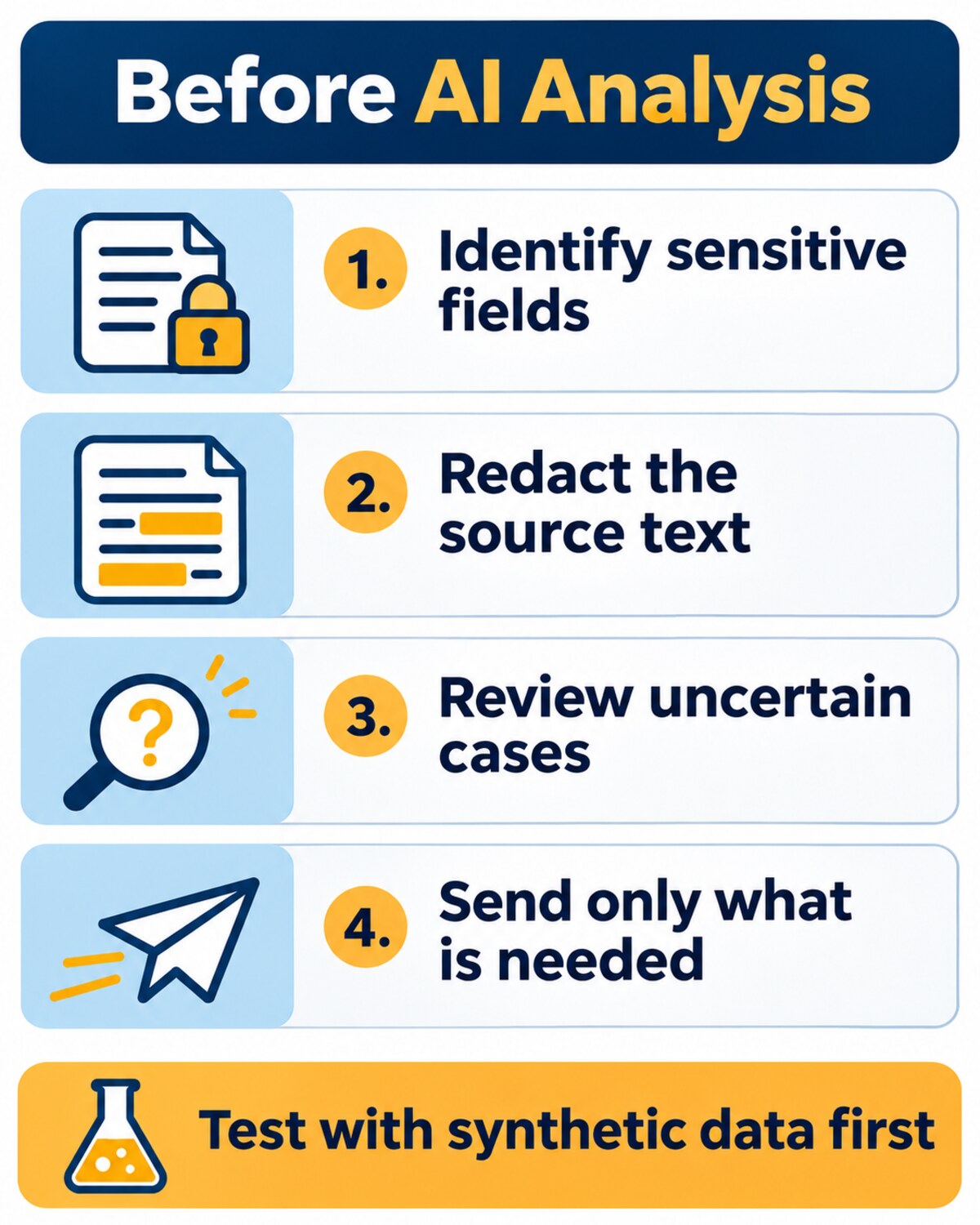
Imagine a support ticket containing a customer name, email, order number and a free-text description that indirectly identifies the customer. Test with invented records. Compare each tool’s output with a manually reviewed answer key, record missed sensitive data and excessive redaction, and confirm which system receives the original message.
- Define the permitted purpose and minimum fields.
- Map every transfer, including attachments, logs and error queues.
- Test multilingual messages, unusual identifiers and incomplete text.
- Route uncertain cases to a reviewer and prevent unreviewed records from bypassing the control.
- Track version changes, retention, access permissions and incident response.
Microsoft’s PII transparency guidance advises careful human oversight for high-risk automatic redaction. No tool should be described as guaranteeing complete removal.
Redaction is one part of a wider privacy process. The National Institute of Standards and Technology’s guide to de-identification explains how removing identifying information can reduce privacy risk, while the possibility of re-identification requires careful assessment.
Before uploading files, review the AI privacy settings that affect work data. For organization-wide controls, see our guide to AI governance rules for businesses.