


Handling legal documents can feel like a headache. From contracts to estate plans, finding reliable forms often means spending time and money you’d rather save.
Here’s the good news: public libraries now offer access to LawDepot for free. LawDepot provides customizable legal document templates that cover many needs, all from the comfort of your home or library computer.
Keep reading to learn how this service can make paperwork much easier!
Key Takeaways
- Public libraries provide free access to LawDepot using your library card.
- LawDepot offers customizable legal templates like wills, business agreements, and power of attorney forms.
- Users can log in through their library’s website and create or download documents at no cost.
- Legal templates are reviewed by experts and meet standards in countries like the US, Canada, UK, and Australia.
- This service saves money on attorney fees while making legal paperwork simple for families and businesses.
Accessing LawDepot Through the Public Library
Using your library card, you can tap into LawDepot’s legal forms without any charge. It’s a simple way to get quality documents for personal or business use.
How to Use Your Library Card to Access LawDepot
Getting free access to legal documents has never been easier. Your library card unlocks LawDepot’s powerful tools without extra cost.
- Start by visiting your public library’s website. Search for “LawDepot” under their digital resources or online services section.
- Log in with the account linked to your library card. If you don’t have a login, create one using your card details.
- Once logged in, click on the link that directs you to LawDepot’s platform. It may open in a new browser tab or window.
- On LawDepot, set up a free user account if prompted. This step helps save and customize legal documents later.
- Choose from a wide range of legal forms like estate planning templates or business agreements directly on the site.
- Customize documents as needed with easy-to-use online tools provided by LawDepot. All changes save automatically in your account.
- Download or print completed forms at no charge while using this library benefit.
- Explore customer support options offered through LawDepot if questions pop up during the process.
Your library card connects you to quality legal services and takes care of any credit card charges entirely!
Benefits of Free Access to Legal Document Templates
Free access to legal document templates can save time and money. LawDepot offers forms for tasks like estate planning and business formation without costly attorney fees. With a library card, users can access tools for creating customized legal documents at no extra cost.
This service benefits families handling wills or businesses drafting contracts in Canada, the U.S., and beyond.
Using free templates ensures accuracy and simplicity in preparing important papers. LawDepot provides high-quality resources reviewed by experts, removing doubts about legitimacy or privacy policy issues.
From cease-and-desist letters to power of attorney forms, these templates meet various legal needs affordably. Rest assured, your legal matters get handled with care while keeping services accessible to all users.
Types of Legal Documents Available on LawDepot
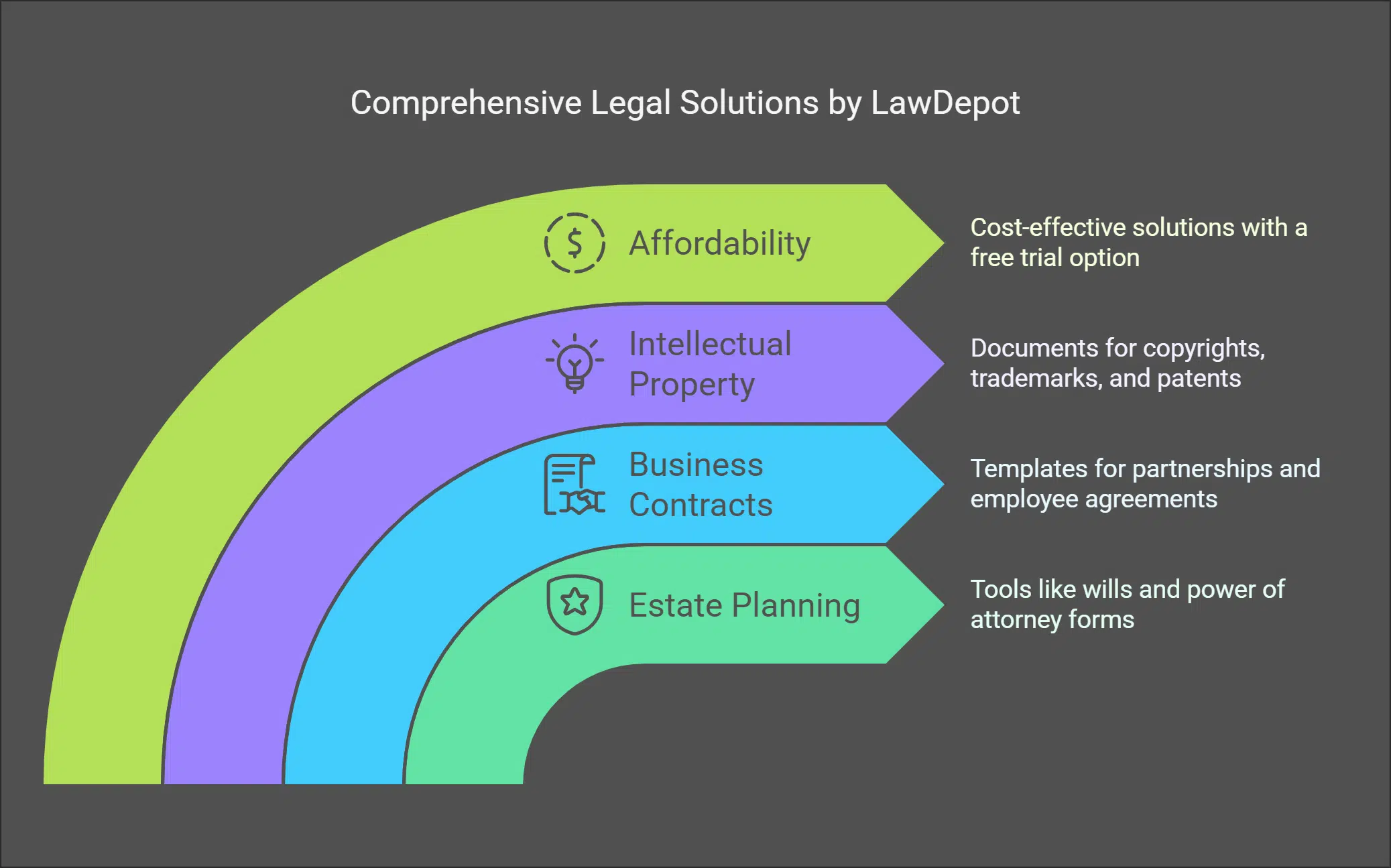
LawDepot offers a big range of legal forms made for everyday needs. From managing family matters to handling business contracts, it’s all there.
Estate Planning, Business Contracts, and More
Estate planning tools like wills and power of attorney forms help protect your loved ones. LawDepot makes creating these legal documents simple and accurate, saving time and stress.
Need a business contract? They offer templates for partnership agreements, employee contracts, or even cease-and-desist letters. These forms meet standards in countries like the US, UK, Canada, and Australia.
Copyrights, trademarks, patents—LawDepot’s got you covered here too. Creating documents for intellectual property doesn’t have to cost an arm and a leg. Their free trial gives access to quality legal forms without breaking the bank.
It’s an affordable solution trusted by many satisfied customers worldwide!
Customizing and Downloading Forms with LawDepot
Customizing and downloading forms with LawDepot is simple. You can create legal documents online in just a few steps.
- Open the LawDepot website at lawdepot.com using your browser.
- Sign in using your library card if you’re accessing it through a public library network.
- Choose the document you need, such as family law papers, tax compliance forms, or a cease and desist letter.
- Follow the on-screen instructions to add details like names, dates, and terms that match your requirements.
- Preview the completed form to ensure everything looks correct before proceeding.
- Download the document within 30 days of creating it for free access from libraries offering LawDepot services.
- Save or print the file for immediate use in business contracts or personal matters.
Takeaways
LawDepot makes legal documents easy and free through your public library. With just a library card, you can access forms for wills, leases, or contracts. It saves time and money while offering peace of mind.
Give it a shot on your next library visit!
FAQs on LawDepot
1. What is LawDepot, and how can it help me?
LawDepot is a publisher of do-it-yourself legal documents. It offers free legal document forms that you can use for personal or business needs, like contracts or wills.
2. Can I use LawDepot at the public library?
Yes, many libraries offer access to LawDepot through their services. You can even explore these resources online using tools like the Libby app.
3. Is there a subscription required to use LawDepot?
Some features may require a subscription, but you can cancel your subscription anytime if needed. Public library access often provides free usage options.
4. How does LawDepot compare to other legal services like LegalZoom?
LawDepot focuses on providing comprehensive DIY legal forms, while LegalZoom also connects users with attorneys for more complex needs.
Yes, like most websites, it uses HTTP cookies to gather information about user activity as outlined in its cookie policy.
6. Where can I get help if I have issues using LawDepot?
You can contact customer service or visit their help center for assistance with any questions about subscriptions or document creation processes.






















