


Hey there, are you tired of struggling with clunky web designs that just don’t work right? Maybe your site feels slow, looks outdated, or isn’t user-friendly on phones and tablets.
It’s frustrating, I know, when the web seems like a puzzle you can’t solve, especially in web development.
Guess what? HTML5, the latest hypertext markup language, brings cool tricks to the table. It’s got awesome tools like audio and video tags to make media pop without extra plugins like Adobe Flash.
This markup language is changing how we build dynamic websites.
Stick with me, and I’ll show you 10 fresh HTML5 features to fix those nagging issues. From semantic elements to web storage, we’ll cover simple ways to boost user experience and make your site shine for search engines.
Keep reading!
Key Takeaways
- HTML5 brings semantic elements like and , used by 90% of websites for better structure.
- Audio and video tags in HTML5 replace old plugins like Adobe Flash, making media easy to add.
- Canvas and SVG features in HTML5 allow dynamic graphics and scalable images for sharp visuals.
- Geolocation API and Web Storage in HTML5 boost location-based features and data management.
- HTML5 offers offline app support, new form inputs, and Web Workers for smoother user experiences.
Semantic Elements for Better Structure
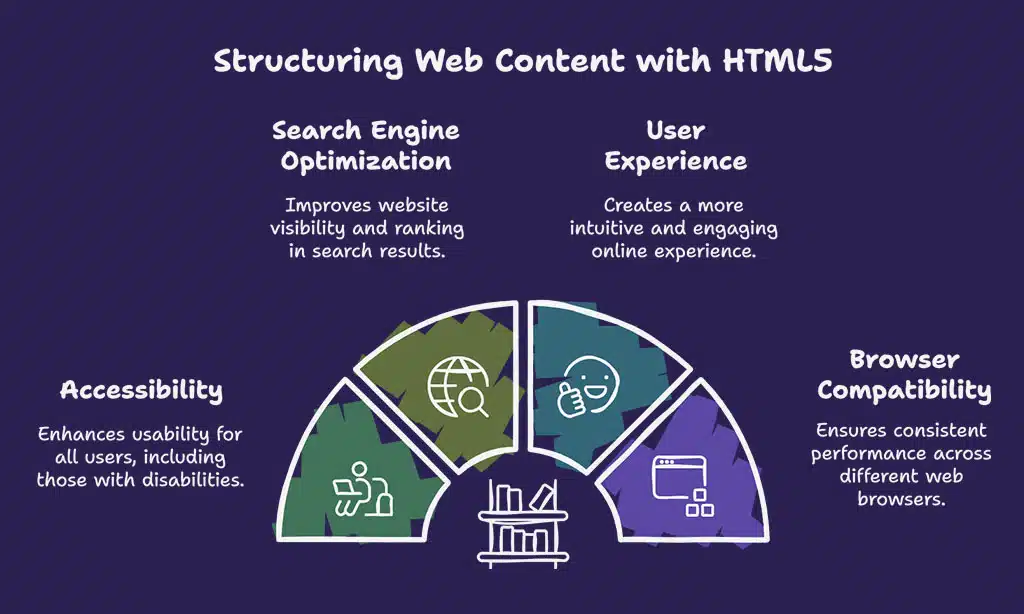
Let’s chat about semantic elements in HTML5, folks. These tags, like `
`, “, and “, help structure your webpage with clear meaning. They make your site easier for search engines and screen readers to understand.
Think of them as labels on a messy desk, organizing chaos into neat piles. About 90% of websites now use HTML5 for this very reason, and it works on all big browsers like Google Chrome and Mozilla Firefox.
Stick with tags such as `
` and “ to group content logically. Add “ for captions on media, and you’re golden. It’s like giving directions to a friend, simple and straight.
These semantic tags boost accessibility and improve user experience on the internet. So, dive right in and start using them on your dynamic websites!
Audio and Video Support for Media Integration
Hey there, folks, let’s chat about something cool in HTML5, the audio and video tags! With simple bits of code like “ and “, you can pop media right into your web pages.
No more messing around with extra tools or third-party stuff. It’s all built into the hypertext markup language, making your dynamic websites shine without a hitch.
Now, think of this as a game-changer, a real ace up your sleeve for web development. HTML5 cuts out the need for old plugins like Adobe Flash, saving you time and headaches. Your audio element and video element work smoothly, boosting user experience with clean media integration.
So, toss in those audio and video tags, and watch your internet site come alive with sound and motion!
Canvas Element for Dynamic Graphics
Canvas is a cool tool in HTML5 that lets you draw awesome stuff right on your web page. Think of it as a digital sketchpad for creating 2D shapes and images with just a few lines of code.
Using the “ tag, like in the example “, you can build dynamic graphics without needing extra plugins. It’s perfect for games, charts, or any fun visual project in web development.
Isn’t it neat how this canvas element boosts your site with lively visuals? You can craft vector images or even animate them using JavaScript. Plus, it works great across different devices, making sure everyone sees your creations, no matter their screen.
Explore this feature, and watch your dynamic websites come alive with color and motion!
Scalable Vector Graphics (SVG) Integration
Hey folks, let’s talk about Scalable Vector Graphics, or SVG, in HTML5. This cool feature lets you create images that scale perfectly, no matter the screen size. Unlike bumpy raster images like JPG or PNG, SVG stays sharp and clear.
It’s vector-based, so zooming in won’t mess up the quality, ever. Plus, it’s great for interactive designs on dynamic websites.
Guess what? SVG replaces the old reliance on Adobe Flash for slick visuals. Check this out, you can draw a simple red circle with just one line: “.
How neat is that for web development? It’s all about boosting user experience with crisp, scalable vector graphics on nearly 90% of sites using HTML5 today.
Geolocation API for Location-Based Features
Got a web app that needs to know where users are? The Geolocation API in HTML5 makes it a breeze to add location-based features, and it always asks for user consent before grabbing their spot with a simple code like `navigator.geolocation.getCurrentPosition`.
Now, imagine crafting dynamic websites that tweak content based on where someone is, like showing nearby stores or local weather. This tool boosts user experience, helps with real-time communication, and even lifts your site in search results for better SEO.
Let’s make web development fun with this handy feature!
Web Storage for Enhanced Data Management
Hey there, folks, let’s talk about an awesome HTML5 feature known as web storage. It’s like a small treasure box in your browser, storing data without any expiration. Think of saving information, for example, with a command like `localStorage.setItem(“Age”, “50”)`, and it remains there, accessible whenever you want it.
This handy feature helps web applications run quicker, even without an internet connection.
Now, imagine this as your app’s own carry-all. Web storage significantly improves data management, eliminating delays from server interactions. It’s a major advantage for dynamic websites, ensuring everything operates seamlessly and swiftly.
Keep using this, and see how it elevates your user experience to impressive levels.
Drag and Drop API for Interactive Interfaces
Check this out, folks, drag and drop API in HTML5 is a game-changer for building fun, interactive websites. With the `draggable` attribute, you can make elements movable, letting users slide stuff around like pieces on a chessboard.
This boosts user experience, making sites feel alive and engaging, almost like playing a video game.
Think about it, this tool offers enhanced user interaction across devices, from desktops to phones. It’s like giving your audience superpowers to rearrange content with a flick of their finger.
Plus, with improved cross-device compatibility, your drag and drop features work smoothly, no matter the gadget. How cool is that for web development?
Web Workers for Multithreading in JavaScript
Hey there, let’s chat about Web Workers in JavaScript. These handy tools run scripts in the background, away from the main page. This means your web app stays smooth and snappy, even with heavy tasks.
Think of it as having an extra helper in the kitchen, whipping up a side dish while you focus on the main course. They’re a game changer for web performance optimization.
With Web Workers, you get improved performance across devices. Your app responds faster, no matter if it’s on a phone or a desktop. Imagine not waiting forever for a page to load, that’s the magic here.
Plus, they boost application responsiveness, making the user experience way better. Stick with this trick in web development, and watch your dynamic websites shine!
Improved Form Features (e. g. , Placeholder Attribute and Input Types)
Check out the cool upgrades in HTML5 for forms, folks! They’ve added neat stuff like new input types for email, date, time, URL, and number. Picture filling out a web form where the email field catches mistakes before you even hit submit.
That’s right, it validates the format on its own, saving you a headache.
Plus, HTML5 brings handy attributes like placeholder, autofocus, and required to make forms pop. For instance, try typing in a box with “, and you’ll see a hint right there.
New elements like “, “, “, and “ also jazz up the user experience. These form enhancements in hypertext markup language boost both ease of use and SEO for dynamic websites.
Offline Web Application Support for Better Accessibility
Hey there, readers, let’s chat about a cool HTML5 perk, offline web application support. Imagine you’re on a train with no signal, yet your favorite app still works like a charm. That’s right, HTML5 enables offline functionality, letting apps store data on your device for use anytime.
It’s a game-changer for accessibility, especially when you’re off the grid.
Now, picture faster applications thanks to this offline storage magic. HTML5 cuts the need for constant internet, and guess what? It’s backed by big players like Google Chrome, Safari, and Firefox.
Plus, it boosts cross-device compatibility and ditches old plugins like Adobe Flash. This means a smoother user experience, no matter where you are.
Takeaways
Wrapping up, HTML5 offers a wealth of impressive tools for developers. Consider it a brand-new toolbox, filled with resources like semantic tags and the canvas element to elevate your web projects.
Ready to make dynamic websites stand out? Explore these features, experiment with audio and video tags, and see your skills grow. Let’s create something incredible together!
FAQs
1. What’s so cool about semantic elements in HTML5?
Hey, let me tell you, semantic elements like header tags and semantic tags are a game-changer in web development. They make your code clearer for search engines to index, and honestly, they’re like a roadmap for better accessibility features. Plus, they help with responsive web design, making layouts pop on any device.
Listen up, audio and video tags, along with the video element and audio element, let you embed media without clunky plugins. It’s like giving your site a built-in theater for user experience.
3. Why should I care about the geolocation API in HTML5?
Well, pal, the geolocation API is your ticket to location-based tricks in progressive web apps, letting you tailor content based on where users are.
Alright, let’s chat about web storage. It’s a step up from cookies, giving you more space to stash data for dynamic websites, and it ties right into progressive enhancement for a smoother ride. Think of it as a bigger backpack for your web app manifest needs.
5. How does the drag and drop API make life easier in web development?
Yo, the drag and drop API is like a magic wand for crafting interactive pages. It lets users shuffle stuff around effortlessly, boosting user experience on responsive design projects with HTML elements.
6. What’s the scoop on new input types like email input type in HTML5?
Hey there, new input types such as email input type and URL input type, paired with goodies like the placeholder attribute and required attribute, make forms a breeze. They guide users through form enhancements, cutting down errors faster than you can say hypertext markup language. It’s all about slicker interactions on modern sites with HTML5.





















