

Tired of trying to guess what foreign people in a video are saying? It could be a tutorial, a presentation, or just some viral video clip.
Don’t be afraid; help is at hand. In this technological age, it offers you at your fingertips the solution: an AI video translator. The maze of audio doom need no longer be a quagmire of unintelligibility from which you attempt an escape. That’s where this ingenious tool comes in.
Here is a step-by-step procedure of how to convert videos into English using an AI video translator.
So, let’s get started.
Part 1. What is an online video translator?
So before getting straight to how to translate videos using video translators, it’s better to first understand what is an online video translator.
An online video translator is software or a tool that is designed to transcribe spoken dialog in a video and translate it into another language. The following analyze the audio content, transcribe it as text, and translate it into another language.
This seamless process allows viewers to enjoy and comprehend videos regardless of the language barrier.
But what would be the point of translating videos then? In today’s world, the internet is drenched with a flooding of content from any known language or culture.
Be it educational resources, entertainment, business communications, and much more—all this is done by video content and hence largely has become the first medium for exchanging information and ideas across the globe.
Sometimes, in fact, all these languages’ diversifications can turn into a barrier for reaching and, thus, benefiting from all the wealth of content.
And this is where online video translators come into the picture—becoming bridges to the world of knowledge and entertainment that would otherwise stay out of reach.
Now let’s discuss how to translate video to English using an AI video translator.
Part 2. How to translate video to English?
As you may know, there are different types of AI video translators available in the market, making it difficult for people to choose the right one for their needs.
So in order to help you, we have shortlisted the best AI video translator, BlipCut AI Video Translator.
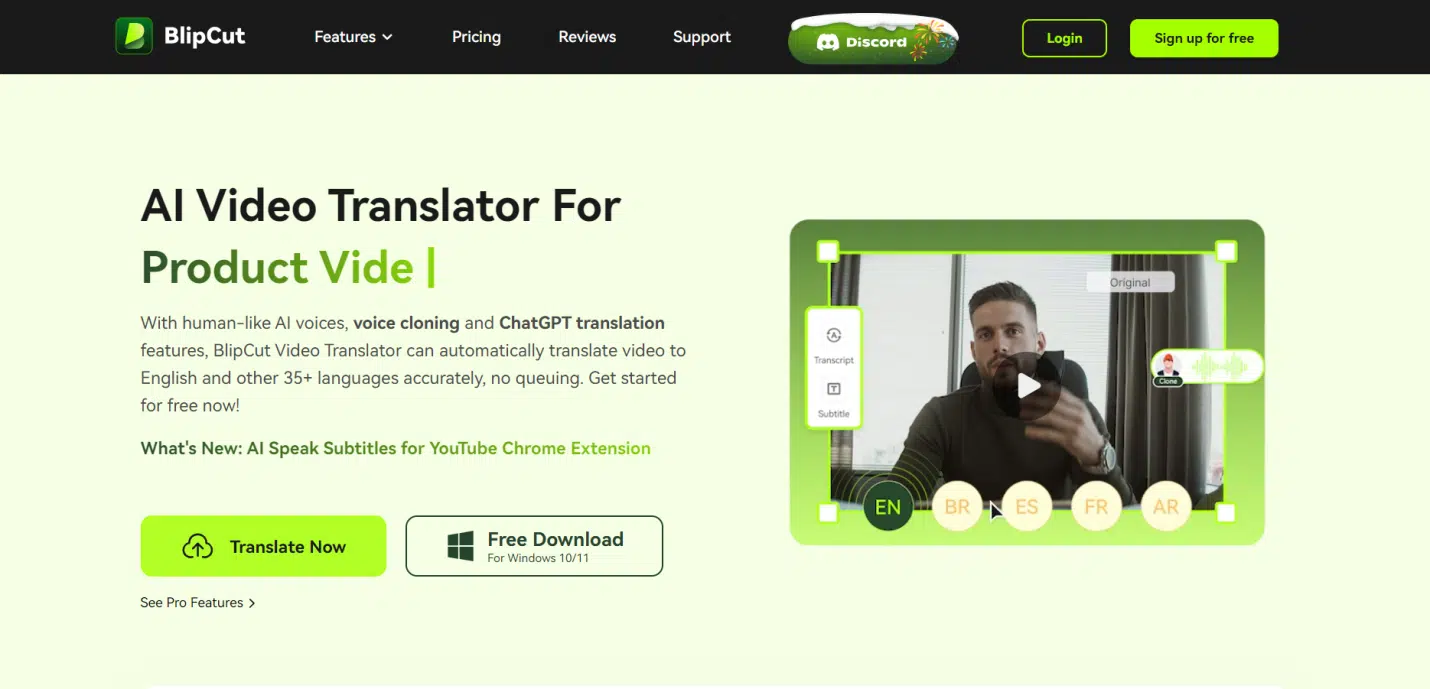
BlipCut AI Video Translator is a cutting-edge solution revolutionizing the way we interact with video content across language barriers. BlipCut ensures precise translations from a multitude of languages into English and vice versa.
Its advanced AI algorithms guarantee accuracy, while customization options allow users to tailor translations to their preferences.
Price:
- $9.99 Per Week
- $39.99 Per Month
Key Features:
- Accurate Translations: BlipCut utilizes advanced AI algorithms to ensure precise and reliable translations of video content.
- Multiple Language Support: Translate videos from a wide range of languages into English and vice versa.
- Customization Options: Customize translation settings to adjust the tone, style, and dialect to better suit your preferences.
- Subtitle Integration: Automatically generate subtitles in English, making it easy to follow along with the translated video.
User Friendliness:
BlipCut AI Video Translator boasts a user-friendly interface, making it accessible to users of all levels of technical expertise. Its intuitive design and straightforward navigation ensure a hassle-free translation experience.
Pros:
- Accurate and reliable translations
- Wide range of language support
- User-friendly interface
- Customization options for subtitles
- Real-time translation for live events
Cons:
- Limited free features compared to premium plans
- May require internet connectivity for translation processing
- Some advanced features may be available only in premium packages
How to Use BlipCut AI Video Translator?
Here are steps that will help you translate a video using BlipCut AI Video Translator:
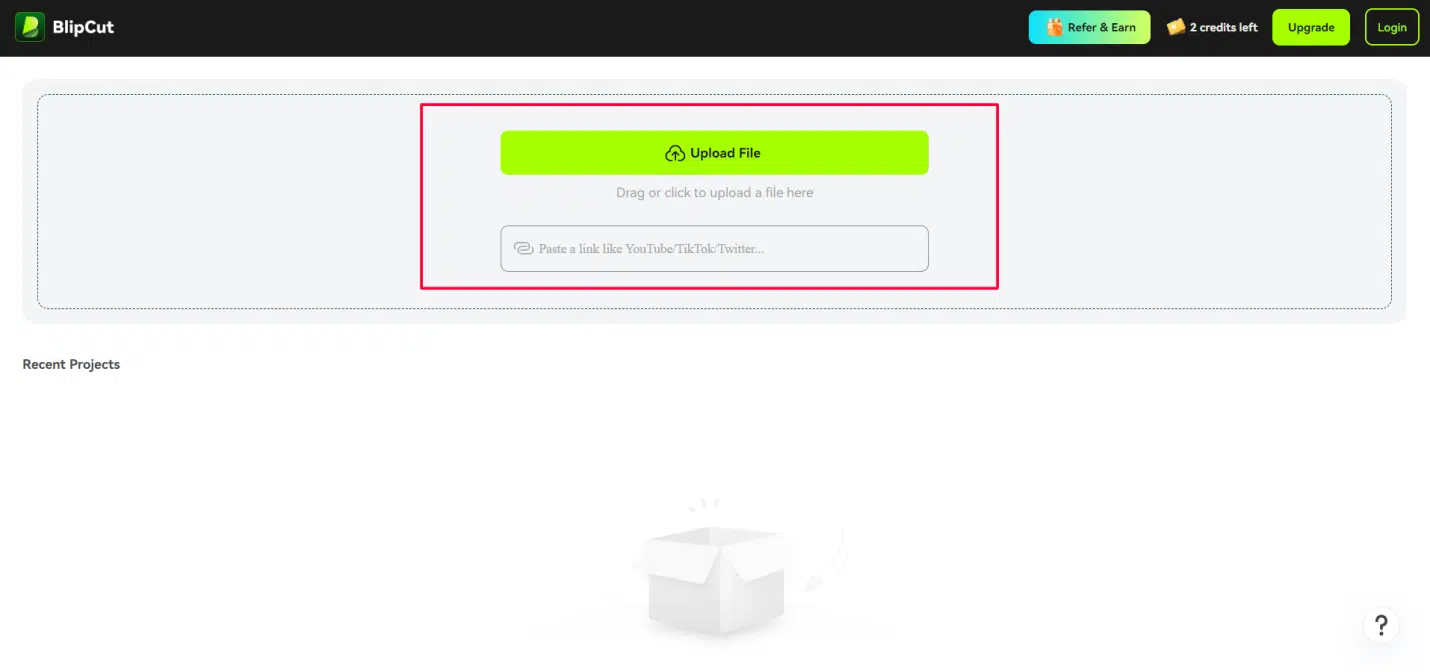
1. First of all, go to BlipCut AI Video Translator using your browser and click on the Translate Now button.
2. Now hit the Upload File button and select the video you want to translate. You can also paste the link of a video from YouTube or any other platform.
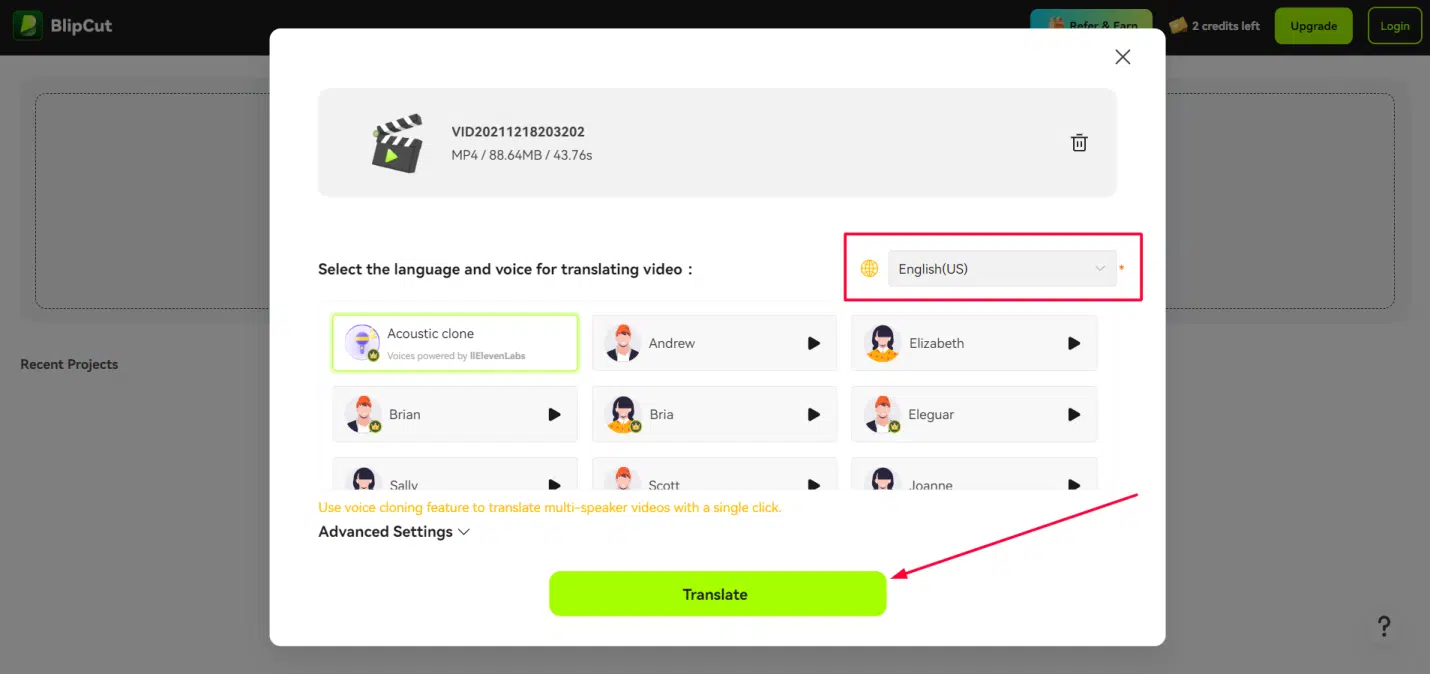
3. Once the video is uploaded to the tool, you will have to select the output language and voice translating the video and hit the Translate button.
4. Now BlipCut AI Video Translator will start translating your video. Once the process is completed, you can export the video to your computer.
Part 3. FAQs
Can I edit subtitles?
Absolutely! BlipCut AI Video Translator empowers users with the ability to edit subtitles. Once the translation process is complete, you have full control to review and modify the generated subtitles according to your preferences.
Whether it’s correcting inaccuracies, adjusting timings, or refining the translation for clarity, BlipCut provides intuitive tools to ensure that the subtitles align perfectly with the video content.
This flexibility allows you to tailor the subtitles to your audience’s needs, ensuring a seamless and enjoyable viewing experience.
How many languages does BlipCut support?
BlipCut is a powerhouse when it comes to language support, offering a vast array of options to cater to diverse global audiences. While the exact count may vary, BlipCut covers a wide range of languages, ensuring that users can translate videos from and into numerous dialects and languages worldwide.
From commonly spoken languages like English, Spanish, and Mandarin to less widely spoken ones, BlipCut strives to accommodate the linguistic needs of its users.
With such extensive language coverage, BlipCut is a go-to solution for breaking down language barriers and connecting audiences across cultures.
Can ChatGPT translate videos?
ChatGPT primarily functions as a text-based AI language model, focusing on generating human-like text based on given prompts. While it excels at text-based tasks such as translation, summarization, and conversation, it isn’t specifically designed to translate videos.
However, it can offer assistance and guidance on utilizing video translation tools like BlipCut AI Video Translator or provide text-based translations based on video content.
So while ChatGPT may not directly translate videos, it can certainly lend a hand in facilitating the translation process through its text-based capabilities.
Is BlipCut AI Video Translator compatible with all video formats?
BlipCut AI Video Translator boasts compatibility with a wide range of video formats, ensuring that users can seamlessly translate videos regardless of their file type. Whether your video is in MP4, AVI, MOV, or any other commonly used format, BlipCut is designed to handle it with ease.
This versatility eliminates the hassle of format conversion or compatibility issues, allowing users to focus on the translation process without worrying about technical constraints. With BlipCut’s broad compatibility, you can confidently translate videos in your preferred format without any limitations.
Conclusion
So now you have seen how video translation can solve the problem of language barriers online. Among the options out there, BlipCut AI Video Translator shines bright. It’s easy to use and can translate videos into English and many other languages smoothly.
Whether you are watching videos for fun, learning, or work, BlipCut makes it easy to understand content in any language.
So, why not give BlipCut a try? It’s the simple solution to enjoying videos from around the world without any language worries.
























