

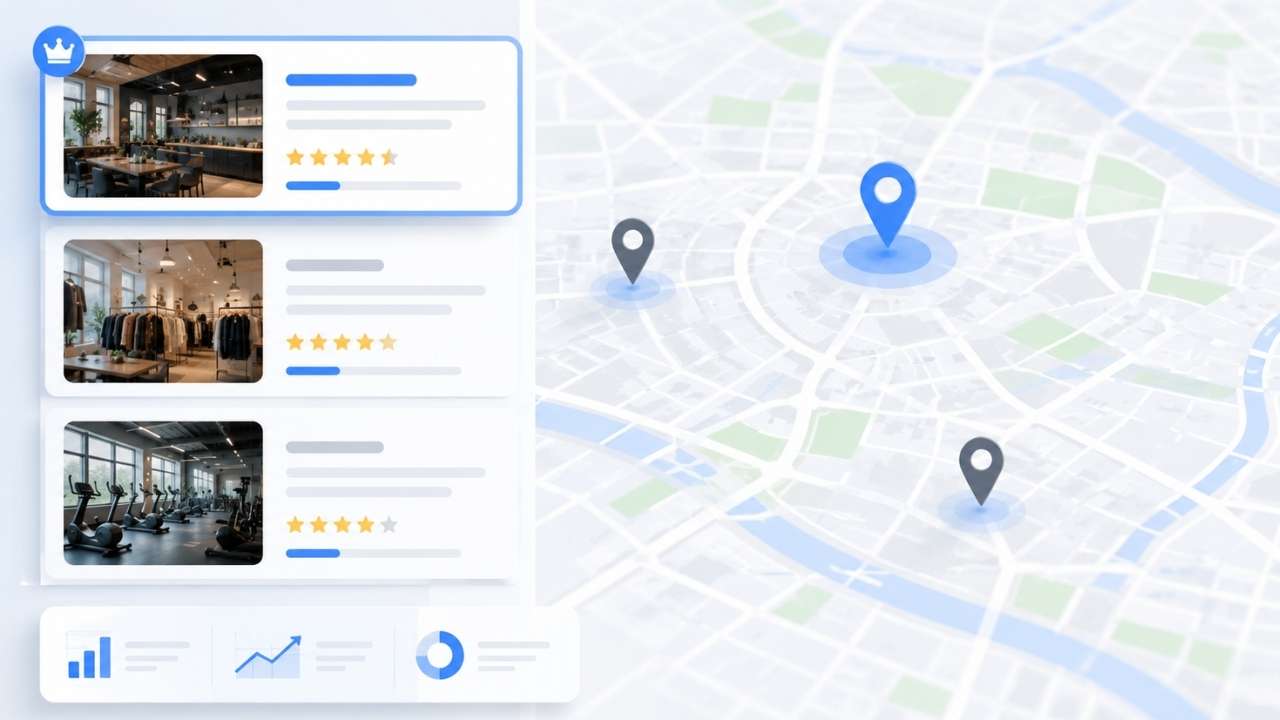
To rank in Google Map Pack, a business needs an eligible and accurate Google Business Profile, a strong match with the search, a legitimate local presence, and enough prominence to compete in its area.
Google weighs local results through relevance, distance, and prominence, so no profile change can guarantee a top position.
A business can do many things correctly and still disappear a few miles from its address. Local SEO can improve relevance and prominence, but it cannot make the business physically closer to the searcher. Focus on the signals the business controls and measure visibility where customers actually search.
What Determines Local Visibility?
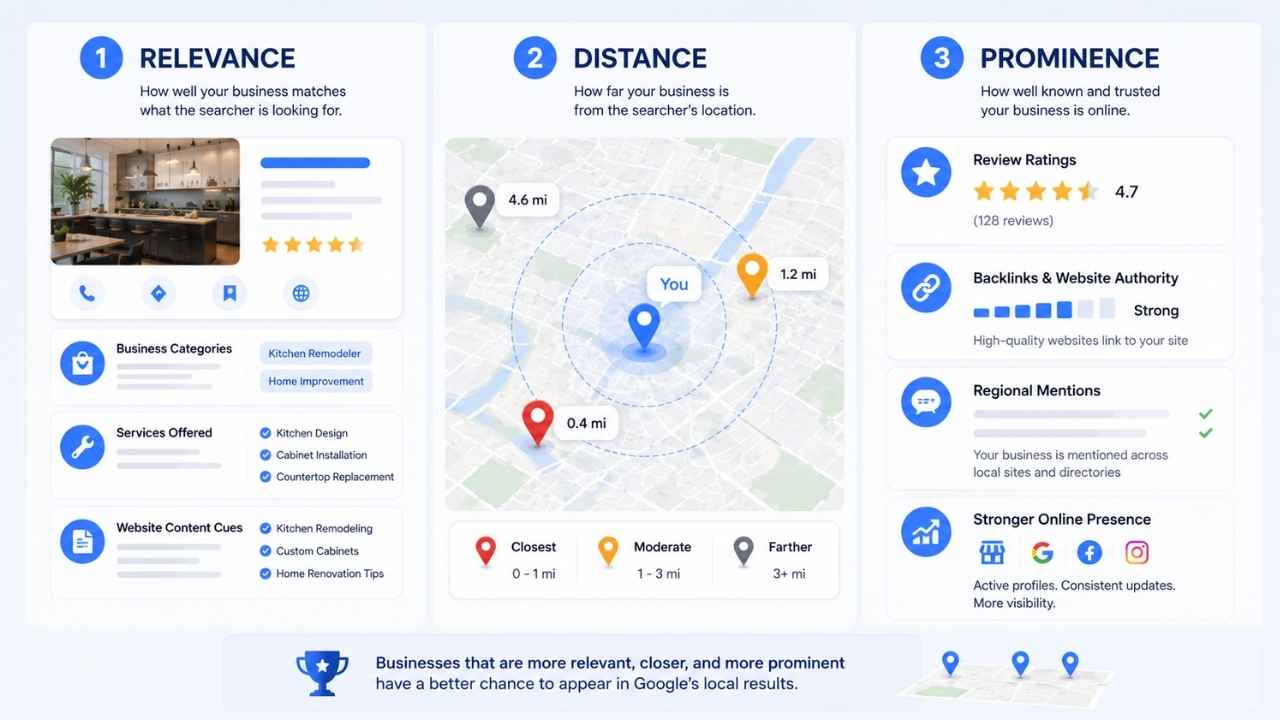
Google’s local results change by query, device, competition, and searcher location. Marketers often call the prominent group of listings the Map Pack or Local Pack.
- Relevance is the match between the search and the business. Categories carry much of that weight, while services, profile details, and website content provide additional context.
- Distance reflects how far the business is from the searcher or the place named in the query. This is why a company may rank strongly near its premises and vanish across town.
- Prominence reflects how established the business appears. Reviews, ratings, links, regional coverage, and organic visibility can all contribute.
These factors interact, so rankings vary across a city.
Step 1: Confirm Eligibility and Ownership
Before optimizing the profile, confirm that the business qualifies for one.
Google Business Profiles are generally intended for businesses that interact with customers in person during their stated hours. This includes storefronts and service-area businesses that travel to customers.
Online-only companies without face-to-face contact and lead-generation operations that do not provide the represented service are usually ineligible. Individual properties for rent or sale are also generally ineligible, although a legitimate sales or leasing office may qualify.
Search Google Maps for the company name, address, and phone number before creating a profile. An existing listing may only need claiming.
Google normally allows one profile per business, with exceptions for genuine branches, eligible departments, and qualifying public-facing practitioners. Duplicates can split reviews and create conflicting information.
Complete the verification method Google offers. The available option may depend on the business type, region, public information, and recent profile changes. Verification confirms management authority; it does not improve rankings by itself.
Step 2: Fix the Business Identity
The profile should match the business customers encounter in the real world.
Use the name displayed on permanent signage, the website, invoices, and other customer-facing materials. Do not append cities, services, or promotional wording simply because those terms have search value.
A practice called “Oak Street Dental” should not become “Oak Street Dental Emergency Dentist Toronto” unless that longer name is genuinely used by the business.
Check the business name, address or hidden service address, phone number, website, hours, map pin, and business type together.
Start with the company’s own website. A wrong footer address, outdated phone number, or misplaced map pin matters more than a minor inconsistency on an obscure directory. Then correct the major review sites, industry directories, and regional databases customers actually use. Bulk citation work is often overrated.
A business showing an address must genuinely operate there and receive customers during its stated hours. P.O. boxes, remote mailboxes, and virtual offices where the company does not truly operate are not acceptable substitutes.
Step 3: Choose the Right Primary Category
The primary category is one of the first fields to check when a business appears for the wrong searches or fails to appear for important ones.
Choose the most specific available category that accurately describes the main operation. A nail salon should use a nail salon category rather than a broader salon category when the narrower option fits. A family law practice should use the closest available family-law category instead of relying only on a general legal category.
Category names can vary by country and language, so check the current options rather than copying an old audit.
Additional categories should represent substantial secondary parts of the business, not every service. A grocery store with a genuine bakery and deli may add both, but a plumber should not add unrelated construction categories simply for search exposure.
Categories can also affect which profile features appear. Changing them may trigger reverification, so avoid rotating the primary category as a weekly experiment.
Write the business description clearly, but review the category before rewriting it again.
Step 4: Configure the Location Honestly
Google distinguishes between storefront, service-area, and hybrid businesses.
- A storefront business should show the real address where customers can visit, see permanent signage, and receive service during published hours.
- A service-area business should hide its address when it travels to customers but does not receive them at its base.
- A hybrid business may show an eligible customer-facing location and list service areas when it also travels or delivers.
Google currently allows up to 20 service areas, entered through supported places such as cities, postal codes, or administrative regions rather than a custom radius. The overall area should generally stay within a reasonable travelling distance from the business base.
Do not treat service areas as ranking switches. Listing a distant city does not make the business closer to people searching there. The field tells customers where the company works; it does not manufacture proximity.
Step 5: Complete the Fields Customers Use
A complete profile is valuable only when it is accurate. Prioritize hours, phone number, website, booking or ordering links, services, relevant attributes, photos, and supported product fields.
Incorrect hours are one of the simplest ways to lose trust. Use regular hours for the normal schedule and special hours for holidays or short closures.
Service names should match the language customers use. “Boiler repair” is clearer than “technical heating solutions.” Photos should answer practical questions: exterior images help people find the entrance, while interior and completed-work images show what to expect.
Profile posts can support offers, events, and updates, but posting daily will not repair an inaccurate category, location, or website.
Step 6: Support the Profile With a Useful Local Website
The page linked from the Business Profile should confirm what the business does, where it operates, and how a customer can take the next step.
For a single-location business, make the main services, address or service area, phone number, opening hours, contact route, and evidence of local work easy to find. Add parking, accessibility, or arrival details when they affect the visit.
Use the service and location naturally in the title, heading, copy, internal links, and image descriptions. Repeating the city name in every paragraph makes the page worse, not stronger.
The page should answer real customer questions. A clinic may need parking and practitioner details; a contractor may need coverage areas, licences where relevant, and examples of completed work.
Multi-location businesses should provide a useful page for each genuine branch, including the correct address, hours, services, directions, and location-specific details.
Avoid pages that change only the city name. Substantially similar regional pages designed mainly to capture searches and send visitors to the same destination may fall under Google’s doorway-abuse policies.
LocalBusiness structured data can help Google interpret details such as the address, phone number, hours, coordinates, and location URL. Keep the markup consistent with the visible page and validate it. Structured data supports understanding; it does not guarantee Map Pack visibility.
Step 7: Build a Compliant Review Process
Reviews influence customer choice and local prominence, but volume is not the whole story. Recency, rating, credibility, and what customers describe also matter. A steady pattern of genuine feedback is more defensible than a sudden burst of vague five-star reviews.
Request reviews after real interactions such as completed appointments, deliveries, resolved support issues, or finished projects. Verified businesses can share a direct review link or QR code through email, receipts, messages, or printed materials.
Ask for an honest review. Do not offer discounts, gifts, payments, or contest entries. Do not ask only satisfied customers or redirect unhappy customers away from Google. That practice, known as review gating, is prohibited.
Avoid asking customers to mention specific keywords, services, or employees. Keep the request simple and neutral.
Keep negative-review replies calm, factual, and free of private customer information. A long public argument often damages trust more than the original complaint.
Step 8: Build Prominence Beyond the Profile
The Business Profile is not the entire local SEO campaign.
Google can find evidence through links, articles, directories, associations, reviews, and ordinary search results. Useful opportunities include chambers, trade associations, regional publications, professional partners, local events, community resources, and important industry platforms.
A regional association link is usually more valuable than hundreds of automated directory submissions no customer will ever see.
Correct the important citations and obvious duplicates, then move on. The next hour is often better spent improving a service page, requesting legitimate reviews, or building a local relationship.
Step 9: Measure by Query, Location, and Outcome
A single search from inside the business is not a ranking report.
Track searches that represent genuine demand: the main service plus city, specialist services, relevant “near me” searches, branded terms, and queries tied to profitable work. Grid-based trackers can show how visibility changes, but the grid should cover the real market rather than an entire city by default.
Google Business Profile performance reporting may include search terms, views, calls, website clicks, directions, messages, bookings, product views, and menu interactions. Not every metric appears for every business.
Search-term data updates monthly and may take several days to appear. Performance reports may also include activity from Google Ads, so they should not automatically be treated as purely organic data.
Compare visibility with calls, forms, bookings, directions, website conversions, leads by area, and revenue where tracking allows. A smaller gain for a profitable service may matter more than ranking first for a broad query.
Step 10: Find the Actual Constraint
When results stall, changing every field at once makes the problem harder to diagnose.
Check the likely causes in order:
- Eligibility or verification problems
- A duplicate or conflicting profile
- Incorrect name, address, map pin, hours, or business type
- A weak or inaccurate primary category
- Missing services or useful profile information
- A website that does not support the service and location
- Weak reviews or recurring customer complaints
- Limited local links and authority
- A competitor with a genuine distance advantage
Distance is sometimes the honest answer. A false office, keyword-stuffed name, purchased reviews, or thin suburb pages may create temporary movement, but each introduces policy or spam risk.
A Practical 30-Day Order of Work
- Week 1: Confirm eligibility, ownership, verification, name, address, map pin, category, phone number, hours, website, and duplicate-profile status.
- Week 2: Improve the main location or service page, contact route, internal links, local evidence, and structured data.
- Week 3: Establish a compliant review-request process and correct inaccurate third-party listings that customers actually use.
- Week 4: Pursue a small number of relevant local links or partnerships. Record baseline visibility from several points in the real market and compare it with calls, bookings, directions, and conversions.
After the first month, update the profile when facts change. Repeated edits to stable fields make performance harder to diagnose and may trigger reverification.
Final Thoughts
Most businesses trying to rank in Google Map Pack do not need more minor profile tweaks. They need to find the largest constraint. Start with eligibility, business identity, location setup, and the primary category. Then improve the page linked from the profile and establish a compliant review process. Once those foundations are sound, invest in local authority and location-based measurement.
Do not expect equal visibility across an entire city. Measure the places where the business can realistically serve customers and connect rankings with real enquiries rather than vanity keywords.
The strongest local SEO strategy is the one that makes the online profile match the real operation. That approach is slower than exploiting a loophole, but far more likely to survive a policy review or ranking update.






















