

How to Delete a TikTok Video to Forget that Horrible Dance You Did

How to Delete a Tiktok Video

Listen to the Podcast:

TikTok is the most successful social network of late. Unlike Instagram, which initially bet on photography, TikTok focused on one-minute vertical videos. Currently, TikTok does not stop growing. This is because this company has been able to capture the language of the youngest very well, with a platform based solely on video, very easy to consume for hours and when creating. But, What if we want to delete a video?

What needs to be done so that there is no trace of the video? Well, stay, and we’ll explain it to you. We will explain how to delete a TikTok video completely. Thus, if a video has not turned out as you expected, you can get rid of it in a matter of seconds since the procedure is fast.

The first step is to choose the video you want to delete. You must click the three-point icon in the lower right corner of the selected content. Go to the far right of the options list and click “Delete.” That’s it; the video will be gone forever.

TikTok offers the options to hide and delete videos to all its users within the app.

How to make a TikTok video private?

1. Click on the icon of the three points in the lower right corner.
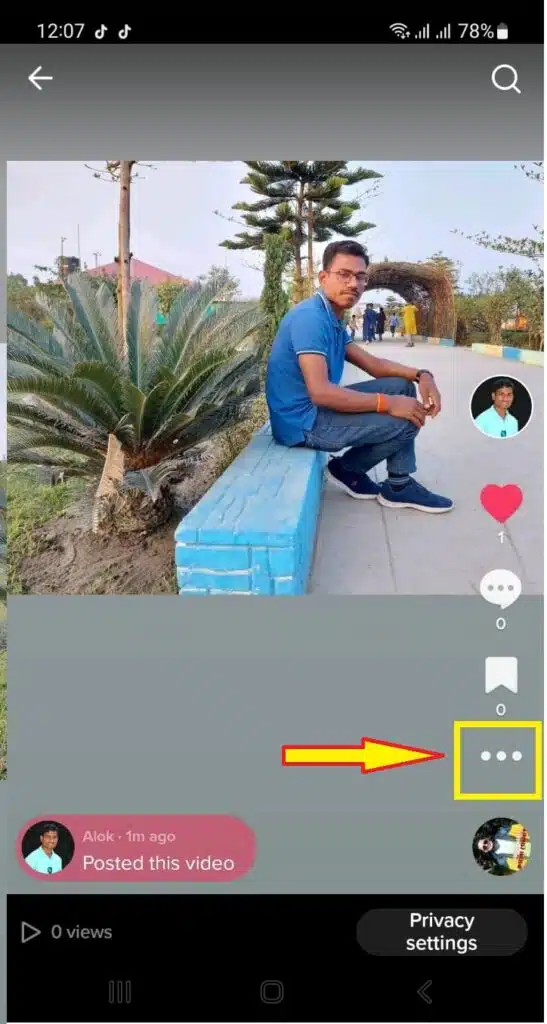
Click on the icon of the three points

2. Scroll through each option and tap “Privacy Settings.”
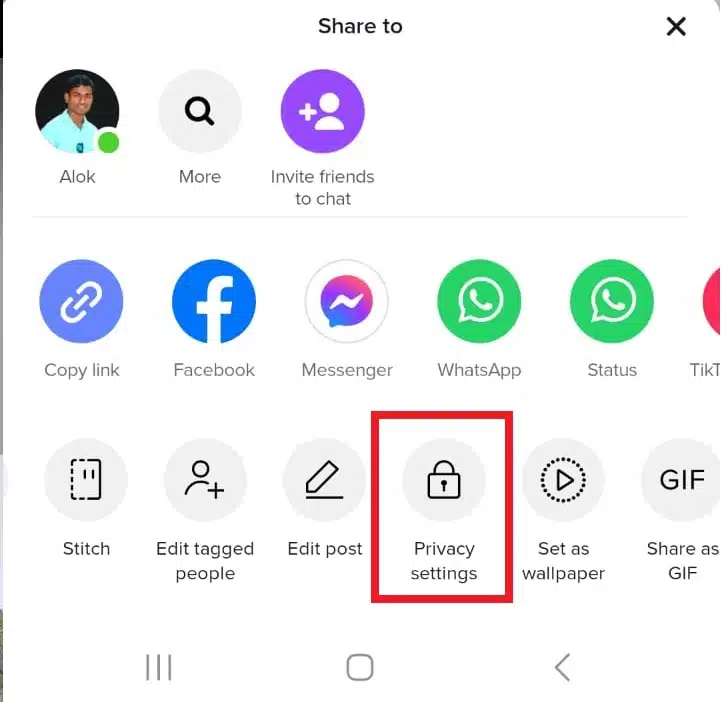
Choose Privacy Settings

3. Choose “Who can watch this video.”
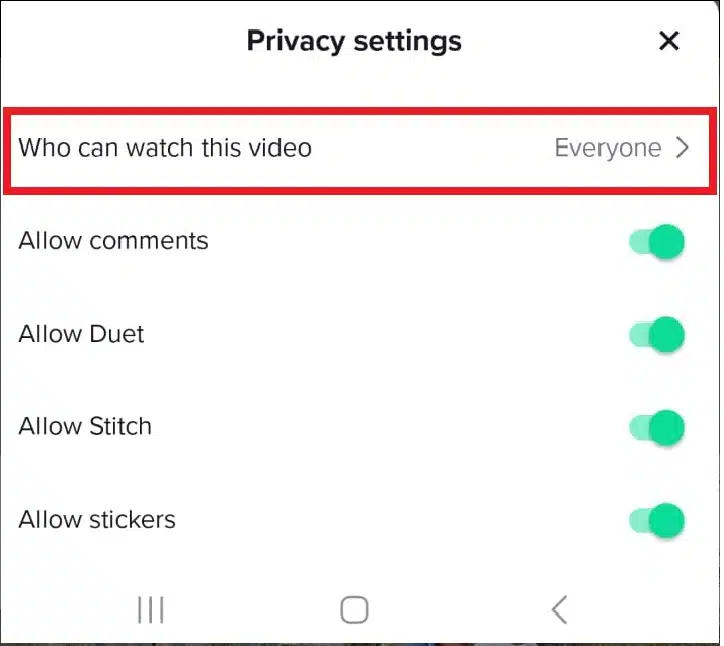
Click on who can watch this video
Click on who can watch this video.

4. Click “Only me” to make the video private.
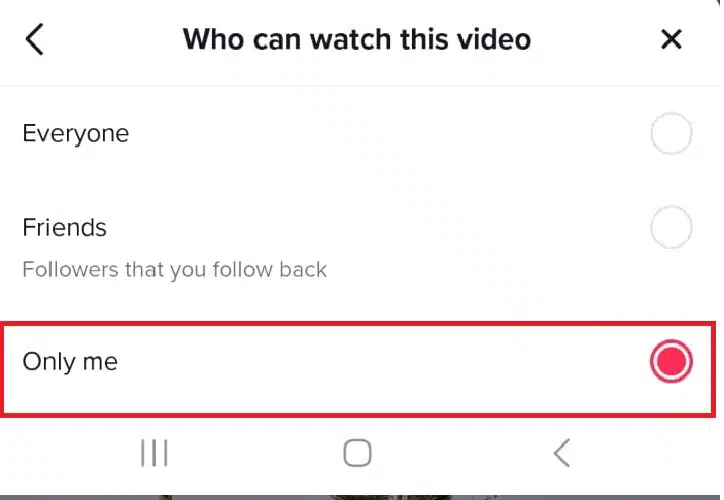
Click on Only me
Click on Only me

You also have the “Friends” option at your fingertips, so you can share the content only with those who follow you.

The critical point is that you cannot recover a deleted TikTok video. The only way to recover it is that said video saved in the mobile’s internal storage.

How to delete a TikTok video completely without a trace

When we upload a video to TikTok, we all look forward to it going viral and getting a ton of likes, but it may be that we made a mistake, that now we have figured out how to improve it, or that we are even embarrassed to keep a video on our account.

Now that a bit of time has passed and we visualize it cold. You might want to delete a video from your account for many reasons, from your hairstyle to your look ridiculous to want to delete it when you are sure you violate social network rules.

Related Read: How to crop videos on TikTok?

Delete from Tiktok profile

1. To delete a TikTok video, we will go to our iPhone or Android mobile application profile and click on the clip we want to delete.
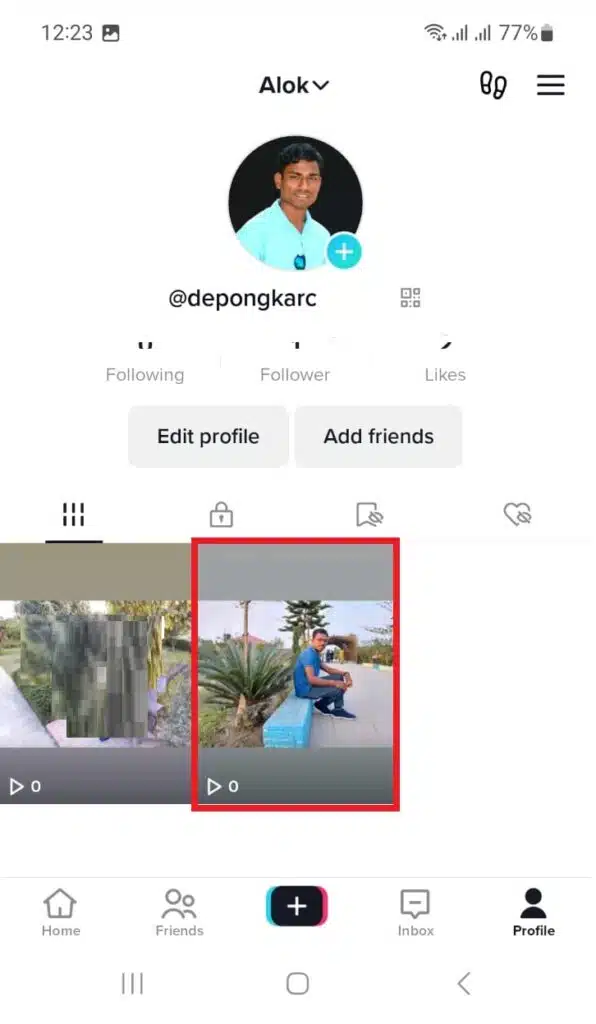
Click on the clip you want to delete

2. Once inside the video, it will begin to play usually.

3. We will touch the icon with the three dots and open a new options menu.

Click on the icon of the three points

4. We usually use it to share the publication, but we will touch the ‘ Delete ‘ option in this case.
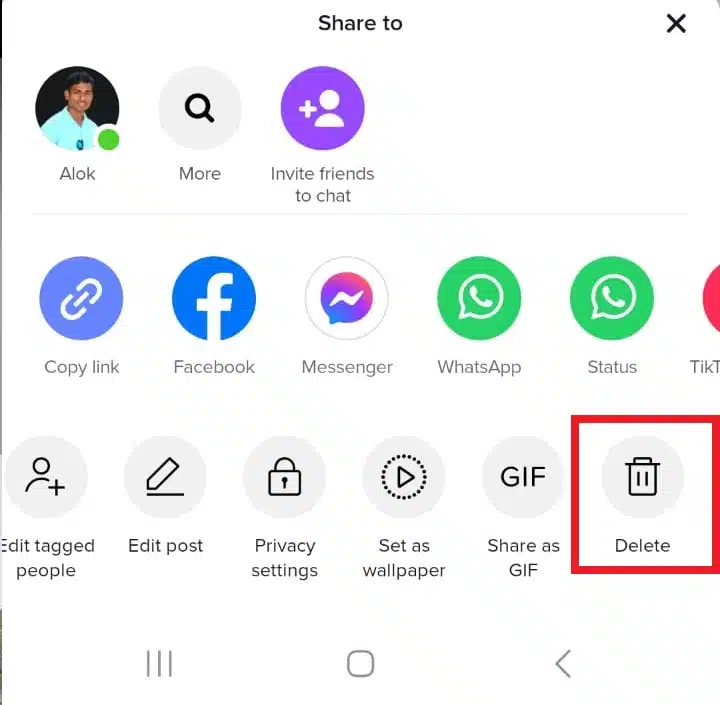
Click on Delete
Click on Delete

5. Then, an extra dialogue will appear in which you must confirm the process again.
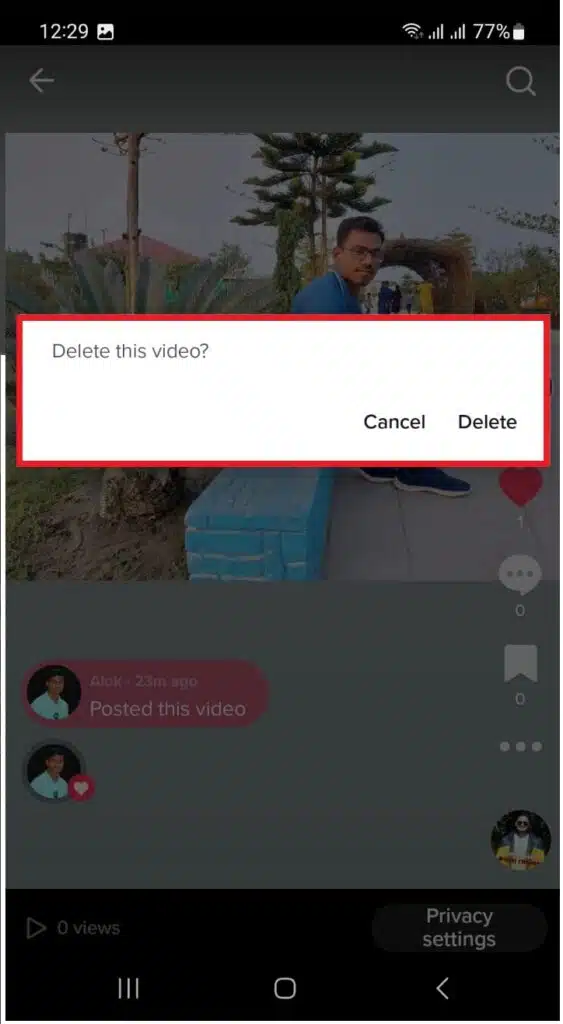
Confirm the process again

Unlike Instagram, TikTok has no trash can, so anything you delete is forever lost, and there’s no way to restore it. However, whenever you upload a video to TikTok, a copy is stored locally on your mobile device.

Related Read: Best time to post on TikTok

Delete the original file

You do not have to delete that copy since you usually want to delete the publication from the social network. However, you can also do this process by doing the following steps :

  1. Open the image gallery app on your mobile device. On iOS, it’s Photos; on Android phones, it can be either Gallery, Photos, or Google Photos.
  2. Locate the video that has been stored on your mobile. It will typically be located in the ‘Camera’ folder.
  3. Touch the trash can icon or the three dots menu depending on your application, and then ‘ Delete. ‘
  4. Confirm that you are going to delete the video.
  5. Now, everything will depend on whether or not your gallery app has a recycle bin. Many mobiles do. Go back and look for any section in the app called ‘Trash,’ ‘Recently Deleted,’ or ‘Recently Deleted.’ Enter, check if you want to recover something from what is inside, and once you are clear, empty the trash to permanently delete your video.




Subscribe to Our Newsletter

Related Articles

Top Trending

Improve Gut Health Naturally
How to Improve Your Gut Health: A Complete Guide
Best Frontend Framework 2026: React vs Vue vs Angular Guide
Learn React vs Vue vs Angular: Best Choice for Beginners
Speed Up WordPress Website
How to Speed Up A Slow WordPress Website
React 'Cannot Read Property Of Undefined' Error
How to Fix React 'Cannot Read Property of Undefined' Error? Unlock Solutions!
multilingual website development
Building Multi-Language Websites: A Complete Guide

Fintech & Finance

Top Mobile Apps for Personal Finance Management
Top Mobile Apps for Personal Finance Management You Must Try
Top QuickBooks Errors Preventing Company File Access
Top 10 QuickBooks Errors Preventing Company File Access
Best Neobanks New Zealand 2025
9 Best Neobanks and Digital Finance Apps Available in New Zealand 2025
Irish Credit Union Digital Generation
7 Key Ways Irish Credit Unions Are Competing with Neobanks for the Digital Generation
How Fintech Is Transforming Emerging Market Economies

Sustainability & Living

US Startups Engineering Lab-Grown Regenerative Fabrics
10 US Startups Engineering Lab-Grown Regenerative Fabrics for Everyday Wear
The Future of Fast Charging What's Coming Next
The Future of Fast Charging: Trends You Must Know
How Solid-State Batteries Will Change the EV Industry
How Solid-State Batteries Will Change The EV Industry
The Real Environmental Cost of Electric Vehicles
Hidden Environmental Impact of Electric Vehicles
How EV Battery Technology Is Evolving
EV Battery Technology in 2026: Key Innovations Driving Change

GAMING

What Most Users Still Get Wrong When Comparing CS2 Skin Platforms
What Most Users Still Get Wrong When Comparing CS2 Skin Platforms?
How Technology Is Transforming the Online Gaming Industry
Naruto Uzumaki In The Manga
Naruto Uzumaki In The Manga: How The Original Source Material Shaped The Character
Online Game
Why Online Game Promotions Make Digital Entertainment More Engaging
Geek Appeal of Randomized Games
The Geek Appeal of Randomized Games Like Pokies

Business & Marketing

Trade Show Exhibit Trends 2026: Custom, Rental & Portable Designs That Steal the Spotlight
China EV Market Dominance: How China Leads Global EV Growth
How China Is Dominating The Global EV Market
Top 10 Productivity Apps for Remote Workers
10 Essential Remote Work Productivity Tools You Should Use
Emerging E-Commerce Markets
Top Emerging Markets for E-Commerce Entrepreneurs
Top Mobile Apps for Personal Finance Management
Top Mobile Apps for Personal Finance Management You Must Try

Technology & AI

Best Frontend Framework 2026: React vs Vue vs Angular Guide
Learn React vs Vue vs Angular: Best Choice for Beginners
React 'Cannot Read Property Of Undefined' Error
How to Fix React 'Cannot Read Property of Undefined' Error? Unlock Solutions!
multilingual website development
Building Multi-Language Websites: A Complete Guide
AI-Powered CRM Startups in the USA
20 AI-Powered CRM Startups in the USA Leading the 2026 Sales Revolution
Dark Mode Web Design
How Dark Mode Is Becoming A Standard Web Design Feature

Fitness & Wellness

Best fitness apps in India
Sweat Goes Digital: 10 Indian Health Tech Apps Rewriting the Workout Rulebook
AI Personal Trainer Startups UK
10 UK AI Personal Trainer Startups Redefining Home Fitness: Get Fit Smarter!
Biogenic Luxury
The Rise of Biogenic Luxury: Ancestral Wisdom for the High-Performance Professional
cost of untreated mental health on productivity
10 Eye-Opening Facts About the Real Cost of Untreated Mental Health Conditions on American Productivity
British Men's Mental Health 2026
7 Key Facts About How British Men Are Finally Starting to Talk About Mental Health — And Why It Matters



















