

Google Maps Gets New Accessibility Features for Blind Users; iPhone First

Google Maps AR Accessibility Features

Google has announced several new accessibility features coming to its products, including Google Maps, that will help blind and visually impaired users better navigate their surroundings. The most notable new addition is an augmented reality (AR) feature exclusive to iPhones that lets users orient themselves using their camera and AI-powered visual descriptions.

Using Camera and AI to Orient One’s Surroundings

The new Lens feature in Google Maps, previously known as “Search with Live View,” will now leverage a visually impaired user’s iPhone camera and artificial intelligence to describe nearby places of interest. After capturing images of the user’s surroundings, Google Maps will use screen reader technology to speak the names and types of attractions it recognizes, like restaurants, transit stations, and ATMs, along with their proximity to the user’s location. 

This should pair well with Google Maps’ existing voice-guided navigation for blind users to provide enhanced awareness of one’s immediate surroundings in addition to navigational assistance. 

Rolling Out First to iPhone Users

The Lens visual search capability will start rolling out to iPhone users this week, providing them early access before Android users, who will gain access later this year. Expanding accessibility has been a priority for Google Maps, with previous launches of detailed voice guidance and wheelchair-accessible routes. In addition, you can also read an article on- 10 Best Augmented Reality Apps for Android to Explore the World in a New Way

Other Accessibility Improvements Coming to Google Maps

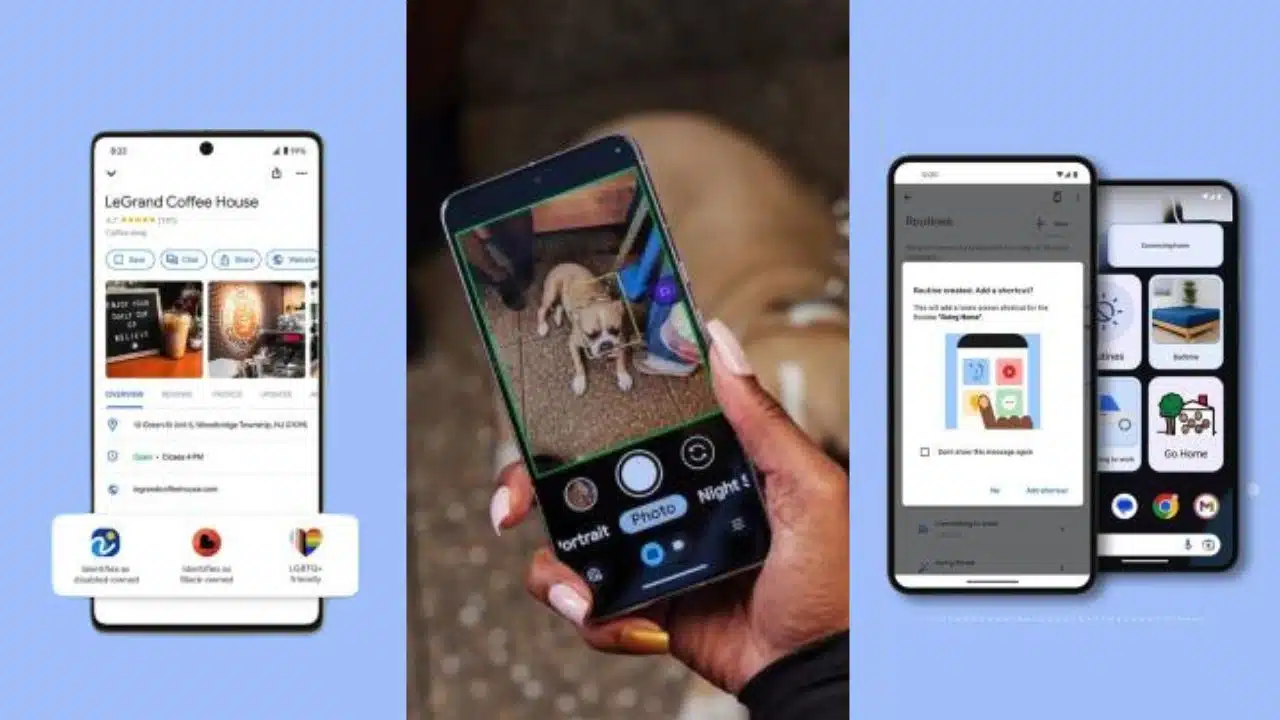
Along with the visual search tool, Google announced some additional accessibility-focused improvements coming to Maps. Businesses will now be able to identify themselves as part of a specific community, such as LGBTQ+ owned, to help users find inclusive locales. Selecting wheelchair-accessible routes will now be an option for pedestrians to avoid stairs and steep hills. Google is also adding larger shortcut icons and wheelchair routing for Google Assistant and Android Auto.

Google’s Continued Effort to Make Maps Usable for All

With Google Maps being one of the most popular navigation apps worldwide, increasing its accessibility for visually impaired and blind users is key. This latest update with iPhone’s exclusive early access to Lens-powered visual descriptions demonstrates Google’s commitment to refining Maps as a valuable tool for users of all abilities. The improvements help remove barriers to make navigating the world easier and more enjoyable for everyone.

You May Find Interest: Google Search Can Now Generate Images and Text From Queries Using AI


Subscribe to Our Newsletter

Related Articles

Top Trending

girls in STEM strategies with visible results
Encouraging Girls in STEM: Strategies That Work and Build Real Confidence!
Best Online Courses to Learn Advanced SEO Metrics
From GA4 to AI Search: Best Courses to Upgrade Your SEO Skills
Green Hydrogen Fuel
The Rise Of Green Hydrogen As A Clean Fuel Source
energy-efficient LED lights and appliances
Benefits of Using Energy-Efficient LED Lights and Appliances
Check Your Real Internet Speed
How to Check Your Real Internet Speed and Detect ISP Throttling

Fintech & Finance

HONOR 600 Pro vs HONOR 600 Lite 5G
HONOR 600 Pro vs HONOR 600 Lite 5G: Full Comparison with Expected India Pricing
How to Dispute a Credit Card Charge Successfully
How To Dispute A Credit Card Charge Successfully
How to Protect Yourself from Financial Scams
Financial Scam Prevention Tips to Protect Your Money
The Truth About Buy Now Pay Later Services
best UK current accounts 2026
9 Best UK Current Accounts with the Highest Interest and Best Perks in 2026

Sustainability & Living

Green Hydrogen Fuel
The Rise Of Green Hydrogen As A Clean Fuel Source
energy-efficient LED lights and appliances
Benefits of Using Energy-Efficient LED Lights and Appliances
Wind Power Global Energy Markets
How Wind Power Is Reshaping Global Energy Markets
Circular Economy Basics
Circular Economy Explained: Why Waste Is A Design Flaw
Eco-Friendly Bathroom Plan
Eco-Friendly Bathroom: My 30-day Conversion Plan With Products [Join the Challenge]

GAMING

Custom Mechanical Keyboard
DIY: Build a Custom Mechanical Keyboard That Feels Like Yours
open-world games done right
The 9 Best Open-World Games Done Absolutely Right
best couch co-op games
10 Best Couch Co-Op Games Worth Playing Together With Family and Friends
best story driven games
13 Best Story-Driven Games That Stay With You In Your Memories
multiplayer games worth playing
The 8 Best Multiplayer Games Worth Playing With Friends

Business & Marketing

The Truth About Buy Now Pay Later Services
Guest Posting In 2026
Guest Posting In 2026: Is It Worth It? And How To Do It Right
New Zealand social media marketing
13 Critical Facts About How New Zealand's Small Market Forces Brands to Be Creative on Social Media
Cold Email in 2026
Cold Email In 2026: What Works, Lands In Spam, And What Converts
Entrepreneurial Spirit Promotes Social Change

Technology & AI

Check Your Real Internet Speed
How to Check Your Real Internet Speed and Detect ISP Throttling
Custom Mechanical Keyboard
DIY: Build a Custom Mechanical Keyboard That Feels Like Yours
My Image Search Techniques
Mastering Image Search Techniques: Your Ultimate Guide To Reverse Image Search
AI in modern classrooms
How AI in Modern Classrooms Is Transforming Learning
Tikcotech
The Power of Tikcotech: Your All-in-One Solution For TikTok Success

Fitness & Wellness

beginner home workouts
9 Beginner Home Workouts to Try for Real Results: Start Your Fitness Journey!
setting realistic fitness goals
Setting Realistic Fitness Goals: A Beginner’s Practical Guide That Actually Works
best home workouts guide
39 Home Workout Routines for Every Fitness Level to Get Fit Without a Gym
beginners fitness guide
Beginner’s Complete Fitness Guide: A Practical Beginners Fitness Guide for Real Life
DIY Ergonomic Home Office Setup
How I Changed My Home Office After Three Spine Surgeries

























