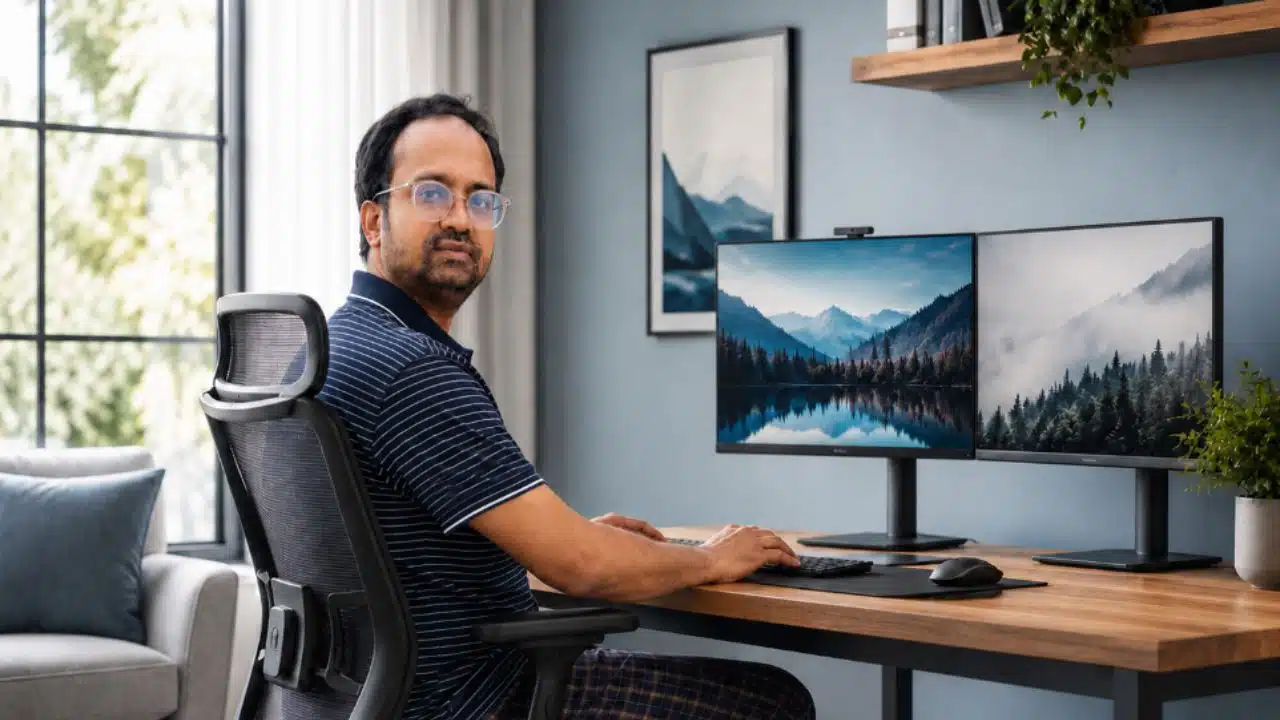
I know what back pain can do to a person.
I have lived with it for years. I have gone through spine surgery three times. I know what it feels like to wake up with stiffness, sit down for work, and feel pressure building in the lower back before the day has even properly started.
For many people, a home office is about comfort, style, or productivity. For me, it became something more personal. It became part of how I manage my back every day.
As the founder and CEO of Editorialge Media LLC, I spend long hours in front of a screen. I review content, manage teams, attend meetings, answer emails, and make business decisions from my desk. Before my back problems became serious, I did not think much about my chair, desk height, monitor position, or how long I sat without moving.
Now I think about all of it.
After three spine surgeries, I learned this lesson clearly: your workspace can either support your body or slowly make your pain worse.
I am not writing this as a doctor. I am writing this as someone who made mistakes, suffered for a long time, and had to change the way he works.
Why I Had to Take My Home Office Seriously
For years, I worked like many busy entrepreneurs do.
I sat wherever I could. Sometimes I worked from a dining chair. Sometimes I used my laptop from a sofa. Sometimes I stayed seated for hours because I was focused on deadlines.
At that time, I thought back pain was something I could deal with later.
That was a mistake.
When you have a sensitive spine, poor posture does not always hurt immediately. It builds slowly. You lean forward a little. You look down at the laptop. Your lower back loses support. Your muscles get tired. Then, by the end of the day, the pain becomes harder to ignore.
After my surgeries, I stopped treating these things as small issues.
A chair was no longer just a chair.
A desk was no longer just a desk.
A monitor was no longer just a monitor.
Every part of my workspace had to answer one question:
Is this helping my back, or is it making things worse?
What I Changed First
The first thing I changed was my sitting setup.
For me, the most important things are:
- A chair that supports my lower back
- Feet flat on the floor or on a footrest
- A monitor placed high enough so I do not bend my neck all day
- A keyboard and mouse close to my body
- Regular movement breaks
- No long work sessions from a sofa or bed
These may sound simple, but they matter a lot when you have lived with serious back pain.
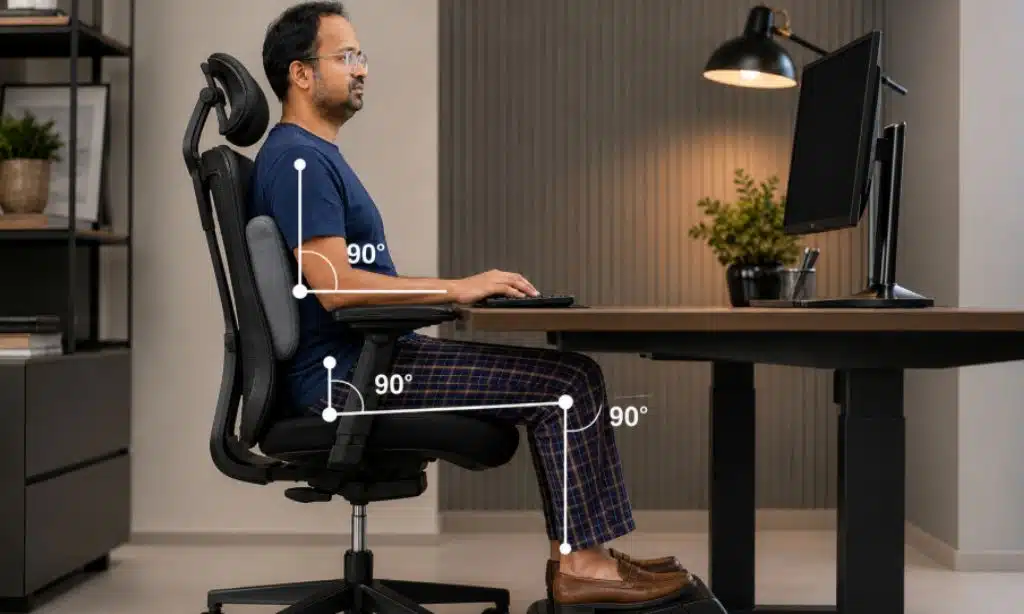
The Chair Became the foundation
Before my back pain became serious, I used to think a soft chair was a good chair.
I no longer believe that.
A soft chair may feel comfortable for a few minutes, but it does not always support the lower back properly. For me, the right chair needs to keep my body stable.
I look for three things:
- Proper lower back support
- Adjustable seat height
- A sitting position that does not force me to lean forward or slide down
Lumbar support is especially important for me. If there is no support in the small of my back, I can feel pressure building. My posture starts to collapse, and my lower back begins to complain.
If the chair does not have enough support, I use a firm cushion or a rolled towel behind my lower back.
It is a small change, but it helps.
Seat Height Matters More Than People Think
Seat height looks like a small detail, but I take it seriously now.
When I sit, I try to keep:
- My feet flat on the floor
- My thighs roughly parallel to the ground
- My knees comfortable, not too high or too low
- My back touching the chair properly
If the chair is too high, I start sliding forward. Once I slide forward, my lower back loses support.
If the chair is too low, my hips and knees feel cramped. That also creates pressure.
So I adjust the chair until my body feels balanced. It does not have to be perfect, but it has to feel stable.
I Stopped Working Long Hours Directly on a laptop.
One of my worst habits was working directly on a laptop for hours.
A laptop pulls your head down. The screen is low, the keyboard is attached, and your shoulders slowly round forward. You may not feel the damage in the first few minutes, but after hours of work, your neck, shoulders, and lower back can all feel it.
Now, when I use a laptop for serious work, I try to use:
- A laptop stand or riser
- An external keyboard
- An external mouse
This helps me keep my head up and my shoulders relaxed. More importantly, it stops me from bending forward for long periods.
For me, this is not about having a fancy setup. It is about reducing pain.
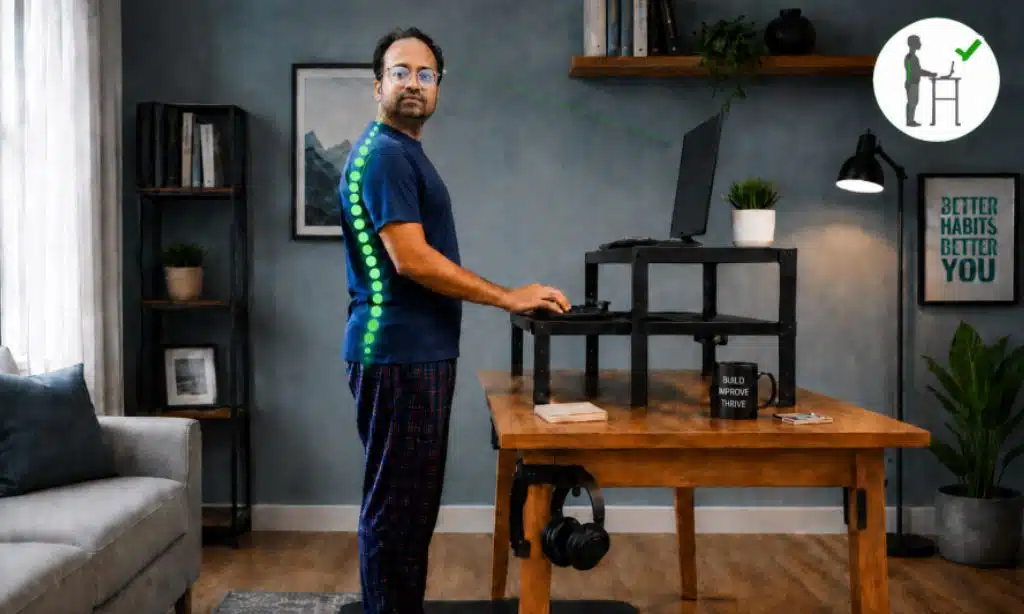
Monitor Height Changed My Posture
I try to keep my monitor around eye level.
When the screen is too low, I bend my neck. When my neck bends, my upper back follows. Then my lower back starts taking extra pressure.
That chain reaction is real.
If I do not have a monitor stand, I use books or a stable box. It does not matter whether the solution is expensive or simple. What matters is that the screen is high enough to stop me from looking down all day.
I Keep My Keyboard and Mouse Close
I also changed how I place my keyboard and mouse.
I keep them close to my body so I do not have to reach forward or stretch sideways again and again.
My simple rule is:
- Elbows close to the body
- Shoulders relaxed
- Wrists in a natural position
- Mouse close to the keyboard
Reaching may not feel painful at first, but over time it affects the shoulders, upper back, and posture. For someone with my history, these small details matter.
Why I Avoid Working From the Sofa
I understand why people like working from a sofa. It feels relaxed.
But for my back, it is one of the worst places to work for a long time.
On a sofa:
- My hips sink
- My back rounds
- My neck bends
- The laptop usually sits too low
- My lower back loses support
Before, I ignored these things. Now I do not.
I may sit on a sofa for a short break, but I do not use it as my main workplace anymore.
Standing Helps, But It Is Not a Cure
A standing desk can help, but standing all day is not the solution either.
I learned that my body needs changes in position. Sitting too long makes my back stiff. Standing too long can also make my lower back tired.
What works better for me is a simple rhythm:
- Sit for a while
- Stand for a while
- Walk a little
- Stretch when needed
- Return to work
The real solution is not only sitting or standing. The real solution is movement.
Movement Is Now Part of My Workday
Before my surgeries, I used to push through discomfort. I thought taking breaks would slow me down.
Now I think differently.
If I feel tightness, I stand up.
If I feel pressure building, I stretch.
If I feel stiffness, I walk for a few minutes.
I do not wait for the pain to become severe.
That is one of the biggest lessons I learned from long-term back pain. Pain usually gives small warnings before it becomes serious. You have to listen early.
My Personal Home Office Rules
These are the rules I follow now:
- I do not sit for hours without moving.
- I do not work long hours from a sofa or bed.
- I keep my lower back supported.
- I keep my monitor at a comfortable height.
- I keep my keyboard and mouse close.
- I stand and stretch before the pain gets worse.
- I treat early discomfort as a warning, not something to ignore.
These rules are simple, but they help me protect my back while working.
What I Would Tell Anyone With Long-Term Back Pain
Do not ignore your workspace.
Do not wait until the pain becomes unbearable.
Do not think posture does not matter.
And do not assume that an expensive office setup is always a healthy one.
A good setup does not need to be luxurious. It needs to support your body.
For me, the most helpful changes were:
- Using better lower back support
- Raising my monitor
- Avoiding laptop-only work for long hours
- Keeping my feet supported
- Taking regular movement breaks
- Listening to pain signals early
If your pain is severe, travels down your leg, or comes with numbness or weakness, you should speak with a qualified medical professional. I can share my experience, but I cannot replace medical advice.
Final Thoughts
I have gone through spine surgery three times. That experience changed how I work, how I sit, and how I treat my body.
Today, my home office is not just a place where I run Editorialge Media LLC. It is also a space I have adjusted carefully so I can protect my back while doing my work.
Back pain teaches you patience. It teaches you discipline. It teaches you that health cannot be pushed aside forever.
My advice is simple: build your workspace around your body, not the other way around.
Your chair, desk, monitor, and daily habits should support your spine, not fight against it.
I learned that through pain. I hope others can learn it before reaching that point.