

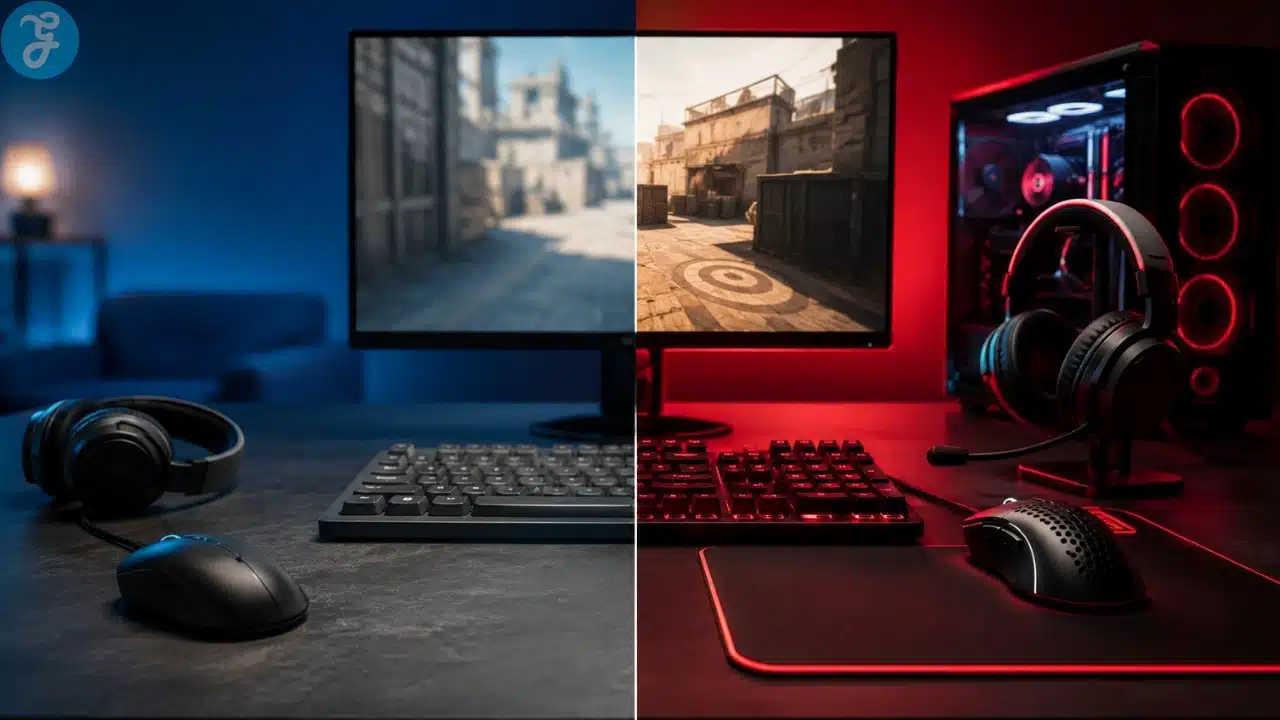
Casual gear is fine when gaming is mostly about relaxing, trying new titles, or playing a few matches without caring too much about rank. The problem begins when a player expects casual equipment to behave like competitive equipment. In games like League of Legends, Valorant, Counter-Strike, Apex Legends, and other online competitive titles, small delays and comfort problems become easier to notice once the match gets serious.
The difference between esports vs casual gaming gear is not just price. It is response time, control, comfort, consistency, and whether the setup helps or distracts during long sessions. A casual keyboard, basic mouse, 60Hz monitor, or uncomfortable chair may not ruin a normal evening of gaming. In ranked, scrims, or tournament-style matches, those same weaknesses can become annoying fast.
That does not mean every player needs a full pro setup immediately. Buying expensive gear before building fundamentals is usually a waste. A high-end mouse will not fix bad positioning. A 240Hz monitor will not teach map awareness. Better equipment matters most when it removes friction from skills a player is already trying to build.
The Real Difference Is Purpose, Not Branding
A lot of products are sold as gaming gear, but not all of them are useful for competitive play. Some are genuinely built for performance. Others are regular accessories with lighting, sharp edges, and marketing slapped on top.
Casual gear is usually built for general use. It may be affordable, comfortable enough, and suitable for browsing, schoolwork, office tasks, movies, and light gaming. Esports gear is more specific. It is designed around fast input, repeatable movement, clearer visuals, stable communication, and long-session durability.
The smart way to compare esports vs casual gaming gear is not to ask which one looks more professional. Ask what problem the gear solves. Does the mouse track accurately? Does the keyboard register repeated inputs reliably? Does the monitor make fast movement clearer? Does the headset stay comfortable after two or three matches? Does the chair and desk setup let you play without shoulder, wrist, or back tension?
If the answer is no, the gear may be holding you back. If the answer is yes, even a mid-range setup can be good enough.
Where Equipment Actually Changes Gameplay
Not every upgrade has the same value. Some equipment directly affects gameplay. Other upgrades are mostly cosmetic or comfort-based. Both can matter, but they should not be treated equally.
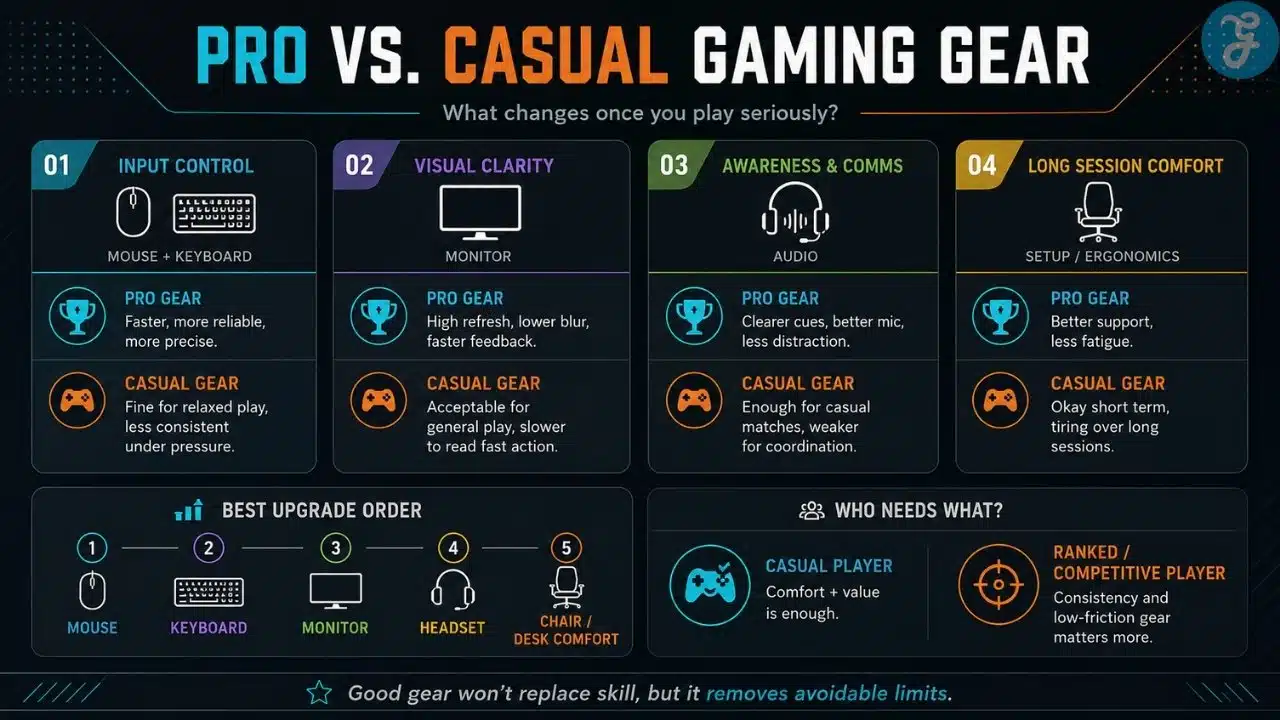
For competitive players, the biggest performance areas are usually input, display, audio, and physical comfort. Mouse and keyboard affect control. Monitor quality affects what you see and how quickly you see it. Audio affects awareness and communication. Ergonomics affect how long you can stay focused without pain or fatigue.
This matters differently across games. In League of Legends, the mouse affects camera control, champion movement, kiting, targeting, and skill-shot placement. The keyboard affects ability timing, item actives, summoner spells, pings, and quick commands. In shooters, mouse control and monitor clarity become even more obvious because aiming, peeking, and tracking depend heavily on precise movement and fast visual feedback.
The comparison below shows the practical difference between casual equipment and gear built for competitive use.
| Gear Area | Esports Gear | Casual Gear | Practical Impact |
|---|---|---|---|
| Mouse | Accurate sensor, adjustable DPI, higher polling rate, shape options | Basic sensor, limited adjustment, general shape | Better tracking, cleaner aiming, more consistent movement |
| Keyboard | Mechanical or fast-response switches, anti-ghosting, durable build | Membrane or basic switches, less reliable under repeated inputs | More reliable key presses for combos, abilities, and movement |
| Monitor | Higher refresh rate, lower response time, better motion clarity | 60Hz or basic display, slower response | Smoother movement and faster visual feedback |
| Audio | Clearer directional sound, low delay, better microphone quality | Basic headphones or speakers | Better communication and sound cue awareness |
| Desk and Chair | Stable desk, proper height, ergonomic support | Random desk setup, weak posture support | Less fatigue during long ranked or practice sessions |
This does not mean every esports option is required. It means competitive gear usually reduces problems that casual players may never notice.
Mouse and Keyboard Should Usually Come First
For most players, the mouse and keyboard are the first serious upgrades worth considering. They are the main connection between the player and the game. If they feel inconsistent, everything else becomes harder.
A poor mouse can skip, feel too heavy, track poorly, or make small adjustments feel unreliable. A weak keyboard can feel mushy, slow, or inconsistent when multiple keys are pressed quickly. These issues are frustrating in casual play, but they become more costly in competitive games where timing matters.
For League of Legends, mouse control affects more than aiming. It affects movement accuracy, attack-move rhythm, camera handling, dodging, and fast target selection in messy fights. Keyboard reliability matters when using abilities, active items, summoner spells, pings, and quick commands under pressure.
The mistake is buying based only on brand popularity. A mouse that works perfectly for one player may feel terrible for another. Grip style, hand size, sensitivity, desk space, and weight preference all matter. Lightweight mice are popular in many competitive scenes, but they are not automatically better for everyone. Some players prefer a slightly heavier mouse because it feels steadier.
The right choice is not the most expensive one. It is the one that feels accurate after repeated use.
Monitor Upgrades Are Easy to Underrate
A better monitor will not fix weak game sense, poor rotations, or bad decision-making. It can make the game easier to read.
Moving from a basic 60Hz screen to a higher refresh rate display often feels smoother, especially in fast games. In shooters, it can help with tracking, peeking, and reading movement. In MOBAs, it can make camera movement and chaotic fights feel cleaner. The benefit is not magic, but it is real enough that many serious players do not like going back once they adjust.
A 144Hz monitor is already a meaningful upgrade for many competitive players. Higher refresh rates can help, but only if the PC can support them. Buying a 240Hz or 360Hz monitor makes little sense if the system cannot maintain high frame rates during real matches.
Before upgrading, players should check actual in-game performance. Menus, empty practice modes, and highlight clips do not tell the whole story. Test frame rates during fights, crowded areas, and late-game moments where the PC is under more pressure.
Audio Matters More When Communication Matters
Casual players often treat audio as an afterthought. Competitive players should not. Clear sound helps with awareness, timing, and communication.
In shooters, audio can reveal footsteps, reloads, ability use, and enemy movement. In League of Legends, audio is less about footsteps and more about pings, ability cues, team communication, and staying aware during fights. A good headset does not need to be overpriced, but it should be clear, comfortable, and reliable.
The microphone also matters. If teammates cannot understand calls quickly, communication breaks down. A player does not need studio-quality sound, but the mic should be clear enough that teammates are not guessing what was said during a fight.
Comfort is another issue. Some headsets sound fine but clamp too hard, heat up quickly, or become tiring after long sessions. That can affect focus. A headset that feels painful after two games is not a good competitive tool, even if the box promises premium gaming audio.
Ergonomics Are Boring Until They Start Hurting
A lot of players obsess over DPI, refresh rates, switches, and headset drivers while ignoring posture. That is a mistake.
If the desk height is wrong, the chair has poor support, or the wrist angle feels awkward, performance can suffer over time. Pain and fatigue do not always show up in the first match. They show up after long sessions, repeated ranked days, and practice blocks where the body has no chance to recover.
Good ergonomics does not always mean buying an expensive gaming chair. Sometimes the better upgrade is a stable desk, proper monitor height, a chair with decent back support, and enough mouse space. A racing-style chair with bright colors is not automatically better than a simple ergonomic chair.
The goal is not to make the setup look like a streamer’s room. The goal is to reduce strain so the player can focus on the game.
Where Casual Gear Still Makes Sense
Casual gear is not useless. Many players do not need esports-grade equipment. If someone plays a few matches a week, does not care about ranked progress, and mostly wants comfort, casual equipment can be enough.
Casual gear can also be the smarter choice when budget is limited. A player should not spend heavily on peripherals while ignoring internet stability, PC performance, or basic game knowledge. There is no point buying a premium keyboard if the game stutters, the connection is unstable, or the player has not learned basic mechanics yet.
This is why the esports vs casual gaming gear comparison should not turn into a simple “pro gear good, casual gear bad” argument. Casual players need comfort and reliability. Competitive players need consistency, low delay, precision, and long-session support. Those are different needs.
A Smarter Upgrade Order for Competitive Players
The best upgrade order depends on the current setup, but most players should start with the equipment that directly affects gameplay.
A practical upgrade path looks like this:
- Stable internet and reliable PC performance
- Mouse suited to hand size, grip, and sensitivity
- Keyboard with dependable inputs
- Higher refresh rate monitor if the PC can support it
- Comfortable headset or audio setup
- Desk, chair, and posture improvements
- Optional accessories after the core setup is stable
This order is not exciting, but it prevents waste. Too many players buy decorative upgrades before fixing the problems that actually affect gameplay. RGB lighting, premium desk mats, and display shelves can wait. Stable performance should come first.
The Gear Mistakes That Waste the Most Money
The biggest mistake is expecting gear to replace practice. It will not. Better gear supports performance, but it cannot make bad decisions disappear.
Another common mistake is copying professional players without thinking. Pro settings and peripherals are personal. A pro player’s mouse shape, sensitivity, keyboard layout, monitor size, or audio setup may not suit another player’s hands, room, budget, or game style.
Some players also overbuy too early. Someone still learning basic wave management in League of Legends or basic crosshair placement in a shooter does not need every premium peripheral at once. They need a stable setup that lets them practice properly.
The best question before buying anything is simple: what problem is this upgrade solving?
If there is no clear answer, wait.
The Practical Way to Choose Better Gear
The best gaming setup is not always the most expensive setup. It is the setup that responds consistently, feels comfortable, and fits the player’s actual goals.
For casual gaming, that may mean a comfortable headset, a decent keyboard, and a monitor that looks good. For serious ranked or tournament play, priorities shift toward lower delay, better motion clarity, accurate input, clearer communication, and physical comfort over long sessions.
Understanding esports vs casual gaming gear helps players spend money with more discipline. Buy the tools that solve real limitations first. Ignore upgrades that only add style without improving control, comfort, clarity, or reliability. Gear will not make someone a better player by itself, but the right setup can make good mechanics easier to execute and bad habits easier to notice. That is where equipment starts to matter.

























