


Watching my nephew Fariz recognize letters in books made me pay closer attention to what happened outside of a learning app. The EdTech trends for parents that interest me most are the ones that help children practice, understand, and use a skill in everyday life.
Our team at Editorialge built Alphabet Magic Trace & Phonics and 123 Magic Number Fun: Math Kid. Alphabet Magic offers practice with letters and sounds, while 123 Magic Number Fun focuses on numbers and mathematics activities. These are our in-house apps, and my perspective includes testing activities in both and observing children using them. Those observations are informal, not controlled research.
Educational technology now raises questions about tutoring, personalization, accessibility, screen habits, and privacy. Age matters throughout: preschoolers may need guided letter and number activities, while older students may use digital tools for more complex subjects and homework.
These eight developments can help parents decide which tools fit a child’s needs and what to look for once practice begins.
1. AI Tutors Are Changing How Students Get Help
An older student who gets stuck on a mathematics problem can ask an AI tool to explain a step, offer a hint, or generate a similar question. That flexibility can be useful when the first explanation has not made sense.
The important part is what the student learns from the exchange.
A 2025 study involving nearly 1,000 high-school mathematics students found that an unrestricted AI interface improved performance during assisted practice but reduced performance on subsequent unassisted work compared with students who had not received AI access. A tutor designed to provide teacher-informed hints largely avoided that negative effect.
This finding concerns high-school mathematics. It does not establish whether an AI tool is suitable for a preschooler.
For parents of older students, a practical check is to ask the child to explain the method and attempt a similar problem independently. That gives a clearer picture of understanding than a completed homework page alone.
2. Adaptive Learning Responds to a Child’s Performance
An adaptive learning system uses a learner’s responses to adjust the next task, sequence, or difficulty. It might offer additional practice after an error or increase the challenge after successful responses.
That is different from letting a child select a level or repeat an exercise. Both can be useful, but they describe different features.
An August 2026 World Bank background paper reviewed 14 studies of adaptive and AI-enabled educational interventions. It found positive average learning effects while highlighting a limited evidence base. It also did not establish that generative AI tools outperform earlier technologies.
Parents should look for a clear explanation of how adaptation works. What changes after a wrong answer? Does the child receive useful guidance? Can an adult identify a difficulty that keeps recurring?
A useful response gives the learner a way forward. Simply presenting the same task again may leave a child repeating the same misunderstanding.
Before choosing a product described as personalized, check which decisions the software makes and which remain with the child, parent, or teacher.
3. Game-Based Learning Gives Practice a Clear Activity
Games can make repeated practice easier to approach. Their educational value depends on the skill involved and what the child must do to complete the activity.
Matching numerals, counting objects, tracing letters, and identifying sounds require different responses. A parent who understands those differences can choose practice more deliberately.
A 2020 systematic review published in Pediatrics found emerging evidence that interactive apps can support early academic learning, particularly mathematics. The studies varied considerably, and reporting limitations made their quality difficult to assess. Those findings support the potential of some activities without certifying every educational app.
In Alphabet Magic Trace, uppercase and lowercase tracing, letter matching, letter-sound activities, and spelling provide different opportunities for literacy practice. In 123 Magic Number Fun, children can explore number tracing, numeral identification, object counting, matching, sequencing, and mathematics games.
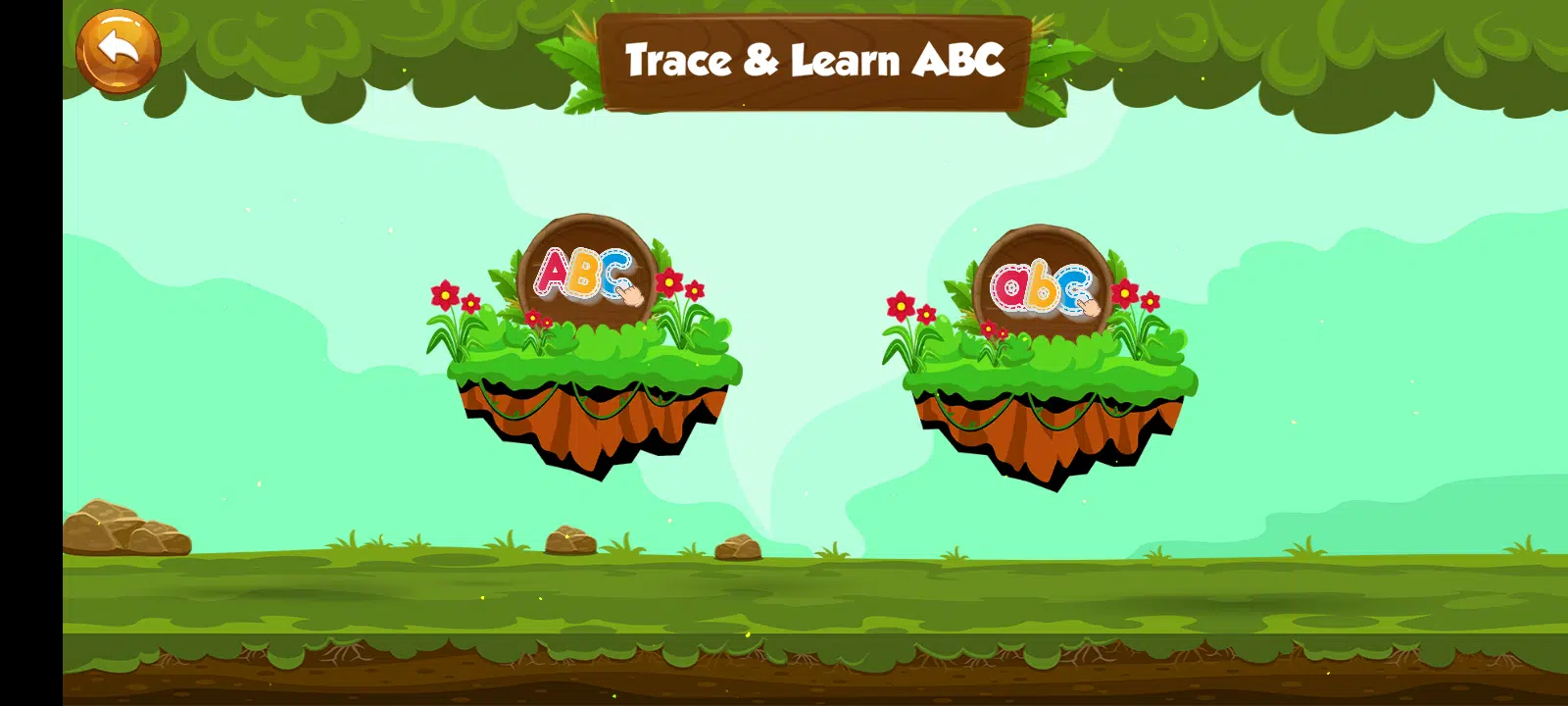
I keep that distinction clear when discussing our apps. Recognizing a numeral and understanding the quantity it represents are related skills, but completing one activity does not establish both.
In the activities I checked on Android, incorrect answers and unfinished traces were not treated as completed tasks. That tells parents something useful about the task rules. To assess learning, watch how much guidance the child needs and whether they can use the skill in another activity.
Choose the game around a current learning goal. A child practicing object counting may need a different activity from one ready to work with equations.
4. Blended Learning Connects Digital Practice With Hands-On Activities
Blended learning combines digital activities with other forms of instruction and practice. At home, a screen activity can lead into something done with a book, paper, or physical objects.
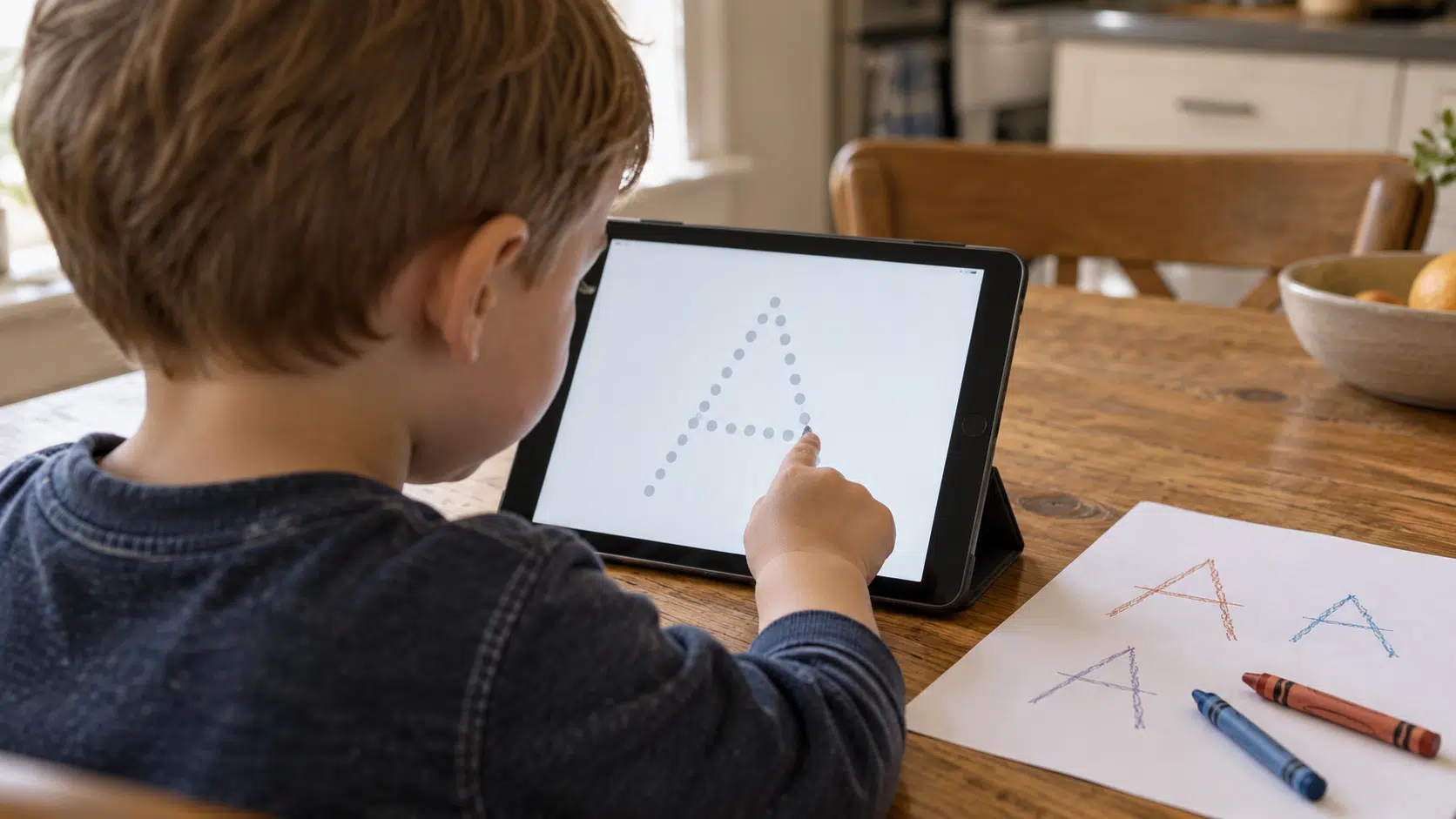
The Education Endowment Foundation’s guidance emphasizes purposeful use of technology to improve explanations and practice, including opportunities to apply skills in new contexts. Its guidance is aimed at schools, but the principle provides a useful starting point for home practice.
Parents can try connections like these:
| Digital activity | Follow-up away from the screen |
| Recognizing an uppercase or lowercase letter | Find the same letter in a picture book |
| Following a letter-tracing path | Try forming the letter on paper and notice how much help is needed |
| Counting pictured objects | Count a small group of blocks or toys together |
| Matching numerals | Match number cards with groups of objects |
With Fariz, this connection mattered. When he began using learning apps at about three, he was already familiar with uppercase letters. Over time, I observed growing familiarity with lowercase letters and letter sounds, recognition in books, and recall after breaks.
He also used books, toys, and preschool activities and received adult support. I see app practice as one part of that wider experience; I cannot isolate its contribution to his progress.
For families, the follow-up activity offers another opportunity to practice and notice what the child understands. Guided finger tracing, for example, should be followed by observing what happens with paper and a writing tool before drawing conclusions about independent handwriting.
5. Accessible Digital Materials Support Different Learning Needs
A child needs to understand the instructions and operate the controls before an activity can serve its purpose. Depending on the learner, useful features may include narration, captions, sign-language videos, adjustable text, suitable controls, or content in a familiar language.
UNICEF’s September 2026 report on an Accessible Digital Textbooks pilot in Bhutan describes students using narration and sign-language features to support learning. It also identifies barriers involving device access, software, and the additional guidance some students needed.
The pilot illustrates both the possibilities and the work needed to make digital materials usable in a particular setting.
Parents can begin by trying a tool with their child. Notice whether the child can follow the instructions, navigate the activity, and participate without avoidable barriers. Check any settings that address the child’s needs.
Language deserves attention too. Instructions should be understandable enough for the child to take part, with adult help where needed.
Audio, visuals, and touch interaction can provide different ways to engage with material. Accessibility depends on the child’s needs and the features available, so look beyond a general claim that an app is inclusive.
6. Digital and AI Literacy Are Becoming Learning Goals
Being able to operate a device does not necessarily mean understanding the information it displays. Children also need habits for checking claims, protecting personal information, recognizing uncertainty, and asking for help.
UNESCO’s AI competency framework includes human agency, ethics, technical understanding, and critical judgment. It treats AI literacy as a broader set of competencies than simply operating a chatbot.
For younger children, start with simple, age-appropriate habits: ask a trusted adult before sharing information, get help with an unfamiliar message, and talk about what appears on the screen.
Older children can practice checking an AI-generated explanation against a textbook or reliable source. Encourage them to identify where information came from and describe why they consider it trustworthy.
An answer can sound confident and still require checking. Teaching that habit gives children a practical way to respond to uncertainty.
These conversations can sit alongside subject learning. Letter and number apps serve particular practice goals; understanding AI and online information requires additional guidance.
7. Healthy Screen Habits Consider Content, Context, and Time
The American Academy of Pediatrics (AAP) takes a broad view of children’s digital lives in its 2026 policy. It considers content, design, relationships, and the activities screen use can displace, while continuing to recommend boundaries that protect sleep, movement, play, reading, and family time.
Its “5 Cs” framework considers Child, Content, Calm, Crowding Out, and Communication. Families are encouraged to consider the individual child, what they use, the role of media in calming, what screen use may crowd out, and communication about digital habits.
For a learning activity, notice whether the child understands the task, needs help, becomes frustrated, or struggles to stop. A clear stopping point can make practice more predictable, such as completing one chosen activity before moving to something else.
Adult involvement remains useful. The AAP notes that joint media engagement with caregivers can strengthen learning from suitable content.
Across approximately 12 children aged three to four whom I observed informally, children initially needed help and later handled activities more independently. That experience made me appreciate the value of early guidance.
As children become more comfortable with the controls, parents can still join occasional activities, ask about what is happening, and connect the practice with everyday learning.
8. Privacy and Advertising Are Part of Choosing a Learning Tool
A learning tool also has data practices, permissions, and sometimes advertising or purchase arrangements. Parents need to understand these alongside its educational purpose.
The US Federal Trade Commission finalized COPPA amendments in 2025 that require separate parental consent for certain third-party disclosures, including targeted advertising, and strengthen data-retention limits. These requirements apply to covered services under US law. Families elsewhere need to consider the rules and protections relevant to their location.
Before installing an app, read its privacy policy and store disclosures. Check what information it may collect, why it needs that information, what may be disclosed to others, and what deletion options are described.
Our apps deserve the same scrutiny.
- Alphabet Magic: It may collect and share device or other IDs. Its Data Safety section states that data is not encrypted and cannot be deleted.
- 123 Magic Number Fun: It lists ads and in-app purchases, possible collection of device or other IDs, encryption in transit, and data that cannot be deleted.
These are store declarations, not an independent privacy audit. Read the current policies to understand the fuller picture and seek clarification where the information leaves a question unanswered.
A product’s learning activities and its data practices are both relevant to the choice a family makes.
Choose the Tool Around the Child
I start with a specific learning goal: recognizing lowercase letters, counting a group of objects, or understanding a mathematics method. That makes it easier to decide whether an activity fits and what to observe afterward.
Over time, look for changes in how much help the child needs, what they recall, and where else they can use the skill. Keep books, play, conversation, and physical activities in that picture.
A tool can be useful for one task and less relevant to another. Give it a clear purpose in the child’s routine, stay involved enough to understand the experience, and adjust the activity when their needs change.
For me, useful learning technology makes practice manageable and gives adults opportunities to notice understanding. Those everyday observations help keep the child’s progress at the center of the decision.
Frequently Asked Questions on EdTech trends for parents
Can educational apps help children learn?
Some interactive apps can support early academic practice, with promising research findings particularly in mathematics. Benefits depend on the product, activity, child, and circumstances. Choose a specific learning goal and observe whether the child can use the skill with less guidance or in another setting.
Are AI tutors suitable for preschool children?
For preschoolers, prioritize age-appropriate activities with adult guidance. An adult using AI to prepare material is different from a child chatting independently with it. Check the service’s minimum age and privacy practices. Findings from older students cannot establish suitability for preschoolers.
How can parents recognize adaptive learning?
Look for an explanation of how the software uses a child’s responses to change subsequent activities, difficulty, or content. Manual level selection and self-paced repetition are useful features, but they do not automatically establish adaptation.
Does touchscreen tracing mean a child can write on paper?
Not by itself. Completing a guided tracing task shows performance within that activity. Offer paper and a suitable writing tool, with support as needed, and observe how much guidance the child requires before drawing conclusions about independent handwriting.
What should parents check before installing a learning app?
Check its activities, age suitability, accessibility, permissions, advertising, purchases, and privacy policy. Then try it with the child to see whether the task is understandable and fits comfortably alongside reading, play, movement, sleep, and family interaction.






















