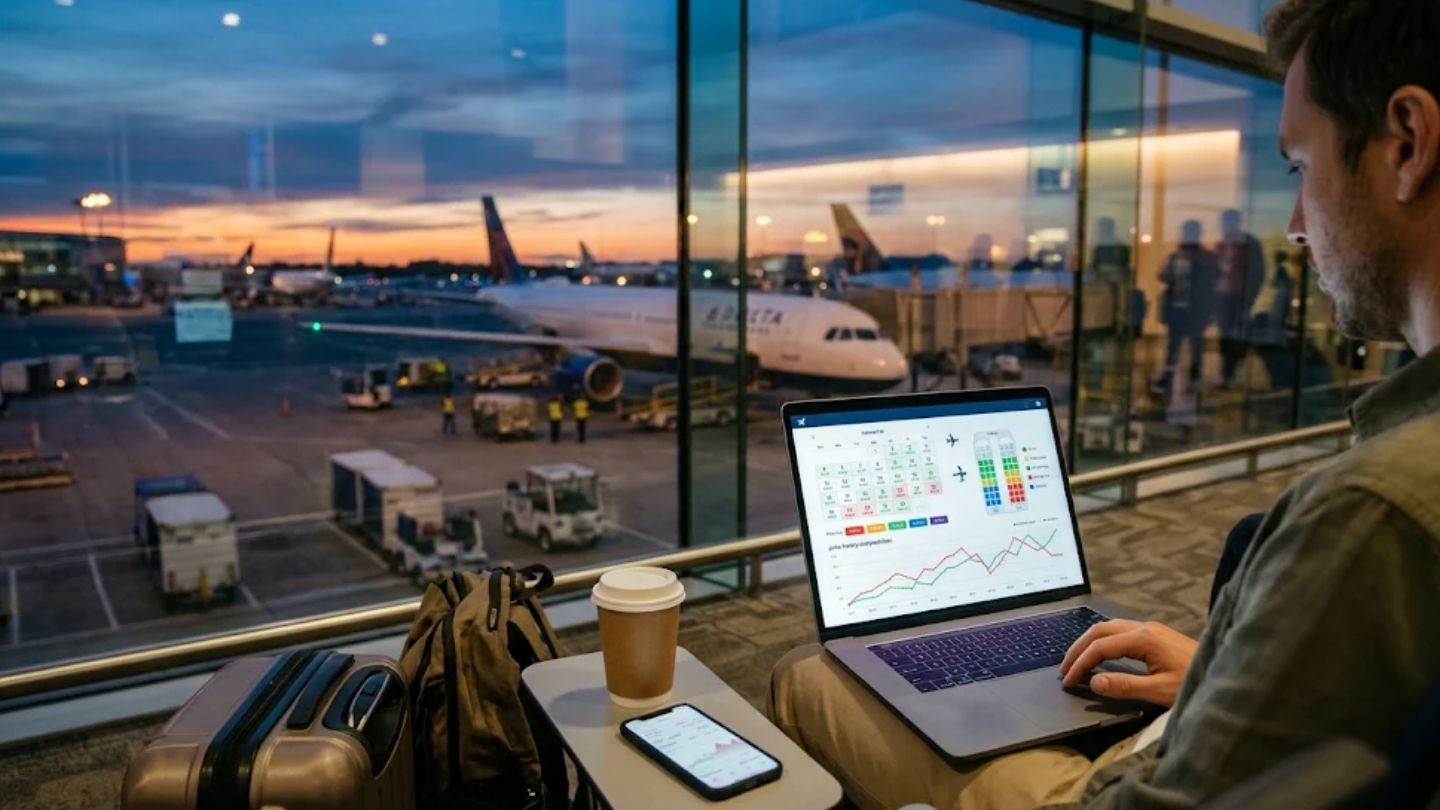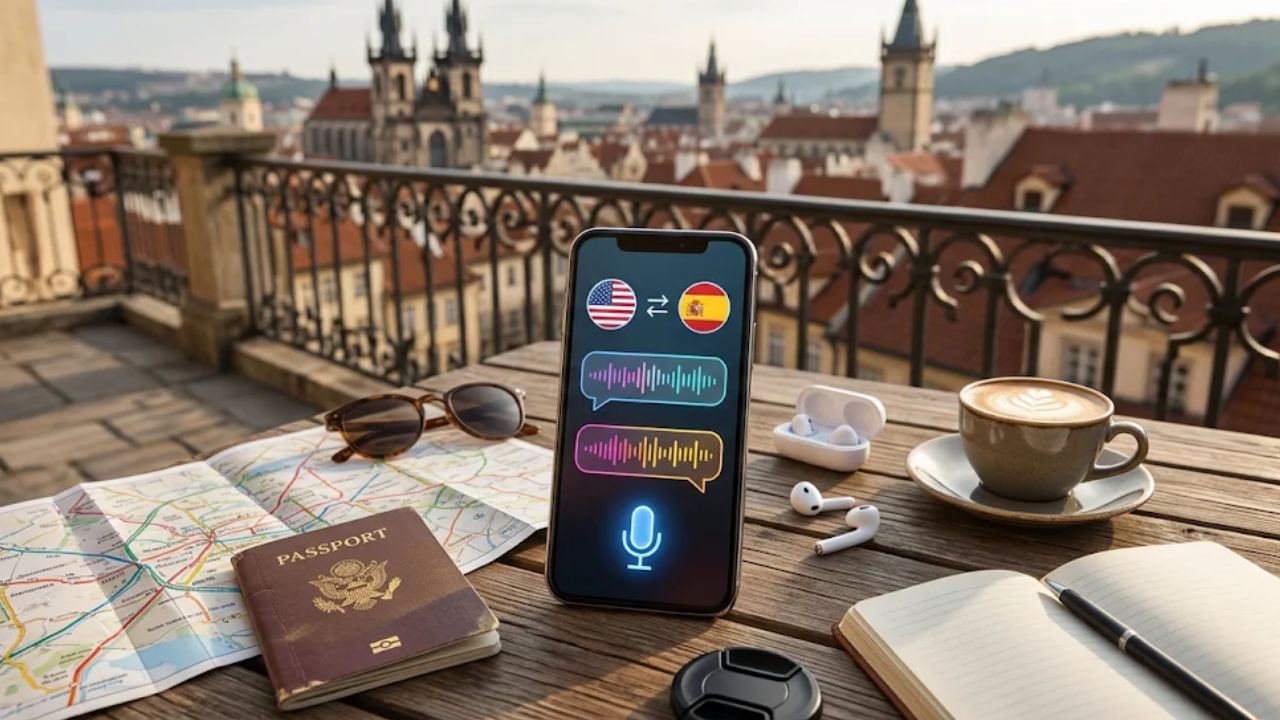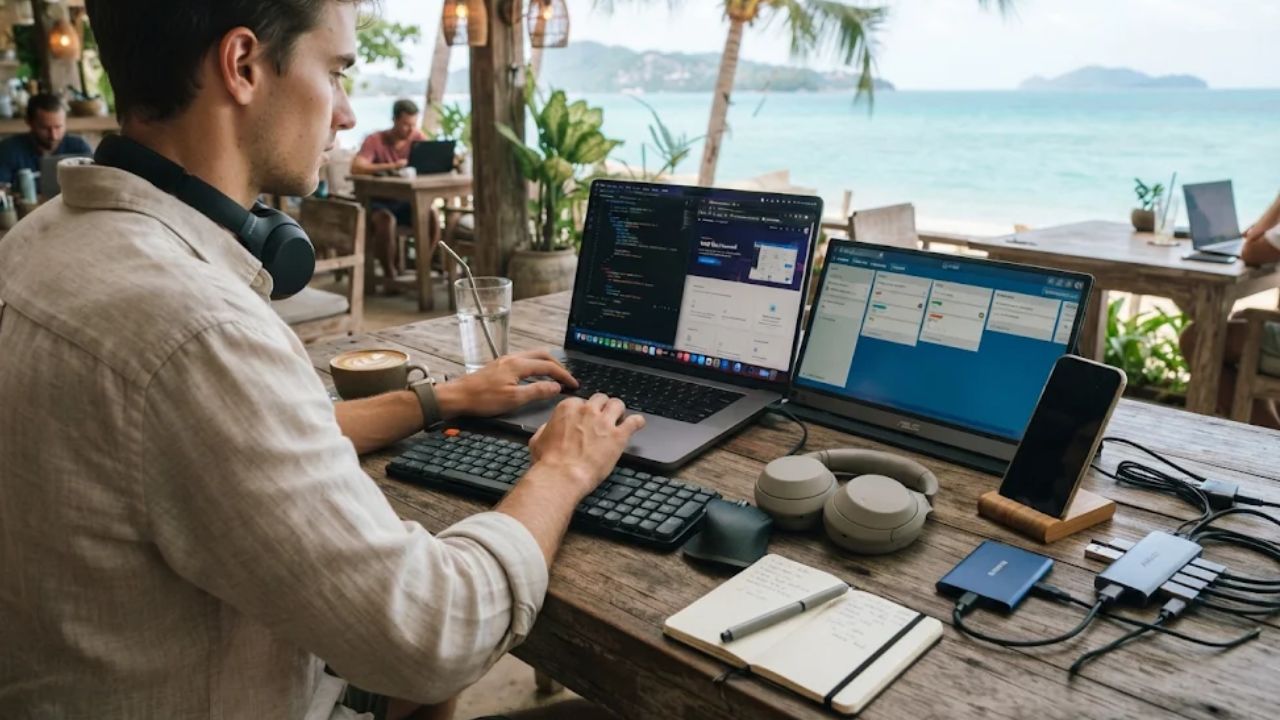
You’re about to work from another country, and you’re not sure which digital nomad tools you really need. A dead laptop, the wrong plug, or bad Wi-Fi can cost you a client call, a deadline, or a whole day’s pay.
Nine tools fix the problems that stop a remote workday. They are a power bank, a universal travel adapter, noise-canceling headphones, a portable Wi-Fi hotspot, an eSIM, cloud storage, a task app, an external drive, and a VPN.
Below, one table shows all nine, with a top pick for each and what to check before you buy. You’ll also learn when you need a hotspot and when an eSIM is enough. You’ll see how to back up your files and which simple steps keep you safe on public Wi-Fi.
The 9 Digital Nomad Tools at a Glance
Digital nomads live and work in a way that doesn’t depend on one place. They use technology to chase new chances and new places.
You’re not alone in trying it. About 18.5 million American workers are digital nomads, and that number has grown 153% since 2019.
| Tool | Problem it solves | Top pick | Check before buying |
| Power bank | Dead battery | Anker PowerCore 24K | USB-C Power Delivery output that matches your laptop’s watts, the watt-hour rating, and your airline’s battery rules |
| Universal travel adapter | Wrong plug | A universal adapter with surge protection and USB-C ports | Plug types for every stop, surge protection, and the input voltage printed on each charger |
| Noise-canceling headphones | Noise on calls and while you focus | Sony WH-1000XM5 | Battery life, a good mic, and easy switching between devices |
| Portable Wi-Fi hotspot | Weak Wi-Fi and many devices that need data | Nighthawk M1 Mobile Hotspot | Which carriers work where you’re going, battery life, and how many devices it supports |
| eSIM | No local SIM card | Airalo | An unlocked phone that supports eSIM, how much data you need, and when the plan starts |
| Cloud storage | Lost files | Google Drive | Strong security, sharing controls, version history, and apps for all your devices |
| Task app | Lost tasks and missed deadlines | Trello | Whether it syncs across devices and fits how you work |
| External drive | A lost or broken laptop | Samsung T5 Portable SSD | Storage size, how rugged it is, and transfer speed |
| VPN | Networks you can’t trust | Proton VPN | A no-logs policy and apps for your laptop and phone |
Keep your physical gear in one tech pouch, so you won’t leave a charger in a café or an adapter at the airport. The apps live on your devices. The backup drive goes in a different bag than your laptop.
Power and Comfort Tools: Power Bank, Travel Adapter, and Headphones
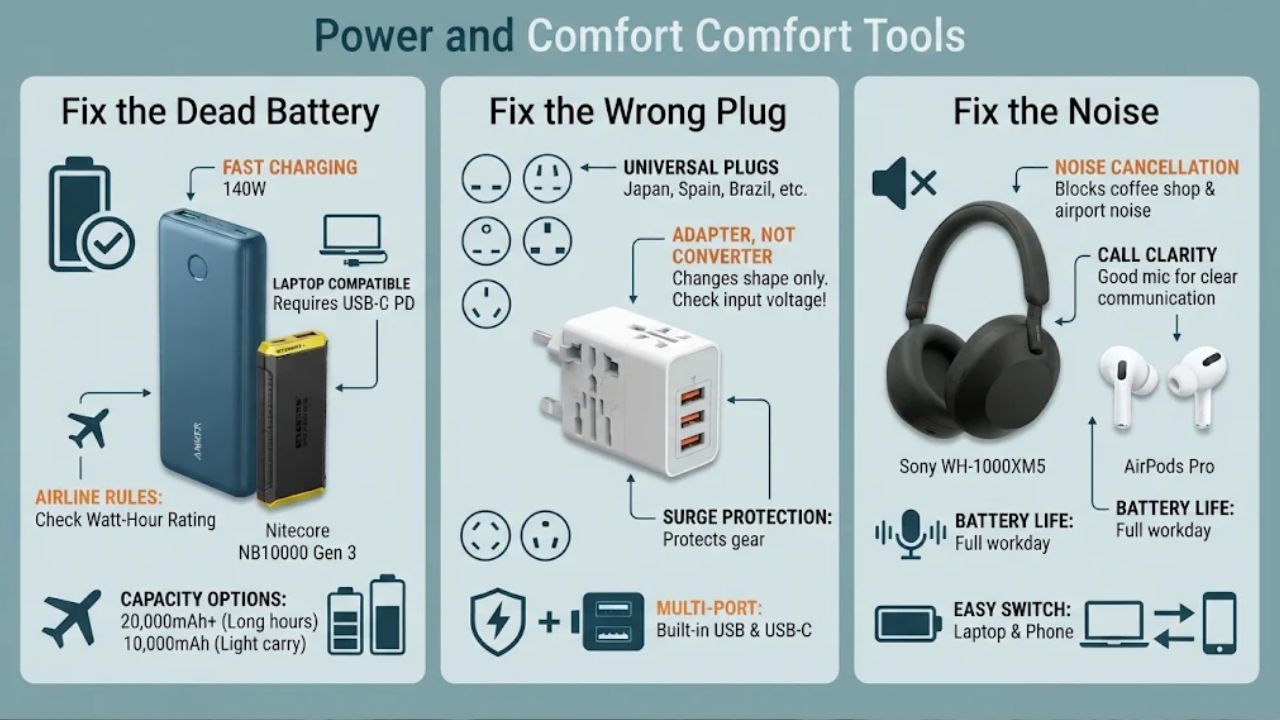
Your workday needs power, a plug that fits, and enough quiet to think. These three tools take care of all of that.
Power Bank: Fix the Dead Battery
A power bank keeps your devices charged in coffee shops, on long bus rides, and at airport gates with no free outlets. It’s often the tool that saves your workday.
Size matters. If you work long hours away from outlets, pick a power bank with 20,000mAh or more.
Size alone won’t charge a laptop, though. Your laptop needs a USB-C port with Power Delivery, and the bank’s output must match the watts your laptop charger uses.
The Anker PowerCore 24K is a strong pick. It offers 140W fast charging and can power a laptop, phone, and tablet. If you pack light and only charge a phone, a small 10,000mAh bank like the Nitecore NB10000 Gen 3 is easier to carry.
Airlines set rules on battery size and where you can pack a power bank. Find the watt-hour rating printed on the bank, then check it against your airline’s rules before you fly.
Before you buy, check these:
- Does it have USB-C Power Delivery with enough watts for your laptop?
- Does it charge fast enough to top up between work blocks?
- Is the capacity right for how long you work away from power?
- Does its watt-hour rating meet your airline’s rules?
Travel Adapter: Fix the Wrong Plug
A universal travel adapter lets you plug in your laptop in Japan, Spain, or Brazil. You don’t need to buy new chargers in each country.
Know what it does and doesn’t do. An adapter changes the plug shape, but it does not change the voltage.
So read the input label on each charger before you go. If the voltage range covers your destination, an adapter is all you need. If it doesn’t, that device needs a voltage converter or a new charger.
Pick an adapter with surge protection. Power spikes can harm your gear, and some places have shaky power.
Built-in USB and USB-C ports are a nice bonus. You can charge your phone, headphones, and power bank from one wall outlet. A compact design also saves room in your carry-on.
Check these before you buy:
- It covers the plug types for every country on your route.
- It has surge protection.
- It has enough USB ports for your devices.
- Your chargers’ input voltage fits each place you’ll visit.
Noise-Canceling Headphones: Fix the Noise
Coffee shops, airports, and coworking spaces get loud. Good noise-canceling headphones let you focus and sound clear on calls.
The Sony WH-1000XM5 Noise-Canceling Headphones block noise well and sound great. They’re a strong pick for long focus sessions.
If you’d rather wear earbuds, AirPods Pro work with both iPhone and Android.
Calls are where a good mic counts most. Digital nomad Alice Stenett told Afar this about her Bose earbuds: “They’re most useful when I’m taking calls. I never have to ask anyone to repeat themselves.”
For reference, Bose QuietComfort Earbuds are listed at about $279.
Before you buy, check the battery life. You want headphones that last a full workday. Also check that they switch easily between your laptop and phone.
How Do Digital Nomads Stay Online: Hotspots and eSIMs
Internet is the one thing you can’t work without. If you don’t have fast, steady Wi-Fi, remote work gets hard.
So plan a backup for when the café or rental Wi-Fi fails. That’s where an eSIM, a hotspot, or both come in.
Portable Wi-Fi Hotspot: Fix the Missing Wi-Fi
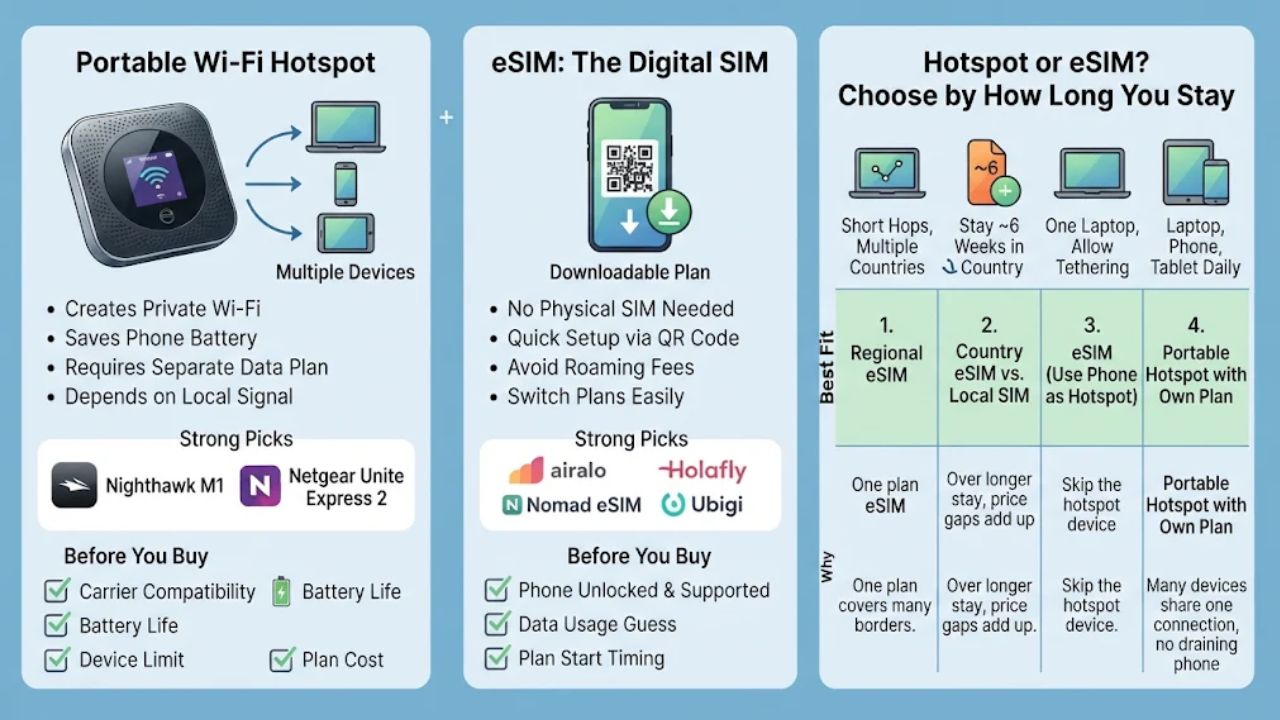
A portable hotspot is a small device that makes its own Wi-Fi network. Your laptop, phone, and tablet can all join it at once.
A strong pick is the Nighthawk M1 Mobile Hotspot. The Netgear Unite Express 2 is another solid model.
A hotspot can beat using your phone as a hotspot. It saves your phone battery and gives you a private network just for work.
There are trade-offs. A hotspot is only as good as the local signal, so very remote places may leave you without service.
It also needs its own data plan, and costs can add up if you visit many countries. Compare plans before you commit.
Before you buy, check these:
- Which carriers it works with in the countries you’ll visit
- Whether it accepts the SIM or eSIM plan you plan to use
- Battery life
- How many devices it can connect
- The price of data plans
eSIM: Fix the Missing Local SIM
An eSIM is a phone plan you download instead of a plastic card you put in your phone. You don’t have to hunt for a SIM shop or swap cards when you land.
Setup takes minutes. You scan a QR code, and you’re online. A strong pick is Airalo. Holafly, Nomad eSIM, and Ubigi also offer local, regional, and global data plans.
You can switch plans without touching your phone’s hardware. That saves time and can help you avoid high roaming fees. Before you buy, check that your phone is unlocked and supports eSIM. Then guess how much data you’ll use, so you don’t run out on a busy workday.
Also check when the plan starts. Installing the eSIM and starting the plan can happen at different times. Some plans start counting days at install, and others start when you first connect abroad.
Hotspot or eSIM? Choose by How Long You Stay
How long you stay shapes which plan gives you the best value. The average digital nomad visits 6.2 places a year and stays about 6.4 weeks in each one.
Stay length isn’t the whole story, though. How many devices need data, and whether your phone plan allows tethering, decide if a separate hotspot is worth it. Use this table as a starting point.
| Your situation | Best fit | Why |
| Short hops through several countries | Regional eSIM | One plan covers many borders, with no SIM shopping at each stop. |
| About 6 weeks in one country (the typical stay) | Compare a country eSIM with a local prepaid SIM | Over a longer stay, price gaps add up, so check both before you buy. |
| One laptop, and your phone plan allows enough tethering | eSIM, using your phone as a hotspot | You can skip the hotspot device and carry one less thing. |
| Laptop, phone, and tablet need data most days | Portable hotspot with its own data plan | Many devices share one connection without draining your phone, no matter how long you stay. |
Whichever you pick, check these before you pay:
- Coverage in the towns where you’ll work, not just the country
- Data caps and whether speeds slow down after a set amount
- Whether the plan allows tethering
- Whether a hotspot device works with the plan
Only buy both if your trip needs both. For example, say you join long client calls from a rental with shaky Wi-Fi. A hotspot can step in when the main connection drops.
Productivity Tools: Cloud Storage and Task Apps
The best apps are the simple ones you’ll actually use every day. You need two: a place for your files and a place for your tasks.
Cloud Storage: Fix Lost Files
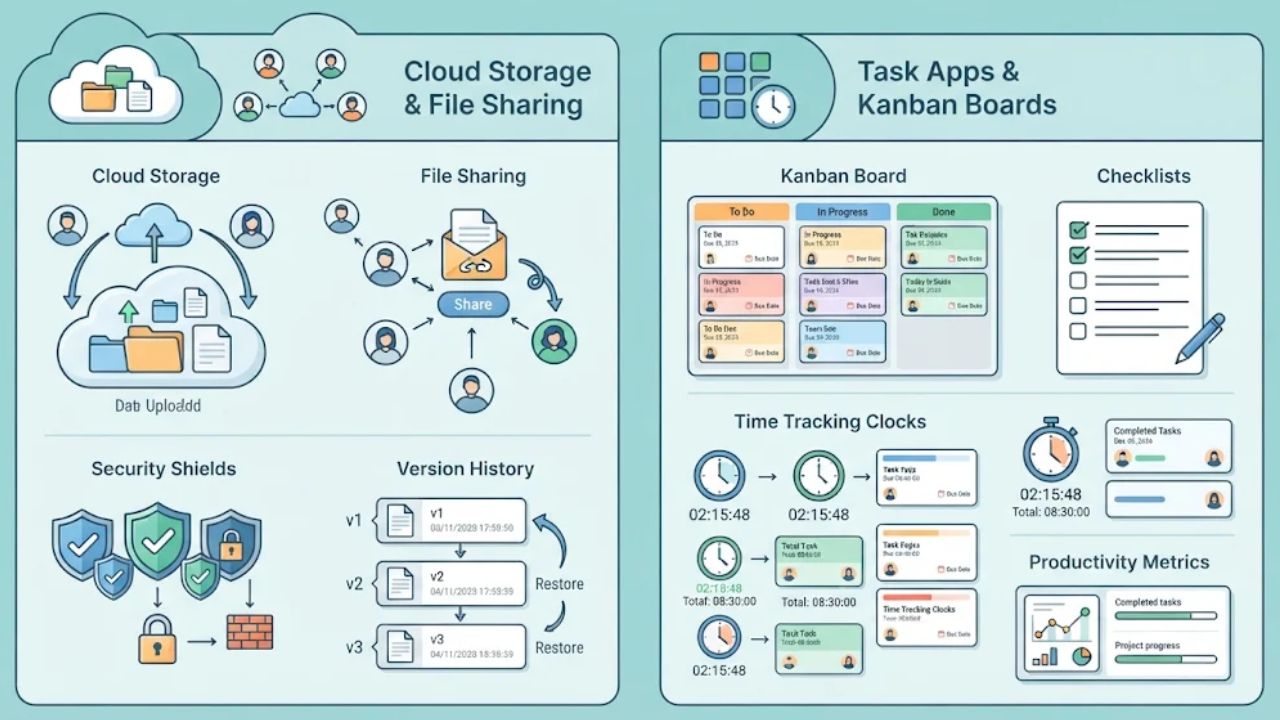
Cloud storage keeps your files online, so you can open them from any device in any country. If your laptop dies, your synced work is still there.
A strong pick is Google Drive. It works well across devices and makes teamwork easy. Dropbox is just as strong, and OneDrive fits well if you use Microsoft tools.
Google Workspace adds tools for your team, so you can all edit the same file at the same time. If you use Apple gear, iCloud lets you start on your laptop and finish on your phone.
Sharing is simple. You can send a file to a client in a few clicks and control who sees what.
Before you pick one, check these:
- Strong security for your data
- Sharing controls for clients and coworkers
- Version history, so you can undo a bad change or a deleted file
- Apps for every device you carry
- Enough space for your work files
Task App: Fix Lost Tasks
New time zones and new cities make it easy to forget a deadline. A task app keeps your to-do list in one place you can reach from anywhere.
A strong pick is Trello. It shows your tasks as cards on a board, so you see what’s next at a glance. If you run bigger projects, Asana adds more structure. Todoist and Notion are good choices too.
Your team can see your progress, no matter where they live. You can set deadlines, assign work, and track it all in one spot. Want to see where your hours go? A time tracker like Toggl shows how you spend your day and makes billing clients easier.
Because your tasks live in the cloud, a broken laptop won’t wipe out your plans. Pick the app that fits how you like to work.
How to Keep Your Files and Data Safe: External Drives and VPNs
Laptops get dropped, stolen, and soaked. Networks can be risky too. An external drive and a VPN, plus a few simple habits, help keep your work safe.
External Drive: Fix a Broken or Lost Laptop
Cloud storage is great, but it needs internet. An external drive gives you a second copy you can reach offline.
A strong pick is the Samsung T5 Portable SSD. It offers fast transfer speeds and strong data security in a small case.
If you travel rough, look at the LaCie Rugged Mini. It resists shock, dust, and water.
Before you buy, check these:
- How much storage you need
- How rugged it must be for your trip
- How fast it moves big files
A Simple Backup Routine
Two copies in two places is the goal. If your laptop is lost, you can get back your files up to your last good backup. Follow these steps:
- Turn on auto-sync in your cloud app, and turn on version history if it’s offered. Sync alone can copy a deleted file or a bad edit everywhere.
- Check that uploads have finished before you close your laptop for the day.
- Back up your full laptop to your external drive once a week. Do it more often during busy weeks.
- Back up any changed files before each travel day, when loss or damage is most likely.
- Keep the drive in a different bag than your laptop, so one theft doesn’t take both.
- Test it once before you leave. Open a file from the cloud and one from the drive.
VPN: Fix Unsafe Networks
Here’s some good news. The Federal Trade Commission says that because so many sites use encryption, using public Wi-Fi is usually safe.
So you don’t need to panic at every café. But a few habits matter a lot, and a VPN adds an extra layer.
The FTC notes that VPNs encrypt the traffic between your computer and the internet, even on unsecured networks.
Know the limits, too. A VPN adds encryption between your device and the VPN provider, but it doesn’t make a fake website trustworthy or replace HTTPS.
A strong pick is Proton VPN. It has a free plan with unlimited data, so you can start without paying. ExpressVPN and NordVPN are popular paid choices.
A VPN can also help you reach content from home while you’re abroad. Before you pick one, check for a strict no-logs policy and apps for both your laptop and phone.
When a VPN Matters Most
A VPN is most useful in a few cases:
- You join a network you don’t know, such as at an airport, hotel, or café.
- You log in to bank accounts or client systems.
- You send private client files.
Get the order right. Install and set up the VPN at home before you leave. On the road, join the network first, then turn on the VPN before you open email or work apps.
The FTC’s Public Wi-Fi Safety Steps
These steps are your main safety plan. Do them every time you get online somewhere new:
- Check for HTTPS: Look for a lock symbol or https in the address bar, to the left of the website address. This works on a mobile browser, too. If a site doesn’t show it, don’t type passwords, card numbers, or client details there, even with a VPN on.
- Watch for fake sites: The FTC warns that scammers “create fake websites and encrypt them to make you think they’re safe when they’re not.” A lock alone doesn’t prove a site is real, so type web addresses yourself or use bookmarks.
- Use strong passwords: Create a strong, different password for each account.
- Turn on two-factor authentication: Switch it on wherever it’s offered. Then a stolen password alone won’t open your account.
- Add your VPN: Once you’ve joined the network, connect your VPN before you open work apps.
Pack These 9 Tools Before You Go
These nine digital nomad tools cover the problems that most often stop a remote workday: power, plugs, noise, internet, files, tasks, and safety. Set them up at home, and you’ll know they work before you need them.
Use this checklist the week before you leave:
- Charge your power bank and test it on your laptop.
- Check the power bank’s watt-hour rating against your airline’s rules.
- Check that your travel adapter fits every country on your route.
- Read the input voltage on each charger and compare it to each stop.
- Charge your headphones and test the mic on a short call.
- Choose an eSIM, a hotspot, or both, based on your stay length, your devices, and your tethering rules.
- Check that your phone is unlocked and supports eSIM, then buy your first plan and check when it starts.
- Turn on auto-sync and version history in your cloud storage.
- Load this month’s tasks and deadlines into your task app.
- Run a full backup to your external drive and test a restore.
- Install and set up your VPN on your laptop and phone.
- Turn on two-factor authentication and update weak passwords.
- Pack your physical gear in one tech pouch, and pack the backup drive apart from your laptop.
Do all of this before your trip. Then your first workday abroad can be about the work, not the problems.
Frequently Asked Questions About Digital Nomad Tools
1. What gear do digital nomads need to work from anywhere?
The Tortuga backpack is my top pick, fitting a Roost laptop stand, USB multi-plug, spare SD cards, and a Kindle Paperwhite with room to spare. Add the Bose QuietComfort 35 headphones, and you’re set for working in noisy spots like trains or airport lounges.
2. How do you find good Wi-Fi on the road?
Workfrom is a good resource for finding cafes with verified fast Wi-Fi, and a portable Wi-Fi extender handles weak hotel signals. For truly remote areas, the Starlink Mini works well, though it comes with a higher price tag.
3. Do I really need travel insurance?
Yes, and SafetyWing is one of the most popular options for digital nomads, covering medical emergencies and travel mishaps at a low monthly rate.
4. What apps help you stay focused and calm?
Forest blocks distracting apps like Facebook and Reddit while you work, and Headspace or Insight Timer can help you decompress after a long session. Blue light glasses are worth adding if you spend a lot of time on screens at night.
5. Which tools help you make and plan content?
Canva handles graphics, Descript covers audio editing, and Later manages post scheduling, so most content work stays in those three tools. For client payments, PayPal keeps things simple and fast.
6. How do you find cheap places to stay and local help?
TrustedHousesitters lets you stay rent-free in exchange for pet care, and Outsite offers co-living spaces built for remote workers. For local business connections in the U.S., the Chamber Finder from the U.S. Chamber of Commerce points you to nearby groups.