Uploading a file to an AI assistant can save time. It can also expose more than you meant to share. A client spreadsheet may contain hidden comments. A draft contract may include names that have nothing to do with your question. And a setting that sounds private may control only one part of how your data is handled.
Before I upload a personal or work file, I check the account, the people and services that may have access, and what happens to the file afterward. These eight AI privacy settings are a practical place to start. The exact menus and protections vary by product, plan, and workplace, so check the options in the account you actually use.
8 AI Privacy Checks to Make Before Sharing a File
Before uploading a personal or work file, check these eight AI privacy settings to see how the service handles training, memory, connected apps, sharing, and deletion.
1. Check that you are in the right account and workspace
Look at the account menu before you attach anything. A personal account and an employer-managed workspace may have different rules, even when they use the same AI product.
ChatGPT Business and Enterprise workspaces, for example, do not use customer content to train OpenAI models by default. Microsoft Copilot Chat offers enterprise data protection when used with a qualifying work or school account. With Gemini, workplace protections depend on whether the service is provided as a core Google Workspace service under an eligible edition. Simply signing in with a work email is not enough to establish which rules apply.
Your employer’s policy matters, too. Approval to use an AI assistant for general writing does not necessarily cover employee records, customer data, source code, or unreleased financial information. An organization may also keep audit records or set its own retention and access rules.
Before uploading: Confirm the account, workspace, permitted file type, and who administers it. If the file falls outside the approved use, remove identifying details or use your organization’s authorized process.
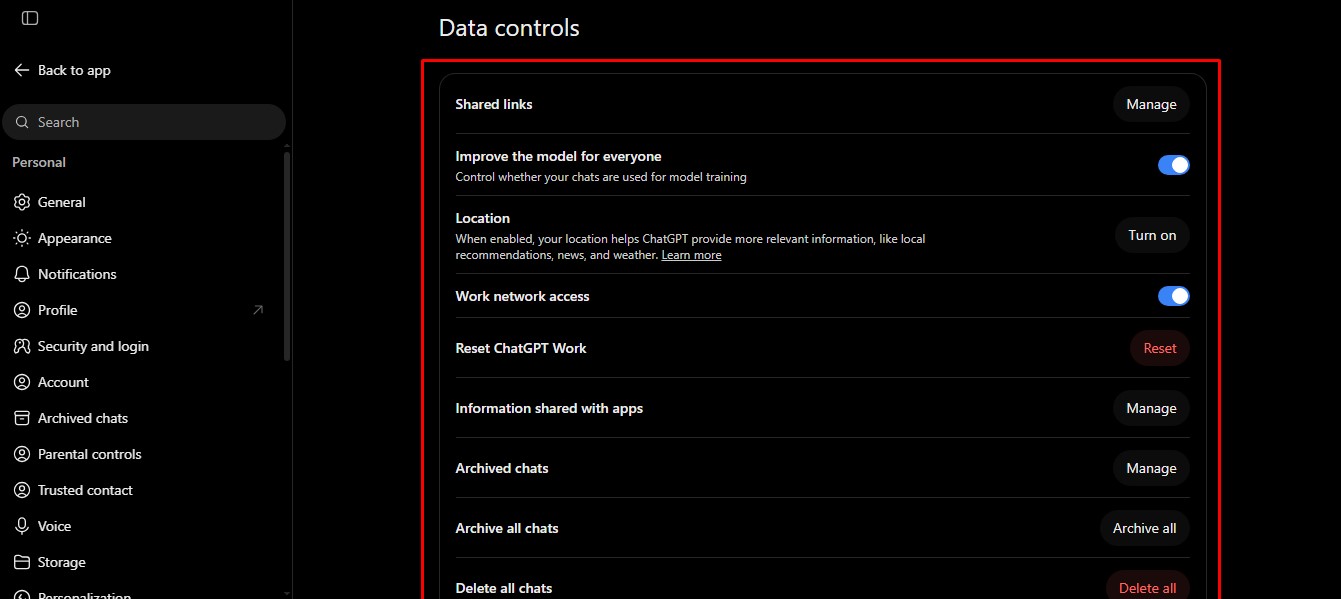
2. Review the model-training setting
People often look for a switch that says their data will not be used to train AI models. That is a useful check, but it does not erase chat history, turn off memory, revoke a shared link, or delete an uploaded file.
| Service | Where to check in a personal account | What to know |
| ChatGPT | Settings → Data controls → Improve the model for everyone | Turning it off keeps new conversations out of model training. They may still appear in your history. |
| Claude | Settings → Privacy → Help Improve our AI models | Turning it off stops future use of new chats for model improvement, subject to stated exceptions such as safety reviews. |
| Gemini | Settings and help → Activity → Keep Activity | Turning it off stops future chats from being used to train Google’s AI models unless you send feedback. It may also disable some connected features. |
| Perplexity | Profile → Settings → AI Data Usage | Turning it off stops Perplexity from using your search data to enhance its AI models. |
Copilot requires a more specific answer than an old settings guide may give you. Microsoft’s documentation for the updated personal Copilot app says prompts, responses, and uploaded file contents are not used to train foundation models. Earlier Copilot experiences and work or school versions have different documentation. Identify your version and account before relying on a remembered toggle.
I also pause before rating a response in a sensitive chat. Feedback can be handled differently from an ordinary conversation. For example, ChatGPT says a conversation associated with thumbs-up or thumbs-down feedback may be used to train its models even when you have opted out of routine training.
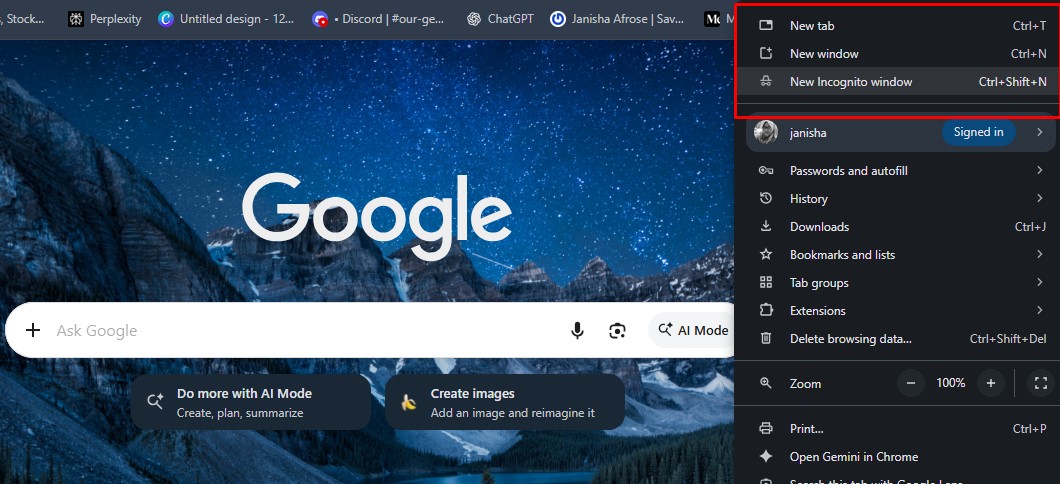
3. Choose temporary or incognito mode with care
Temporary chat can be useful when you need help with one document and do not want the conversation in your normal history. Start that mode before uploading. Temporary does not mean the service deletes everything the moment you close the tab.
In ChatGPT, Temporary Chat stays out of normal history and is not used to improve models while it remains temporary. OpenAI may keep a copy for up to 30 days for safety. Before starting, you can choose Personalized, which can use existing memories, custom instructions, and plugins, or Unpersonalized, which does not use them. Neither choice creates or updates memories while the chat remains temporary. If you later save the chat, it becomes a regular conversation governed by your account settings.
Gemini Temporary Chat does not appear in recent chats or train Google’s AI models, but Google retains it for 72 hours. Claude Incognito Chat stays out of normal history and memory and is not used for training; its default retention is 30 days. Perplexity says an incognito session expires within 24 hours. That session-expiry statement should not be treated as a promise that every uploaded attachment is deleted on the same schedule; check its separate file policy.
For work accounts, an incognito screen is not necessarily hidden from administrators. Claude, for instance, says Team and Enterprise owners can obtain incognito chats through organizational data exports. Use the mode for its stated purpose, not as a way around workplace rules.
4. Check memory and personalization separately
Model training and memory are different AI privacy settings. One concerns whether content can help improve a provider’s models. The other concerns whether the assistant may use information from earlier interactions in later replies.
In ChatGPT, review Settings → Personalization → Memory and any related controls available to your account. Turning memory off does not delete an existing chat, file, or saved memory. If a detail was saved separately, deleting the conversation that supplied it may not remove that saved detail.
Claude offers memory controls under Settings → Memory. The updated personal Copilot app has saved-memory choices under Settings → Personalization. Check what is already saved as well as what the assistant can remember next.
My test is simple: would I want a detail from this file to appear in an unrelated answer later? If not, review personalization before the upload and remove any unwanted saved details after the task.
5. Inspect connected apps and cloud files
An AI assistant connected to a drive, mailbox, or workplace search tool may be able to use more material than the one file you attach. Check which accounts are connected and what each connection can access.
In ChatGPT, review connected apps or plugins in Settings and inspect their permissions. A control that changes when the assistant asks before using an app is not the same as disconnecting the app. Claude has connector controls, while Gemini has Connected Apps. In eligible work Copilot accounts, Work IQ and source controls can affect whether work data is used to answer a question.
Keep the scope as small as the task allows. If you need a summary of one page, you may be able to paste a cleaned excerpt instead of connecting a whole drive. Disconnecting an app can stop future access, but it does not necessarily remove information already copied into a previous chat.
6. Check whether an AI tool sends data to a third party
A custom GPT, agent, action, or integration may call an outside service to complete a task. Look at its tools and permissions before giving it a personal document or work file.
The creator of a custom GPT cannot read each user’s individual chat with it. Still, a GPT that uses an external API or connected app may send relevant parts of your request to that provider. The recipient’s own privacy and retention terms then matter. A 30-day retention rule for a Temporary Chat does not set a 30-day limit for a third party that received data through an action.
Ask yourself: Who will receive information from this file, and for what purpose? If the answer is unclear, use an approved tool without that integration or send a smaller, cleaned excerpt.
7. Review sharing links and project access
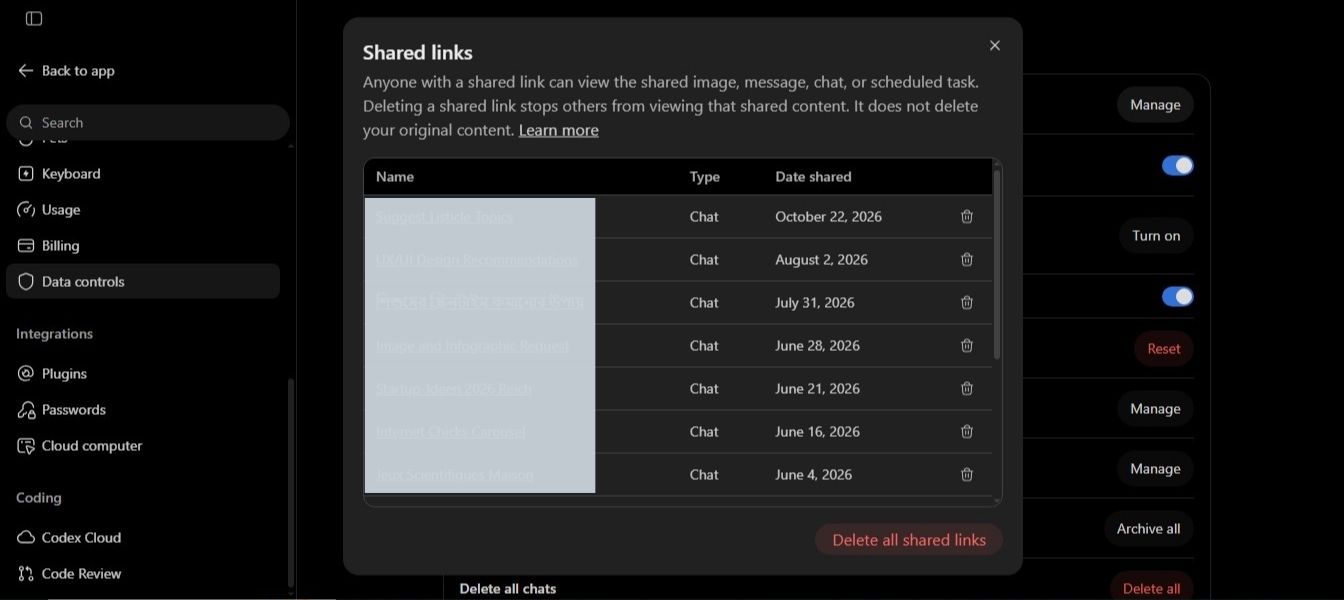
Even if you keep the original conversation private, a shared link or project can open it to other people. Check the audience and preview the entire shared item, not just the answer you intended to show.
In a personal ChatGPT account, anyone with a conversation link can view its shared content. Depending on the feature used, uploaded files or images may be included. Members of a shared ChatGPT project can view and download its files.
Gemini says a public chat link can expose the whole conversation, including uploaded images. Perplexity says people with a public session link can see files attached to that session.
When someone only needs your final summary, I would move the approved text into a fresh document and check it before sharing. A link labeled “summary” is not proof that the underlying conversation or attachment is hidden.
8. Find out how chats and files are retained and deleted
Chat history, uploaded files, project storage, saved memories, and public links do not always disappear together. Locate the deletion controls for each place your information may end up.
In ChatGPT, a file saved in Library can remain after the chat that used it is deleted. Project files and files added as knowledge to a custom GPT have their own storage rules. In a personal Gemini account, Keep Activity has a default auto-delete period of 18 months that you can change; turning it off still allows a 72-hour retention period for new chats. Perplexity says ordinary session uploads are retained for 30 days, or seven days for Enterprise Pro, while files in Projects and personal repositories remain until deleted under their own rules. Its 24-hour incognito session expiry should not be confused with these file-retention terms.
When the task is finished, look for the chat, the uploaded file, project copies, saved memory, and any shared link. Deletion can be subject to the provider’s stated processing time and safety, legal, or organizational retention requirements. This is the AI privacy setting I most want to understand before sending a file, because discovering the storage rules afterward does not undo the upload.
Prepare a cleaner file before you upload
The most useful privacy step often happens outside the AI app: send only what the task requires. To improve one paragraph, share the paragraph rather than a complete contract. To explain a spreadsheet formula, make a copy without customer names if those names do not affect the answer.
Check information you cannot easily see on the page. Word documents may contain comments, tracked changes, hidden text, and author details. Use Document Inspector on a copy to find and remove unwanted material. A PDF may need both visible redaction and removal of hidden information; covering text with a black box is not a reliable redaction method.
Keep the original. Review the cleaned copy before uploading. If removing names or figures would make the answer inaccurate, use a service and workflow approved for the full file.
My five-question check before clicking Upload
- Am I using the correct account and a workspace approved for this type of file?
- Have I checked model training, temporary chat, and memory separately?
- Can a connected app, outside service, project member, or shared-link viewer access this content?
- Have I removed unnecessary details, including comments and hidden document information?
- Do I know where the chat and file will be stored and how to remove them later?
If I cannot answer one of those questions, I stop and check it before sending the file. The best AI privacy settings help, but they work best alongside a smaller, carefully prepared upload.
Frequently asked questions on AI Privacy Settings
Does turning off AI model training make a file private?
No. It changes whether eligible content may be used for model improvement. Chat history, memory, sharing, connected apps, feedback, and file retention have separate controls.
Are temporary AI chats deleted as soon as I close them?
Usually not. Providers may retain temporary chats for a stated period for safety or service reasons. The period differs by product, and work-account retention policies can change it.
Can my employer see a chat in a work AI account?
That depends on the product and your organization’s controls. Microsoft says work Copilot Chat prompts and responses are logged and may be available through audit and administrative tools. Claude says Team and Enterprise owners can obtain incognito chats through organizational exports. Treat work chats as workplace records.
Does deleting the chat also delete the uploaded file?
Not always. A file saved separately in ChatGPT Library or in a project can outlast the conversation. Check the product’s file storage and any project copies as well as the chat itself.
Is it safe to upload a file after removing names?
It is safer when the names are unnecessary, but names are only one kind of identifying information. Check account numbers, addresses, document properties, comments, unique case details, and information in earlier versions. Use your workplace’s approved process for confidential files.
Which AI privacy setting should I check first?
Start with the account and workspace. If the tool is not approved for the type of file you have, changing a training or memory setting does not make the upload appropriate. Then review the other seven checks before sending anything sensitive.