This page is all about Cinema HD, its features, and the installation process for Android devices. We all love to watch movies and TV shows but sometimes it becomes quite hard to find a good source that provides us with the latest content.
There are many websites and apps available on the internet that allow us to watch our favorite series but most of them are either not free or have a very limited selection of content.
Cinema HD is an app that provides us with a large library of streams from all around the world. It’s a kind of freemium application that doesn’t have a subscription-type model. That’s the biggest user attractive feature.
The best part about this app is that it is constantly updated with the latest content so you will never get bored.
What is Cinema HD?
Cinema HD is a free streaming source which allows its users to watch the latest movies and TV series with dozens of streams.
Basically, It has a unique formula that can pull the links from different sources. It holds a huge library of content including major OTT content.
Just like other premium OTT platforms, Cinema HD has titles from different genres, a high-quality video experience, and a data-saving mode.
The available devices for Cinema HD are not restricted to Android but you can also install it for Firestick, Roku, and Smart TV.
It has a wide selection of content from various genres and categories, making it one of the best streaming apps available today.
Features
Decent Collection
This app is mainly focusing on content which is available for free from the top streaming industries like Crackle, Netflix, Tubi, Hulu, etc. All the movies and TV shows from this application are available in HD version, not piracy print.
High-Quality Streaming
Cinema HD uses an advanced streaming technology that allows you to watch movies and TV shows in high-quality without any buffering. You can stream any content video like, 1080p, 720p, 420p.
Device languages
You can now set the language of your device to any of the following: English- Spanish- French- German- Italian- Portuguese Supported Android Devices and OS VersionsWith this app, you can use it on almost any Android device.
Real Debrid And Trakt.Tv
If you love to watch the content from the premium sources for 4K, exact match subtitles, no buffering, auto-play. Then, Cinema HD comes with integrated Real Debrid and Trakt. You can use this feature.
No Ads And Pop-ups
Cinema HD’s Ad-free feature with VIP membership, Mod, and Media player are great opportunities to avoid annoying ads.
Aired Channel Shows
With Cinema HD, You can watch your favorite shows from different channels which are already telecasted. Just, jump to the section called “Now Playing”, and you’ll get those tv channel content.
Multiple-Language Subtitles
Watch the movie with subtitles in your preferred language. 50 languages supported: English, Spanish, French, Portuguese (BR), Russian, Indonesian, Turkish, Vietnamese, Thai, and Chinese (Simplified & Traditional). The default is set to English but you can change it anytime through the app. You can change the subtitle color also.
How to Download / Install Cinema HD APK
The download process of the Cinema app is pretty simple and straightforward. All you need to do is just follow the guidelines given below.
1. Go to the Cinema HD APK official page, choose the latest version (2.4.0) and click the button to download.
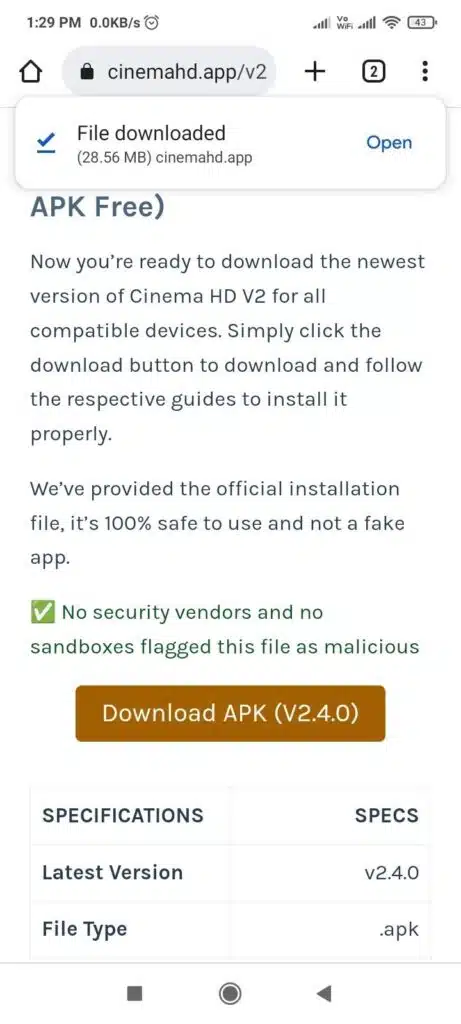
2. Click the “Download anyway” now.
3. Now, wait for the download to complete.
4. Once it’s done, Next open the file.
5. Install it on your Android device.
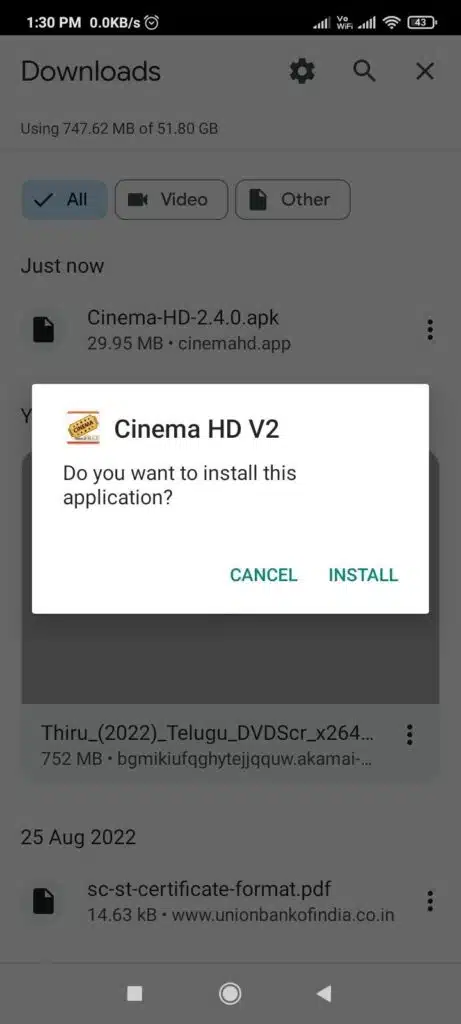
6. In this step, just wait and see the complete process.
7. Press the open.
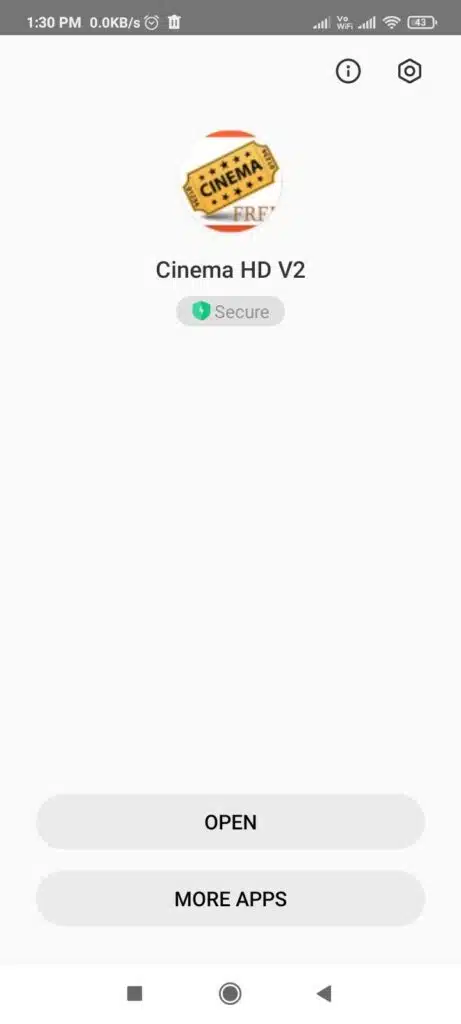
8. Tap the ‘Allow’.
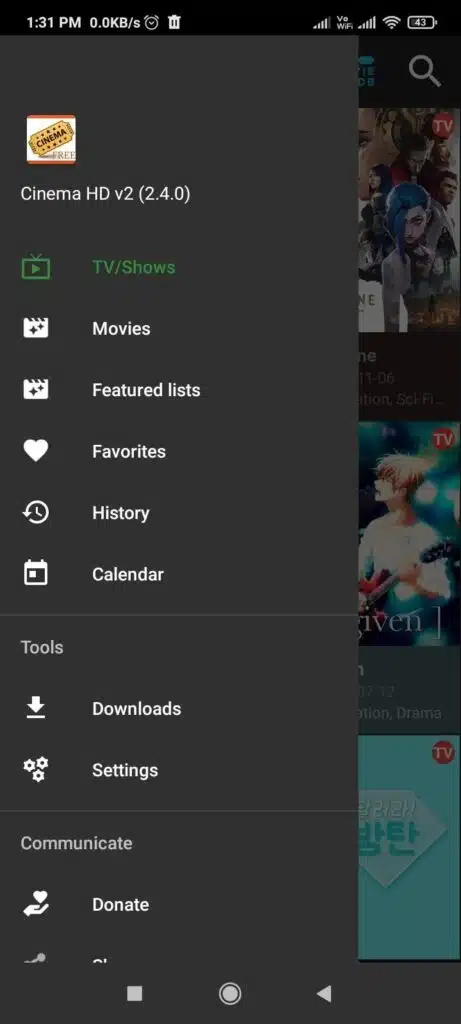
9. That’s all for it, now get started with Cinema HD v2.
Pros And Cons:
Pros
- Real Rebrid integration support.
- Chromecast
- Screen mirroring option for Roku.
- No ads with media players.
- Frequent movie database updates.
Cons:
- Some of the links may be damaged.
- The content is not organized well.
- Few issues are there for offline viewing.
Frequently Asked Questions(FAQ)
1. Is it safe to use?
Yes, it is completely safe to use Cinema HD version 2 on your Android device. The app is developed by experienced developers and has been extensively tested before being made available to the public.
2. Do I need to root my phone to install Cinema HD v2?
Absolutely, not required.
4. Which devices are compatible with Cinema HD?
It is compatible with all Android devices that run on Android 6.0 or higher.
5. I have a problem with the app, what should I do?
If you have any problems with the app, you can visit the troubleshooting guide on the official page.
- What is the best Cinema HD alternative for Windows?
Try the Filmplus app for PC application, if you have a computer or laptop with WIndows OS.
Conclusion
That’s it! You have now successfully downloaded and installed Cinema HD on your Android device. You can now enjoy all the premium features of the app for free. If you face any issues while installing or using the app, feel free to comment below and let us know. We will be happy to help you out.