


In today’s digital landscape, a fast, scalable, and reliable website is essential for businesses, bloggers, and online entrepreneurs. One of the most crucial decisions you’ll make when hosting your website is selecting the Best VPS Hosting for Storage Needs.
The right VPS hosting ensures optimal website performance, data security, and seamless scalability. Choosing a VPS hosting provider without considering storage needs can result in slow load speeds, server crashes, and data bottlenecks—ultimately hurting user experience and SEO rankings.
This in-depth guide will walk you through everything you need to know about selecting the Best VPS Hosting for Storage Needs, covering:
✅ Understanding VPS hosting and why storage matters
✅ Different types of VPS storage (HDD vs. SSD vs. NVMe SSD)
✅ Key factors to consider for choosing the right VPS storage
✅ Comparison of top VPS hosting providers based on storage features
✅ Storage optimization tips for maximum performance
By the end of this article, you’ll be fully equipped to make an informed decision for your VPS hosting needs.
Understanding VPS Hosting and Storage Requirements
VPS (Virtual Private Server) hosting is a virtualized hosting solution that gives users dedicated resources within a shared physical server. It provides a middle ground between shared hosting and dedicated servers, offering the performance of dedicated hosting at a more affordable price.
How VPS Hosting Works
A VPS operates on a parent physical server that is divided into multiple virtual servers using hypervisor technology.
Each VPS functions like an independent server, allowing:
✔️ Full root access to install custom applications
✔️ Dedicated resources (RAM, CPU, storage)
✔️ Better security compared to shared hosting
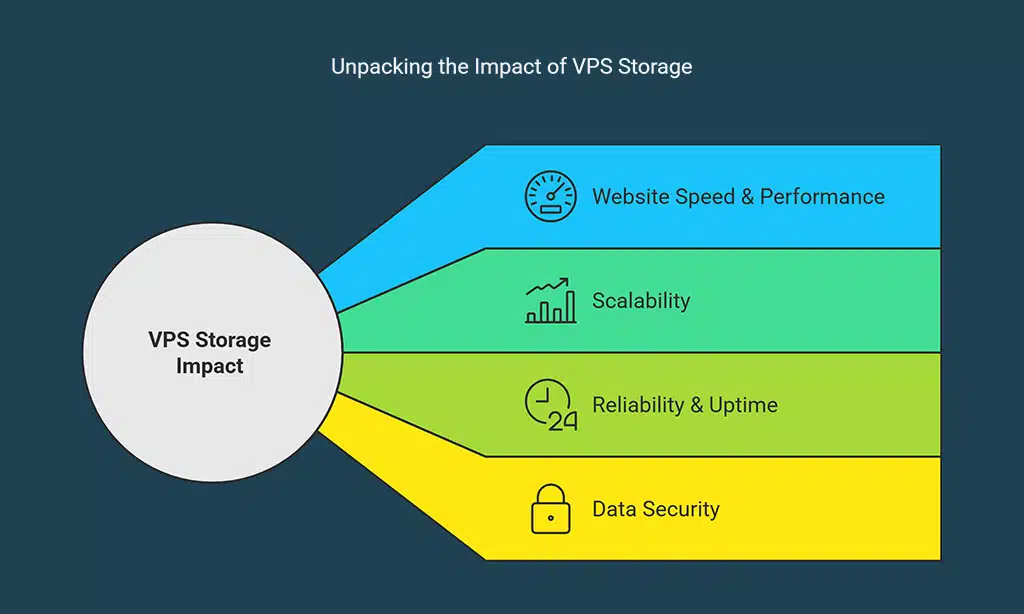
Why Storage Matters in VPS Hosting?
Choosing the right VPS storage affects:
1️⃣ Website Speed & Performance – Faster storage means faster page load times.
2️⃣ Scalability – Your storage should grow as your website traffic increases.
3️⃣ Reliability & Uptime – VPS hosting should have redundant storage solutions to prevent downtime.
4️⃣ Data Security – Storage solutions should include automatic backups to prevent data loss.
Types of Storage in VPS Hosting
When selecting the Best VPS Hosting for Storage Needs, it’s crucial to understand the storage types available. The type of storage you choose directly affects performance, reliability, and cost.
HDD vs. SSD: Which One Should You Choose?
| Feature | HDD (Hard Disk Drive) | SSD (Solid State Drive) |
| Technology | Mechanical spinning disks | Electronic flash storage |
| Read/Write Speed | 100–150 MB/s | 500–550 MB/s |
| Durability | Prone to physical damage | Highly reliable, no moving parts |
| Performance | Moderate | High |
| Best For | Budget VPS hosting | Performance-driven VPS hosting |
🔹Verdict: If speed and reliability matter, SSD VPS hosting is the best choice. HDD VPS hosting is only suitable for budget hosting with minimal performance needs.
NVMe SSD: The Fastest Storage for VPS
NVMe (Non-Volatile Memory Express) SSDs deliver 6x faster speeds than traditional SSDs.
| Storage Type | Speed (Read/Write) | Best For | Cost |
| HDD | 100–150 MB/s | Basic websites | Low |
| SSD | 500–550 MB/s | General business websites | Medium |
| NVMe SSD | 3000–7000 MB/s | High-performance sites | High |
🔹Example: An AI-powered analytics website requiring millisecond response times will benefit immensely from NVMe SSD hosting.
How to Optimize Your VPS Storage for Better Performance

Optimizing VPS storage is crucial for ensuring maximum speed, efficiency, and longevity of your server. Poorly managed storage can lead to slow website loading times, increased downtime, and wasted resources.
Here, we’ll cover effective ways to optimize VPS storage, including best practices, recommended tools, and real-world examples to help you get the most out of your hosting environment.
1. Regular Storage Cleanup and Maintenance
Keeping your VPS clean and organized is one of the easiest ways to improve performance. Over time, log files, cache, outdated backups, and unnecessary software can pile up, wasting valuable storage space and slowing down your server.
✅ Best Practices for Storage Cleanup:
✔️ Delete Unused Files & Folders – Periodically remove unnecessary files to free up disk space.
✔️ Remove Old Backups – Retain only the latest backups and delete outdated ones.
✔️ Clear Log Files – Web and application logs can accumulate quickly. Set up automated log rotation to manage them.
✔️ Uninstall Unused Software – Any unused applications, plugins, or modules should be removed to free up storage.
💡Example:
A WordPress VPS user noticed slow performance due to excessive accumulated error logs in the /var/log directory. By setting up automatic log rotation using logrotate, they freed up 10GB of disk space and improved performance.
2. Enable Caching to Reduce Storage Load
Caching reduces the load on your VPS storage by serving static content from memory instead of retrieving it from the disk every time. This minimizes disk I/O operations and improves loading speeds.
✅ Types of Caching for VPS Optimization:
✔️ Object Caching (Memcached, Redis): Stores database queries in RAM to speed up dynamic content.
✔️ Page Caching (Varnish, WP Super Cache): Saves fully rendered pages to reduce repeated processing.
✔️ Opcode Caching (APCu, OPcache): Compiles and stores PHP scripts to reduce CPU and disk workload.
✔️ Browser Caching: Stores static assets like CSS, JavaScript, and images locally in visitors’ browsers.
💡 Example:
An e-commerce website with 50,000+ monthly visitors was experiencing slow load times due to frequent database queries. By implementing Redis caching, they reduced database calls by 70%, decreased page load times from 3.5 seconds to 1.2 seconds, and freed up significant VPS storage space.
3. Use Content Delivery Networks (CDNs) to Reduce Storage Dependence
A CDN helps offload content from your VPS storage by distributing static files across multiple data centers worldwide. This minimizes bandwidth usage and storage requirements while boosting global loading speeds.
✅ Best CDN Providers for VPS Hosting:
| CDN Provider | Features | Best For | Pricing |
| Cloudflare | Free SSL, DDoS protection, caching | General websites | Free / Paid |
| Akamai | Enterprise-grade performance | Large businesses | Enterprise pricing |
| BunnyCDN | Affordable, pay-as-you-go model | Small businesses | Starts at $0.01/GB |
| StackPath | Edge caching, real-time analytics | High-performance websites | Starts at $10/month |
💡Example:
A news website experiencing server overload during peak traffic hours integrated Cloudflare CDN. As a result:
- 50% reduction in VPS storage usage by offloading images & videos.
- 40% faster page load times for global visitors.
- Improved uptime & security with DDoS protection.
4. Optimize Databases to Reduce Storage Usage
A poorly optimized database can lead to excessive disk usage and slow queries, impacting VPS performance.
✅ Best Practices for Database Optimization:
✔️ Regularly clean up old records (e.g., spam comments, outdated user sessions).
✔️ Use database indexing to speed up queries.
✔️ Enable database caching using Redis or Memcached.
✔️ Schedule automated MySQL optimizations using OPTIMIZE TABLE and ANALYZE TABLE commands.
💡Example:
A WooCommerce store with a 500,000-product database was suffering slow searches and checkout delays. By adding database indexing and enabling MySQL query caching, they:
- Reduced storage consumption by 20%.
- Increased checkout speed from 5 seconds to under 2 seconds.
5. Use RAID Storage for Data Redundancy & Security
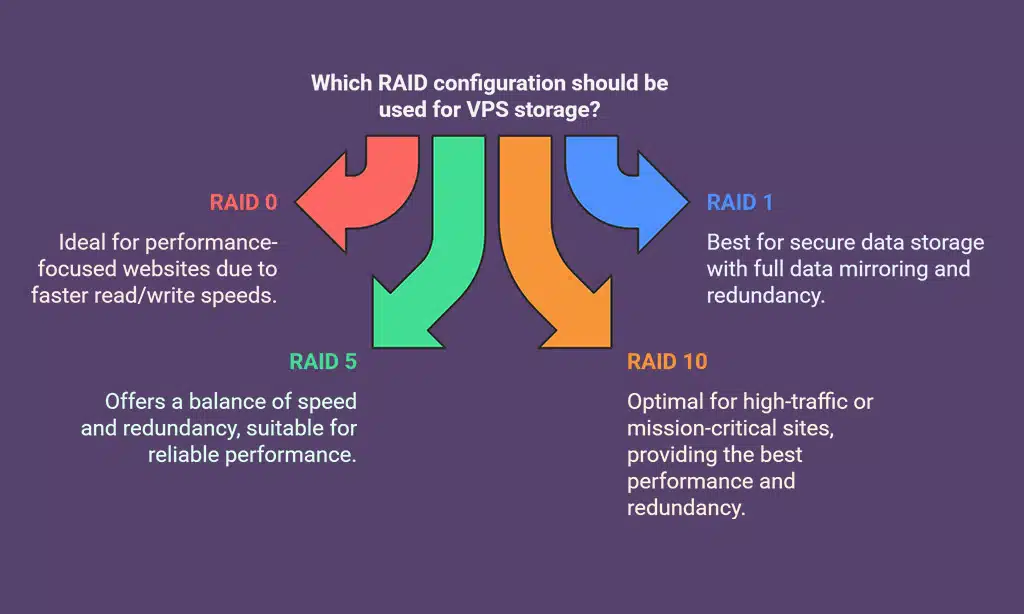
RAID (Redundant Array of Independent Disks) is a storage technology that protects data against disk failures while improving performance.
✅ Common RAID Configurations for VPS Storage:
| RAID Type | Benefits | Best For |
| RAID 0 | Faster read/write speeds | Performance-focused websites |
| RAID 1 | Full data mirroring, redundancy | Secure data storage |
| RAID 5 | Combines speed & redundancy | Balanced performance & reliability |
| RAID 10 | Best performance & redundancy | High-traffic & mission-critical sites |
💡Example:
A finance website requiring 100% uptime and secure data storage opted for RAID 10 VPS hosting. Benefits:
- Zero data loss during a hardware failure.
- 50% faster data retrieval speed compared to standard SSD storage.
6. Compress Files & Use Efficient File Systems
File compression and selecting an efficient file system can significantly reduce VPS storage usage while improving performance.
✅ Best File Compression Methods:
✔️ Enable Gzip compression for web files.
✔️ Use Zstandard (Zstd) for modern, high-speed compression.
✔️ Convert PNGs to WebP to reduce image sizes by 30-40%.
✅ Best File Systems for VPS Storage:
| File System | Performance | Best For |
| Ext4 | Standard, stable | General VPS hosting |
| XFS | Large file support | Media-heavy applications |
| Btrfs | Data integrity & snapshots | Enterprise-grade VPS hosting |
💡Example:
A photography portfolio website storing 100GB of images switched from PNG to WebP format and used Btrfs file system. Results:
- Reduced storage consumption by 45%.
- Improved image load times by 30%.
7. Monitor VPS Storage Usage Regularly
Even with all optimizations in place, it’s crucial to monitor your VPS storage usage regularly to avoid unexpected slowdowns or crashes.
✅ Best VPS Storage Monitoring Tools:
| Tool | Features | Best For |
| ncdu | Disk usage analysis via CLI | Linux VPS users |
| du & df Commands | Built-in Linux tools | Server administrators |
| CloudWatch (AWS) | Automated alerts & monitoring | Cloud-based VPS hosting |
| Zabbix | Advanced monitoring & analytics | Large enterprises |
💡Example:
A developer running multiple VPS instances was experiencing unexplained storage spikes. By using ncdu, they discovered a script generating excessive temp files, which was fixed before it crashed the server.
Best VPS Hosting Providers for Storage Needs
| Provider | Storage Type | Performance | Price (Starting) | Best For |
| Bluehost | SSD | High | $19.99/mo | Small Businesses |
| Hostinger | NVMe SSD | Ultra-Fast | $9.99/mo | Budget-Friendly |
| InMotion | SSD | High | $24.99/mo | High-Traffic Websites |
| A2 Hosting | NVMe SSD | Best Performance | $39.99/mo | Developers & Power Users |
Takeaways
Choosing the Best VPS Hosting for Storage Needs is a crucial decision that directly impacts your website’s performance, security, and scalability. Whether you need basic SSD storage for a small blog or high-performance NVMe SSD for an enterprise application, investing in the right VPS hosting solution ensures faster loading times, better user experience, and higher search engine rankings.
🚀 Take Action Today:
- Analyze your current storage requirements and select a VPS hosting plan that aligns with your growth goals.
- Optimize your VPS storage using caching, file compression, and CDNs to enhance efficiency.
- Monitor your storage usage regularly to prevent slowdowns and unexpected downtime.
By following these strategies, you’ll ensure long-term success, security, and efficiency for your VPS-hosted website or application.
Now it’s your turn! Have you already chosen a VPS hosting provider? What storage challenges have you faced, and how did you overcome them? Share your experience in the comments! 🚀





















