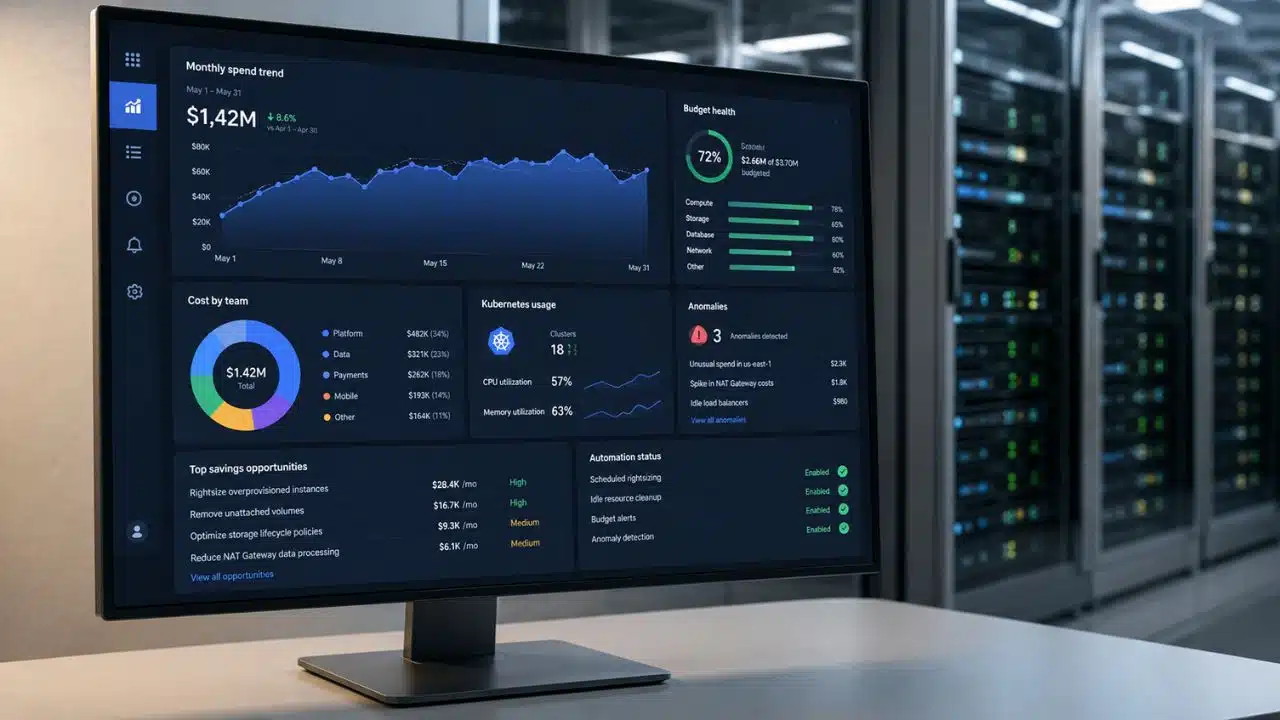
A cloud bill can be accurate and still tell you very little about what to do next. The best cloud cost optimization tools close that gap. They explain spending, assign ownership, uncover waste, and, in some cases, take action automatically.
These products are not interchangeable. A shared-cost allocation platform solves a different problem from a Kubernetes autoscaler or commitment manager. The wrong purchase may produce better dashboards without reducing waste.
I compared the tools by what they actually do, the environments they cover, their automation boundaries, and the work required to keep them useful.
Check Your Native Cloud Tools Before Buying Another Platform
A smaller organization running mainly on one cloud may not need another subscription. The major providers already include useful cost controls:
- AWS Cost Optimization Hub: It brings together rightsizing, idle-resource, Savings Plans, and Reserved Instance recommendations. Cost Explorer adds analysis and forecasting.
- Microsoft Cost Management: It covers cost analysis, budgets, allocation, and optimization for Azure environments.
- Google Cloud FinOps hub: It surfaces realized savings, idle resources, rightsizing opportunities, and committed-use-discount recommendations.
I would start here. Third-party software is easier to justify when the organization needs multi-cloud normalization, better shared-cost allocation, Kubernetes depth, customer or product attribution, or controlled automation.
If native dashboards already contain sound recommendations but nobody owns or implements them, a more sophisticated dashboard may simply make the same organizational problem more expensive.
10 Best Cloud Cost Optimization Tools for Different FinOps Needs
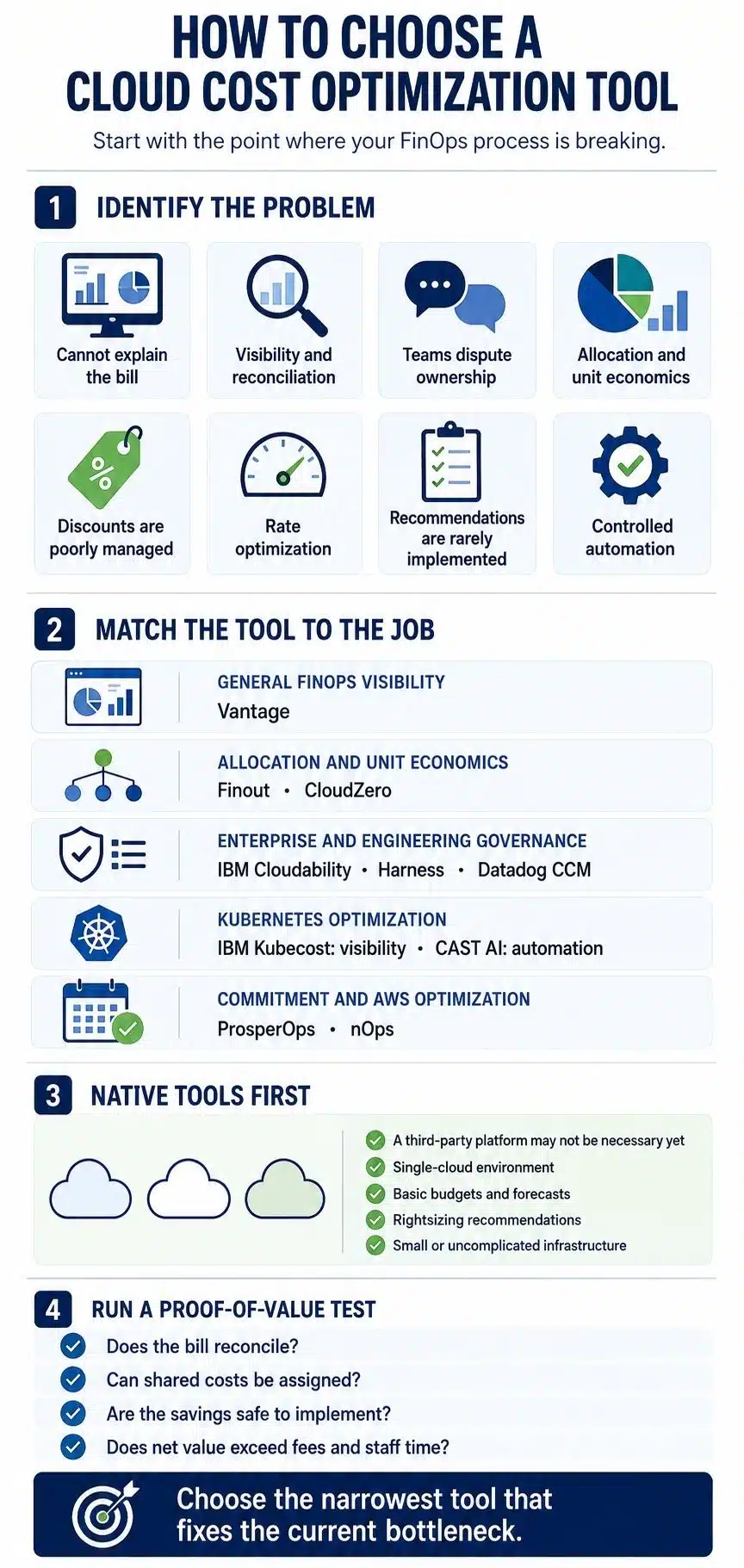
Start where the current process fails. If teams still dispute ownership, automation is premature. If they trust the allocation but leave recommendations untouched, execution deserves more attention.
1. Vantage: Best for an Accessible Multi-Provider Starting Point
Vantage is easy to assess without entering a sales process. More than 30 integrations cover public cloud, Kubernetes, observability, data infrastructure, and AI. It adds reporting, virtual tagging, budgets, forecasts, anomaly alerts, and unit-cost analysis.
The Starter plan is free for up to $2,500 in tracked monthly spend and three users. Pro starts at $30 per month for up to $7,500; Business starts at $200 for up to $20,000. Paid plans include AWS Savings Plans Autopilot, but not equivalent commitment automation for every provider displayed.
Vantage is practical for a growing team. Do not use the entry price as a benchmark if you need a larger plan.
Finout becomes interesting when the bill is visible but ownership is not. Its MegaBill model combines AWS, Azure, Google Cloud, OCI, Kubernetes, data, observability, SaaS, and AI costs. Virtual tags and allocation rules then map spending to products, departments, or customers.
That helps with expenses ordinary tags divide poorly, such as a shared cluster or company-wide observability platform. Pricing is quote-based. The less visible cost is upkeep: allocation rules must change with the architecture and organization.
Finout is excessive for a tidy single-cloud account. It is convincing when shared services make chargeback or unit cost difficult to defend.
3. CloudZero: Best for Product and Customer Unit Economics
CloudZero connects infrastructure spending to a customer, product, feature, transaction, team, or AI workload. That makes it especially relevant to SaaS and usage-based businesses that need to understand cost to serve and gross margin.
It can ingest cloud, Kubernetes, data, observability, SaaS, and AI costs. Plans require a custom quote. The real dependency, however, is data quality. Incomplete tenant identifiers or product mappings produce incomplete unit economics.
CloudZero fits decisions about customer or product profitability. For automatic rightsizing alone, it is an indirect route.
4. IBM Cloudability: Best for Enterprise FinOps Governance
IBM Cloudability fits organizations where finance, engineering, product, procurement, and leadership all need trusted cost data. It combines multi-cloud allocation with budgets, forecasts, anomalies, rightsizing, commitment analysis, benchmarking, and role-specific reporting.
The appeal is breadth across a mature FinOps operation. IBM also connects Cloudability with Kubecost capabilities, although the proposed package may not include every container or automation feature.
A free trial is available; production pricing is custom. Large enterprises may value the governance depth. A smaller team without clear ownership, tagging standards, or regular reviews risks buying an expensive layer of process it cannot yet use.
5. Harness Cloud & AI Cost Management: Best for Engineering-Led Cost Controls
Harness puts cost controls near delivery and infrastructure workflows. Beyond allocation, budgets, anomalies, and reports, its wider capabilities include Infrastructure-as-Code estimates, AutoStopping, commitment orchestration, Kubernetes optimization, and AI cost attribution.
This suits engineers who need cost feedback before or during deployment. It also raises the stakes: anything allowed to stop resources needs exclusions, approvals, audit logs, owners, and recovery procedures.
Harness has a Free Forever plan and modular enterprise pricing. Its documentation currently gives conflicting limits, $250,000 in annual cloud spend in one table and $250,000 per month nearby. Confirm the applicable figure and required modules in writing.
6. Datadog Cloud Cost Management: Best for Existing Datadog Customers
Datadog’s advantage is context. Cost data can sit beside the telemetry, service ownership, monitors, and alerts engineers already use. When spending rises, teams can examine cost and service behavior together rather than moving between systems.
Coverage includes major public clouds, Kubernetes, SaaS, and AI cost context, along with allocation, budgets, recommendations, and cost-performance analysis. With annual billing, Pro starts at $5 per $1,000 of managed cloud and SaaS spend each month; Enterprise starts at $10.
That suits existing Datadog customers. A finance-led buyer starting from scratch should compare its forecasting and governance depth with dedicated FinOps platforms.
7. IBM Kubecost: Best for Understanding Kubernetes Spend
IBM Kubecost breaks Kubernetes spending down by cluster, namespace, workload, and other container dimensions. It highlights idle cost, resource requests versus usage, efficiency, and reconciliation with provider bills.
The free Foundations edition supports unlimited clusters up to 250 total cores, 15 days of retention, and unlimited users across EKS, AKS, GKE, and on-premises Kubernetes. Enterprise editions add scale, retention, controls, and support.
Its boundary is useful: Kubecost does not replace broad cloud budgeting, SaaS or AI cost management, or commitment automation. It fits teams still trying to explain container costs. Those ready for continuous capacity changes should compare an automation specialist instead.
8. CAST AI: Best for Automated Kubernetes Capacity Optimization
CAST AI moves beyond Kubernetes reporting and makes live capacity decisions. It supports EKS, GKE, AKS, and OpenShift on AWS through autoscaling, bin packing, instance selection, spot orchestration, rightsizing, rebalancing, and GPU optimization.
This can close the gap between finding waste and removing it, but it also places the tool inside the reliability model. Pricing is custom, and any proof of value should test workload exclusions, disruption controls, permissions, rollback, service-level objectives, and spot interruptions, not just projected savings.
CAST AI suits teams with meaningful Kubernetes scale and the maturity to supervise automated changes. It does not replace finance-led allocation or company-wide budgeting.
9. ProsperOps: Best for Multi-Cloud Commitment Automation
ProsperOps focuses on rate optimization across AWS, Azure, and Google Cloud. It manages discount commitments as usage changes and also provides resource scheduling.
This addresses a job teams often postpone until renewal or a visible cost problem. Automation can keep coverage closer to demand, although purchases must still follow procurement, treasury, and FinOps policies.
The free offering is a Savings Analysis, not an ongoing production plan; commercial terms are custom. ProsperOps usually complements a broader platform. Its purpose is commitment performance, not allocation, forecasting, or unit economics.
10. nOps: Best for AWS-First Cost Optimization
nOps combines visibility with AWS-focused automation for Savings Plans and Reserved Instances, EKS, EBS, Auto Scaling Groups, and scheduling. It can display broader multi-cloud, SaaS, Kubernetes, and AI costs, but its deepest optimization remains AWS-centered.
Cost Visibility and Allocation uses a fixed fee based on managed spend. Autonomous Rate Optimization takes a percentage of realized savings. That model can align incentives only when the baseline, eligible savings, exclusions, usage growth, and unrelated changes are defined clearly.
nOps is practical for an AWS-heavy organization that wants more execution than a dashboard provides. It is a weak primary choice for a balanced multi-cloud estate.
The Tool Cannot Own the Decision for You
Software can expose an expensive shared service. It cannot assign ownership, accept a reliability trade-off, or decide how cost work competes with feature delivery. Automation shortens the path to action; it should not make unowned risk decisions.
The best cloud cost optimization tools make cost data easier to trust, assign, and act on. I would choose the narrowest product that fixes the current bottleneck, prove its value with real billing data, and expand only when the evidence supports more coverage or automation.
Frequently Asked Questions on the Best Cloud Cost Optimization Tool
1. What Is the Best Cloud Cost Optimization Tool?
There is no universal winner. Vantage is an accessible general option; Finout handles complicated allocation; CloudZero focuses on unit economics; IBM Cloudability supports enterprise governance; and Kubecost, CAST AI, ProsperOps, and nOps solve narrower problems. Choose according to where the current process fails.
2. Are Cloud Cost Optimization Tools Worth the Price?
They can be, provided verified savings and better decisions exceed the subscription cost, implementation effort, and ongoing staff time. Test the software with your own bill and calculate net value after removing recommendations that cannot be implemented safely.
3. What Is the Best Free Cloud Cost Optimization Tool?
For a single-cloud environment, begin with the cost tools included by AWS, Azure, or Google Cloud. Vantage offers a free plan for a limited amount of tracked spend, while IBM Kubecost Foundations is useful for Kubernetes within its core and retention limits. A free assessment or temporary trial is not the same as a free production plan.
4. What Is the Difference Between Cloud Cost Management and Cloud Cost Optimization?
Cloud cost management includes visibility, allocation, budgeting, forecasting, reporting, and governance. Optimization focuses on improving resource usage, effective rates, and architecture. A platform may manage costs without implementing changes, while a specialist may automate one area without providing a complete financial-management system.
5. Can One Tool Optimize Cloud, Kubernetes, and AI Costs?
Some platforms can ingest and allocate costs from all three areas. That does not mean they provide the same optimization depth for every source. Confirm what the tool reports, what it recommends, and what it can change automatically.