

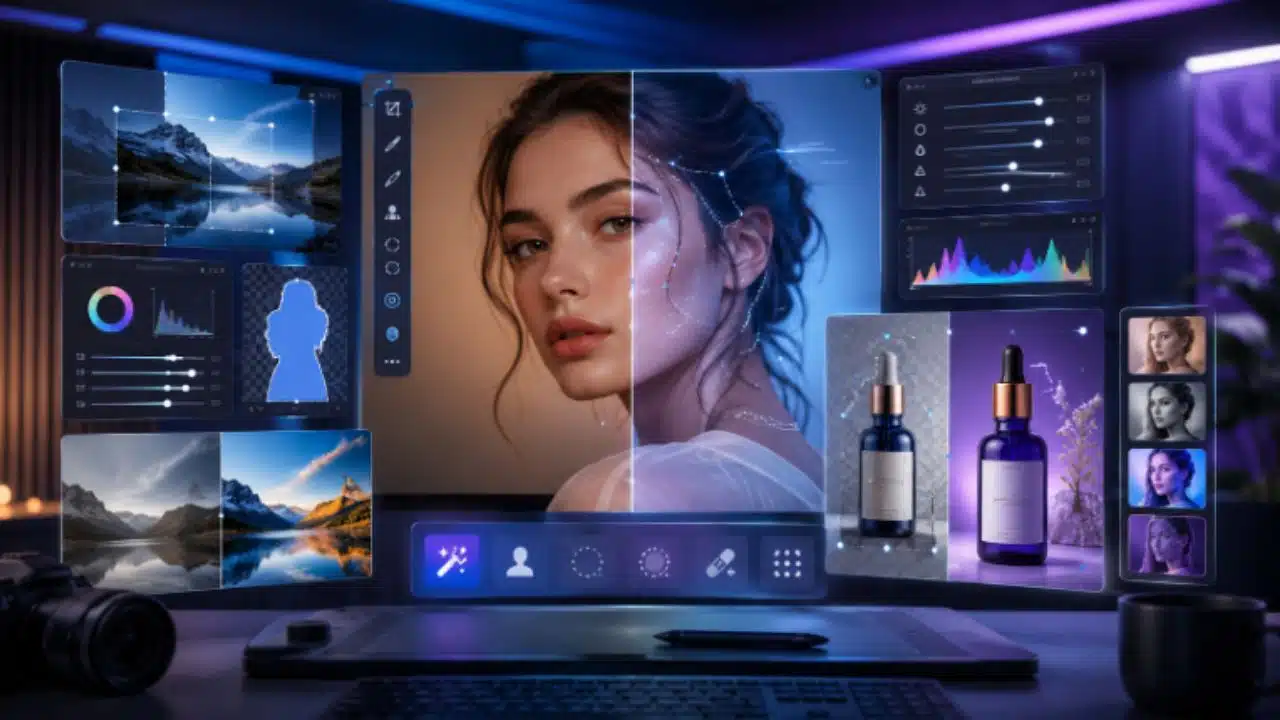
Hello, I am Sukanta Parthib, founder and CEO of Imaginelab.art. Every morning at our Dhaka office, my team and I process, refine, and deploy thousands of digital assets. Because we operate at this scale, I can tell you from direct experience that AI image editing in 2026 has moved far beyond those gimmicky filters or novelty touch-ups we used to see just a couple of years ago. Today, we rely on intelligent systems capable of redesigning, enhancing, and reimagining visuals in seconds.
However, the market is absolutely flooded with platforms promising “groundbreaking” results. I see the sales pitches every day. Through my work managing high-level creative outputs, the real question I constantly ask is simple: which models actually deliver when my team is on a tight deadline?
The difference between a good AI editor and a bad one is not just visual quality; it is time. A tool that fails at background removal forces my lead designer to fix it manually. A tool that misreads a portrait’s skin tone adds 20 minutes of tedious correction work before a client presentation.
Based on my rigorous internal testing and daily operations at Imaginelab.art, here is my detailed assessment of the best AI image editing tools currently available. I am looking specifically at their accuracy, commercial viability, and everyday performance in a real agency environment.
The True Benchmark: Accuracy and Selection
Honestly, what actually separates the premium tools from the rest in 2026 is the accuracy of selection and masking. Does the AI correctly identify the wispy edges of a subject’s hair blowing in the wind? Can it isolate a glass object without bleeding the background colors into it? If the AI fails these basic tasks, it slows down the production pipeline instead of accelerating it.
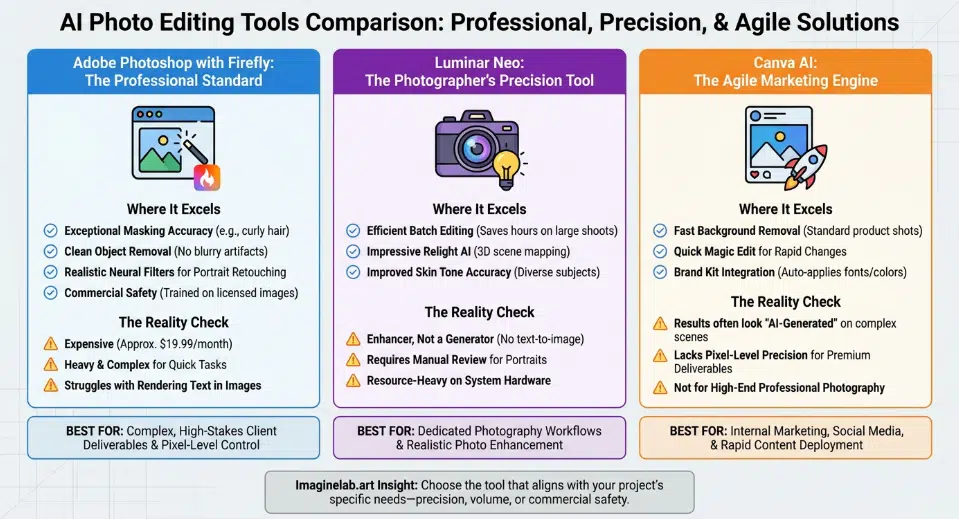
1. Adobe Photoshop with Firefly: The Professional Standard
When my team is working on complex, high-stakes client deliverables, Adobe Photoshop’s Generative Fill—powered by the Firefly Image 3 model—is the most accurate tool we open. It handles object removal, background generation, and content-aware fills better than any standalone system I have tested this year.
- Where It Excels: The masking accuracy is exceptional, particularly around fine details. I remember a recent project on a Thursday night where we needed to isolate a model with incredibly curly hair against a complex urban background. Photoshop handled it flawlessly. The Remove Tool cleanly erases unwanted elements without leaving those blurry artifacts that cheaper tools leave behind. Furthermore, the Neural Filters allow us to manage portrait retouching—such as skin smoothing and expression adjustments—with incredible, subtle realism.
- Commercial Safety: This is a crucial factor for a business like Imaginelab.art. Firefly is trained strictly on licensed images, meaning the output is cleared for commercial use out of the box. I never have to worry about copyright infringement claims when delivering these assets to enterprise clients. That peace of mind alone is invaluable.
- The Reality Check: It is expensive. At around $19.99/month for the Creative Cloud Photography plan, it is a serious investment, especially across a large team. If you only need to make quick social media adjustments or slap a filter on a photo, this software is entirely too heavy, complex, and costly. It also occasionally struggles with rendering text within generated imagery, so we still do our typography overlays manually.
2. Luminar Neo: The Photographer’s Precision Tool
While Photoshop is our general powerhouse, I assign Luminar Neo specifically to our dedicated photography workflows. Built primarily for photo enhancement, tools like Sky AI, Portrait AI, and Relight AI understand photographic context in a way that general prompt-based generators simply do not.
- Where It Excels: The batch editing capability across hundreds of RAW files saves us countless hours, especially after corporate events or large editorial shoots. The Relight AI feature is particularly impressive; it actually maps the scene in 3D and adds or adjusts light sources with surprising realism. If we have a portrait shot where the subject’s face is slightly too dark, Relight AI fixes it naturally. Additionally, Luminar Neo has made documented improvements to skin tone accuracy across diverse subjects, which is absolutely vital for our international portrait work.
- The Reality Check: Luminar Neo is an enhancer, not a generator. It does not handle text-based generative prompts the way Photoshop does. You cannot ask it to “create a dragon in the background.” Furthermore, while the AI skin tone handling is excellent, my strict company policy still requires a manual human review of all AI portrait retouching before publishing to ensure it hasn’t smoothed away the person’s unique character. Finally, it can be quite heavy on system resources; my team needs robust hardware to prevent lag during long editing sessions.
3. Canva AI: The Agile Marketing Engine
For our internal marketing team and rapid content deployment, Canva’s 2026 AI suite (often called Canva AI 2.0) is indispensable. Features like Magic Edit, Background Remover, and Magic Design have matured significantly, making them genuinely useful for the non-designers on my staff, like our social media managers.
- Where It Excels: The background removal is incredibly fast for standard product shots. Magic Edit is brilliant for quick changes—you just brush over an area and describe the replacement (e.g., brushing over a shirt and typing “blue denim jacket”). It speeds up our social media mockup creation immensely. The platform also recently integrated “Brand Kit” rules directly into the AI, ensuring that when my team generates a quick graphic, it automatically pulls in Imaginelab’s correct fonts and color palettes.
- The Reality Check: The results often look slightly “AI-generated” on complex scenes. I do not permit Canva AI to be used for high-end professional photography or major client campaigns, as it lacks the pixel-level precision and masking control required for premium deliverables. It is built for speed and volume, not pixel-perfect mastery.
Optimization Strategies for Canva Downloads
To hit a strict limit like 200KB, follow these specific adjustments during the download process:
Adjust the Quality Slider
When selecting JPG as your file type, Canva provides a quality slider.
- Slide the bar to the left to decrease the file size.
- A setting between 60% and 80% often reduces the size significantly without a noticeable loss in visual quality for digital viewing.
Scale the Dimensions
Canva allows you to adjust the “Size” during download.
- If your design is unnecessarily large (e.g., 5000px), scaling it down to 1x or even 0.5x will drastically lower the KB count.
- For web use, a width of 1024×614 is usually sufficient for inner images and 1280×720 for feature images.
Flatten the PDF
If you are downloading a PDF, check the “Flatten PDF” box.
- This merges all elements into a single layer, which can help reduce the complexity and size of the final file.
Pro Tips for Professional Output
- Remove Hidden Elements: Elements tucked behind others or off the canvas still contribute to the file size. Delete any unused assets before exporting.
- External Compression: If the file is still over 200KB after these steps, use an external compressor like TinyJPG or ILovePDF to shave off the remaining kilobytes.
- Avoid Over-Scaling: Shrinking an image too much can lead to pixelation on high-resolution screens. Aim for the smallest size that still looks sharp at the intended display dimensions.
Critical Considerations for Professionals
Running a visual technology company requires me to look beyond just the shiny features and focus on the technical execution. Here is what I always enforce with my team:
File Quality Preservation
A common issue with relying entirely on AI image editors is file degradation. These tools can subtly reduce file quality or introduce compression artifacts if you are not careful. My strict protocol at Imaginelab.art is to always export at maximum quality settings and avoid re-saving JPEGs multiple times. Working in RAW or PSD formats is mandatory for my team to preserve the highest quality throughout the AI editing process.
Editing vs. Generation
It is important to clarify the distinction between editing and generating. Tools like Midjourney or DALL-E 3 generate entirely new images from text prompts (and carry varying terms regarding commercial use, which you must always read carefully). Tools like Luminar Neo edit existing photos. Photoshop sits right in the middle, doing both. Understanding this distinction is how you build an efficient, legally safe software stack for your agency.
Final Thoughts from the CEO’s Desk
Choosing the right AI image editor in 2026 comes down to matching the tool to the specific task at hand. For pixel-level control and bulletproof commercial safety, Adobe Photoshop remains our undisputed champion at Imaginelab.art. For processing massive batches of RAW photography and intelligent relighting, Luminar Neo is highly effective and saves us hours of grunt work. For agile, day-to-day marketing tasks and rapid social media deployment, Canva is the most accessible and collaborative choice.
By integrating these tools according to their specific strengths rather than trying to use one tool for everything, my team has drastically reduced our turnaround times while maintaining the exceptional standards our clients expect.






















