
“We approved the launch” looks decisive in a meeting recap. But what if the actual discussion was, “We could launch if legal signs off”? A few missing words can turn a possibility into a commitment. That is why AI meeting notes need human review at the points where the wording might change what people do next.
AI notes are useful for finding topics and drafting a recap. They are less reliable as the final authority on decisions, owners, dates, and approval. Microsoft’s guidance for Teams recaps says generated content can be inaccurate or incomplete. The practical response is to check the high-impact lines against the recording or transcript, meeting chat, shared documents, and the people who were there.
The eight phrases below are review triggers, not a list of forbidden words. Each example is hypothetical. A phrase can be perfectly correct; the reviewer’s job is to establish whether the meeting supports it before the notes circulate or create tasks.
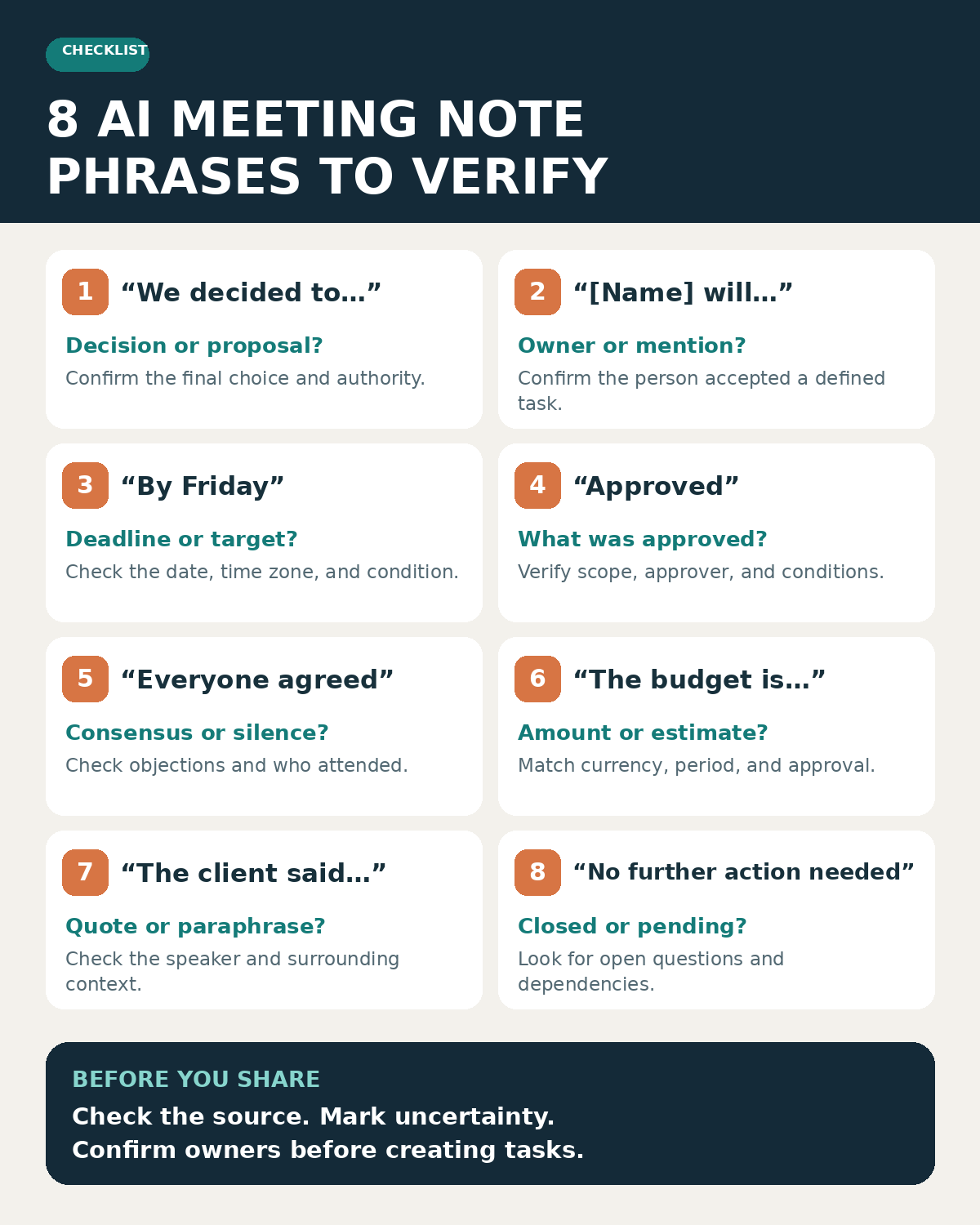
The eight phrases at a glance
Start with any line that changes a discussion into an organizational record. This table shows the question to ask before accepting each phrase.
| Phrase in an AI note | What it may overstate | Check before sharing |
|---|---|---|
| “We decided to…” | A proposal became a decision | Was the choice explicitly settled, and by whom? |
| “[Name] will…” | A speaker became the owner | Did that person accept a defined task? |
| “By Friday” | A rough target became a deadline | What date, time zone, and dependency were agreed? |
| “Approved” | Conditional feedback became sign-off | Who approved exactly what, under which conditions? |
| “Everyone agreed” | Silence became consensus | Who attended, and were objections recorded? |
| “The budget is…” | An estimate became an authorized amount | What number, currency, period, and status were stated? |
| “The client said…” | A paraphrase became an attributable claim | Did the named speaker say it, with that meaning? |
| “No further action needed” | An open issue became closed | Is there a pending check, owner, or next meeting? |
1. “We decided to…”
Meetings often move through possibilities before reaching a decision. Someone suggests changing a launch date, another person asks about the staffing impact, and the group moves on. A polished summary may compress that sequence into “We decided to move the launch.” The difference matters: the latter could send a project team into execution.
Look for an explicit final choice, its scope, and any conditions. Did a decision-maker say yes? Did the group settle the option or agree to investigate it? Check the end of the discussion rather than relying on the first mention of the idea. A shared decision log or follow-up message may clarify the outcome when the transcript does not.
If the answer is still uncertain, write “Moving the launch was proposed; decision pending confirmation” and name the person who will confirm it. Do not use “decided” merely because the idea received more airtime than the alternatives. The broader human-review points in AI workflows also include the danger of promoting suggestions into decisions.
2. “[Name] will…”
A person can ask about a task without volunteering to own it. “Could Priya send the revised deck?” is a request; “Priya will send the revised deck” is an assignment. Speaker labels can also be wrong when voices overlap or a device captures a room through one microphone.
Verify the person’s identity, the exact deliverable, and whether they accepted responsibility. If the meeting only established that someone would check with Priya, assign the check to the person who actually agreed to do it. A task system should receive the confirmed owner, not the most plausible name in a generated sentence.
When no owner was agreed, use “Owner to be confirmed” and specify who will ask. A useful action line separates the task from its confirmation: “Project lead to confirm the deck owner with Priya.” This preserves momentum without putting an unaccepted promise in her name. Teams choosing among AI meeting assistants and note-takers should make this owner check part of their quality-control process.
3. “By Friday”
Relative dates are easy to make precise in the wrong way. A participant may say “perhaps by the end of next week,” while an AI note writes “by Friday.” The summary now contains a deadline that nobody committed to. It can also miss the condition that the work depends on a customer response or a legal review.
Check the actual wording, meeting date, relevant time zone, and any prerequisite. Write the calendar date only when the agreed date is clear. For work across regions, add a time zone if the time of day matters. “Friday, November 20” is still misleading if the speaker said they would check whether Friday was possible.
If the date was a target, call it a target. If it was conditional, preserve the condition: “Target: Friday, subject to receiving the revised figures.” If nobody confirmed the date, record “Deadline to confirm” as a separate action. This small distinction prevents a speculative schedule from becoming a late task in a tracker.
4. “Approved”
Approval is not a single state. A stakeholder might like the design direction while waiting to review the final copy. A manager might authorize a pilot but not a purchase. An AI recap that says “Approved” leaves out the object, authority, and limit of the approval.
Find the exact statement and ask: Who had authority to sign off? Which version, amount, or phase did they approve? Was the approval conditional? Then check the appropriate approval record, such as a project comment, purchase request, or written follow-up. Meeting enthusiasm by itself should not become procurement, publication, or legal sign-off.
A safer line might read: “The team favors the proposed design; final copy and legal review remain open.” If genuine approval occurred, make the record specific: “The marketing lead approved the draft layout for internal testing; public release remains pending.” Keep the approval type visible so another reader cannot extend it to a larger decision.
5. “Everyone agreed”
“Everyone” is a claim about people, not just the general mood. Some invitees may have missed the call. A participant may have raised a concern earlier and gone quiet when the group moved on. A note-taker may interpret no audible objection as unanimous support, especially when an informal conversation has no vote or explicit sign-off.
Check attendance, the objections in the conversation, and any unresolved points in chat. If the meeting needed formal consensus, verify it through the process that group actually uses. Even “no objections were voiced by attendees” should appear only if the source supports it; it does not establish what absent stakeholders think.
Name the real outcome instead: “Attendees supported testing Option B; the accessibility concern remains open.” The wording lets a reader see progress and dissent at the same time. It also gives the concern an owner and a path to resolution, instead of deleting it from the record.
6. “The budget is…”
Financial lines deserve a second check even when the transcript looks clear. “Up to $50,000,” “about $50,000,” and “$50,000 per year” describe different constraints. A spoken number can be misheard, and a meeting slide may show a scenario rather than an approved budget. Currency, taxes, seats, and billing period can change the meaning further.
Compare the line with the shared financial document and the relevant spoken exchange. Record whether the number was an estimate, cap, request, quote, or authorized allocation. Check the person who could approve it and whether a separate finance or procurement step remains. Do not carry an unverified amount into a purchase order or client proposal.
If the discussion was exploratory, say so: “The team discussed an estimated annual cost; finance will confirm the approved ceiling.” Keep a precise number only when the source, currency, period, and status can all be verified. For consequential figures, have the budget owner confirm the corrected line before wider circulation.
7. “The client said…”
Attribution can change a relationship. A customer may ask whether a feature is possible; the note might say the customer requested it. An account manager may summarize the customer’s position, but the AI notes attribute that sentence directly to the customer. A cleanly written recap is still a poor substitute for the right speaker and the full context.
Use the transcript or recording to check who said the words and whether the note is a faithful paraphrase. Look at the surrounding exchange: was this a question, a preference, a commitment, or a concern? Avoid quotation marks unless the exact words were checked. For sensitive client or personnel material, confirm the intended recipients and the organization’s sharing rules before forwarding the recap.
If attribution is uncertain, write “The team discussed a possible client preference; account lead to confirm with the client.” If the point was confirmed, state the substance and source accurately. The same discipline that helps people take notes they can actually reuse applies here: preserve context and provenance, not just a polished sentence.
8. “No further action needed”
This phrase can close a problem before anyone has checked whether it is solved. Perhaps there was no new task for this team, but another group still needs to respond. Perhaps the item was parked until the next review. A summary may omit the unresolved question because the meeting ended without assigning it.
Scan the final exchange, chat, and previous action list. Was the issue explicitly closed? Is there a dependency, an escalation, or a date to revisit it? If the group decided to stop work, record that decision and its scope. If it simply ran out of time, keep the issue open.
Write “No new action for the design team; compliance response pending” when that is the true status. Or write “Open question: confirm whether the existing fix resolves the customer’s case.” An honest open item is more useful than a neat but premature ending.
How to review AI meeting notes without rewriting the recap
Assign one attendee to review the consequential lines before the notes are shared. They can scan for the eight phrases above, then compare each flagged line with the relevant recording or transcript segment, chat message, and shared document. If the meeting was not recorded, use contemporaneous notes and ask participants to confirm the uncertain point. Do not fill a gap with a plausible guess.
For each decision or action, capture a compact record: statement, status, owner, date, supporting source, and reviewer. Use “confirmed,” “conditional,” or “pending confirmation” rather than a binary approved/not approved label for every case. The following is an illustrative correction, not a record of an actual meeting:
| AI draft | Human-reviewed note | Remaining check |
|---|---|---|
| “The design was approved. Jordan will deliver the final file by Friday.” | “The team favors the draft design. Final approval is pending. Jordan will confirm the handoff plan.” | Approval owner and delivery date |
Only confirmed actions should move into a project tracker or customer record. Have the named owner check a consequential assignment, and restrict sharing when the recap includes confidential material. This process preserves the time saved by AI notes while giving the final record a person who can stand behind it.
Keep the uncertainty visible
The most useful AI meeting notes are drafts that make a human review faster. When a phrase appears to settle a decision, assign work, set a date, approve spending, claim consensus, attribute a customer statement, or close an issue, verify that line before it becomes the version everyone acts on.