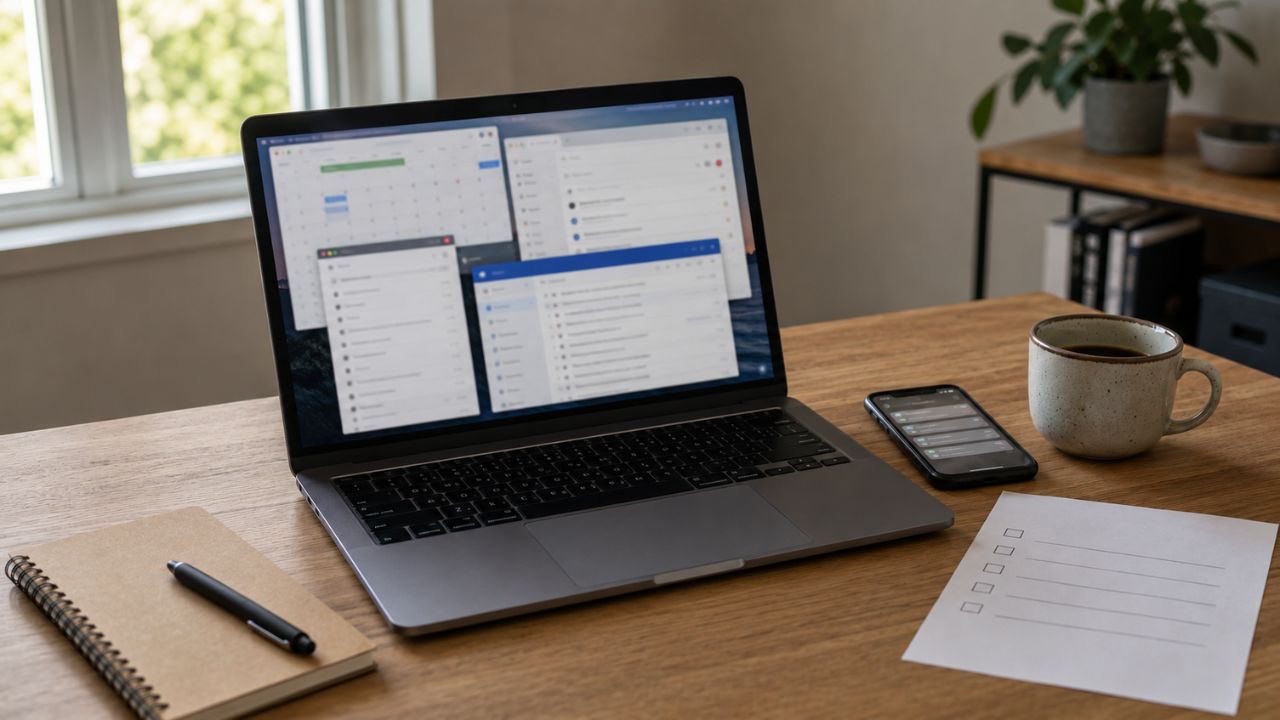
Some workdays begin with work. Others begin with managing the systems that are supposed to help us work. We check the task manager, update the project board, sort messages, review the calendar, open a focus timer, and move notes from one app to another. By the time everything looks organized, a surprising amount of attention has already gone.
This is the uncomfortable side of productivity app overload. The individual tools may be useful. The problem appears when they overlap, compete for attention, or require more maintenance than the work they were meant to simplify.
I don’t think productivity apps are inherently making us less productive. That claim would be too easy and mostly wrong. A good calendar, task manager, automation tool, or collaboration platform can remove real friction. But the market has trained us to respond to nearly every problem by adding another app. Eventually, the system designed to support the work becomes a separate body of work.
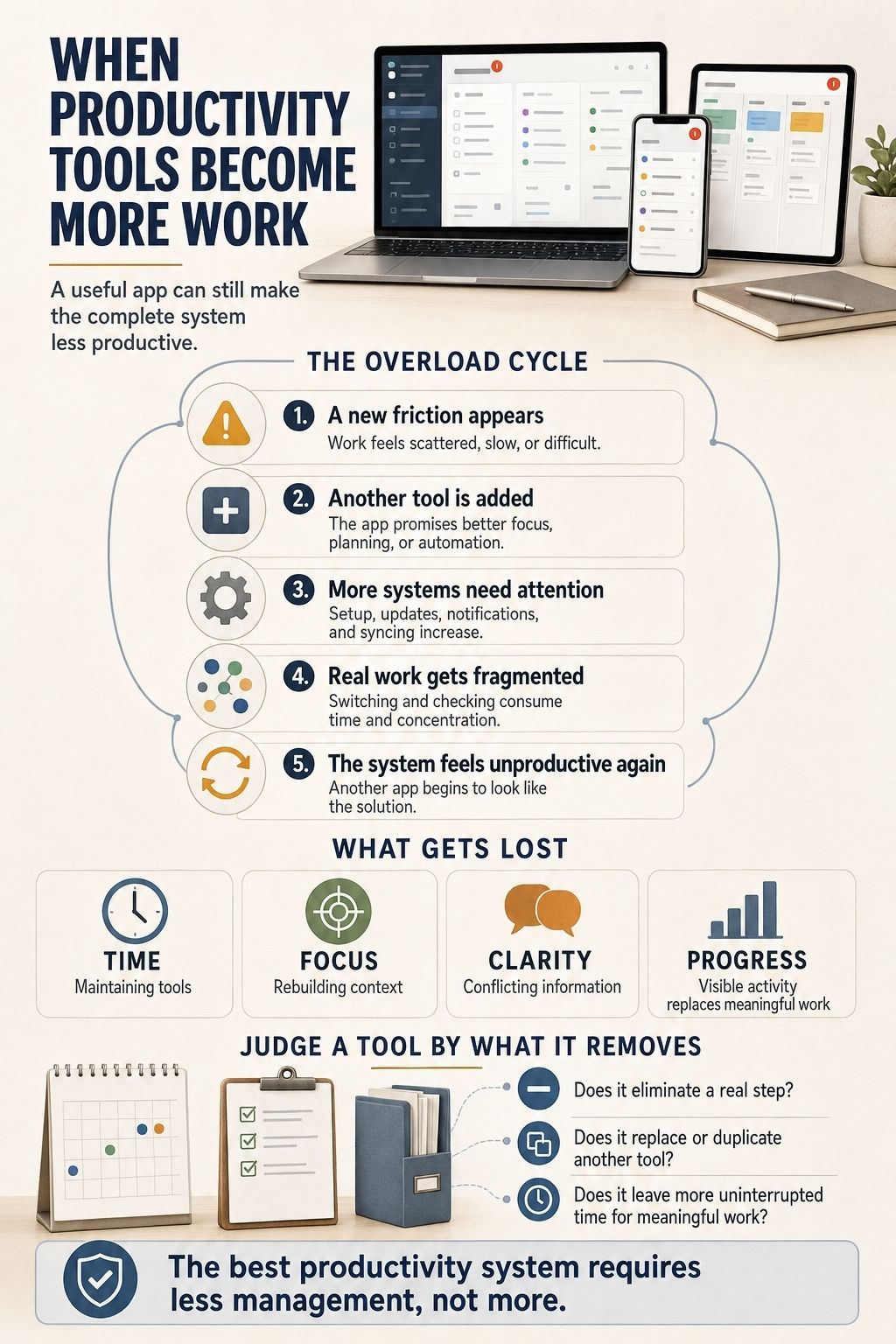
What Productivity App Overload Actually Means
Productivity app overload is not simply having several apps installed. The number alone tells us very little.
Someone may use eight well-integrated tools without much trouble, while another person struggles with three apps that duplicate the same information. Overload begins when the system creates more decisions, interruptions, and administrative work than it removes.
Common signs include:
- Tasks appearing in several places
- Notifications arriving through overlapping channels
- Time spent choosing where information belongs
- Repeatedly rebuilding workflows or dashboards
- Important context being scattered across apps
- Paying for features that another tool already provides
- Feeling organized without completing more meaningful work
This problem is growing alongside the market itself. Sensor Tower reported that global productivity-app downloads increased by 23% year over year in the first quarter of 2025, driven largely by generative AI apps. That figure shows strong demand, although it does not tell us whether downloading more tools produces better outcomes.
The distinction matters. Adoption is easy to measure. Actual productivity is much harder.
The Market Sells a New Answer to Every Friction
The productivity software market is built around addition. If you struggle to focus, there is an app for blocking distractions. If your task manager feels overwhelming, there is a simpler task manager. If your team cannot find information, there is another workspace, search tool, or AI assistant. If the new system becomes complicated, someone will sell a tool that connects it to the old one.
Each purchase can seem reasonable on its own. The cumulative effect is where things go wrong.
Research published in Nature offers a useful way to understand this behavior. Across eight experiments, participants were less likely to consider helpful subtractive changes unless they were specifically prompted to think about removal. Under greater cognitive load, they became even less likely to consider subtraction. The researchers were not studying productivity apps, but the finding provides a credible lens for the way we build digital work systems: we tend to add solutions before asking what can be removed.
Software companies naturally compete by offering more features, integrations, templates, and automation. A feature list can demonstrate apparent value before purchase. The mental cost of incorporating that feature into a working system usually becomes visible later. That cost belongs to the user.
Where Productivity App Overload Steals Our Time
The time lost to too many productivity apps rarely disappears in one dramatic failure. It leaks away through small actions that feel harmless.
Setup quietly becomes an ongoing job
Installing an app is quick. Building a usable system inside it is not. Projects need fields. Tasks need labels. Dashboards need views. Automations need rules. Team members need permissions. Old information needs to be imported, cleaned, or abandoned.
Some setup is justified. The problem begins when configuration becomes a recurring hobby rather than a one-time investment. A person may spend an hour designing the perfect weekly-planning template to manage work that could have been planned in ten minutes.
Organizing work also offers a convenient sense of completion. The colors match, the task list is clean, and every item has a category. None of that guarantees that the difficult report was written, the customer problem was solved, or the decision was made.
Every switch has a small cost
A study summarized by Harvard Business Review examined 137 users across 20 teams at three Fortune 500 companies. The researchers found that people in the dataset toggled between apps and websites nearly 1,200 times per day. The reorientation time added up to almost four hours per week.
This was a limited enterprise study, so the number should not be treated as a universal average for every worker. It still demonstrates how seemingly minor switches can accumulate when work is spread across disconnected systems. The visible delay may last only a few seconds. The mental transition can last longer.
Researcher Sophie Leroy describes this effect as “attention residue.” When we move away from an unfinished task, part of our attention may remain attached to it. That leaves fewer cognitive resources available for the next task, particularly when the new work requires concentration.
Opening another app to check one small update can therefore cost more than the seconds spent clicking. We must remember what we were doing, interpret the new information, and then reconstruct the earlier context.
Notifications turn tools into interruptions
Many productivity apps need attention to prove their usefulness. They send reminders, status changes, comments, summaries, suggestions, and overdue warnings. One notification may be reasonable. Ten connected tools issuing their own alerts create a working environment in which interruption becomes the default.
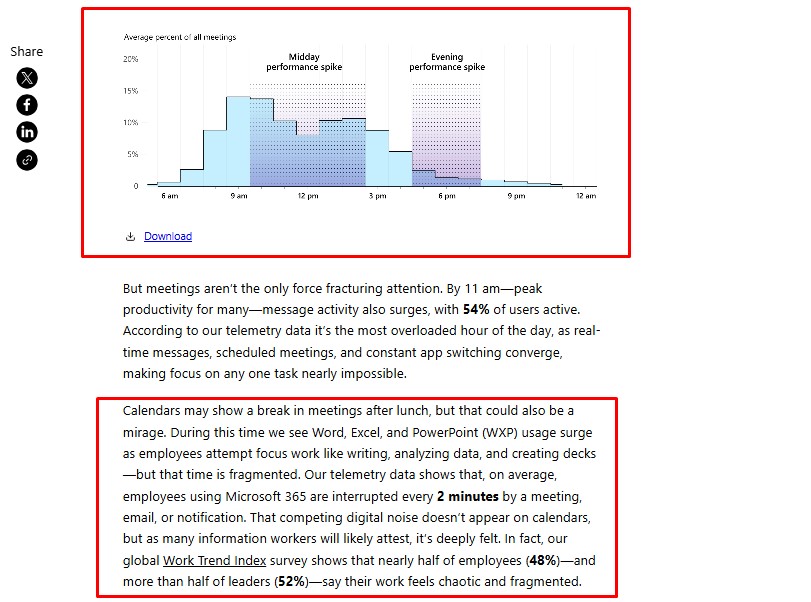
Microsoft’s 2025 Work Trend Index illustrates the intensity at the higher end of this problem. Its telemetry showed that the top 20% of Microsoft 365 users by ping volume received a meeting, email, or chat notification about every two minutes during core working hours. In a separate survey of 31,000 knowledge workers, 48% of employees said their work felt chaotic and fragmented.
Productivity software cannot take all the blame. Meetings, management habits, workplace expectations, and communication culture contribute to the same fragmentation. Apps simply give those pressures more channels through which to reach us.
Productivity Theater Makes Activity Look Like Progress
A polished productivity system makes work visible. That can be valuable, especially when several people need to coordinate. It can also encourage people to optimize for visible activity.
Tasks are moved across columns. Statuses are updated. Messages receive quick reactions. Dashboards are refreshed before meetings. Employees stay visibly active across several platforms, even when the activity contributes little to the actual outcome.
Asana’s Work Innovation Lab surveyed more than 13,000 knowledge workers across six countries. It reported that 53% of their time went toward “busywork,” including communicating about work, searching for information, and chasing task updates. The same research found that 65% of respondents sometimes engaged in what it called productivity theater, while 75% experienced digital exhaustion.
Asana is itself a work-management company, so its figures should be read as vendor-produced research rather than neutral proof that one type of software causes the problem. The underlying distinction is still useful: coordinating work and completing work are different activities.
A project board should help someone make a decision, understand responsibility, or identify a blocker. If updating it serves mainly to reassure management that people are busy, the system has become a reporting burden.
A Good App Can Still Make the Whole System Worse
This is where most discussions about productivity tools become too shallow. They review applications individually. A reviewer asks whether an app has useful features, a clean interface, reliable synchronization, or good value for money. Those are fair questions, but they do not reveal what happens after the app joins an existing workflow.
Imagine a team planning content in a project-management tool, discussing it in chat, drafting it in a document platform, approving it through email, and tracking final publication in a spreadsheet. Every tool may work properly. The team still has to reconcile five different versions of reality.
Which status is current? Where was the final decision made? Does the due date in the spreadsheet match the project board? Was the feedback in the document resolved, or did the editor respond only in chat? No single app has failed. The system has.
Large organizations experience this problem at a different scale. Zylo’s 2026 SaaS Management Index reported an average portfolio of 305 applications among the organizations represented in its dataset. That is not a universal average for every company, and the figure covers business software broadly rather than productivity apps alone.
It does show how difficult visibility and coordination can become when software purchasing spreads across departments. Zylo also notes that organizations continue to uncover unused seats and overlapping tools. This is the core of productivity app overload: local improvements can produce system-wide friction.
AI Has Made the Productivity Pitch More Seductive
Generative AI can save meaningful time. It can summarize information, transcribe meetings, draft routine material, extract action items, and automate repetitive steps. Dismissing those capabilities would be as unhelpful as accepting every AI productivity claim at face value. The risk is that AI now appears inside almost every layer of the work stack.
The meeting app produces a summary. The project platform extracts tasks. The email service drafts a follow-up. The note-taking tool generates another recap. A separate assistant analyzes all of them. We may end up with several versions of the same meeting and no agreement about which one is authoritative.
AI can make the production of information faster than our ability to review it. A generated report still needs to be checked. Suggested tasks still need owners and priorities. Automated workflows need monitoring when inputs change or integrations fail.
A feature that saves five minutes but creates ten minutes of verification and cleanup has not improved productivity. It has moved the work somewhere less visible.
The most useful AI tools are usually the ones that remove a real step from an established workflow. Adding an assistant simply because it can generate something is not a productivity strategy.
Productivity App Overload Is Not Just a Personal Failure
Advice about digital productivity often places the entire burden on individuals: turn off notifications, stop downloading apps, or develop better discipline. Those steps can help, but they ignore how workplace systems are created.
Employees may not choose the project platform, messaging app, customer database, approval system, or reporting tools they use. One department buys software without knowing that another team already has a similar product. Managers request extra status updates because they do not trust the existing data. Teams adopt unofficial tools because the approved software does not support the way they actually work.
The resulting overload cannot be solved by telling one employee to concentrate harder. Organizations need to decide where tasks live, which channels carry urgent communication, who can introduce new software, and when an old tool should be retired. Without those decisions, every new app becomes another place employees must remember to check.
When Adding Another App Is the Right Decision
A smaller stack is not automatically a better one. New software can be justified when it removes repeated manual work, reduces costly errors, improves accessibility, supports a requirement the existing system cannot meet, or consolidates several disconnected processes.
The deciding factor is whether the app simplifies the full workflow. A specialized tool that replaces spreadsheets, email approvals, and manual reminders may reduce overload even though it increases the application count. A fashionable dashboard that duplicates data already available elsewhere may worsen overload while looking impressively organized.
Fewer apps is a useful direction, but fewer unnecessary interactions is the better goal.
Productivity Should Require Less Management
The productivity market will keep producing new tools, and some of them will be genuinely helpful. The answer is not to reject software or return every workflow to paper.
We do need to stop assuming that another application is the natural solution to every difficult, disorganized, or unpleasant part of work.
Productivity app overload occurs when managing the tools consumes the attention those tools were supposed to protect. The warning sign is not an overcrowded home screen. It is a working day filled with checking, updating, transferring, configuring, and proving that work is happening.
A useful productivity system should become quieter as it improves. It should reduce decisions, make important information easier to find, and leave more uninterrupted time for the work itself.
If a tool cannot do that, removing it may be the most productive feature available.
Frequently Asked Questions on Productivity App Overload
1. Can productivity apps actually make you less productive?
Yes, when the time spent configuring, checking, updating, and switching between apps exceeds the work they eliminate. The problem usually comes from the combined system rather than one inherently unproductive app.
2. How many productivity apps are too many?
There is no ideal number. You have too many when several apps perform the same role, information must be copied between them, or you regularly forget where tasks and decisions are stored.
3. Why do people keep switching productivity apps?
A new app offers novelty and the feeling of a fresh start. However, switching rarely fixes unclear priorities, unrealistic workloads, or inconsistent habits. It often transfers the same underlying problem into a different interface.
4. Is one all-in-one productivity app better than several specialized tools?
An all-in-one app can reduce switching and duplication, but only if it supports the workflow properly. Specialized tools may be better for distinct needs, provided each has a clear role and integrates cleanly with the wider system.
5. How can I tell whether a productivity app is worth keeping?
Track what the app removes for two to four weeks. Keep it if it reduces manual work, errors, handoffs, or turnaround time. If removing it changes little, or makes work easier, it probably does not deserve a permanent place in the system.