


I understand the attraction of apps like Notion. They promise one clean place for tasks, notes, research, projects, calendars, meeting records, databases, and long-term plans. Instead of remembering where everything lives, you build a system that supposedly remembers for you.
Then the system starts asking for attention. You add properties, try new templates, link databases, rebuild the dashboard, adjust statuses, change icons, and spend twenty minutes deciding where a five-minute task belongs.
At some point, the obvious question appears: Are productivity apps like Notion useful, or are they just better-looking forms of procrastination?
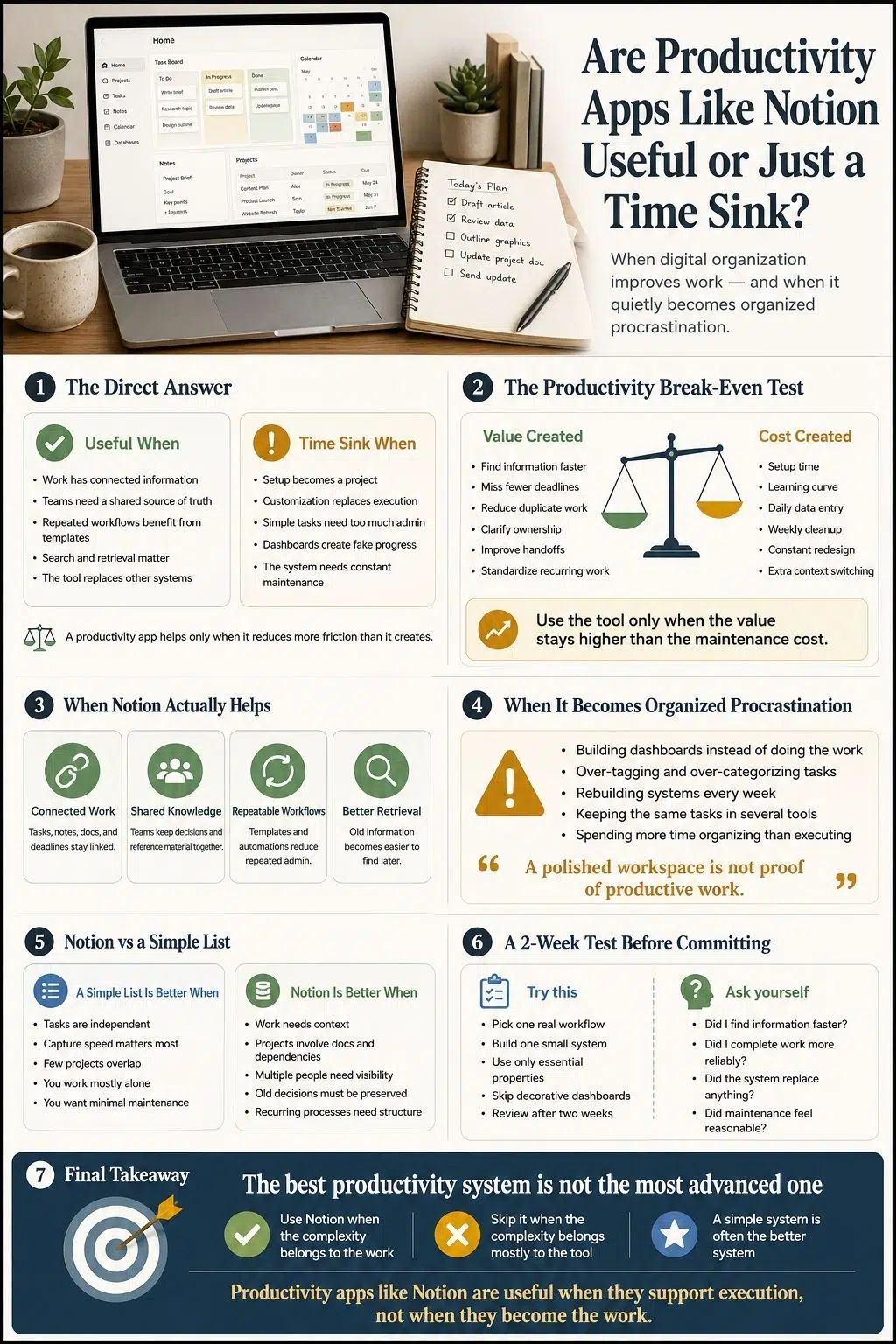
My answer is that they can be either. Notion is useful when it reduces the time spent searching for information, coordinating work, repeating administrative steps, and remembering commitments. It becomes a time sink when capturing, organizing, and maintaining the system takes more effort than the system saves.
The tool is not the deciding factor. The work is.
Are Productivity Apps Like Notion Actually Useful?
Yes, productivity apps like Notion can be genuinely useful. They are especially valuable when work involves connected information, recurring processes, multiple contributors, and documents that need to stay attached to projects.
Notion now combines documents, wikis, project management, databases, calendars, search, meeting notes, automations, integrations, and AI tools inside one workspace. Teams can connect tasks to briefs, decisions, deadlines, owners, research, and supporting documents instead of spreading that context across several apps.
For a content team, that might mean linking an editorial calendar to briefs, drafts, approvals, authors, and published URLs.
For a product team, it could mean connecting roadmap items to specifications, dependencies, meeting decisions, and delivery status.
For a freelancer, it might be a practical way to keep client notes, deadlines, files, and deliverables together.
That is where Notion starts to earn its complexity. For someone managing a few errands and appointments, the same system may be overkill.
When Notion Is Genuinely Useful
Notion works best when the complexity already exists in the work. It is far less convincing when the app introduces complexity that was never needed.
It Keeps Tasks Connected to Their Context
A simple task list can tell you what needs doing. It usually cannot explain the full story behind the task.
“Update landing page” may be clear today. Two weeks later, nobody remembers which page, what needs changing, who approved the request, or where the latest copy is stored.
A connected workspace can keep the task beside:
- The relevant brief
- Meeting notes
- Research
- A responsible owner
- Related deadlines
- Supporting files
- Blocked dependencies
- The final deliverable
That context matters in content, product, research, agency, and operations work. The useful questions are not only “What is due?” and “When?”
They are also:
- Why are we doing this?
- Who owns the next decision?
- What is blocking progress?
- Where is the latest information?
- What happened before this task appeared?
When the workspace answers those questions quickly, it is doing real work.
For teams, Notion’s strongest value may have little to do with personal task management. It can provide one shared place for procedures, project documents, decisions, policies, plans, and reference material.
That matters when the alternative is a trail of email threads, personal notes, old spreadsheets, chat messages, and cloud folders that nobody can navigate confidently. The phrase “source of truth” gets used too casually, though.
Software does not make information accurate merely by storing it in one place. Pages become outdated. People create duplicates. Naming conventions drift. Old decisions remain visible long after they stop applying.
The platform provides a place for shared truth. The team still has to maintain it.
It Makes Repeated Work Easier
Some setup is worth the effort. A reusable content brief, client onboarding checklist, monthly report, project review, or meeting template may save time because the same process happens again and again. This is where templates and automations make sense.
The workflow already exists. The steps are understood. Repetition creates a clear opportunity to reduce administrative effort. Building a detailed system for something that happens once is harder to justify.
I use a simple rule: Automate repeated pain, not imagined possibility. A workflow should prove that it deserves automation before anyone spends hours designing it.
It Can Reduce Tool Fragmentation
Notion can bring notes, project tracking, documentation, databases, and selected calendar information into one workspace. That can reduce context switching when it genuinely replaces other tools.
The problem is that many users do not replace anything. They keep the same task in Notion, a calendar, a separate to-do app, a notebook, email flags, and chat reminders. Now the all-in-one workspace has become one more place to check.
Consolidation only works when the user establishes a clear boundary:
- This is where tasks live.
- This is where appointments live.
- This is where project decisions live.
- This is the current version.
Without those rules, duplication creates more uncertainty than clarity.
It Makes Information Easier to Retrieve
Saving information is easy. Finding it six months later is where a knowledge system proves its value.
A useful workspace helps people locate decisions, project history, research, meeting notes, and working documents without relying on memory or asking the same questions again. This can reduce repeated work and make handoffs less painful.
A personal database with hundreds of entries is not automatically useful, though. If the user cannot remember how the information was categorized, the system has only moved the search problem somewhere else.
When Notion Becomes a Time Sink
The trouble begins when managing the workspace competes with the work it was meant to support. That usually happens gradually.
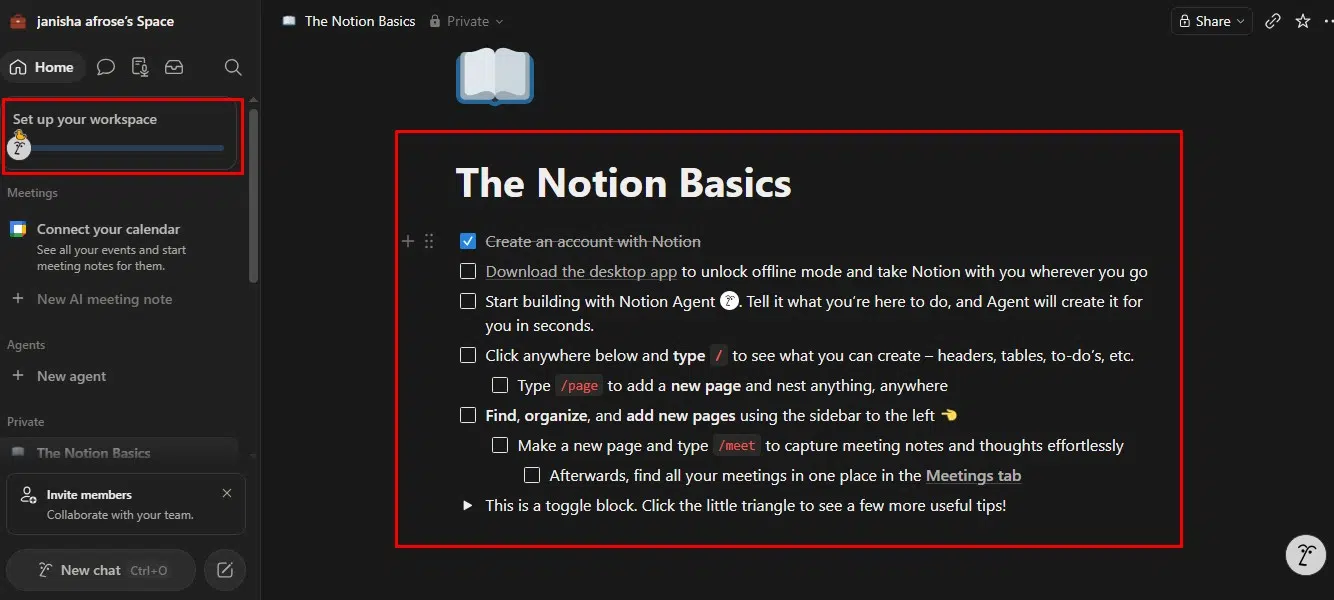
Setup Becomes a Project of Its Own
A user opens Notion to manage three active projects.
A week later, they have built:
- A project database
- A task database
- A goals system
- A habit tracker
- A reading library
- A knowledge vault
- A weekly review dashboard
- A personal archive
- Several relations connecting everything
None of those features is automatically pointless. The problem is creating them before repeated use has shown that they are necessary. I prefer systems that grow from friction.
Add a field because you repeatedly need the answer it provides. Add a view because the current one no longer supports the work. Create an automation after performing the process enough times to understand it. Building structure in advance often produces organization without evidence.
Customization Replaces Execution
Notion offers a large amount of visual and structural freedom. Pages, properties, database views, formulas, filters, layouts, templates, icons, colors, and dashboards can all be changed.
That freedom is useful. It also creates an endless supply of decisions that feel related to productivity:
- Should this be a list or a board?
- Do I need another dashboard?
- Would a formula improve this?
- Should I use a different template?
- Is this icon better?
- Should I rebuild the homepage?
A workspace does not need to be ugly. It also does not need to become a personal software-development project. The warning sign is not customization itself. It is rebuilding the system more often than using it.
Simple Tasks Gain Too Much Administrative Work
A productivity system should make it easy to capture a commitment before it disappears from memory.
If adding one task requires selecting a project, category, status, priority, context, energy level, estimated duration, deadline, review date, and several tags, the system has created a data-entry job.
A complex team project may need some of that information. “Buy printer paper” probably does not. Every field should improve a decision, search, workflow, or useful view. If it does none of those things, it is simply another item that must be maintained.
Organization Creates the Feeling of Progress
This is the most important weakness of highly flexible productivity apps. Organizing produces visible results. The inbox becomes empty. The cards line up. The statuses look current. The homepage appears cleaner.
The original work may remain untouched. I call this organized procrastination: improving the map because walking the route feels harder.
The behavior is understandable. Difficult work involves uncertainty. System maintenance feels controlled and finishable.
A productivity tool becomes a problem when it offers a comfortable substitute for the task someone is avoiding.
The Workspace Decays
Every system creates maintenance. Tasks become stale. Deadlines pass. Projects are abandoned. Tags lose their meaning. Duplicate pages appear. Team members use properties differently.
A little cleanup is normal. A workspace that becomes unreliable after one busy week is too fragile.
People do not need another responsibility that punishes them for failing to maintain the tool designed to help them manage their responsibilities. The system should survive imperfect use.
It Can Create More Context Switching
A poorly designed workspace may require constant movement between dashboards, linked views, databases, project pages, calendars, documents, and external apps.
Research on knowledge work and software development has repeatedly shown that task switching and interruptions can create cognitive costs. Self-initiated switching can be especially deceptive because the worker feels in control of it.
Opening Notion does not automatically destroy focus. The practical lesson is narrower: a productivity system should shorten the route to the work. It should not become the route.
What Does Research Say About Productivity Apps?
Research does not support the idea that adopting a digital task manager automatically makes someone more productive.
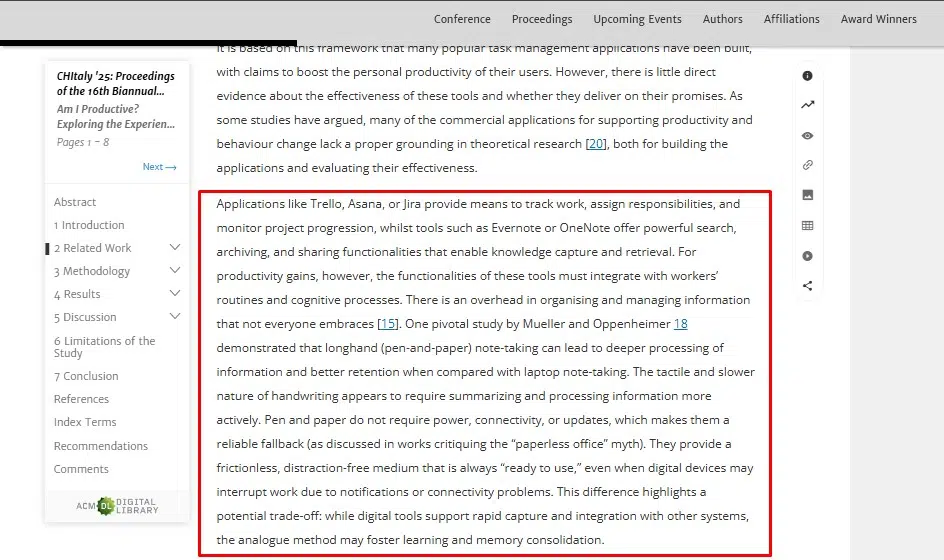
A small 2025 mixed-methods study compared digital task-management tools with pen-and-paper approaches among remote knowledge workers. Over the study period, researchers found no statistically significant productivity advantage for the digital tools.
Participants appreciated reminders, portability, planning, and breaking work into smaller actions. They also reported that motivation, distraction, workload, prioritization, and health often mattered more than the tool itself.
The study was limited in size and duration, so it does not prove that digital apps never help.
It supports a more reasonable conclusion: The medium alone does not create productivity. An app can remind someone about a task. It cannot create time for an unrealistic workload.
It can arrange priorities. It cannot decide whether an organization has assigned too many competing priorities.
It can display overdue work. It cannot remove the fear, boredom, uncertainty, or exhaustion causing someone to avoid it.
Other research into task-management behavior also suggests that people value different features depending on their working styles and responsibilities.
That helps explain why one person can manage an entire business in Notion while another abandons it after a few days. There is no universally productive interface.
The Productivity Break-Even Test
I think every productivity app should pass one test: Does it save more useful time and attention than it consumes?
Value the System May Create
A good workspace might:
- Make information easier to find
- Reduce missed deadlines
- Clarify ownership
- Prevent duplicated work
- Preserve decisions
- Improve handoffs
- Standardize recurring processes
- Reduce status meetings
- Automate repetitive administration
Costs the System May Create
The same workspace may require:
- Initial setup
- Learning time
- Daily data entry
- Weekly cleanup
- Constant customization
- Duplicate tracking
- Team training
- Broken automation fixes
- Switching between views
- Integration maintenance
The calculation does not need to be exact. The answer usually becomes visible through use.
How Can You Test Notion Without Wasting Weeks?
I would not start by building a complete “second brain.” Choose one real problem.
For example:
- Track article production
- Organize university assignments
- Manage research sources
- Record meeting decisions
- Coordinate client deliverables
- Maintain one recurring team process
Then build the minimum useful system:
- One main database or list
- Only essential properties
- One useful view
- One capture location
- No decorative command center
Use it for two weeks. That is not a scientific threshold. It is simply long enough for the excitement of setup to fade.
Does Notion AI Solve the Productivity Problem?
Notion is no longer just a notes-and-databases app. Its current workspace includes AI search, meeting notes, content generation, connected information retrieval, workflow assistance, and agents designed to complete multi-step tasks using workspace context.
These features can remove real work. Meeting notes can become searchable records. Connected search may reduce time spent hunting through apps. Automated workflows can handle repetitive administrative steps.
AI does not eliminate the break-even test. It may produce more notes than anyone reads, create more tasks than a team can complete, or automate a process that should have been removed entirely.
Faster organization can still be excessive organization. I would ask the same question of every AI feature: What recurring piece of useful work does this remove?
When the answer is clear, the feature may be worth using. When the answer is mostly that it makes the workspace feel more advanced, I would leave it alone.
Useful Tool or Organized Procrastination?
Productivity apps like Notion are not inherently useful or inherently wasteful.
They can bring serious clarity to connected projects, recurring workflows, shared knowledge, and collaborative work. For the right user, the time spent building the system is repaid through faster retrieval, fewer missed details, and less repeated administration.
The problem begins when the productivity system becomes the main creative output. I do not think everyone needs a second brain, a life operating system, or a dashboard for every part of life.
Some people need a shared project hub. Others need a calendar and a short list. Both are reasonable.
My final test is simple: Notion is useful when the complexity belongs to the work. It becomes a time sink when most of the complexity belongs to Notion.
Frequently Asked Questions on Notion’s Usefulness
1. Are Productivity Apps Like Notion Useful?
Yes, especially for connected projects, shared documentation, recurring workflows, and work involving several people. They are less valuable when a simple list can manage the same responsibilities with less effort.
2. Is Notion Overkill for a To-Do List?
For a short personal task list, often yes. A dedicated task manager, notes app, calendar, or paper list may be faster.
3. Is Notion Better Than Pen and Paper?
It depends on the work. Paper is fast, flexible, and distraction-free. Notion is stronger when information needs to be searchable, connected, shared, updated, or automated.
4. Are Notion Templates Worth Using?
They can be useful when they match an existing repeated workflow. Large templates designed around someone else’s life often require more adjustment than expected.
5. Does Notion AI Improve Productivity?
It can when it removes repetitive work, retrieves information faster, or produces useful project and meeting outputs. It can also increase clutter when users generate more information and automation than they can manage.

























