
As the Farmers’ Almanac forecasts a particularly intense summer heatwave sweeping across much of the United States, experts are raising concerns about the impact of high temperatures—not just on health and infrastructure, but also on the smartphones we rely on daily. Whether you’re using an iPhone or a Samsung Galaxy, the soaring temperatures could lead to overheating, performance issues, or even long-term battery damage if precautions aren’t taken.
Let’s explore the full details of how extreme heat affects smartphones, what warning signs to watch for, and how to keep your device cool and safe.
Why Summer Heat Is Dangerous for Smartphones
Smartphones are designed to operate within specific temperature ranges. For most iPhones, Apple recommends using the device between 32°F (0°C) and 95°F (35°C). Samsung’s Galaxy smartphones have a similar safe operating temperature range. When your phone is exposed to temperatures above that range—especially during hot summer days—it can cause internal components to overheat and degrade.
Heat buildup not only affects performance, but it can also permanently reduce your battery’s health, leading to shorter battery life and potential long-term device damage.
Common Situations That Overheat Phones:
-
Leaving your phone on the dashboard or seats inside a parked car
-
Prolonged exposure to direct sunlight
-
Charging the device (especially while in a case)
-
Playing high-performance games or running heavy apps for long periods
-
Video calling or recording high-resolution videos in the sun
-
Using GPS or navigation apps continuously while driving
Each of these activities generates heat internally, which, when combined with external heat, pushes your phone past safe operating limits.
How to Tell If Your Phone Is Getting Too Hot
Your smartphone will usually start showing signs before reaching a critical temperature. Both Apple and Samsung smartphones come with built-in thermal protection systems that monitor internal temperature and limit functionality to avoid damage.
Here’s what happens when your phone starts overheating:
-
Sluggish performance as the CPU throttles down to cool the device
-
Reduced charging speed, or charging may stop altogether
-
Screen dimming to reduce power consumption
-
Camera flash and flashlight disablement
-
Battery drain accelerates
-
Apps crash or freeze temporarily
These are automatic safety measures designed to protect internal components, including the battery, processor, and screen. If your phone continues to heat beyond those limits, a warning message will appear stating that the device is too hot and must cool down before it can be used.
In extreme situations, the phone will shut down completely to prevent damage to the battery or motherboard. Despite the shutdown, emergency calling functionality remains available to ensure safety.
What You Should Do When Your Phone Overheats
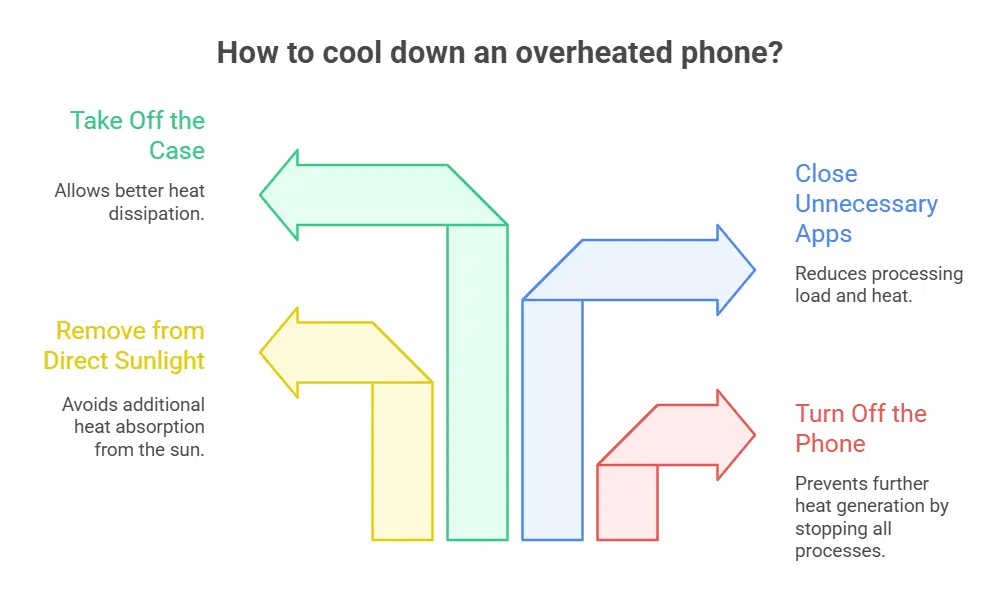
If your phone feels hot to the touch or gives a temperature warning, take immediate action to cool it down safely. Here are the step-by-step recommendations from Apple, Samsung, and technology experts:
1. Turn Off the Device Immediately
Powering down reduces the strain on the processor and allows the device to cool faster. Avoid using any functions until the device returns to a normal temperature.
2. Move It to a Cooler, Shaded Area
Get your phone out of direct sunlight and into a cool room or shady spot. Leaving it in a hot environment—even for a short time—can cause the internal temperature to rise rapidly.
3. Remove the Phone Case
Phone cases can trap heat. Removing it allows better airflow around the device, helping it cool more efficiently.
4. Avoid Charging Until It’s Cool
Charging a hot device adds more heat. Wait until the phone is back to room temperature before plugging it in again. If the phone was charging when it overheated, unplug it immediately.
5. Stop All Intensive Apps
Close all running apps, especially games, video streaming, or social media platforms. The more apps that run in the background, the more processing power (and heat) is generated.
6. Turn On Low Power Mode
Enabling Low Power Mode on iPhones or Power Saving Mode on Galaxy devices reduces background activity, helps slow down processor usage, and limits visual effects, all of which contribute to cooling the device faster.
What Not to Do When Trying to Cool Your Phone
When your phone is overheating, avoid taking drastic or uninformed steps that could cause additional damage. Here’s what you should not do:
✖ Put It in a Refrigerator or Freezer
Rapid cooling from extreme cold can create internal condensation, which may lead to short circuits and water damage inside the phone. This voids most manufacturer warranties, even for water-resistant devices.
✖ Dunk It in Water
Even if your phone has an IP67 or IP68 waterproof rating, submerging it in water for cooling is not safe. Water resistance is intended for accidental splashes—not intentional soaking or temperature regulation.
✖ Ignore the Warning Signs
Overheating causes long-term damage to your battery and other internal parts. Continued overheating can degrade lithium-ion batteries, increasing the risk of swelling or chemical leaks.
What to Do If Your Phone Shuts Down from Heat
If your phone turns off automatically due to overheating, stay calm. This is part of the built-in protection system to prevent further damage. Follow these recovery steps:
-
Take it out of direct sunlight or your pocket
-
Place it on a flat, cool, shaded surface with airflow
-
Avoid turning it on until it has cooled completely
-
Check for residual heat before restarting
Once it has returned to a safe temperature, it should function normally. If it still feels hot after cooling, or if it shuts down again shortly after turning on, consult with official customer support from Apple or Samsung.
How to Prevent Your Smartphone from Overheating
Prevention is better than cure—especially with expensive devices. Here are some daily precautions you can take during extreme summer heat:
| Preventive Tip | Why It Helps |
|---|---|
| Keep Your Phone Out of Cars | Car interiors can exceed 130°F in summer, well beyond safe limits. |
| Avoid Prolonged Sun Exposure | Even 10–15 minutes in direct sunlight can raise internal temperatures quickly. |
| Limit Gaming and Streaming Outdoors | These activities demand heavy CPU and GPU use, increasing heat. |
| Use Airplane Mode When Not in Use | Reduces background activity and helps prevent heat from data usage. |
| Update Your Software | System updates often include heat and performance optimizations. |
| Avoid Charging While Using | Charging adds heat; using the phone simultaneously increases the risk. |
| Use Original Chargers Only | Non-certified cables can cause unsafe charging cycles and overheating. |
With record-breaking temperatures expected across the country this summer, smartphone users need to be extra cautious. Prolonged exposure to high heat can cause your device to overheat, damaging the battery and other components.
Fortunately, both Apple and Samsung design their devices with built-in protections like thermal throttling and auto shutdown to prevent permanent damage. Still, being proactive is key. Avoid extreme environments, limit intensive app usage during hot weather, and always let your phone rest in the shade when not in use.
If your phone shuts down or displays a temperature warning, follow the safety steps outlined above. Your device is more resilient than you think — but only if you take proper care.