

Website speed and performance play a crucial role in user experience and search engine rankings. A slow-loading website can drive visitors away, increase bounce rates, and negatively impact conversions.
One of the most effective ways to enhance website speed is through lazy loading and speed optimization. By leveraging specialized plugins, WordPress users can significantly improve site performance, reduce load times, and optimize resources efficiently.
With increasing competition in the digital space, website speed optimization is no longer optional—it’s a necessity. This article explores the 7 best WordPress plugins for lazy loading and speed optimization, providing in-depth insights into their features, benefits, and practical use cases.
Whether you are running a personal blog, an eCommerce store, or a high-traffic news portal, these plugins will help enhance your site’s speed and performance.
Why Lazy Loading and Speed Optimization Matter?
Lazy loading and speed optimization are critical components of modern web performance strategies. Websites that load quickly not only provide a better user experience but also gain a competitive edge in search engine rankings.
With the increasing use of mobile devices and the growing emphasis on Core Web Vitals, implementing effective speed optimization techniques has become essential for website success.
Lazy loading ensures that media files such as images and videos are loaded only when needed, preventing unnecessary bandwidth usage and speeding up page rendering.
Impact on SEO and Google Rankings
- Google prioritizes fast-loading websites in search rankings.
- Page speed is a key factor in Core Web Vitals assessment.
- A slow website can lead to lower organic traffic and visibility.
- Faster websites increase crawl efficiency and indexing speed.
- Optimized pages help in ranking higher for competitive keywords.
Benefits for User Experience
- Faster load times reduce bounce rates and increase engagement.
- Lazy loading improves perceived speed by loading images only when needed.
- Enhances overall browsing experience, especially for mobile users.
- Improves conversion rates for eCommerce and lead generation websites.
- Ensures seamless navigation for users with slow internet connections.
Effect on Core Web Vitals and Mobile Performance
- Improves metrics like Largest Contentful Paint (LCP) and First Input Delay (FID).
- Optimizes resources to ensure seamless browsing on smartphones and tablets.
- Helps in achieving better performance scores in Google PageSpeed Insights.
- Reduces server requests, resulting in lower bandwidth consumption.
- Ensures a responsive design that adapts to various screen sizes.
How to Choose the Best WordPress Plugins for Speed Optimization?
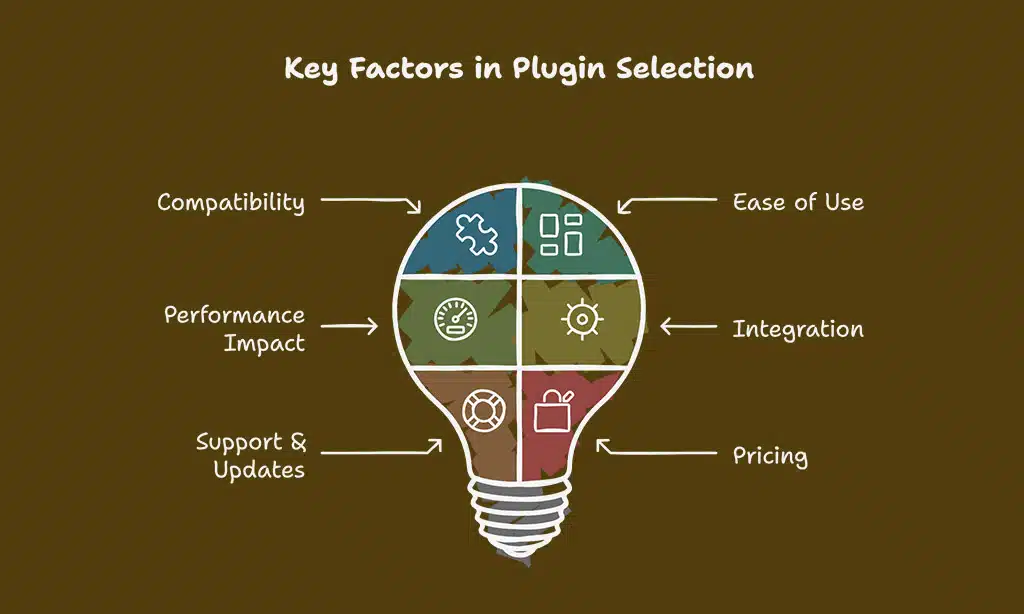
When selecting a plugin for lazy loading and speed optimization, consider the following:
| Factor | Why It Matters |
| Compatibility | Ensure the plugin works with your WordPress version and theme. |
| Ease of Use | Look for plugins with user-friendly configuration options. |
| Performance Impact | Check if the plugin offers caching, minification, and script optimization. |
| Integration | Verify compatibility with CDNs and image compression tools. |
| Support & Updates | Opt for actively maintained plugins with strong community support. |
| Pricing | Determine if you need a free version or premium features. |
Top 7 WordPress Plugins for Lazy Loading and Speed Optimization
Selecting the right plugin for lazy loading and speed optimization is crucial for improving site performance. The following plugins have been carefully chosen based on their effectiveness, ease of use, and ability to enhance website speed.
Each plugin offers unique features catering to different needs, whether it’s caching, lazy loading images, or optimizing CSS and JavaScript. Read on to find out which one suits your website best.
1. WP Rocket – Best All-in-One Optimization Plugin
WP Rocket is a premium caching and speed optimization plugin designed to boost website performance with minimal configuration. It offers lazy loading, database optimization, and powerful caching capabilities, making it an all-in-one solution for WordPress users.
With a simple setup process, even non-technical users can experience a noticeable improvement in page load times within minutes. WP Rocket also includes advanced features like Google Fonts optimization and DNS prefetching, ensuring a seamless browsing experience.
Key Features:
| Feature | Description |
| Page Caching | Stores static HTML pages for faster delivery. |
| GZIP Compression | Reduces file sizes to improve load speed. |
| Lazy Loading | Loads images and videos only when they enter the viewport. |
| Database Optimization | Cleans up old revisions, spam comments, and unused data. |
| CDN Integration | Works with content delivery networks for global reach. |
Pros & Cons:
- Comprehensive performance optimization.
- User-friendly interface with one-click setup.
- Reduces server load significantly.
- Premium-only plugin with no free version.
- Some advanced settings require manual configuration.
2. LiteSpeed Cache – Best for Server-Level Caching
LiteSpeed Cache is a free WordPress plugin designed for websites hosted on LiteSpeed servers. It provides advanced caching, image optimization, and QUIC.cloud CDN support to enhance site performance.
Unlike traditional caching plugins, LiteSpeed Cache operates at the server level, offering superior speed benefits. This makes it an ideal choice for high-traffic websites looking to maximize efficiency.
Key Features:
| Feature | Description |
| Server-Level Caching | Delivers content faster by reducing PHP execution. |
| Lazy Loading | Applies to images, CSS, and JavaScript. |
| Image Optimization | Supports WebP compression for reduced file size. |
| Database Cleanup | Removes unnecessary data for optimized performance. |
| QUIC.cloud CDN | Enhances global site speed with built-in CDN support. |
Pros & Cons:
- Free to use with powerful optimization features.
- Great for websites on LiteSpeed servers.
- Supports multiple cache layers for improved speed.
- Some features require LiteSpeed hosting.
- Initial setup may be complex for beginners.
3. WP Fastest Cache – User-Friendly Speed Booster

WP Fastest Cache is an intuitive and easy-to-use caching plugin that enhances WordPress speed and performance without requiring extensive technical knowledge. It simplifies caching implementation, allowing users to enable optimizations with just a few clicks.
The plugin is known for its efficient cache preloading, automatic minification, and built-in GZIP compression, making it a great option for users seeking a lightweight yet powerful performance boost.
Key Features:
| Feature | Description |
| One-Click Caching | Enables page caching effortlessly. |
| Minification Support | Reduces HTML, CSS, and JavaScript file sizes. |
| GZIP Compression | Decreases overall bandwidth usage. |
| Cache Preloading | Ensures quick access to frequently visited pages. |
| CDN Integration | Works with major CDNs to distribute content faster. |
Pros & Cons:
- Beginner-friendly with a straightforward interface.
- Free version offers essential features for speed improvement.
- Works well with most WordPress themes and plugins.
- Some advanced settings require the premium version.
- Lacks certain deep optimizations found in premium plugins.
4. Lazy Load by WP Rocket – Best Dedicated Lazy Loading Plugin
Lazy Load by WP Rocket is a lightweight and efficient plugin specifically designed to improve loading speed by deferring offscreen images and videos until users scroll down.
Unlike heavier plugins that come with multiple features, this plugin is focused solely on lazy loading, ensuring minimal impact on server resources and site performance.
Key Features:
| Feature | Description |
| Image Lazy Loading | Defers loading of images until they appear in the viewport. |
| Video and Iframe Optimization | Delays video and iframe loading to enhance speed. |
| No jQuery Dependency | Reduces script bloat and improves performance. |
| WooCommerce Compatibility | Works seamlessly with product images. |
| Supports YouTube Thumbnail Optimization | Replaces embedded YouTube videos with clickable thumbnails. |
Pros & Cons:
- Simple, lightweight, and effective for lazy loading.
- Compatible with most caching and optimization plugins.
- Reduces initial page load time significantly.
- Lacks caching or other speed optimization features.
- Limited to lazy loading functionalities.
5. Autoptimize – Best for CSS and JavaScript Optimization
Autoptimize is a powerful plugin designed to optimize CSS, JavaScript, and HTML files, making it an excellent choice for users looking to improve front-end performance. It effectively reduces file sizes, combines scripts, and delays unnecessary resource loading, leading to faster site speed and improved user experience.
Key Features:
| Feature | Description |
| CSS and JavaScript Minification | Compresses and reduces unnecessary code. |
| Asynchronous Script Loading | Prevents render-blocking issues. |
| Lazy Loading for Images | Helps improve perceived page speed. |
| Google Fonts Optimization | Ensures better font rendering and faster loads. |
| Compatible with Caching Plugins | Works well alongside WP Rocket and other tools. |
Pros & Cons:
- Helps reduce file size and improves frontend performance.
- Easy to configure and compatible with most themes.
- Works well with other caching and speed plugins.
- May require careful setup to avoid theme conflicts.
- Some features need additional plugins for full optimization.
6. Smush – Best Image Optimization Plugin
Smush is a widely-used image compression and lazy loading plugin that ensures images are optimized without losing quality. It provides bulk compression, automatic resizing, and lossless optimization, helping to improve page speed while maintaining visual clarity.
Key Features:
| Feature | Description |
| Lossless Image Compression | Reduces file sizes without quality loss. |
| Lazy Loading Support | Delays image loading until they are needed. |
| Bulk Optimization | Processes up to 50 images at once. |
| Automatic Image Resizing | Adjusts image dimensions for optimal display. |
| CDN Integration | Enhances image delivery speed. |
Pros & Cons:
- Ideal for image-heavy websites needing compression.
- Free version includes essential optimization features.
- Works well with most WordPress themes and CDNs.
- Some advanced features require the Pro version.
- Bulk optimization limits in the free version.
7. Perfmatters – Best for Disabling Unnecessary Scripts
Perfmatters is a lightweight performance plugin that disables unused WordPress scripts and features to enhance page load speed. Unlike other speed optimization plugins that focus primarily on caching, Perfmatters helps reduce bloated requests, ensuring that your site loads only the essential scripts.
This results in a cleaner, faster browsing experience with improved Core Web Vitals scores.
Key Features:
| Feature | Description |
| Script Manager | Disables unused CSS and JavaScript files per page. |
| Disable Unnecessary Features | Removes emojis, embeds, and XML-RPC. |
| DNS Prefetching | Reduces DNS lookup time for external resources. |
| WooCommerce Optimization | Disables unnecessary WooCommerce scripts for improved speed. |
| Works with Caching Plugins | Complements WP Rocket, LiteSpeed Cache, and other optimizers. |
Pros & Cons:
- Helps reduce bloat and unnecessary scripts.
- Works well with other caching and optimization plugins.
- Significantly improves front-end loading speed.
- Requires manual setup and testing for best results.
- No built-in caching, requires pairing with another plugin.
Takeaways
The 7 best WordPress plugins for lazy loading and speed optimization ensure that your website runs efficiently while delivering a seamless user experience. Whether you’re looking for an all-in-one solution like WP Rocket, an advanced caching tool like LiteSpeed Cache, or a script optimizer like Perfmatters, there’s a plugin that suits your needs.
By implementing these tools, you can enhance your site’s performance, boost SEO rankings, and improve visitor engagement. Start optimizing today and experience the difference in website speed and efficiency!



























