

Microsoft is actively working on a new feature in Windows 11 that aims to help users better understand how their system’s hardware specifications, such as RAM (Random Access Memory) and GPU (Graphics Processing Unit), impact overall computer performance. This feature, which is currently in its early testing phase, introduces a new Frequently Asked Questions (FAQ) section within the system settings. The FAQ provides answers to common questions about hardware performance and system optimization, helping users identify potential bottlenecks that may slow down their PC.
Discovery of the Hidden FAQ Section
This feature was first discovered by a Windows enthusiast known as “phantomofearth,” who spotted it in the latest Windows 11 Dev Channel build released earlier this week. While Microsoft has not officially announced this feature, it has been found hidden within the system settings. Users who want to test it early can manually enable it through third-party tools like ViveTool, a widely used utility for unlocking experimental Windows features before their official rollout.
Microsoft frequently tests new features in the Dev Channel of the Windows Insider Program before rolling them out to all users in stable updates. However, not all tested features make it to the final release, as some are scrapped based on user feedback and performance evaluations. Given the presence of this FAQ section in the Dev Channel, there is a strong possibility that it will become a part of an upcoming Windows 11 update, possibly the 24H2 release.
What the New FAQ Section Includes
The FAQ section in the system settings is designed to answer key questions related to hardware performance and system efficiency. It provides insights into how specific system configurations can affect the overall user experience. Some of the key topics covered in this section include:
1. System RAM and Its Impact on Performance
- The FAQ explains how system RAM plays a crucial role in multitasking, application performance, and overall system speed.
- It highlights how insufficient RAM can cause lagging, slow response times, and application crashes, especially when running memory-intensive software such as video editing tools, gaming applications, and virtual machines.
- Microsoft may include recommendations for users whose PCs have low RAM, suggesting memory upgrades or optimization techniques such as reducing background processes.
2. GPU Memory and Its Role in Graphics Performance
- The FAQ provides guidance on GPU memory (VRAM) and its impact on graphics-intensive tasks, including gaming, video rendering, and 3D modeling.
- Users with GPUs that have less than 4GB of VRAM may receive specific recommendations to adjust graphics settings, upgrade their hardware, or optimize system resources for better performance.
- This section may also explain how shared system memory works for devices using integrated GPUs instead of dedicated graphics cards.
3. Operating System Version and Performance Optimization
- The FAQ emphasizes the importance of keeping Windows 11 updated to ensure compatibility with the latest features, security patches, and performance improvements.
- If a user is running an outdated version of Windows 11, this section may flag it and provide guidance on updating to the latest version.
It remains unclear whether these FAQs will dynamically change based on individual hardware configurations or whether they will provide static information applicable to all users. For example, high-end PCs running the latest Windows 11 build may not see many FAQs, whereas older or lower-end systems might receive more recommendations and troubleshooting tips.
Comparison to the Windows Experience Index
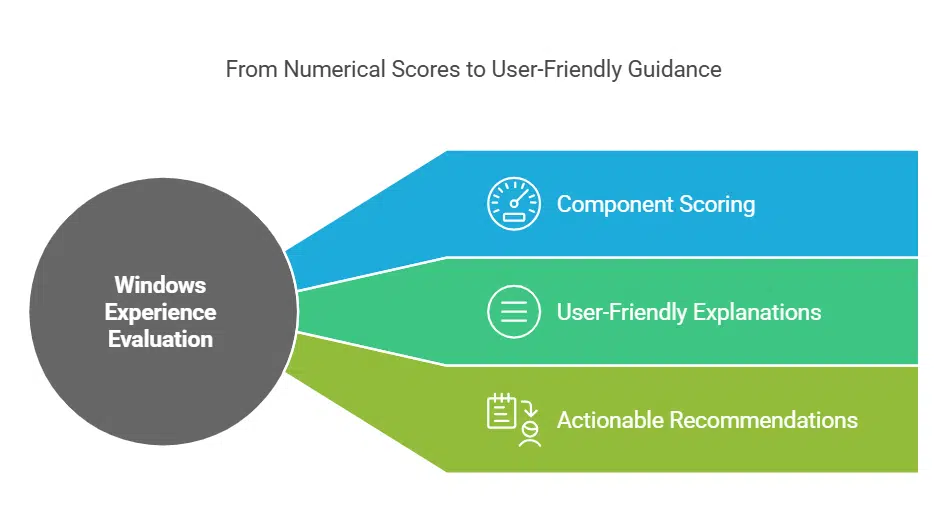
This new FAQ initiative shares similarities with Microsoft’s earlier approach to performance evaluation through the Windows Experience Index. Introduced with Windows Vista, the Windows Experience Index assigned a performance score to each component of a system—CPU, RAM, GPU, and storage—giving users an overall score to understand their PC’s capabilities.
However, instead of using a numerical score, the new Windows 11 FAQ section appears to take a more user-friendly approach, offering detailed explanations and actionable recommendations. This could help users understand how hardware limitations affect their everyday computing experience and provide solutions to improve performance without requiring extensive technical knowledge.
Potential Release Timeline and Testing in Dev Channel
Since this feature is currently being tested in the Windows Insider Dev Channel, its exact release date remains uncertain. However, Microsoft typically includes features tested in this channel in its major Windows 11 updates, such as the anticipated 24H2 release.
In some cases, Microsoft has tested features in the Dev Channel and later abandoned them if they did not meet expectations. Therefore, while there is a good chance of this FAQ section being included in future updates, there is no guarantee of its final implementation until Microsoft officially confirms it.
How to Enable the Hidden Feature Using ViveTool
For advanced users who want to explore this feature before its official rollout, it is possible to enable it manually using ViveTool. Here’s how you can do it:
- Download ViveTool from a trusted source and extract it to a convenient location on your PC.
- Open Command Prompt as an administrator and navigate to the folder where ViveTool is stored.
- Run the command to enable the hidden FAQ section, using the specific feature ID associated with this new setting.
- Restart your PC to apply the changes.
Users should be aware that enabling hidden features comes with risks, as these experimental options may contain bugs or cause system instability. It is advisable to proceed with caution and ensure that important data is backed up before making any modifications.
Microsoft’s Continued Efforts to Improve User Experience
The introduction of this new FAQ section in Windows 11 aligns with Microsoft’s ongoing efforts to improve user experience by making system performance insights more accessible. Many users, especially those with limited technical expertise, often struggle to understand why their PC may be running slowly. This new feature could bridge that knowledge gap by providing clear explanations and easy-to-follow recommendations.
As Microsoft continues to refine this feature, more details will likely emerge regarding its customization, availability, and integration with other system tools. Users who participate in the Windows Insider Program can provide feedback to Microsoft, helping shape the final version of this feature before its official release.
With Windows 11’s focus on modernizing the user experience, features like this FAQ section could make it easier for users to optimize their PCs without needing extensive technical knowledge. Microsoft’s decision to provide detailed, built-in guidance reflects a broader industry trend toward user-friendly system management and proactive troubleshooting.
























