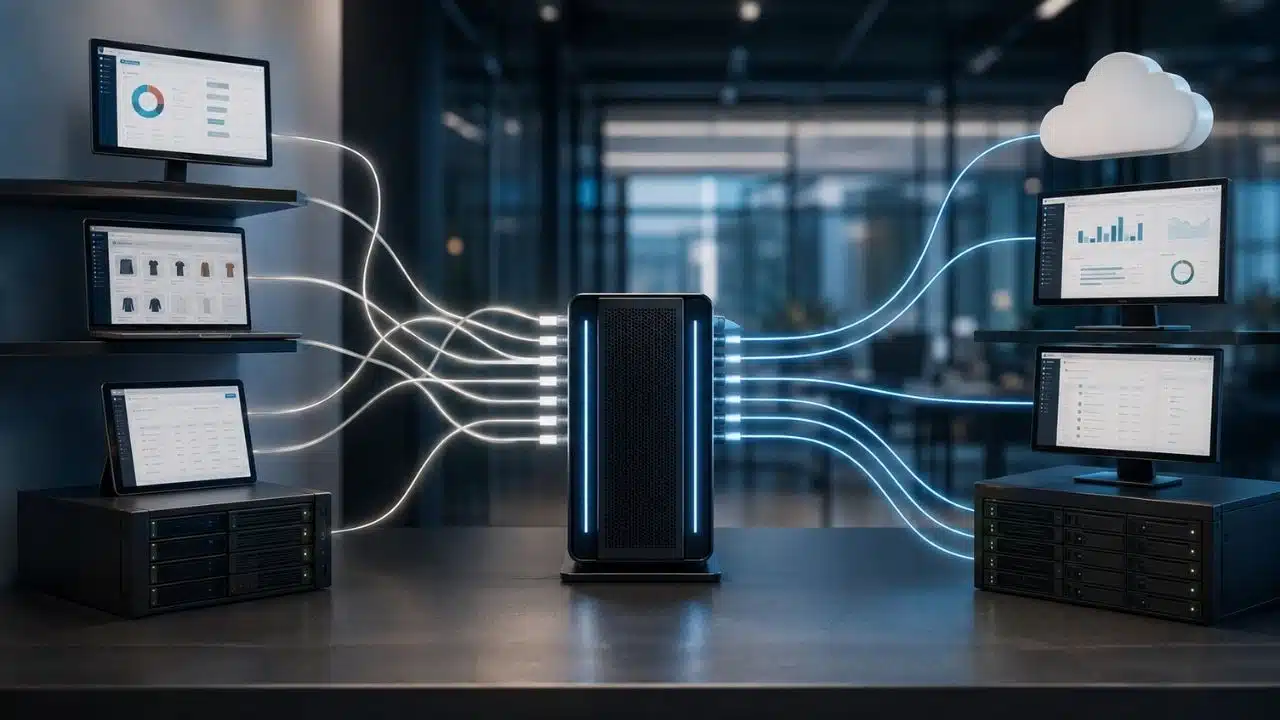
iPaaS is a vendor-managed platform that connects applications, APIs, databases, files, and business processes. It gives companies a central place to build, run, monitor, and govern integrations without maintaining every connection through custom code.
The idea is simpler than the name suggests. Your CRM knows who the customer is. Your billing platform knows what they paid. Your support system knows what went wrong. An integration platform as a service, or iPaaS, helps those systems exchange the right information at the right time.
That does not mean every business with several software subscriptions needs one. I would consider iPaaS when integrations become part of daily operations, failures begin affecting customers or revenue, and scattered scripts or automations are becoming difficult to control.
If native integrations already cover your needs and the remaining workflows are simple and low-risk, adding another platform may create more work than it removes.
What Is iPaaS?
An iPaaS provides managed tools and infrastructure for connecting systems inside and outside an organization. Those systems may run in the cloud, on company servers, or across a combination of both.
Most platforms provide some mix of:
- Prebuilt connectors for applications and data sources
- Visual tools for designing integration flows
- Data mapping, validation, and transformation
- Workflow rules and routing
- API, event, and file support
- Error handling and retries
- Execution logs and alerts
- Role-based permissions
- Development, testing, and production environments
- Audit and governance controls
These capabilities are what separate a production-grade iPaaS from a basic app automation tool. Creating a workflow is only the beginning. A business must also be able to test changes, protect credentials, control who can edit production flows, and investigate what happened when something failed.
Some platforms are built mainly for integration specialists. Others provide low-code tools that allow business teams to create simpler workflows under IT supervision. Since the boundaries between integration and automation products are increasingly blurred, I think it makes more sense to compare actual capabilities than to trust the category printed on a vendor’s website.
How Does iPaaS Work?
An integration usually begins with a trigger. That might be a new order, an updated CRM record, an API request, an uploaded file, a scheduled time, or an event from another application.
The platform then follows a defined flow:
- Connect to the source: The iPaaS authenticates using an approved method such as OAuth, an API key, a service account, or a certificate.
- Collect the required data: It reads a record, queries a database, receives an event, or retrieves a file.
- Prepare the information: Fields can be renamed, reformatted, combined, filtered, enriched, or checked for missing and invalid values.
- Apply the business rules: The flow decides where the information should go, which conditions must be met, and whether another person or system needs to act.
- Update the destination and record the result: The platform creates or changes a record, starts another process, sends a message, and logs whether the execution succeeded.
Consider an online purchase. The storefront records the order, the payment provider confirms the transaction, the inventory system reserves stock, the warehouse prepares the shipment, and the accounting platform records the sale.
Moving the order from one system to another is the easy part. A reliable integration must also account for failed payments, unavailable stock, cancelled orders, duplicate events, partial refunds, and destination outages. This is where monitoring, retries, and clear recovery rules become more important than a polished workflow diagram.
Where iPaaS Proves Useful
The best use cases usually involve several systems, a repeatable process, and a clear consequence if the information does not arrive.
Lead and customer management
A lead may begin in a website form, move into a marketing platform, enter a CRM, and eventually become a customer in the billing and support systems.
An iPaaS can check for duplicates, assign the lead to the correct team, update its status, and begin onboarding after a sale. The goal should not be to copy every field into every application. Good integration moves only the information each system needs.
Employee onboarding and offboarding
HR, payroll, identity management, device management, and IT ticketing systems often need to coordinate when someone joins or leaves a company.
Onboarding may involve creating accounts and requesting equipment. Offboarding must remove access, recover devices, and notify the appropriate teams. A missed step during departure can leave an unnecessary account or permission active, so this process requires more care than a simple notification workflow.
E-commerce operations
Retailers may need to connect storefronts, payment providers, inventory systems, warehouses, accounting software, and customer support.
The real test is not whether the platform can send a completed order to a warehouse. It is how the flow handles split shipments, duplicate orders, inventory conflicts, failed updates, returns, and refunds.
Customer support
A support platform can retrieve relevant account, order, or subscription information when a customer opens a ticket. It may also notify an account manager about a serious issue or update the CRM when a case could affect renewal.
This gives support teams useful context without granting unrestricted access to every system.
Operational data consistency
An iPaaS can keep selected customer, product, employee, and transaction records aligned across business applications. However, the company must decide which system owns each type of information.
If both the CRM and billing platform are allowed to overwrite the same customer field, two-way synchronization can spread an error or replace newer information. The platform can enforce a rule, but the business has to define it first.
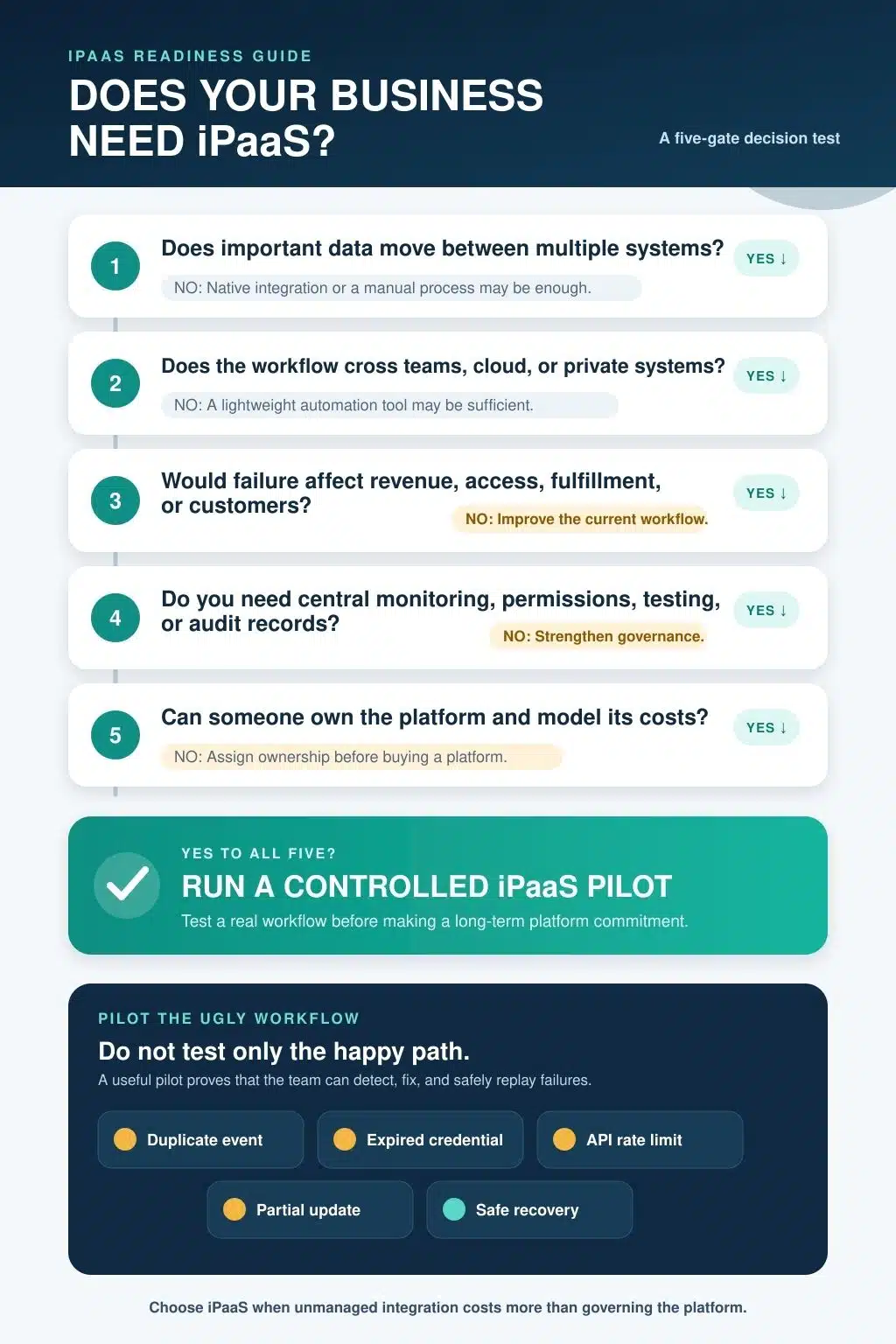
Does Your Business Need an iPaaS?
I would not decide this by counting applications. A company might use dozens of independent tools without needing a central integration platform. Another may rely on only five systems, but if those systems control orders, payments, access, and customer records, integration reliability matters much more.
An iPaaS is worth evaluating when several of these conditions apply:
- Important information must move among multiple systems.
- Integration failures affect sales, billing, fulfillment, support, or reporting.
- Custom scripts are difficult to locate, document, or maintain.
- Different teams keep rebuilding the same connections.
- New applications take too long to add to existing processes.
- Cloud platforms must communicate with private or on-premises systems.
- Teams cannot easily see whether integrations are running correctly.
- Credentials are being stored inside individual scripts or workflows.
- API limits, duplicate events, retries, and partial failures are becoming common.
- Developers spend too much time maintaining routine integration work.
- The company needs formal permissions, audit logs, testing, and deployment approval.
These signs do not mean the business should immediately sign a long-term contract. They mean the current approach deserves a proper cost and risk review.
When You Probably Do Not Need One Yet
An iPaaS may add unnecessary cost and administration when:
- Native integrations already cover the required workflows.
- Only one or two low-risk automations are needed.
- Data moves infrequently and manual handling remains reasonable.
- The main requirement is loading data into a warehouse for analysis.
- Integration failures have little operational impact.
- Existing custom integrations are stable, documented, and inexpensive to maintain.
- Nobody is available to own the new platform.
A small business should not adopt an enterprise integration platform just to avoid a few minutes of data entry. The decision changes when manual work starts causing errors, delaying customers, or consuming time across several teams.
iPaaS Compared With Other Integration Options
The categories overlap, and one product may cover more than one of them. The right choice depends on the problem being solved.
| Option | Primary purpose | When it may be enough |
| Native integration | Connect two specific applications | The built-in connection supports the full workflow |
| Lightweight automation | Run simple app-to-app actions | The process is low-risk and easy to supervise |
| iPaaS | Coordinate and govern integrations across systems | Several important processes depend on reliable connections |
| ETL or ELT | Move and prepare data for analytics | The main goal is loading a data warehouse or data lake |
| API management | Publish, secure, and govern APIs | The business mainly needs to expose or control APIs |
| Message broker | Exchange events and messages between services | High-volume asynchronous communication is the priority |
| RPA | Automate actions through an application interface | An important system does not provide a workable API |
| Custom code | Handle specialized integration requirements | The business can support the code throughout its lifetime |
These options are not mutually exclusive. A company might use iPaaS for SaaS workflows, ETL for analytics, API management for external developers, and a message broker for internal application events.
What iPaaS Does Not Solve for You
An iPaaS can make integrations easier to build and manage, but it cannot fix unclear data ownership, weak security, incomplete APIs, or poorly designed processes. Before choosing one, it is important to understand where the platform’s responsibility ends and yours begins.
A connector may offer limited coverage
Vendors often promote the size of their connector libraries. That number says little about what each connector can actually do.
A connector may support standard records but not custom objects, bulk operations, attachments, webhooks, or a particular action such as updating or inserting a record in one step. Some workflows still require custom API calls even when a named connector exists.
Connector depth should therefore be tested against the exact workflow. Seeing an application logo in a marketplace is not enough.
Low-code does not remove technical responsibility
Visual builders can reduce development time, especially for common workflows. They do not eliminate the need to understand authentication, data models, permissions, error handling, and system ownership.
Complex transformations or unsupported endpoints may still require code. Even a completely visual flow needs testing, monitoring, documentation, and someone who knows how to recover it.
Connected applications keep their own limits
An integration platform does not provide unlimited access to other services. Source and destination systems may restrict request volume, payload size, polling frequency, or concurrent connections.
A workflow that performs well with a handful of test records may slow down or fail at production volume. Rate limits, retry behaviour, and peak traffic should be examined before launch.
Applications also change. Fields are renamed or removed, authentication requirements evolve, and API versions reach the end of support. The provider may maintain the connector, but the customer remains responsible for its mappings and process logic.
Pricing can be difficult to forecast
iPaaS pricing may depend on executions, tasks, connections, data volume, processing capacity, environments, users, premium connectors, or support level.
A short-looking workflow can produce considerable usage when it runs frequently, polls multiple systems, processes records individually, or retries failed steps. Cost estimates should include normal and peak volume, failed executions, data transfer, test environments, implementation, monitoring, and support.
The entry price matters less than the cost of running real workflows under realistic conditions.
The platform becomes a sensitive part of the stack
An iPaaS may hold tokens or credentials capable of reading and changing information across several important systems. Logs can also contain customer, employee, financial, or operational data.
Security reviews should cover:
- Least-privilege access
- Credential storage and rotation
- Role-based permissions
- Multifactor authentication and single sign-on
- Encryption
- Sensitive-data masking in logs
- Private or on-premises connectivity
- Data-processing and retention locations
- Audit-log coverage
- Incident and recovery procedures
A provider’s compliance certification can support due diligence, but it does not make every workflow compliant. The customer still has to configure the platform properly, sign any required agreements, and understand which responsibilities remain with the business.
Integration debt can move rather than disappear
Replacing scattered scripts with a central platform does not guarantee order. The new platform can also accumulate poorly named, undocumented, and overlapping workflows.
Every production integration should have an owner, a clear purpose, documented dependencies, a recovery procedure, and a retirement plan. Otherwise, the company eventually recreates the same problem inside a newer tool.
Vendor lock-in deserves attention as well. Workflows may depend on proprietary connectors, expressions, deployment systems, and monitoring tools. Before committing, find out what can be exported and how much work would be required to move away.
How to Evaluate an iPaaS Properly
If I were evaluating a platform, I would begin with an awkward real workflow, not the easiest demonstration. It should be important enough to reveal the platform’s value but reversible enough that a pilot failure would not disrupt the business.
Document the workflow first:
- Source and destination systems
- Trigger
- Required data
- Expected volume
- Acceptable delay
- System of record
- Authentication method
- Failure impact
- Sensitive information involved
- Recovery requirements
- Current maintenance effort
Then test what happens when things go wrong. Use an expired credential, an invalid record, a duplicate event, a rate-limit response, a destination outage, and a partial update. Confirm whether the team can identify the failure, prevent duplicate work, correct the problem, and safely process the record again.
The evaluation should also measure:
- Time required to build and change the integration
- Connector coverage for the required operations
- Clarity of logs and alerts
- Recovery time after failure
- Cost at normal and peak volume
- Permission and audit controls
- Support for separate environments
- Portability and exit options
Finally, decide who will own the platform. Someone needs responsibility for architecture standards, connection approval, deployment, monitoring, documentation, incident response, and cost control. Business teams may build appropriate workflows, but production automation should not become ownerless.
The Practical Decision
Your business probably needs to evaluate iPaaS when integrations have become operational infrastructure. Failures matter, several teams depend on the workflows, changes happen regularly, and security or governance can no longer be handled informally.
You probably do not need one when native connections solve the problem and the remaining workflows are simple, low-risk, and easy to maintain.
My practical rule is: do not buy an iPaaS because your software stack looks large. Test one when the cost and risk of unmanaged integration begin to exceed the cost of operating a proper platform.
Frequently Asked Questions on iPaaS
1. Is iPaaS the same as an API?
No. An API is an interface that allows systems to communicate. An iPaaS uses APIs and other connection methods to build, run, monitor, and govern complete integration workflows.
2. Can a small business use iPaaS?
Yes, but company size is not the deciding factor. A small business may benefit when several critical systems must remain synchronized. If the workflows are simple, native integrations or a lightweight automation service may be enough.
3. Does iPaaS require coding?
Not always. Many standard workflows can be created visually. Custom APIs, unusual data formats, complex transformations, and advanced error handling may still require code or technical expertise.
4. Is iPaaS secure?
It can be secured appropriately, but safety depends on both the provider and the customer’s configuration. Review permissions, authentication, encryption, logs, data locations, retention, private connectivity, and relevant compliance requirements before connecting sensitive processes.
5. How much does an iPaaS cost?
There is no standard price. Providers may charge by execution, connection, task, data volume, capacity, user, or subscription tier. Calculate the cost using real workflow volume, including retries, support, implementation, monitoring, and maintenance.